
Distant Horizons is a Minecraft modification (mod) designed to dramatically increase the rendering distance of your game world without significantly impacting performance. Unlike other mods that achieve similar results at the cost of frame rate and system resources, Distant Horizons utilizes a clever Level of Detail (LOD) system to display a vast expanse of your Minecraft world with minimal performance overhead. This allows players to experience a significantly expanded view of their creations and the procedurally generated landscapes, fostering a more immersive and engaging gameplay experience.
Expanding the Minecraft Horizon: Beyond the Vanilla Limits
Vanilla Minecraft, in its default configuration, offers a limited rendering distance. While players can adjust this setting in-game, the achievable range is relatively constrained, often capped around 32 chunks. This limitation is primarily driven by the hardware capabilities of the player’s computer; more powerful machines might render slightly further, but the inherent limitations of the game engine still apply. Attempting to push these limits too far can lead to significant performance drops, resulting in lag, stuttering, and an overall unpleasant gaming experience.
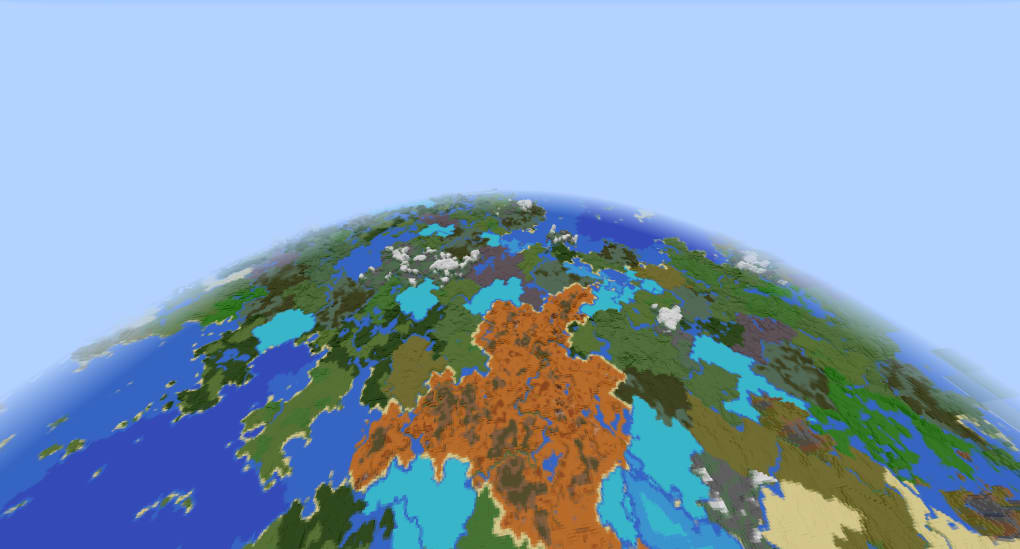
Mods like OptiFine offer improved performance and the ability to increase rendering distance, but they often achieve this by sacrificing graphical fidelity and imposing a considerable load on the system. Distant Horizons offers a distinct advantage by utilizing its unique LOD system. This system renders simplified versions of distant parts of the world, reducing the processing power required to display them while still providing a recognizable visual representation. The result is a vastly extended horizon without the associated performance penalties. Players can now see much further into their world, revealing previously unseen landscapes, structures, and biomes. This drastically alters the scale of exploration and allows for more strategic planning in larger projects.
The Level of Detail (LOD) System: A Technical Deep Dive
The core innovation behind Distant Horizons lies in its sophisticated LOD implementation. Instead of rendering every block in detail, regardless of distance, the mod employs a hierarchical system that reduces the complexity of distant objects. This means that while close-up views retain their sharp detail, objects further away are rendered with progressively simpler geometry. This technique, common in 3D graphics to optimize performance, is particularly effective in Minecraft’s blocky world.
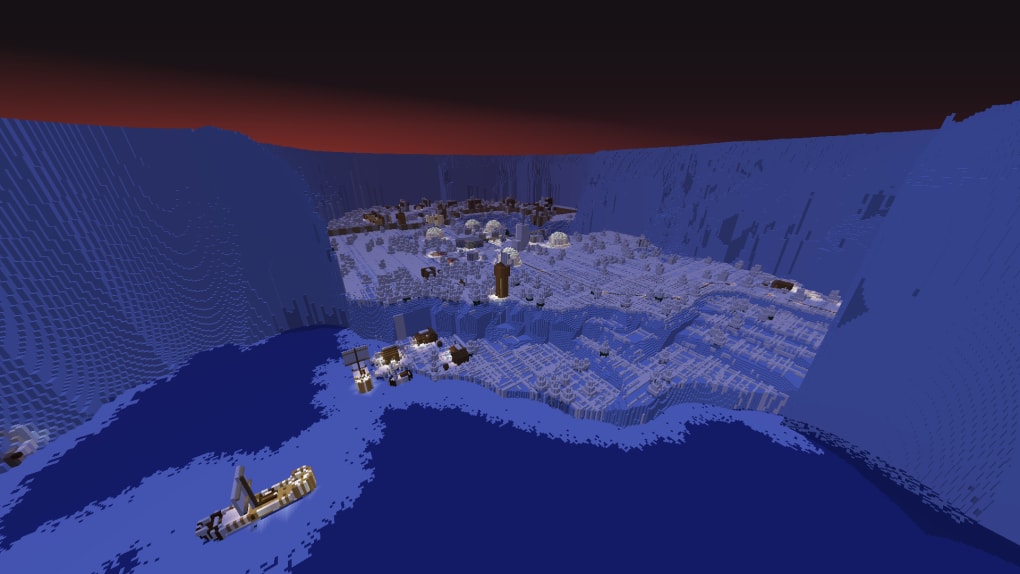
The mod intelligently adjusts the level of detail based on distance, smoothly transitioning between high-fidelity representations close to the player and more simplified versions further away. This transition is generally seamless and unobtrusive, ensuring that the visual experience remains enjoyable without jarring shifts in detail. This approach allows Distant Horizons to achieve stunning render distances while maintaining acceptable frame rates, even on less powerful hardware configurations.
The LOD system isn’t merely about reducing polygon count; it also incorporates techniques to maintain the overall visual coherence of the game world. This means that even distant features retain enough detail to be recognizable and contribute to the overall sense of scale and immersion. The player can easily discern mountains, forests, and other significant landmarks from a much greater distance than is possible in the vanilla game.
Beyond Rendering Distance: Enhanced Visual Fidelity and Features
Distant Horizons offers more than just extended rendering distance; it also contributes to improved visual clarity and provides additional customization options. While the LOD system is its primary feature, the mod also allows for adjustments to the fog’s vertical height, offering players additional control over the overall atmospheric perspective. This allows players to fine-tune the visual experience, creating different moods and levels of immersion depending on their preferences. The ability to enable or disable fog completely is also a valuable feature for those who prefer a clearer, more unobstructed view of their world.
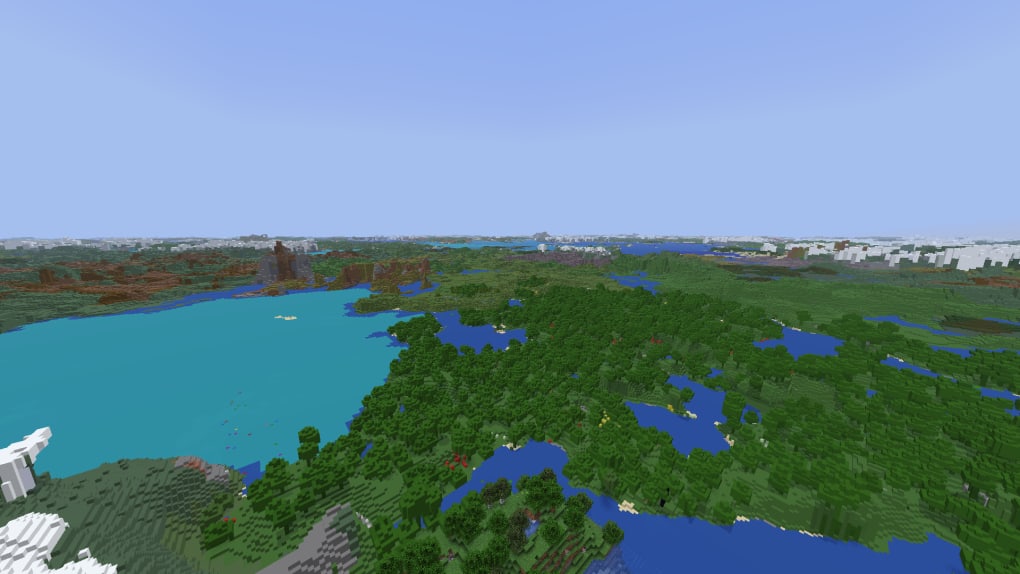
Another key aspect of the mod is its compatibility with player-created structures. Unlike some similar mods that might fail to render custom builds at extended distances, Distant Horizons successfully incorporates these structures into its LOD system. This means that massive player-built castles, sprawling cities, or intricate farms will remain visible even at extreme distances, providing a satisfying sense of scale and accomplishment. This feature significantly enhances the mod’s value for players who invest significant time and effort in creating large-scale projects within their Minecraft worlds.
System Requirements and Compatibility: Understanding the Limitations
Despite its impressive capabilities, Distant Horizons is not without limitations. While it significantly reduces the performance impact compared to other distance rendering mods, it’s crucial to understand the system requirements and compatibility aspects.
While the mod generally performs well on a variety of hardware, high rendering distances still demand a certain level of system resources. Players with lower-end machines may still experience some performance drops at the most extreme settings. Experimentation with different rendering distances and other graphical settings is recommended to find the optimal balance between visual quality and performance.
The mod also currently lacks compatibility with shaders. This is a known limitation that the developers are actively working to address. Using shaders alongside Distant Horizons may lead to unexpected behavior or crashes. Players who heavily rely on shaders should be aware of this limitation before installing the mod.
Installation and Usage: A Step-by-Step Guide
Installing Distant Horizons is a relatively straightforward process, though it requires a basic understanding of Minecraft modding. The specific steps may vary depending on the Minecraft version and the modding platform used (e.g., Forge, Fabric). Generally, the process involves downloading the appropriate mod version for your Minecraft installation, placing it in the correct directory, and launching the game with the necessary modding API enabled. Detailed installation instructions are typically available on the mod’s download page or within its documentation.
Conclusion: A Revolutionary Minecraft Mod
Distant Horizons represents a significant advancement in Minecraft modding, offering a unique solution to the long-standing problem of limited rendering distance. Its innovative LOD system effectively addresses the performance challenges associated with expanding the viewing range, allowing players to experience their Minecraft worlds on an unprecedented scale. The mod’s compatibility with player-created structures further enhances its value, especially for players who enjoy large-scale building projects.
While the lack of shader support and potential performance issues on lower-end hardware remain limitations, the overall benefits of Distant Horizons make it a compelling mod for many Minecraft players. Its capacity to significantly expand the horizons of the game world, without crippling performance, makes it a valuable addition for anyone seeking a more immersive and visually stunning Minecraft experience. The ongoing development and updates suggest that future versions will likely address current limitations and introduce even more features, further solidifying Distant Horizons’ position as a leading Minecraft modification.
File Information
- License: “Free”
- Latest update: “November 4, 2024”
- Platform: “Windows”
- OS: “Windows 8”
- Language: “English”
- Downloads: “11.3K”
- Size: “16.61 MB”


