
In the bustling digital landscape where information overload is a constant challenge, the ability to efficiently capture, organize, and retrieve ideas is paramount. For decades, individuals and professionals alike have sought reliable tools to manage their daily influx of data, tasks, and creative bursts. Enter Easy Notes, a remarkable productivity software that has carved out its niche as a comprehensive solution for note-taking and personal organization on Windows platforms. More than just a simple notepad, Easy Notes integrates a multi-role editor, diverse note-taking options, a robust calendar, and intuitive task management capabilities, all designed to streamline your workflow and ensure no important detail slips through the cracks.
First introduced into the digital catalog in 2006, Easy Notes quickly gained traction as a valuable utility for Windows users. Its early days saw it accumulate a significant number of downloads, reflecting a strong demand for its unique blend of features. While the specific download figures vary across different reporting periods and aggregations, historical data from its debut year indicates hundreds of thousands of users seeking its capabilities. As of more recent data, Easy Notes has garnered approximately 6,900 downloads, with a steady stream of about 50 downloads per month, demonstrating its enduring relevance and continued appeal to a dedicated user base. This continued interest, particularly highlighted by its heavy usage in regions like India, underscores its effectiveness and accessibility.
One of the defining characteristics of Easy Notes is its lightweight design. Requiring significantly less disk space than many other productivity applications, it offers an efficient solution that doesn’t burden system resources. This aspect makes it an ideal choice for users who prioritize performance and seek a straightforward, yet powerful, tool for managing their digital thoughts and responsibilities. Available as a trial version in English, Easy Notes provides a glimpse into its extensive feature set, inviting users to experience its benefits before committing fully. Its development by Rawos speaks to a focused approach on delivering a specialized tool tailored to specific user needs, rather than a one-size-fits-all solution.
Comprehensive Features for Enhanced Organization
Easy Notes distinguishes itself from conventional note-taking applications through its array of integrated tools, meticulously designed to cater to various organizational needs. At its core, it addresses the common challenge of remembering important ideas and keeping track of daily activities, providing a unified platform that goes beyond mere text input. The software’s architecture is built around flexibility and extensibility, allowing users to tailor its functionalities to their unique requirements, especially through its plug-in support. This multi-faceted approach means that whether you’re a student, a professional, or simply someone looking to better manage personal information, Easy Notes offers a powerful suite of tools at your fingertips.
The Versatile DocPad Multi-Role Editor
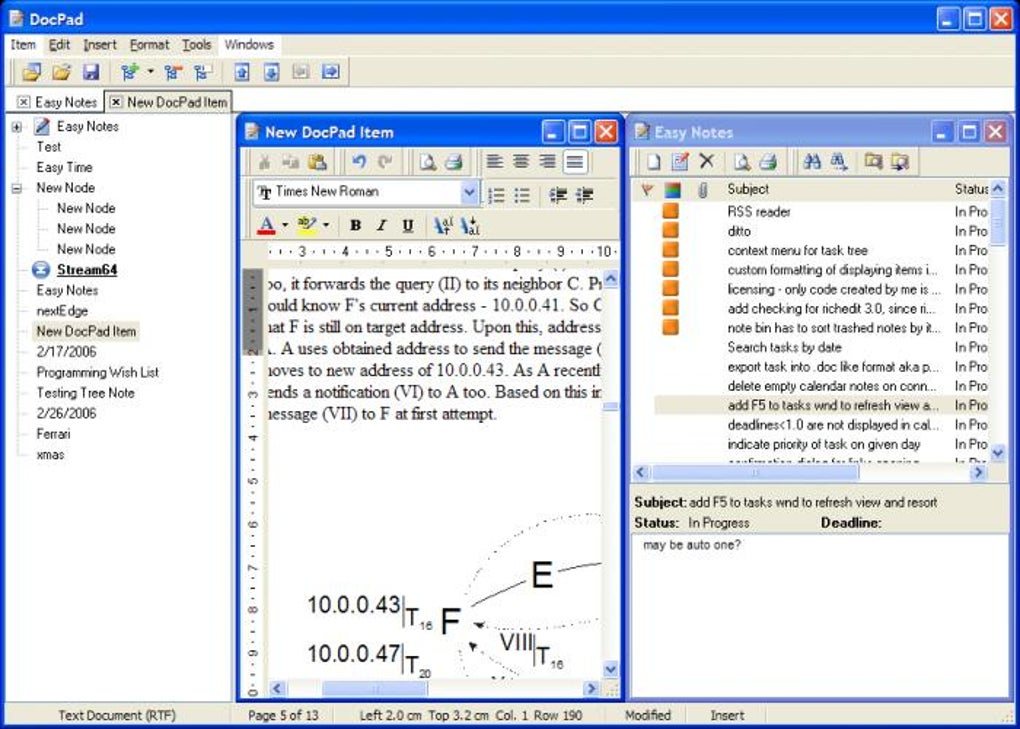
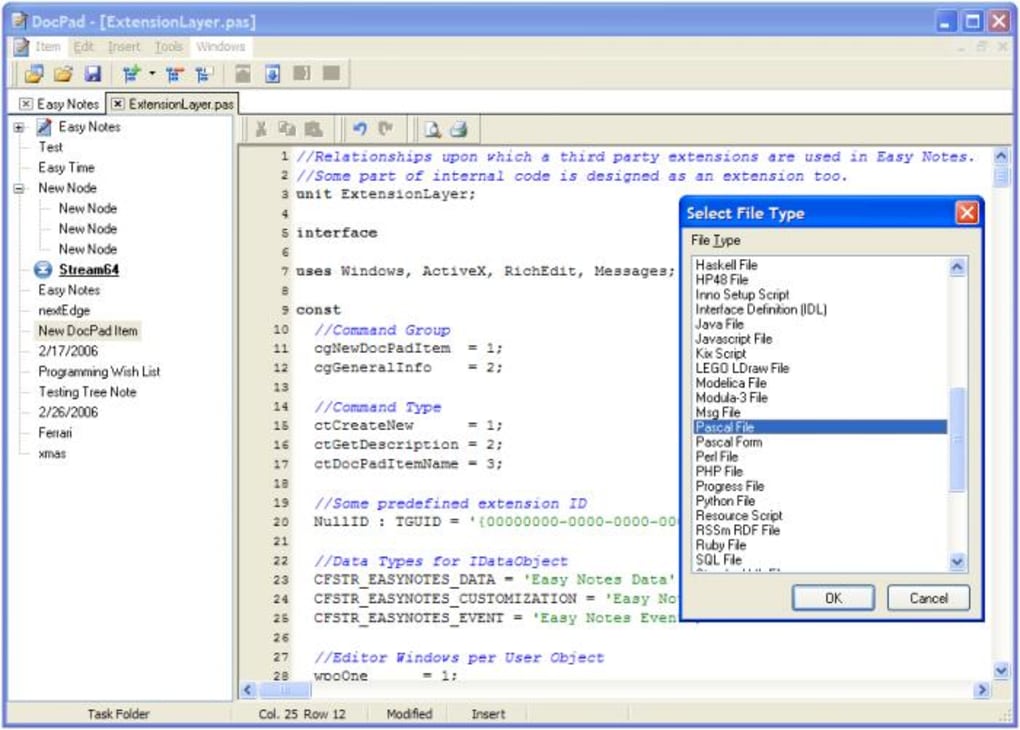
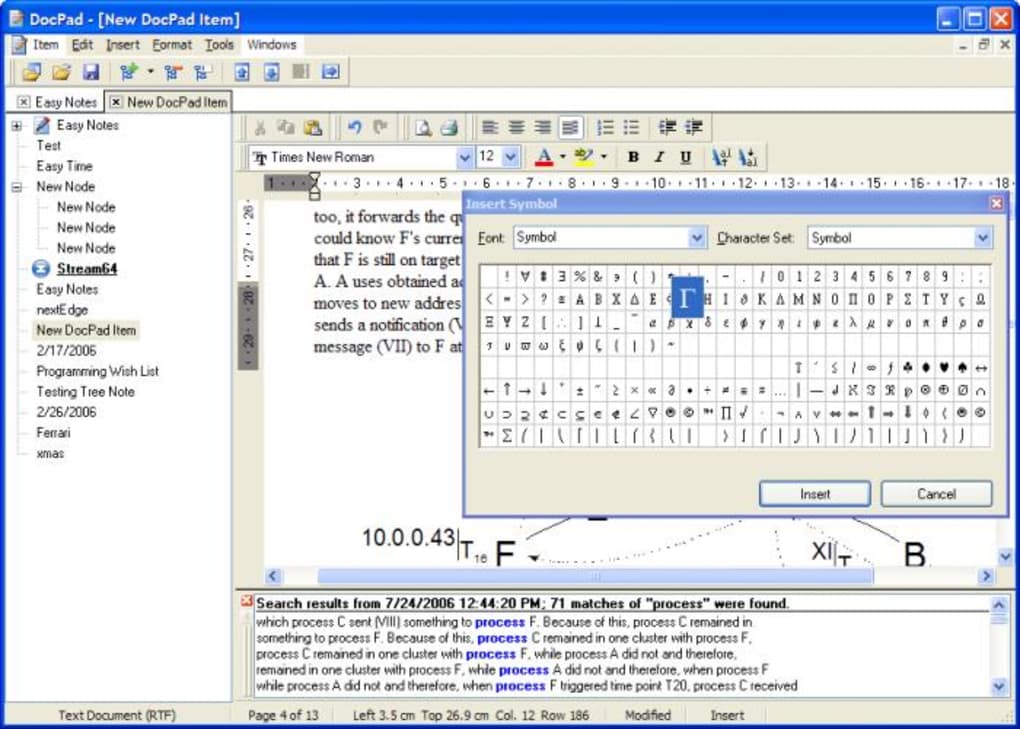
Central to the functionality of Easy Notes is DocPad, an advanced multi-role editor that acts as an integral component of the application. Unlike basic text editors, DocPad is engineered with an extensible architecture, meaning its capabilities are not fixed but can be expanded through loaded plug-ins. This design innovation allows the application to recognize and work with an impressive array of file formats, making it incredibly versatile. For instance, a user can simultaneously leverage DocPad as both a sophisticated word processor and a capable HTML editor. This flexibility eliminates the need to switch between multiple applications for different editing tasks, consolidating various functions into a single, cohesive environment.
DocPad is equipped with a comprehensive set of features tailored for efficient document management, particularly when dealing with multiple files. It supports a Multiple Document Interface (MDI), enabling users to open and work on several documents within the same application window. This is complemented by tabbed browsing, which further streamlines navigation between open files, much like a modern web browser. Furthermore, DocPad incorporates a hierarchical tree structure, allowing users to organize their documents logically and intuitively. This tree view supports the traditional parent-child relationship for sorting files, but it also boasts a unique capability: a single document can exist in several branches of the tree. This feature is particularly beneficial for users who need to categorize documents under multiple contexts without creating redundant copies, enhancing cross-referencing and accessibility. Combined with standard editing commands, including powerful search functionalities, DocPad ensures that all documents, regardless of their format or organizational structure, are readily accessible and easily manageable.
Dynamic Note-Taking Options
Beyond its robust editor, Easy Notes offers a diverse set of note-taking tools, each designed to serve a specific purpose, from quick reminders to comprehensive information storage. This versatility ensures that users can choose the most appropriate method for capturing their thoughts, depending on the size, complexity, and longevity of the information.
Sticky Notes: Your Digital Reminders
A familiar concept to anyone who has ever adorned their desk with colorful paper squares, sticky notes in Easy Notes bring this timeless reminder system into the digital age with enhanced capabilities. Each digital sticky note functions like a miniature word processor, providing users with the power of rich text formatting. This means you’re not limited to plain text; you can bold, italicize, underline, change font sizes, and even incorporate different colors to highlight critical information. Such formatting greatly improves readability and ensures that key points stand out.
These digital sticky notes retain the convenient behaviors of their physical counterparts. Users can set them to always stay on top of other applications, ensuring that crucial reminders are constantly in view regardless of what other tasks are being performed. The option to “roll” them allows for minimizing their visual footprint when not immediately needed, while the “recycle” feature provides a straightforward way to discard outdated notes. The digital nature of these sticky notes also offers additional advantages, such as easy searching, quick editing, and the ability to link them to other documents or tasks, transforming a simple reminder into an interactive part of your productivity system. They are perfect for jotting down fleeting ideas, temporary reminders, or quick access information that needs to be immediately visible.
The Hierarchical Note Tree: Managing Larger Ideas
For information that transcends the brevity of a sticky note, Easy Notes provides the “Note Tree.” This feature is specifically designed to manage larger, more complex notes that might involve extensive text, intricate details, or embedded objects. The Note Tree operates on a hierarchical structure, similar to the document tree in DocPad, allowing users to organize notes into logical categories and subcategories. This hierarchical organization is invaluable for projects, research, or any scenario where information needs to be structured and easily navigable.
What truly elevates the Note Tree is its support for advanced features such as Object Linking and Embedding (OLE). This capability allows users to embed or link objects from other applications directly into their notes. Imagine embedding a spreadsheet, a drawing, or a segment of a document into a note, allowing for a richer, more contextually complete repository of information. This transforms the Note Tree into a powerful knowledge management tool, capable of holding not just textual notes but also multimedia and application-specific data. It’s an ideal solution for students compiling research, professionals documenting project progress, or anyone who needs to store and retrieve detailed, interconnected pieces of information in a highly organized fashion.
Integrated Calendar and Task Management
Beyond simply taking notes, Easy Notes understands the critical link between information capture and action. To this end, it seamlessly integrates a comprehensive calendar and a robust task management system, turning it into a holistic personal information manager. This integration ensures that ideas captured as notes can be directly associated with actionable tasks and specific deadlines, closing the loop between thought and execution.
The calendar component provides a full month overview, offering a clear visual representation of your schedule. Each day on the calendar can be associated with a dedicated note, allowing users to record specific details, reflections, or summaries related to that particular day’s events. More importantly, multiple tasks can also be linked to any given day, providing a granular level of control over your daily agenda. This direct association between dates, notes, and tasks creates a powerful context, ensuring that all relevant information is accessible from a single point of reference.
The task management system within Easy Notes mirrors the organizational prowess of its note-taking features. Tasks are hierarchically sorted in a dedicated tree structure, allowing for complex project breakdowns and logical grouping of activities. Almost all the features available to notes, such as rich text formatting, hyperlinks, and various display options, are also applicable to tasks, providing a consistent and flexible user experience. A particularly valuable feature is the “view into a selectable piece of future,” which allows users to project and visualize upcoming tasks and commitments over a customizable timeframe. This forward-looking perspective aids in planning, resource allocation, and proactive management of responsibilities.
Easy Notes prioritizes reliability, especially concerning the integrity of your data. To ensure that no critical information is ever lost, each note is saved automatically as it is modified—a critical feature that mimics the security of writing on real paper. This auto-save functionality eliminates the risk of losing work due to unexpected application crashes or power outages, providing peace of mind for users. Furthermore, a suite of essential utilities enhances the overall usability, including printing capabilities for hard copies, a recycle bin for recovering accidentally deleted items, the “stay-on-top” option for always-visible reminders, and functions for exporting and importing data. The inclusion of hyperlinks allows for seamless navigation between related notes, documents, or external resources, further enriching the interconnectedness of your information. Templates are also available, providing pre-formatted structures for common note types or tasks, accelerating the creation process and maintaining consistency. These combined features underscore Easy Notes’ commitment to providing a reliable, comprehensive, and user-friendly environment for managing all aspects of personal and professional productivity.
Technical Footprint and System Compatibility
Understanding the technical specifications of Easy Notes provides crucial insight into its design philosophy and target audience. Developed by Rawos, this software is engineered to be efficient and accessible, particularly for users within the Windows ecosystem. Its core attributes reflect a design choice to prioritize functionality and a light system footprint, making it a practical solution for a wide range of devices.
Core Specifications at a Glance
Easy Notes is offered as a trial version, allowing prospective users to explore its extensive capabilities before making a full commitment. The application proudly bears version number 5, indicating a mature and refined product that has undergone several iterations of development and improvement. While the core version dates back to its initial release, the latest recorded update for the application’s specifications is noted as March 9, 2017. This suggests ongoing maintenance or at least a recent update to its descriptive metadata, even if the primary development cycle for version 5 concluded earlier.
The software is exclusively designed for the Windows platform, cementing its role as a dedicated utility for this operating system. Historically, it was noted for its compatibility with Windows 95 and prior versions, pointing to its origins in an era of computing that predates modern Windows iterations. However, more specific details in its application specifications indicate support for Windows ME, a slightly newer, yet still legacy, version of Windows. This historical context suggests that Easy Notes was built with efficiency and broad compatibility in mind for earlier Windows environments, and its lightweight nature often allows it to function seamlessly on many subsequent Windows versions as well. The application is localized in English, making it accessible to a vast global audience, particularly in regions where English is a primary language of technology and business. Its compact size, specifically 3.86 MB, reinforces its lightweight design philosophy. This minimal footprint ensures quick downloads, effortless installation, and negligible impact on system performance, a significant advantage for users with older hardware or limited storage capacity.
User Base and Download Statistics
The trajectory of Easy Notes’ popularity and user adoption offers an interesting glimpse into its market presence. Since its initial inclusion in digital catalogs around 2006, the software has accumulated a substantial number of downloads. The aggregate figure of approximately 6,900 downloads, as recorded in more recent specifications, reflects a steady uptake over its lifespan. Furthermore, a consistent figure of around 50 downloads per month indicates that Easy Notes continues to attract new users, even years after its initial release. This sustained interest highlights its enduring utility and the continued demand for its unique feature set in the productivity software landscape.
A notable geographical trend in its usage is its heavy adoption in India. This regional preference could be attributed to a variety of factors, including specific market needs, cultural affinity for accessible and efficient software, or even localized promotional efforts. Whatever the reasons, this concentrated user base underscores the application’s ability to resonate with specific demographics and meet particular requirements effectively. This global reach, combined with its focused feature set, demonstrates that Easy Notes is not merely a niche tool but a broadly recognized solution for personal and professional organization, particularly appreciated by those who value its simplicity, comprehensive functionality, and minimal system demands.
Ecosystem of Note-Taking: Alternatives and Comparisons
The market for note-taking and productivity software is vibrant and diverse, offering a plethora of options ranging from minimalist digital scratchpads to expansive, cloud-integrated knowledge management systems. Within this competitive landscape, Easy Notes holds its own by providing a distinct blend of integrated features, particularly for Windows users. While its unique combination of a multi-role editor, hierarchical notes, and a combined calendar/task manager sets it apart, understanding its position relative to other popular tools can help users determine if it’s the right fit for their specific needs.
Exploring Similar Productivity Tools
When considering alternatives, several applications come to mind, each with its own strengths and focus. For users seeking a more integrated experience with existing platforms, “EasyNotes for Keep” stands out as a free application for Windows, developed by Tim Grabinat, likely tying into Google Keep’s ecosystem for cloud-based synchronization and broader device access. Similarly, “Wacom Notes” offers a free solution, probably tailored for users with Wacom tablets, emphasizing handwritten note capture and digital doodling. These apps highlight the trend towards specialized hardware integration or cloud-centric approaches.
For those who prioritize hierarchical organization, “Tree Notes” offers a trial version that focuses on organizing notes into a neat tree structure, a feature shared with Easy Notes’ DocPad and Note Tree. Another similar tool is “TreeDBNotes,” a free utility designed to help users create their own databases for notes, further emphasizing structured information management. “TK8 EasyNote2” provides a free option for putting simple notes directly on the desktop, akin to Easy Notes’ sticky notes but perhaps with less rich text functionality.
Simpler alternatives like “Not Microsoft Notepad” (a paid productivity tool) and “Notes Maker+,” a free app serving as a notepad, scratchpad, or simple to-do list, cater to users needing basic text input and quick capture without extensive features. For desktop sticky notes, “Efficient Sticky Notes” (free) and “Quick Notes Plus” (trial version with colorful sticky notes) offer dedicated solutions, showcasing the popularity of visual reminders on the desktop. Additionally, “S Note” (a free program) and “Quick Note” (another free program) provide general note-taking capabilities, while “Quick Pad” (a paid application) focuses on writing notes and creating to-do lists, often with a more streamlined interface.
Compared to these alternatives, Easy Notes offers a unique value proposition by integrating a sophisticated multi-role editor (DocPad) with versatile note-taking methods (sticky notes and a hierarchical note tree), alongside a comprehensive calendar and task management system, all within a single application. While some alternatives might excel in one specific area—be it cloud sync, handwriting recognition, or extreme simplicity—Easy Notes aims to provide a robust, all-encompassing solution that reduces the need for multiple disparate applications. Its emphasis on local storage, extensive formatting, and OLE support, combined with its lightweight design, positions it as an appealing choice for users who prefer an integrated, powerful, and resource-efficient desktop solution for their productivity needs without heavy reliance on internet connectivity or subscription models.
Conclusion: Why Easy Notes Remains Relevant
In an era dominated by cloud-based solutions and subscription models, Easy Notes stands as a testament to the enduring value of well-designed, self-contained desktop software. Its comprehensive feature set, encompassing a multi-role editor, diverse note-taking options, and integrated calendar and task management, provides a powerful toolkit for personal and professional organization. The commitment to reliability, exemplified by its “save as modified” functionality, ensures data integrity and user peace of mind—a critical consideration for any productivity tool.
Despite its historical roots and compatibility with older Windows versions, Easy Notes continues to attract a steady user base, particularly in regions where efficient, lightweight, and offline-capable solutions are highly valued. Its ability to handle rich text formatting, support Object Linking and Embedding, and offer extensible functionality through plug-ins makes it far more capable than a simple notepad. For individuals who seek a robust, integrated productivity suite that prioritizes local control, system efficiency, and a comprehensive approach to managing information and tasks, Easy Notes remains an exceptionally relevant and effective choice. It proves that innovation doesn’t always have to mean the newest technology, but often means refining core functionalities to deliver a truly valuable and lasting user experience. Whether you’re a long-time Windows user or someone looking for a powerful, yet unpretentious, productivity companion, Easy Notes offers a compelling solution to keep your ideas organized and your activities on track.
File Information
- License: “Trial version”
- Version: “5”
- Latest update: “March 9, 2017”
- Platform: “Windows”
- OS: “Windows ME”
- Language: “English”
- Downloads: “7K”
- Size: “3.86 MB”


