
Express Scribe is a powerful and versatile audio transcription software designed to streamline the process of converting audio files into written documents. Whether you’re a professional transcriber, a student, or anyone who needs to regularly transcribe audio recordings, Express Scribe offers a range of features to enhance your efficiency and accuracy. This guide will delve into the software’s capabilities, highlighting its key features, system requirements, and overall user experience.
Key Features of Express Scribe
Express Scribe distinguishes itself through its user-friendly interface and a suite of tools specifically tailored for transcription. Here are some of its standout features:
-
Variable Speed Playback: One of the most valuable features for transcriptionists is the ability to adjust playback speed without altering pitch. This allows you to slow down challenging sections for accurate transcription without affecting the speaker’s voice quality. This function significantly improves comprehension and reduces transcription errors.
-
Foot Pedal Control: Express Scribe boasts robust support for foot pedals, freeing your hands for uninterrupted typing. This hands-free operation enhances workflow efficiency and overall productivity, particularly beneficial for long transcription sessions. Users can easily configure the foot pedal to control playback functions like play, pause, rewind, and fast-forward. This level of control allows for a seamless and intuitive transcription process.
-
Hotkey Customization: Beyond foot pedal control, users can assign custom hotkeys to various playback and editing commands. This personalized approach allows users to tailor the software to their individual preferences and workflow, maximizing efficiency. This flexibility makes the software adaptable to a wide range of users and transcription styles.
-
Multi-Channel Control: The software’s ability to simultaneously manage multiple audio files is invaluable for projects involving several recordings. This feature streamlines the process of switching between different audio sources, eliminating the need for cumbersome manual file management. This efficient approach saves time and improves workflow organization.
-
File Management: Express Scribe provides integrated file management tools within the application, keeping your project files neatly organized. This feature enhances workflow efficiency by eliminating the need for external file management tools. The streamlined organization contributes to a more focused and productive transcription experience.
-
Wide Audio Format Support: Express Scribe supports a vast array of audio formats, including but not limited to WAV, MP3, DSS, DCT, and WMA. This wide compatibility ensures that users can seamlessly work with audio files from diverse sources and recording devices. This broad support is crucial for users with varied audio file types and sources.
-
Integration with Word Processors: Express Scribe seamlessly integrates with popular word processing software such as Microsoft Word and Lotus WordPro. This integration provides a smooth transition between audio playback and text transcription, simplifying the workflow and minimizing context switching. The seamless integration is essential for efficient transcription workflow.
-
Speech-to-Text Engine Integration: While Express Scribe primarily focuses on manual transcription, it also offers compatibility with speech-to-text engines. This integration can be a valuable supplementary tool for enhancing the transcription process, particularly for users who might benefit from automated transcription assistance. The integration is optional, allowing users to utilize speech-to-text capabilities alongside manual transcription.
-
Remote File Access: Express Scribe offers the capability to access audio files from various remote sources, such as FTP servers, email clients, and local area networks. This feature is particularly useful for those working with files from distributed locations or those who receive files electronically. This feature adds convenience and adaptability to the software’s functionality.
-
Free and Pro Versions: Express Scribe is available in both free and professional versions. The free version provides a comprehensive suite of essential features, while the Pro version offers additional advanced functionality and features. This dual-tiered approach allows users to choose the version that best aligns with their needs and budget.
System Requirements and Installation
Before installing Express Scribe, ensure your computer meets the minimum system requirements:
- Operating System: Windows XP, 2003, Vista, 2008, Windows 7, 8, 10, and 11.
- Sound Support: Integrated sound support or a dedicated sound card is required.
- Audio Output: Speakers or a headset is necessary for audio playback.
- Internet Connection: An internet connection is optional, mainly for receiving files from remote sources.
- Hard Disk Space: A minimum of 340 MB of free hard disk space is required for installation.
- Input Devices: A mouse and keyboard are essential, while a foot pedal is optional but highly recommended for enhanced workflow.
The installation process is straightforward and user-friendly. Simply download the installer from the official website, run the executable file, and follow the on-screen instructions. The software will guide you through the setup process, allowing you to customize settings according to your needs. Post-installation, you can customize global hotkeys and connect your foot pedal (if using one) through the Options menu. Then, simply drag and drop your audio files into the player, or load them through the File menu.
Using Express Scribe for Efficient Transcription
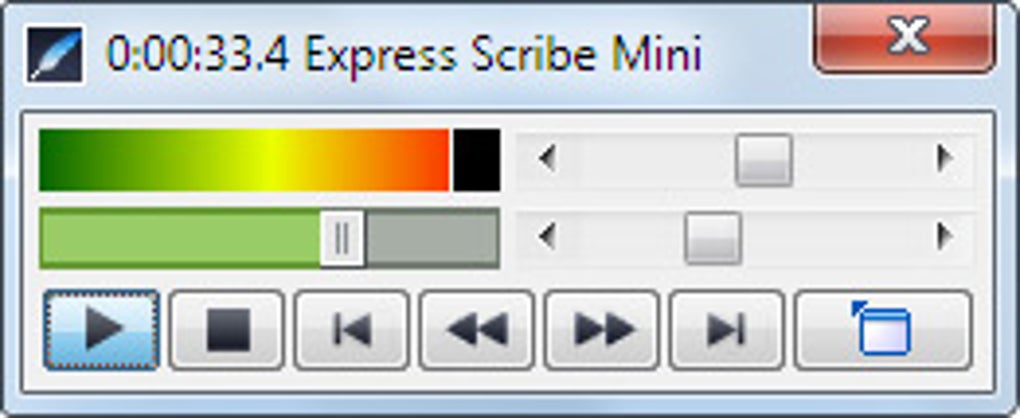
Express Scribe’s intuitive interface facilitates efficient transcription. The main window displays the audio player and controls. Separate windows appear when you select a file for transcription, providing dedicated typing workspaces. The ability to manage multiple files concurrently allows you to switch between recordings without closing any windows. This feature streamlines transcription of multiple audio files and greatly improves overall efficiency.
The software offers a range of features for enhanced productivity:
-
Auto Backstep: Configure the “Stop” key to automatically rewind a specified number of seconds upon pressing. This is exceptionally useful for quickly reviewing phrases or correcting errors.
-
Segmentation of Large Files: For lengthy recordings, break them into smaller segments for more manageable transcription. This approach helps improve focus and accuracy. You can later combine these segmented transcripts into a single document.
-
Saving and Resuming Work: Express Scribe allows you to save your work at any point and resume later. This functionality is particularly useful for handling lengthy transcription tasks. The feature helps prevent data loss and promotes efficient time management.
The software excels at assisting users in maintaining focus on the transcription task. Its clean and uncluttered interface minimizes distractions. The inclusion of foot pedal control ensures seamless transitions between playback and typing, contributing to a smooth and efficient transcription workflow.
Express Scribe: A Comparison with Other Transcription Software
While various transcription software options exist, Express Scribe stands out due to its ease of use, versatile features, and strong compatibility with various hardware and software. The software’s intuitive interface and robust feature set cater to both novice and experienced transcribers.
Its seamless integration with popular word processors ensures a smooth workflow. The optional foot pedal control is a significant advantage, improving efficiency and reducing physical strain. The software’s capacity to handle multiple files concurrently is a notable strength, particularly beneficial for large-scale transcription projects. The flexible options available in both free and Pro versions cater to diverse user needs and budgets.
Conclusion: Express Scribe – The Optimal Choice for Transcription Needs
Whether you’re a seasoned professional or a beginner, Express Scribe provides an efficient and effective solution for audio transcription. Its robust feature set, coupled with its intuitive interface, contributes to a streamlined workflow and improved accuracy. The customizable hotkeys and foot pedal support significantly enhance productivity. The software’s compatibility with various audio formats and word processors makes it a versatile tool for diverse transcription needs. The availability of both free and professional versions caters to a broad range of users and budget considerations. For an efficient and user-friendly solution to your audio transcription needs, Express Scribe stands as a top contender.
File Information
- License: “Free”
- Latest update: “June 23, 2025”
- Platform: “Windows”
- OS: “Windows 8.1”
- Language: “English”
- Downloads: “238.8K”
- Size: “2.36 MB”


