
Digital clutter is a common problem. As we accumulate files – photos, music, documents, and more – duplicates inevitably creep in, consuming valuable hard drive space and slowing down our computers. Fast Duplicate File Finder offers a solution, providing a straightforward and efficient way to identify and eliminate these redundant files, freeing up storage and boosting system performance. This comprehensive review delves into the features, performance, and user experience of this popular duplicate file finder.
Identifying and Eliminating Duplicate Files: How Fast Duplicate File Finder Works
Fast Duplicate File Finder operates on a simple yet powerful principle: scanning designated directories for identical files. The process begins with selecting the folders you wish to analyze. The software then meticulously compares files based on their content, ensuring that true duplicates, not just similarly named files, are identified. This content-based comparison is crucial for accuracy, preventing false positives that could lead to accidental data loss.
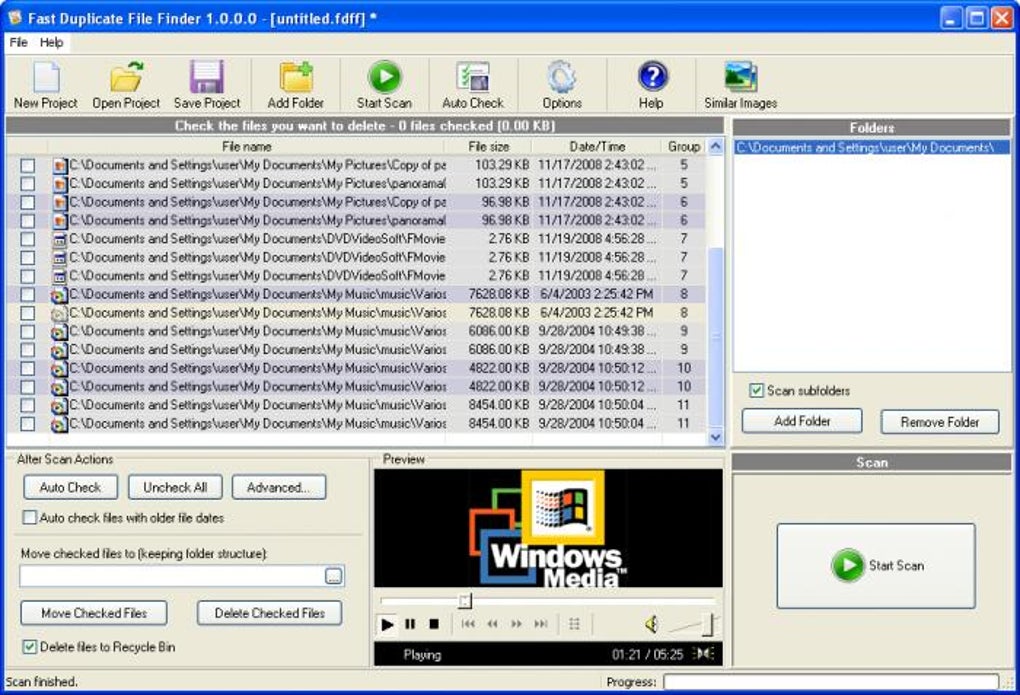
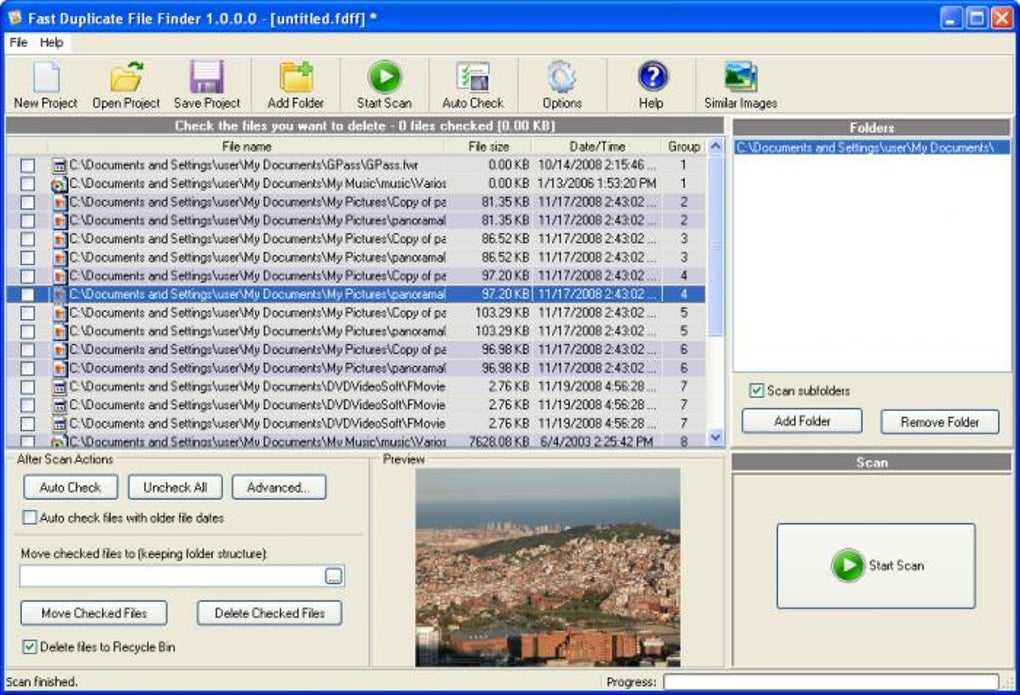
While the program supports scanning subfolders, providing a thorough analysis of your chosen directories, it doesn’t offer advanced filtering options based on file types. This means you’ll scan all files within the selected area, although this comprehensive approach ensures no duplicate is missed. Following the scan, the software presents a clear, organized list of identified duplicate files. Each entry clearly indicates the file locations, sizes, and modification dates, allowing users to review and verify the results before taking any action.
User Interface and Functionality: A Seamless User Experience
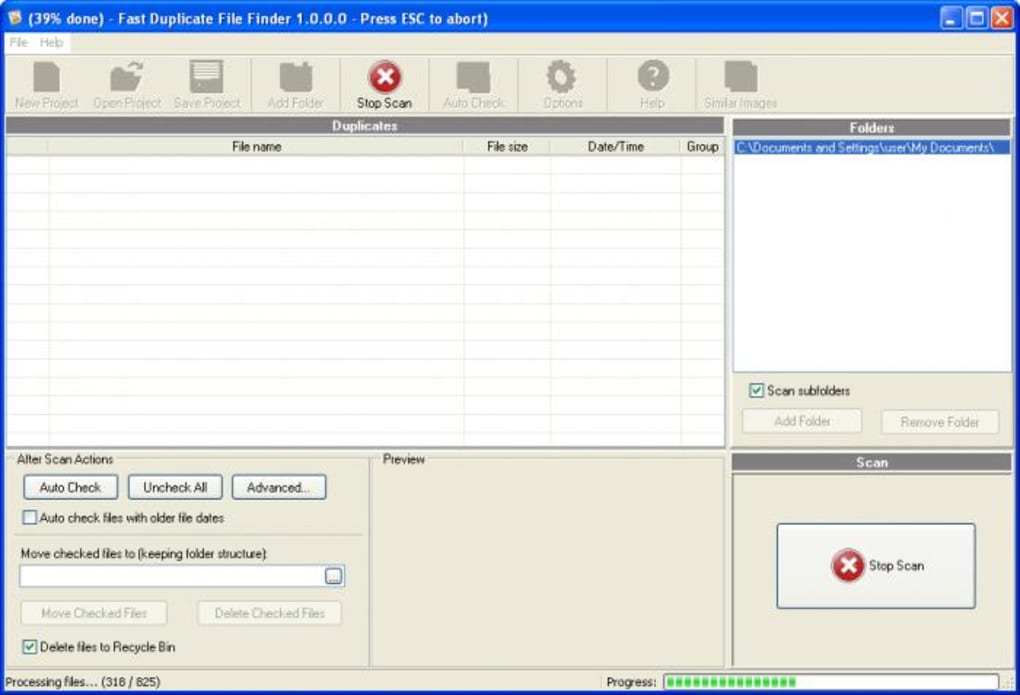
Fast Duplicate File Finder’s strength lies in its user-friendly interface. The program is intuitive and straightforward, requiring minimal technical expertise. Even novice users can easily navigate the application and understand its functions. The main screen presents a clear and organized display, showcasing the selected directory, scan progress, and a list of identified duplicate files once the scan is complete.
The software includes a built-in file viewer, a helpful feature that allows users to preview selected files directly within the program. This eliminates the need to open each file individually for verification, streamlining the process of identifying and selecting duplicates for removal. This viewer supports various file types, including images, plain text documents, and audio files.
For quick selection of duplicates, the program offers an “Auto Check” function. While intended to automatically select one copy of each duplicate file for deletion, its functionality is somewhat counter-intuitive, reportedly working primarily by selecting the oldest copy of a file. This aspect requires user awareness and careful review before confirmation, as misinterpreting its behavior could lead to unintended data loss.
Performance and Speed: Efficient Duplicate File Detection
Fast Duplicate File Finder boasts significant improvements in scanning speed compared to earlier versions. This enhanced performance makes it suitable for even large directories containing numerous files. The program’s ability to quickly analyze and identify duplicates is a key advantage, minimizing the time investment required to clean up hard drive space.
Further enhancements include an option to skip zero-byte files, optimizing the scan process by excluding files that are inherently empty and therefore unlikely to be duplicates of meaningful content. The addition of keyboard shortcuts, such as Ctrl+A for selecting all files and Ctrl+I for inverting the selection status, further streamlines the user workflow. These optimizations contribute to the software’s overall efficiency and improve user experience.
Comparison with Alternative Duplicate File Finders
While Fast Duplicate File Finder stands out for its ease of use and speed, it’s essential to consider its features in comparison with other available options. Several alternative programs offer similar functionality, often with additional features or specialized capabilities. Some competitors may provide more advanced filtering options, allowing users to target specific file types or sizes for duplicate detection. Others might incorporate more sophisticated algorithms to further enhance accuracy and speed.
The choice of the best duplicate file finder depends on individual needs and priorities. While Fast Duplicate File Finder excels in simplicity and speed, users with specific requirements or a need for advanced features might benefit from exploring alternative software. Comparing programs based on interface, features, performance, and the level of user support provided is crucial for making an informed decision.
Benefits of Using Fast Duplicate File Finder
The advantages of using Fast Duplicate File Finder are numerous. The primary benefit is the reclamation of valuable disk space. By identifying and removing redundant files, users can significantly reduce their storage footprint. This is particularly beneficial for users with limited storage capacity or those approaching their hard drive’s storage limits.
Beyond increased storage space, the removal of duplicate files contributes to improved system performance. The reduced number of files reduces the load on the operating system, leading to faster boot times, quicker application launches, and a generally smoother computing experience. This performance improvement can significantly impact overall productivity and user satisfaction. Furthermore, a more organized and efficient file system contributes to a more organized digital life. By eliminating duplicates, users can simplify their digital storage, making it easier to find and access their files.
Addressing Potential Limitations
Despite its numerous advantages, Fast Duplicate File Finder does have some limitations. The somewhat confusing “Auto Check” function, as previously mentioned, presents a potential drawback. Users need to carefully review the selected files before confirmation to avoid unintended data loss. The lack of advanced filtering options also restricts its capabilities compared to some competitors, which offer more precise control over the scan process. Users seeking granular control over the types of files scanned might find alternative programs better suited to their needs.
Conclusion: A Solid Choice for Simple and Efficient Duplicate File Removal
Fast Duplicate File Finder presents a straightforward and efficient solution for identifying and removing duplicate files. Its intuitive interface, improved scanning speed, and built-in viewer make it an accessible tool for both novice and experienced users. While some limitations exist, such as the ambiguous “Auto Check” function and the lack of advanced filtering, the overall ease of use and the significant benefit of reclaimed disk space make it a solid choice for users seeking a simple and effective way to manage duplicate files and optimize their computer’s performance. The program’s focus on straightforward functionality makes it ideal for users who prioritize simplicity and speed over extensive customization options. If your primary concern is quickly and easily identifying and removing duplicate files to free up disk space, Fast Duplicate File Finder is a strong contender.
File Information
- License: “Free”
- Latest update: “November 8, 2009”
- Platform: “Windows”
- OS: “Windows 2000”
- Language: “English”
- Downloads: “60.9K”
- Size: “1.62 MB”


