
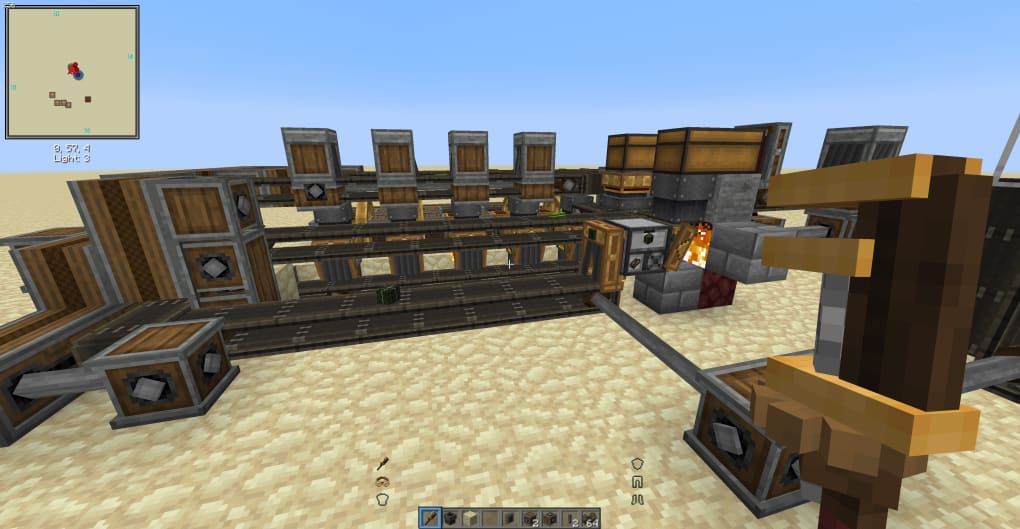
Flywheel - Minecraft Mod is a free, open-source utility designed to revolutionize the Minecraft modding experience. Developed by indie modder jozufozu, this tool focuses on significantly improving the performance and optimization of custom Minecraft content, particularly for those creating extensive mods or adding large amounts of new assets to the game. Instead of relying on the default Minecraft rendering engine, Flywheel leverages the power of GPU instancing, a cutting-edge technique that dramatically accelerates the rendering process, resulting in smoother gameplay and improved loading times. This article will delve into the functionalities, benefits, and technical aspects of Flywheel - Minecraft Mod, exploring its impact on the Minecraft modding community and its potential for future development.
Understanding GPU Instancing and its Impact on Minecraft
At the heart of Flywheel - Minecraft Mod’s optimization capabilities lies GPU instancing. This advanced rendering technique is a game-changer for resource-intensive applications like Minecraft mods. Traditional rendering methods require the game engine to process each individual object or entity separately, leading to a significant performance bottleneck, especially when dealing with large numbers of similar objects, such as blocks, items, or entities within a custom mod. This is further exacerbated in Minecraft’s voxel-based world, where numerous blocks need to be rendered to create a cohesive visual experience.
GPU instancing, however, bypasses this limitation by efficiently batching the rendering process. Instead of processing each identical object individually, it sends a single command to the graphics processing unit (GPU) to render multiple copies of the same object simultaneously. This significantly reduces the number of draw calls – individual instructions the CPU sends to the GPU – dramatically decreasing the processing load on both the CPU and the GPU.
In the context of Minecraft modding, this translates to faster loading times, smoother gameplay, and the ability to create significantly larger and more complex mods without compromising performance. Flywheel accomplishes this by allowing mod developers to define specific parameters for vertex and instance formats, as well as implementing a custom shader loading system. This granular control over the rendering process provides modders with the tools to fine-tune their creations for optimal performance, pushing the boundaries of what’s possible within the Minecraft environment.
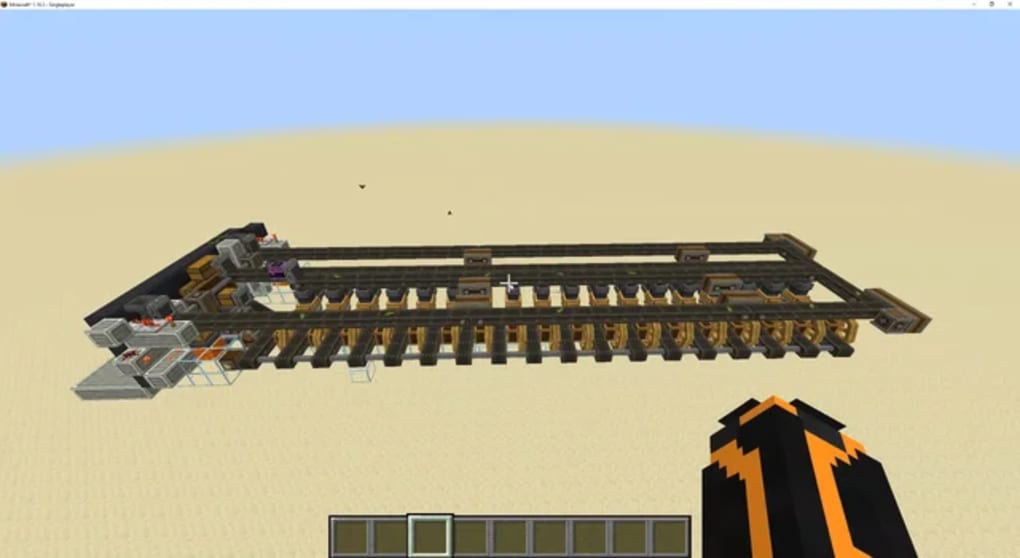
For example, imagine a mod that introduces hundreds of new types of trees, each with unique textures and models. Without GPU instancing, rendering all these trees could result in significant lag and slow down the game. However, with Flywheel, the rendering of these trees is drastically optimized, allowing for a smoother, more immersive gaming experience, even with the added complexity. This is particularly beneficial for mods that introduce extensive terrain generation, complex structures, or a large number of unique entities and items.
Streamlining the Modding Workflow: Flywheel’s Advantages
Flywheel - Minecraft Mod isn’t just about improving performance; it simplifies the modding process itself. By providing a unified platform built around GPU instancing, it streamlines many of the technical challenges that modders often face when trying to optimize their creations. This ease of use makes it a valuable asset to both experienced and aspiring mod developers, fostering innovation and creativity within the Minecraft modding community.
One significant advantage is the reduction in development time. Modders no longer need to spend countless hours manually optimizing their code for performance; Flywheel handles much of this automatically through its GPU instancing implementation. This frees up developers to focus on the creative aspects of their mods, experimenting with new ideas and features without being constrained by performance limitations.
Furthermore, Flywheel encourages the creation of larger and more ambitious projects. The ability to add numerous new assets and features without negatively impacting performance opens up a whole new world of possibilities for Minecraft modders. They can now create more detailed environments, more complex mechanics, and a richer overall gameplay experience without worrying about the technical hurdles of optimization. This democratizes the development process, allowing more people to contribute to the thriving Minecraft modding community.
Technical Aspects and Integration with Other Mods
While Flywheel simplifies the optimization process, it’s important to acknowledge its technical nature. While it’s a powerful tool, it’s not a plug-and-play solution. A basic understanding of Minecraft modding principles and some familiarity with the concepts of vertex buffers, shaders, and rendering pipelines is beneficial for effective utilization. The mod’s documentation and community support can provide valuable guidance to users unfamiliar with these concepts.
Flywheel is designed to work seamlessly with other popular Minecraft mods, including OptiFine, a well-known graphics enhancement mod. The compatibility between these two mods eliminates potential conflicts, allowing users to leverage the visual improvements of OptiFine while simultaneously benefiting from the performance optimizations provided by Flywheel. This interoperability is a testament to Flywheel’s design and its commitment to enhancing the overall Minecraft modding experience.
Despite its power, improper installation can lead to crashes or instability. It’s crucial to follow the installation instructions carefully and ensure that all necessary dependencies are correctly installed before launching Minecraft. The small file size of Flywheel belies the significant performance improvements it provides, highlighting its efficient design and optimization.
The Future of Minecraft Modding with Flywheel
Flywheel - Minecraft Mod represents a significant leap forward in Minecraft modding technology. By providing an easy-to-use, yet powerful, optimization tool based on GPU instancing, it empowers modders to create more ambitious and visually stunning content without sacrificing performance. This not only enriches the gameplay experience for Minecraft players but also fosters creativity and innovation within the modding community.
The ongoing development and community support surrounding Flywheel suggest a bright future for this tool. As GPU technology continues to advance, Flywheel can be further optimized to leverage the latest advancements, leading to even greater performance gains. Furthermore, the ongoing development could lead to more user-friendly features and integrations with other popular Minecraft modding tools. This ensures that Flywheel remains at the forefront of Minecraft modding optimization for years to come.
Conclusion
Flywheel - Minecraft Mod is more than just a performance enhancer; it’s a catalyst for innovation within the Minecraft modding community. By effectively harnessing the power of GPU instancing, it simplifies the development process, enabling modders to create more complex and visually impressive content. This enhances the overall gaming experience for Minecraft players and encourages the creation of increasingly elaborate and immersive mods. As the modding community continues to grow and evolve, Flywheel is poised to play a crucial role in shaping the future of Minecraft and its boundless possibilities. Its relatively small file size and efficient design belie the significant impact it has on the performance of even the most demanding mods. With ongoing development and community support, Flywheel is set to remain a cornerstone of Minecraft modding optimization for the foreseeable future.
File Information
- License: “Free”
- Version: “0.6.4”
- Latest update: “January 3, 2023”
- Platform: “Windows”
- OS: “Windows 10”
- Language: “English”
- Downloads: “367”
- Size: “1.29 MB”


