
Focus To-Do is a free productivity application for Windows developed by Super Element. Categorized as business and productivity software, it aims to help users effectively manage their time and boost overall productivity. This in-depth review will explore its features, usability, strengths, and weaknesses, providing a comprehensive assessment of its value for students, professionals, and anyone seeking to enhance their work efficiency.
Core Functionality: Task Management and Time Blocking
At its heart, Focus To-Do functions as a robust task manager. Users can create, organize, and prioritize tasks, assigning deadlines and tracking progress. This core functionality forms the foundation of the app’s productivity enhancement capabilities. The ability to set deadlines fosters a sense of urgency, helping users stay on track and avoid procrastination. The progress tracking feature provides a visual representation of accomplishments, offering positive reinforcement and motivation.
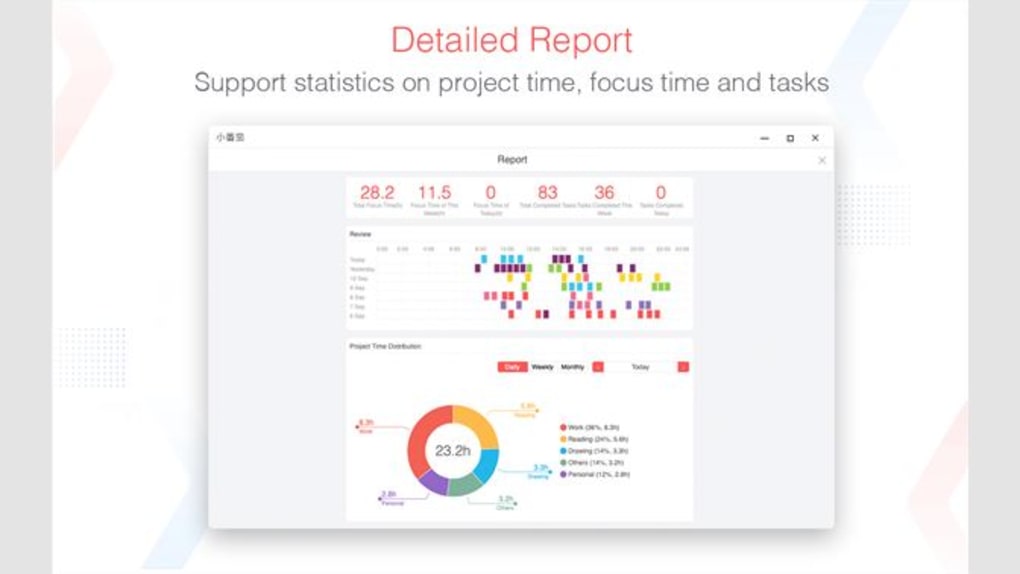
The intuitive interface allows for easy task creation and manipulation. Users can add new tasks quickly, assigning them to specific categories or projects. The prioritization system allows for the highlighting of critical tasks, ensuring that time is allocated effectively. The ability to set reminders ensures that deadlines are not missed, contributing to a smoother workflow and reduced stress. The app seamlessly integrates task management with time-blocking strategies, which are discussed in more detail below. This integrated approach ensures that users are not only organizing their tasks but also actively scheduling dedicated time slots for their completion.
The Pomodoro Technique Integration: Focused Work, Strategic Breaks
Focus To-Do cleverly incorporates the Pomodoro Technique, a time management method that promotes focused work sessions interspersed with short breaks. This technique is scientifically proven to improve concentration and reduce mental fatigue. The app’s implementation of the Pomodoro Technique allows users to set custom work intervals (typically 25 minutes) and break durations (typically 5 minutes). This structured approach encourages deep work during the focused periods, maximizing efficiency and output. The short breaks act as crucial reset periods, preventing burnout and maintaining sustained productivity throughout the day.
The Pomodoro timer within Focus To-Do is not simply a countdown; it’s integrated into the task management system. Users can link Pomodoro sessions directly to specific tasks, tracking not only the overall task progress but also the time dedicated to each work interval. This level of granularity provides invaluable insights into time allocation habits, allowing for data-driven adjustments to improve workflow optimization. The visual and auditory cues provided by the timer effectively manage the transitions between work and break periods, ensuring a smooth and efficient experience.

User Interface and User Experience: Simplicity and Effectiveness
Focus To-Do prioritizes a clean and uncluttered user interface. The design is minimalist, avoiding unnecessary complexities and distractions. This deliberate simplicity ensures that the user experience remains intuitive and straightforward, even for individuals unfamiliar with productivity apps. The core functions are readily accessible, requiring minimal navigation and clicks. This streamlined design reduces the cognitive load on the user, ensuring that the focus remains on task completion rather than navigating the application itself.
The app’s overall user experience is remarkably smooth. Task creation, editing, and prioritization are all effortless processes. The transition between tasks and Pomodoro sessions is seamless. The intuitive nature of the interface minimizes the learning curve, allowing users to start maximizing their productivity almost immediately. The integration of features avoids feeling overwhelming, with each function complementing the others seamlessly.
Strengths and Weaknesses: A Balanced Perspective
Focus To-Do possesses several notable strengths. Its free pricing makes it accessible to a broad user base, eliminating financial barriers to productivity enhancement. The integrated Pomodoro Technique is a significant asset, offering a powerful time management methodology directly within the app. The minimalist design and intuitive interface contribute significantly to the positive user experience. The task management functionality is comprehensive, allowing users to create, organize, and track tasks effectively.
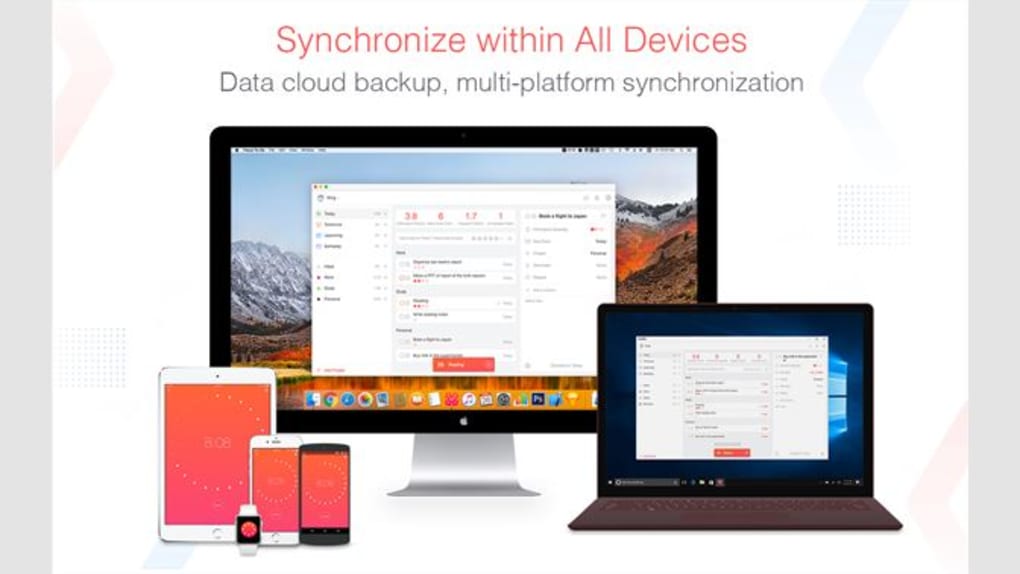
However, Focus To-Do is not without its limitations. While its core features are well-executed, it lacks some advanced features found in more comprehensive productivity suites. Features such as collaboration tools, advanced reporting capabilities, and integration with other applications are absent. This might limit its appeal to users requiring more intricate project management or team collaboration tools. Furthermore, the app’s reliance on the Pomodoro Technique might not appeal to users who prefer alternative time management methodologies.
Conclusion: A Valuable Tool for Focused Productivity
Focus To-Do stands out as a user-friendly and effective productivity application. Its strength lies in its simplicity and effective integration of the Pomodoro Technique within a robust task management system. The free accessibility makes it a compelling option for a wide audience, particularly students and individuals seeking a straightforward method to improve their time management and work efficiency. While it lacks some advanced features, its core functionality is well-executed and meets the needs of many users seeking a clean, efficient, and easy-to-use productivity tool. If you are looking for a straightforward, free, and effective way to boost your productivity through focused work and strategic breaks, Focus To-Do deserves serious consideration. It’s a valuable asset for anyone aiming to enhance their time management and achieve their goals more efficiently.
File Information
- License: “Free”
- Version: “6.7.3.0”
- Latest update: “February 14, 2024”
- Platform: “Windows”
- OS: “Windows 10”
- Language: “English”
- Downloads: “5.3K”


