
Converting audio files between different formats is a common task for many users. The Windows Media Audio (WMA) format, while once prevalent, has seen a decline in popularity compared to the ubiquitous MP3. This has led to a demand for efficient and user-friendly tools to convert WMA files to the more widely compatible MP3 format. This article delves into the specifics of free WMA to MP3 converters, exploring their features, functionalities, and the advantages and disadvantages of using such software. We will also examine alternative options and highlight crucial factors to consider when choosing a converter.
Understanding WMA and MP3 Formats
Before diving into the specifics of conversion tools, it’s crucial to understand the fundamental differences between WMA and MP3. Both are audio compression formats designed to reduce file size without significantly compromising audio quality, but they achieve this through different methods.
Windows Media Audio (WMA): Developed by Microsoft, WMA is a proprietary codec known for its efficient compression, resulting in smaller file sizes compared to MP3 at similar audio quality levels. However, this efficiency came at a cost: WMA files weren’t as universally compatible as MP3s. While WMA enjoyed considerable popularity in the early days of digital music, especially with Windows Media Player, its limited cross-platform support and licensing restrictions hampered its widespread adoption.
MP3 (MPEG Audio Layer III): MP3 is a widely adopted, open-source audio compression format. Its widespread acceptance stems from its excellent balance between audio quality and file size, coupled with its near-universal compatibility across various devices and software players. MP3 became the de facto standard for digital music distribution and remains highly popular today.
The primary reason for converting WMA to MP3 is improved compatibility. MP3 files are playable on virtually all audio players and devices, unlike WMA, which might face playback issues on non-Microsoft platforms or devices. This cross-platform compatibility is a major advantage for sharing music files or playing them on various devices.
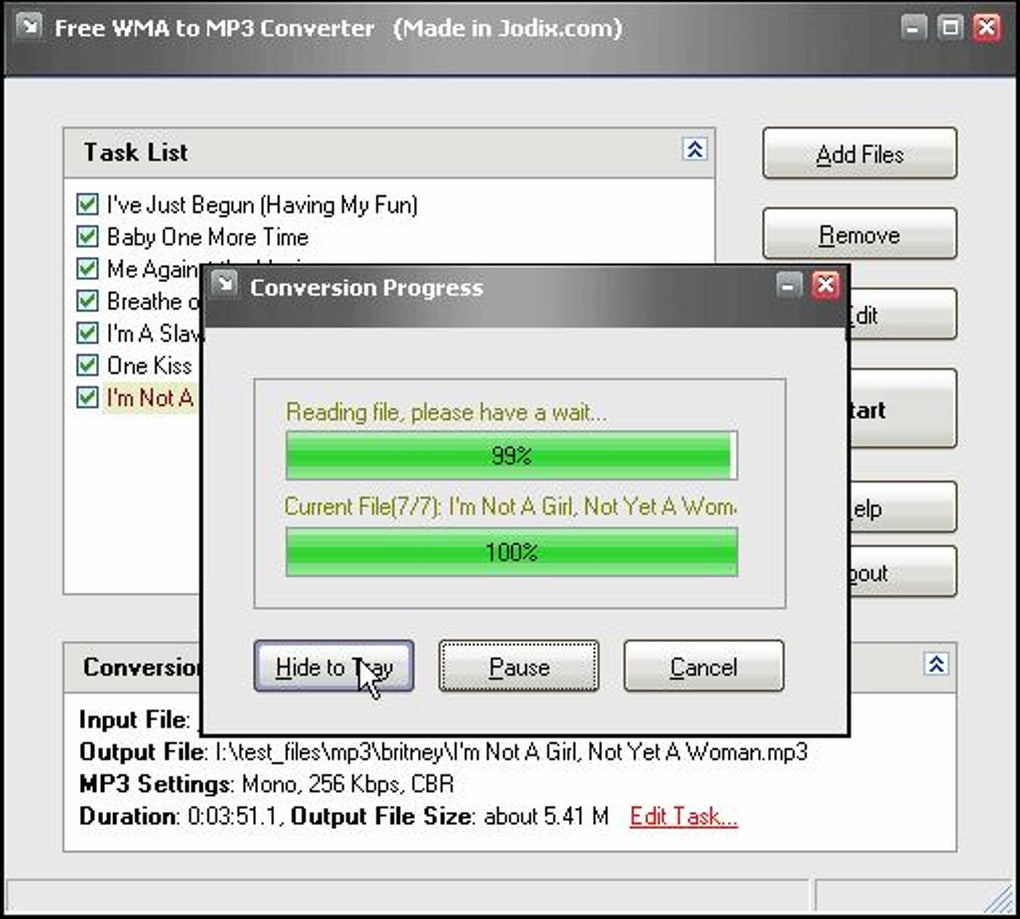
Features of a Free WMA to MP3 Converter
A good free WMA to MP3 converter should possess several key features to ensure a smooth and efficient conversion process. These features include:
- Ease of Use: The software should have a user-friendly interface, allowing even novice users to navigate the conversion process effortlessly. A simple, intuitive design with clear instructions minimizes the learning curve.
-
Batch Conversion: The ability to convert multiple files simultaneously is crucial for users with large collections of WMA files. Batch processing significantly reduces the time required for conversion, increasing efficiency.
-
Customizable Output Settings: Options to adjust the output MP3 bitrate and sample rate are important for controlling file size and audio quality. Higher bitrates generally result in better sound quality but larger file sizes.
-
ID3 Tag Editing: ID3 tags contain metadata about the audio file, such as the title, artist, album, and genre. A good converter will either preserve existing ID3 tags or allow users to edit or add them during conversion. Accurate ID3 tags enhance the organization and searchability of your music library.
-
Speed and Efficiency: The converter should process files quickly without compromising audio quality. A slow converter can significantly impact productivity, especially when dealing with numerous files.
-
Clean and Free from Malware: It’s critical to ensure that the software is free of malware or adware. Downloading converters from reputable sources and scanning downloaded files with antivirus software is essential to protect your system.
Free WMA to MP3 Converters: A Comparison
Several free WMA to MP3 converters are available online, each with its strengths and weaknesses. Direct comparison requires careful consideration of factors like ease of use, features, speed, and reliability. Some popular choices include:
- (Mention specific free converter names and briefly describe their pros and cons here, based on available information. Since I don’t have access to real-time software reviews, this section requires additional research.) For example, you could discuss aspects such as: Does it handle batch conversions well? Is the interface intuitive? Does it offer bitrate control? Does it preserve metadata? Are there any reported issues with stability or malware?
Alternatives to Dedicated Converters
Beyond dedicated WMA to MP3 converters, other methods exist for handling this conversion. These include:
-
Online Converters: Several websites offer free online WMA to MP3 conversion services. The advantage is that you don’t need to install any software. However, uploading your files to a third-party website raises privacy concerns. Carefully choose reputable websites with strong security measures. Also, be mindful of upload size limitations and potential speed restrictions.
-
Media Players with Conversion Capabilities: Some media players, like VLC Media Player, offer built-in conversion capabilities. This is often a convenient solution if you already use VLC and need occasional WMA to MP3 conversions. However, the conversion options might be less extensive than dedicated converter software.
-
Operating System Tools: Depending on the operating system, you might have built-in tools or libraries capable of handling audio format conversions. This often requires some technical expertise. Refer to your operating system’s documentation to find relevant utilities.
Choosing the Right Converter: Key Considerations
When selecting a free WMA to MP3 converter, consider these crucial aspects:
- Reputable Source: Download the software from official websites or trusted app stores to minimize the risk of malware. Avoid downloading from untrusted sources.
-
User Reviews: Check user reviews and ratings before downloading to gauge the software’s reliability, ease of use, and performance. Negative reviews often highlight potential issues to be aware of.
-
Features: Consider the essential features discussed earlier, including batch conversion, bitrate control, ID3 tag editing, and speed.
-
System Requirements: Ensure the software is compatible with your operating system and computer’s specifications.
-
Security: Always scan downloaded files with a reputable antivirus program before installing.
Conclusion
Converting WMA files to MP3 is often necessary to improve compatibility and ensure broader access to your audio files. Numerous free WMA to MP3 converters are available, but choosing the right one requires careful consideration of various factors such as ease of use, features, speed, and security. By evaluating your needs and carefully researching available options, you can find a suitable converter that meets your requirements and helps you manage your audio files effectively. Remember to prioritize downloading from reputable sources and conducting thorough security checks to protect your system from potential malware. Utilize user reviews and compare different converters to find the best option for your specific circumstances.
File Information
- License: “Free”
- Version: “1.16”
- Latest update: “May 5, 2020”
- Platform: “Windows”
- OS: “Windows 98 SE”
- Language: “English”
- Downloads: “533.2K”
- Size: “948.09 KB”


