
FreePDF is a versatile and user-friendly PDF editor developed by SoftMaker Software GmbH. It offers a robust suite of features for creating, editing, viewing, printing, and annotating PDF documents, all without any cost. This makes it a compelling alternative to paid software like Foxit PDF Editor and Nitro Pro, offering a significant portion of their functionality at no price. Its intuitive interface caters to both novice and experienced users, making it an accessible tool for personal and professional use. This comprehensive guide will delve into the features, capabilities, and benefits of FreePDF, exploring its strengths and weaknesses to help you determine if it’s the right PDF solution for your needs.
Core Functionality and User Interface
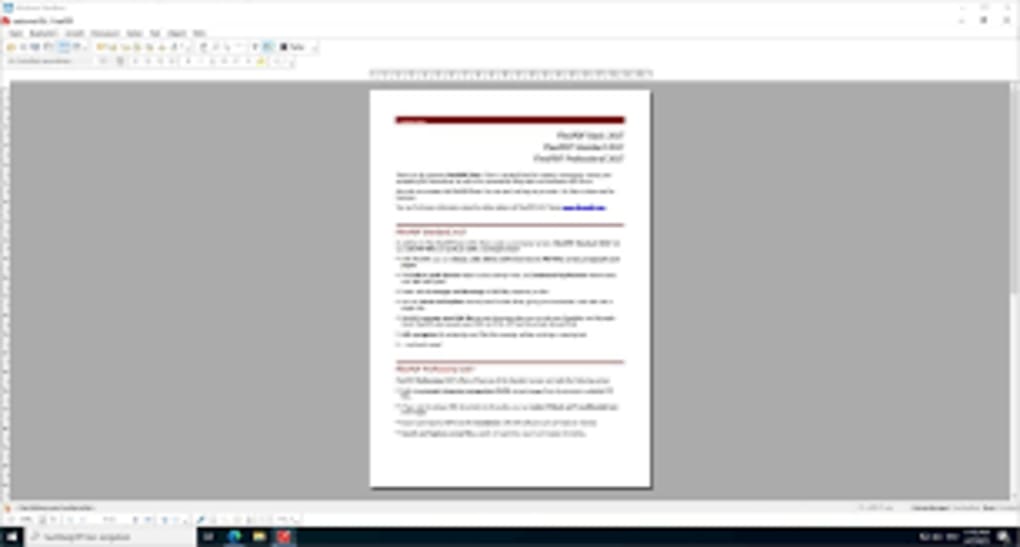
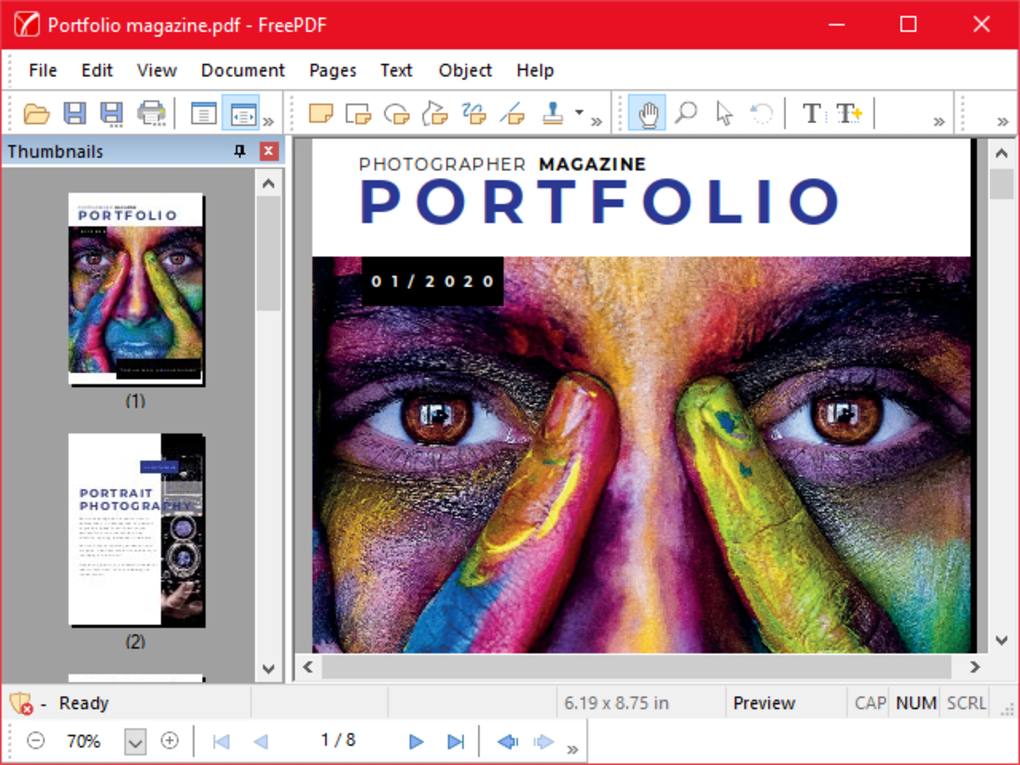
FreePDF’s primary strength lies in its straightforward and intuitive design. Even users with limited technical expertise can quickly navigate its interface and begin working with PDF files. The program boasts a clean layout, making locating and utilizing various tools and features a simple process. The core functionality centers around the ability to:
-
Create PDFs: FreePDF provides a built-in PDF printer driver, allowing you to generate PDF files directly from virtually any Windows application. This eliminates the need for separate conversion tools for various file types, streamlining your workflow.
-
Edit PDFs: The editing capabilities extend beyond simple viewing. Users can modify existing PDF documents by rearranging pages, adding or deleting pages from other PDFs, and inserting images and drawings. This allows for the creation of visually appealing and informative documents. The text editing capabilities allow for the reorganization, movement, and deletion of existing text elements within the PDF, providing significant flexibility in customizing the document’s content and layout.
-
View PDFs: FreePDF functions as a capable PDF viewer, providing a clear and efficient way to browse and review documents. It allows for quick navigation through pages and offers essential viewing tools for a smooth user experience.
-
Annotate PDFs: While specific annotation features aren’t extensively detailed in readily available information, the capacity to add images and drawings implies a level of annotation capability, allowing for the addition of comments, highlights, or other visual markers within the PDF.
- Encrypt PDFs: A crucial aspect of security, FreePDF enables the encryption of PDF documents, safeguarding sensitive information from unauthorized access. This feature is essential for protecting confidential documents and maintaining privacy.
The drag-and-drop functionality enhances the user experience considerably. Rearranging pages involves simply dragging and dropping thumbnails in the sidebar, while inserting pictures is as easy as dragging and dropping them from the desktop directly into the open PDF. This simple interface significantly reduces the learning curve and increases productivity.
Advanced Features and Limitations
While FreePDF provides a strong foundation of essential PDF editing capabilities, it’s important to acknowledge its limitations compared to more feature-rich, and often expensive, alternatives. FreePDF’s strength lies in its simplicity and ease of use; however, this simplicity also means that it lacks some of the advanced features found in professional-grade PDF editors. These limitations may affect users with specific needs:
-
Absence of Advanced Editing Tools: FreePDF may not offer features like advanced text editing, complex form creation, optical character recognition (OCR), or digital signature support. While it allows for basic text manipulation and image insertion, intricate editing functionalities might be missing. Users requiring these advanced capabilities should consider alternative software packages.
-
Limited Annotation Features: Although the ability to add images and drawings hints at annotation capabilities, the extent of these features may be limited. Users needing robust annotation features, such as precise text markup, advanced commenting tools, or collaborative annotation, may find FreePDF lacking.
- Potential Performance Issues: While generally efficient for simple tasks, performance with very large or complex PDF files might be slower compared to more optimized and resource-intensive professional tools.
In summary, FreePDF shines as a robust free tool for basic PDF creation and editing tasks. Users seeking advanced features or high performance with exceptionally large documents should investigate other options, paying particular attention to whether their specific needs are met.
Comparison with Other PDF Editors
FreePDF holds its own in the realm of free PDF editors, offering a good balance of features and ease of use. However, when compared to both free and paid competitors, certain strengths and weaknesses become more apparent:
Compared to other free PDF editors: FreePDF often surpasses competitors in its user-friendliness. Many free alternatives have cluttered interfaces or limited functionality. FreePDF’s balance of simplicity and robust core features makes it a strong contender in the free market. However, more feature-rich free editors might offer advanced functionalities like OCR, which FreePDF lacks.
Compared to paid PDF editors: Paid options, such as Adobe Acrobat Pro, offer a much wider range of features, including advanced editing, form creation, and digital signature capabilities. However, these come at a significant cost. FreePDF provides a viable alternative for users who don’t need these advanced features but require a reliable and easy-to-use PDF editor. The price difference should be a major deciding factor for users deciding between FreePDF and a premium option.
Conclusion: Who Should Use FreePDF?
FreePDF is a valuable tool for individuals and businesses requiring a straightforward and free PDF editor. Its strengths lie in its simplicity, user-friendly interface, and a solid set of core features. This makes it ideal for users who need to:
- Create basic PDFs: Generate PDFs from various applications with ease.
- Edit PDFs with basic functionality: Rearrange pages, add images, and make simple text changes.
- View and print PDFs: Access a reliable viewer for quick document review and printing.
- Secure PDFs with encryption: Protect sensitive information with built-in encryption tools.
However, users requiring advanced features such as OCR, complex form creation, or extensive annotation capabilities might need to explore more advanced (and often paid) software options. The ideal user for FreePDF understands and accepts the trade-off between advanced features and cost, prioritizing a simple, efficient, and free solution for their day-to-day PDF needs. The balance of simplicity and functionality makes FreePDF an excellent choice for many users, but not all. Carefully considering your needs is key to selecting the right software.
File Information
- License: “Free”
- Version: “2.10”
- Latest update: “January 14, 2022”
- Platform: “Windows”
- OS: “Windows 10”
- Language: “English”
- Downloads: “17K”
- Size: “230.06 MB”


