
Google Chromium OS stands as a foundational, free, and open-source operating system designed with a singular, powerful vision: to revolutionize the way users interact with the internet. Conceived as a web-centric platform, its primary purpose is to efficiently run various web applications and provide a remarkably stable environment for web browsing. In an increasingly interconnected world, Chromium OS offers a promise of a faster, simpler, and more secure internet experience, effectively functioning as a robust standalone browser at its core. This innovative system boasts a tab-based window interface, complete with integrated download and bookmark management, streamlining the user’s online activities. It’s crucial to understand that Chromium OS serves as the very bedrock upon which Google’s more widely known Chrome OS is built, sharing a deep genetic link that accounts for many observable similarities, yet retaining distinct differences that cater to varying user needs and development philosophies.
At its heart, Chromium OS represents Google’s ambitious foray into an operating system paradigm where the web is not just an application, but the entire computing environment. This approach allows for a lean, efficient system that prioritizes speed and security by offloading most computational and storage tasks to the cloud. For developers and enthusiasts, it provides a transparent, modifiable platform, inviting collaboration and customization. For the average user, the concepts that underpin Chromium OS translate into the seamless, intuitive experience offered by devices like Chromebooks, where the complexities of traditional operating systems are deliberately stripped away in favor of a straightforward, browser-first interaction. Understanding this open-source project means delving into its architecture, its relationship with its commercial counterpart, its setup intricacies, and its profound impact on the landscape of modern computing.
Understanding Google Chromium OS: The Open-Source Foundation
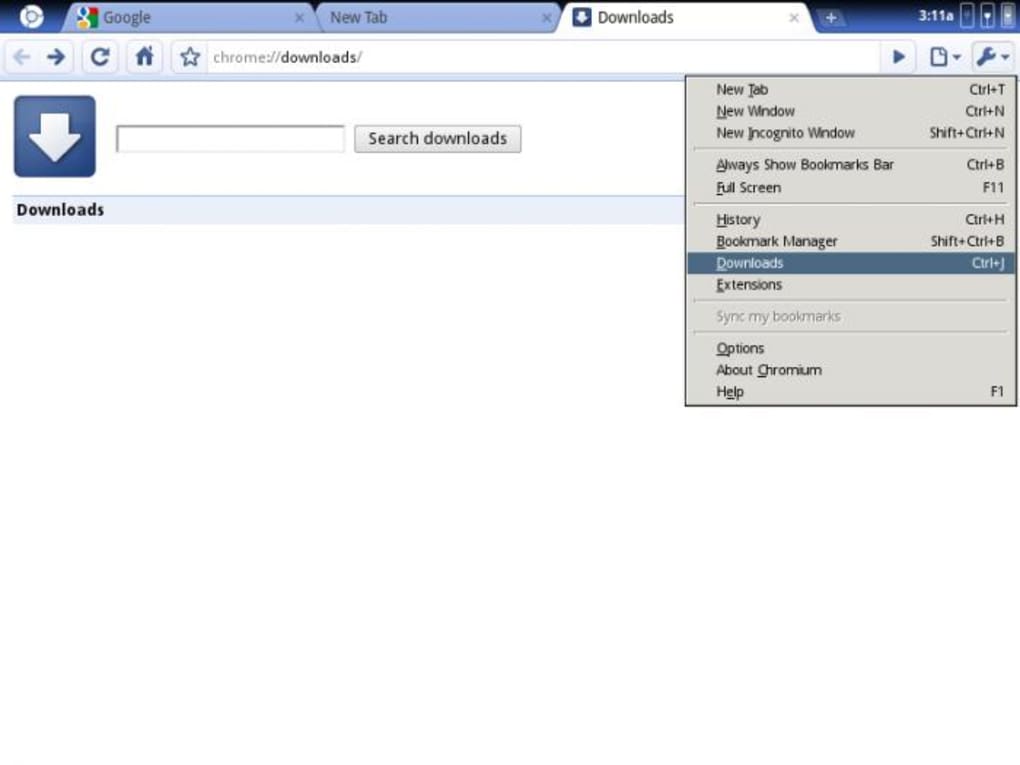
To truly appreciate Google Chromium OS, one must first grasp its unique position within the broader ecosystem of Google’s operating systems. It is not merely another browser, nor is it a fully polished consumer product in the traditional sense. Instead, Chromium OS is a testament to the power of open-source development, serving as the blueprint for an entire class of devices. Its very existence fosters innovation, allowing a global community of developers to contribute, modify, and experiment with the core principles of a web-first operating system. This collaborative spirit is what drives its continuous evolution, making it a dynamic and ever-changing platform.
What is Chromium OS and How Does It Differ from Chrome OS?
Google Chromium OS is a free, open-source operating system project that is fundamentally built around the concept of a web browser as the primary user interface. Its design ethos prioritizes speed, security, and simplicity, all achieved by relying heavily on web applications and cloud storage. It’s designed to boot quickly, run web-based tasks efficiently, and provide a stable environment for internet usage. Key features include a tab-based windowing system, and built-in tools for managing downloads and bookmarks – functionalities that mirror a sophisticated web browser experience.
The distinction between Chromium OS and Google Chrome OS is a point of frequent confusion, yet it is a critical one. While intimately related, they are not interchangeable. Chrome OS, the operating system found on Chromebooks, is derived from Chromium OS’s source code. Think of Chromium OS as the open-source blueprint and Chrome OS as the refined, commercially supported product built from that blueprint.
Several fundamental differences highlight this relationship:
- Maintenance and Support: Chromium OS is an open-source project maintained by a community of developers. Google Chrome OS, on the other hand, is a leading web browser and operating system directly supported and developed by Google and its partners, integrating proprietary elements and services.
- Features and Firmware: Chrome OS includes additional firmware features that enhance security and user experience, such as “verified boot” (a security measure that checks the integrity of the operating system during startup) and easy recovery options. Chromium OS, being the open-source base, typically lacks these proprietary enhancements, focusing instead on the core OS functionality.
- Performance Optimization and Security: Google Chrome OS is specifically optimized to run on particular disk drives, which contributes to further performance gains and security enhancements on commercial Chromebooks. While Chromium OS is performant, it doesn’t always benefit from these specific hardware-software integrations.
- Update Mechanism: By default, Chromium OS does not feature automatic updates. This design choice is deliberate, allowing developers and advanced users to apply their own modifications and preventing those custom changes from being overwritten by system updates. Conversely, Chrome OS seamlessly applies auto-updates in the background, ensuring users always have the latest features, security patches, and bug fixes without manual intervention, reflecting its consumer-ready nature.
- Core Browser: While both are web-centric, Chromium OS typically uses the open-source Chromium web browser as its main interface, whereas Chrome OS prominently features the proprietary Google Chrome browser, which includes additional integrations and services.
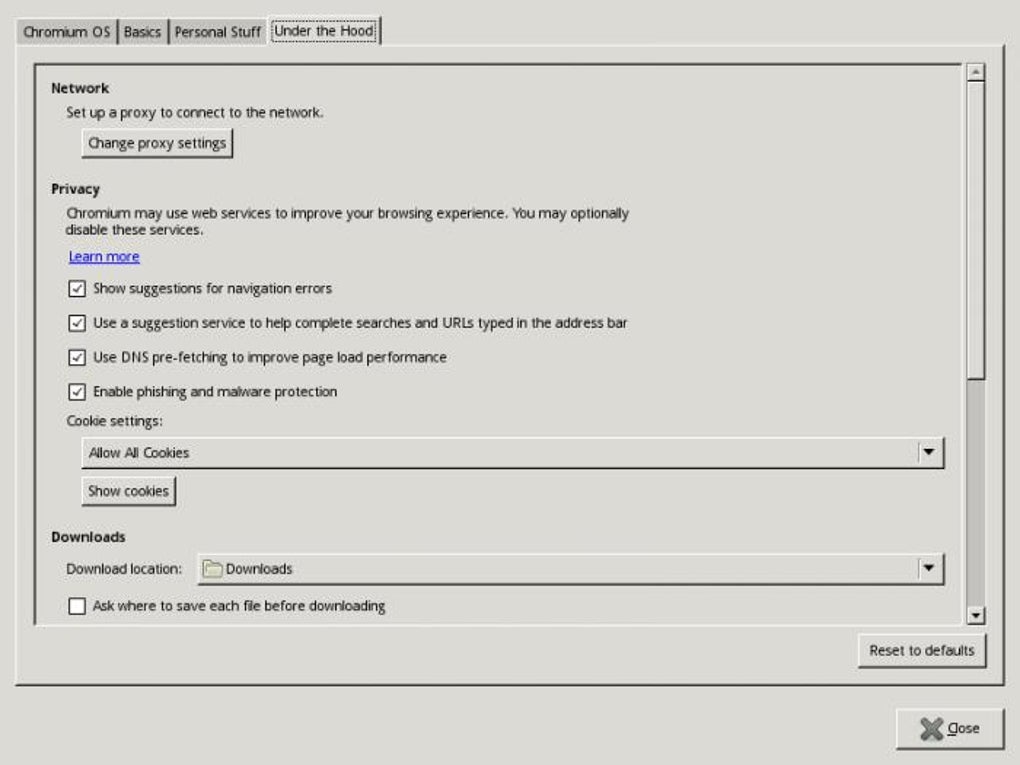
In essence, Chromium OS provides the malleable, transparent foundation, while Chrome OS represents the polished, secure, and user-friendly product designed for the mass market, incorporating Google’s proprietary services and hardware optimizations.
Setting Up and Navigating Chromium OS
Unlike consumer-ready operating systems that come pre-installed or with straightforward installation wizards, setting up Google Chromium OS requires a more hands-on approach. Currently, Chromium OS is primarily available as source code. This means that an average user cannot simply download an installer and click through a setup process. Instead, you must download the source code, then compile it yourself to create an image file. This image file can then be used with virtual machine solutions like VMware or VirtualBox, allowing you to run Chromium OS within another operating system. This compilation process, while rewarding for developers, can be a significant barrier for those without technical expertise.
Once successfully compiled and running, the underlying architecture of Chromium OS reveals its Linux-based roots. This foundation provides a stable and powerful base, yet the user experience is dramatically different from a traditional Linux desktop environment. Chromium OS is engineered for lightning-fast startup times, often booting in mere seconds. This speed is a direct consequence of its specialized design, which is almost exclusively crafted for web-based usage.
The core philosophy dictates that you interact primarily with online applications. All your files and data are intended to be stored in the cloud. This cloud-first approach means that the system itself remains lightweight, and browsing performance is remarkably swift, as local storage and complex desktop applications are largely eschewed. This makes Chromium OS an ideal operating system for low-spec PCs, such as older netbooks or devices with limited internal storage and processing power, breathing new life into hardware that might struggle with more demanding operating systems.
Upon logging in with your Gmail account – which is the gateway to the Chromium OS experience, leveraging Google’s robust cloud services – you are immediately ready to begin. The interface of Chromium OS can initially appear quite unusual, particularly for users accustomed to the desktop metaphors of Windows, macOS, or traditional Linux distributions. It presents a starkly different paradigm, where the web browser is the operating system itself. However, despite its unique appearance, the interface is often described as extremely intuitive for its target audience. For UI designers and developers, the web-centric nature and simplicity mean that there is virtually no learning curve; they can quickly grasp its functionalities and begin development or testing.
For common user types, however, adapting to this web-only operating system might take a considerable amount of time. The absence of traditional desktop applications, local file management (as commonly understood), and the reliance on web services for nearly everything can be a significant shift. This adaptation period is further compounded by the fact that the open-source bundle is often considered to be in an early stage of development, meaning user-friendliness for the masses might not be its immediate priority compared to foundational stability and feature implementation. Nevertheless, the inherent simplicity, once understood, offers a streamlined and focused computing experience.
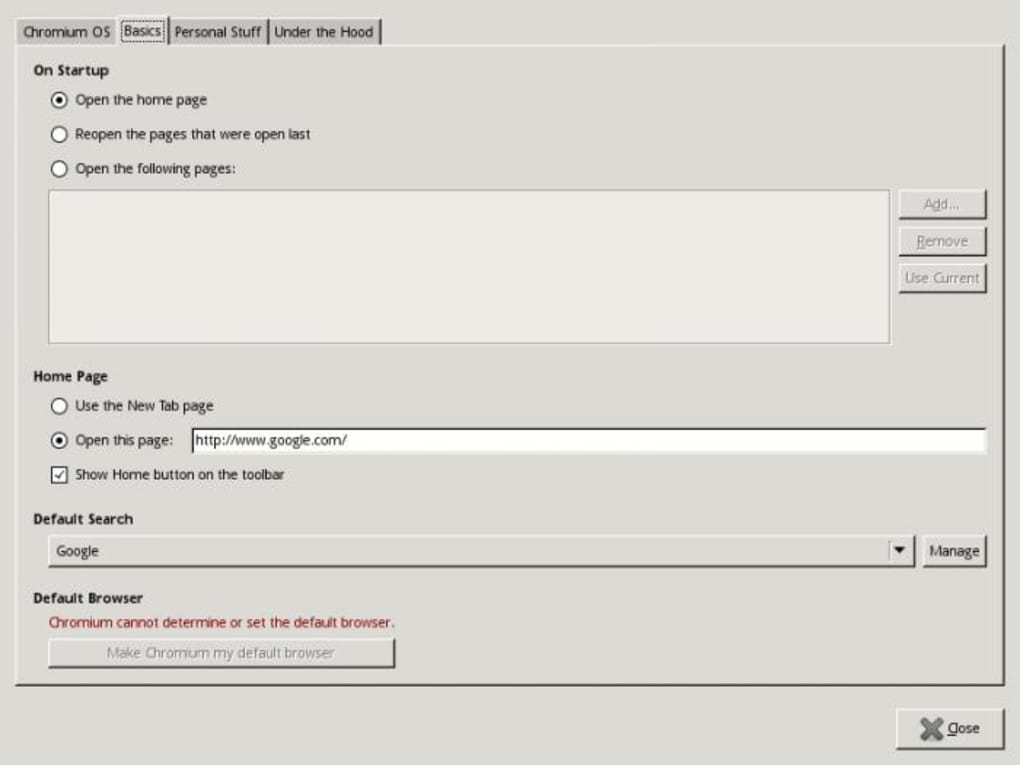
The Ecosystem and User Experience of Chromium OS
The design principles behind Chromium OS lead to a distinct ecosystem and user experience. By making the web browser the central hub, it redefines what an operating system can be, simplifying many aspects of computing while empowering a new way of interaction. This paradigm shift directly influences who uses the system, how applications are handled, and its underlying technological framework.
Who Benefits from Chromium OS?
Chromium OS serves a pivotal role as the direct foundation for Chrome OS, which is the operating system powering a vast array of Chromebook laptops and Chrome OS workstations. Therefore, its beneficiaries are ultimately the millions of users who rely on these devices for their daily computing needs. The fundamental appeal of this OS is its radical simplification of the web experience. In the Chromium OS philosophy, all applications are, by definition, web apps. This inherent design choice translates into a profoundly hassle-free experience for users.
The complexities traditionally associated with program management, installation, and updates – often a source of frustration for many – are virtually eliminated. Since everything operates within the browser environment, users are freed from the burdens of downloading executables, navigating installation wizards, or constantly checking for software updates for individual applications. This “always up-to-date” and “always accessible” model is central to the Chromium OS promise.
Specifically, the user base for Chromium OS (and by extension, Chrome OS) includes:
- Students and Educators: Chromebooks are widely adopted in educational settings due to their low cost, ease of management, and web-centric tools that facilitate collaborative learning.
- Business Users: For tasks that primarily involve cloud-based productivity suites, email, and web browsing, Chromebooks offer a secure and low-maintenance solution for businesses.
- Casual Users: Individuals who mainly use their computers for internet surfing, social media, media consumption, and light productivity find the simplicity and speed of a Chromium OS-based device highly appealing.
- Developers and UI Designers: As the underlying open-source project, Chromium OS itself provides an excellent environment for developers to build, test, and iterate on web applications, knowing that their creations will function seamlessly within a web-first OS. UI designers can also appreciate the clean, uncluttered interface for designing web-based experiences.
- Users with Low-Spec Hardware: As mentioned, Chromium OS is perfectly suited for older or less powerful machines, allowing them to perform current web tasks effectively, thereby extending the lifespan of hardware and promoting sustainability.
In essence, anyone seeking a streamlined, secure, and low-maintenance computing experience that prioritizes internet connectivity and cloud services is a potential user of Chromium OS in some form. It caters to those who value efficiency over extensive local software installations, offering a practical solution to modern computing demands.
Linux Foundation and Android App Compatibility
A crucial aspect of Google Chromium OS is its robust foundation: it is based on the Linux operating system. Both Chromium OS and its commercial counterpart, Chrome OS, leverage the Linux kernel, a powerful and flexible core that underpins countless operating systems and servers worldwide. This Linux heritage provides a stable, secure, and highly customizable base, enabling the efficiency and performance characteristic of these web-centric systems.
While both operating systems share the Linux kernel, a key differentiator lies in their main interface. Chromium OS, as the open-source iteration, primarily features the Chromium web browser as its core interface. This means that the entire user experience, from logging in to running applications, revolves around this open-source browser. Chrome OS, conversely, integrates the proprietary Google Chrome web browser, which comes with additional Google services and optimizations pre-packaged. This distinction reflects their respective open-source versus commercial product philosophies. The Linux base, however, ensures that both systems benefit from the vast array of drivers, security features, and networking capabilities developed by the open-source community.
Beyond its Linux foundation, Chromium OS brings a truly standout feature to the table that significantly expands its utility and appeal: it supports the Google Play Store and, by extension, Android applications. This means that users of devices running Chrome OS (which is built on Chromium OS) can seamlessly run Android apps directly on their Chromebooks. This capability bridges the gap between the web-centric environment and the rich ecosystem of mobile applications.
The implementation of Android app support allows Chromebooks to transcend simple web browsing, providing access to a massive library of tools and entertainment options that were traditionally confined to smartphones and tablets. For developers, this presents a significant opportunity. With a few adjustments to their existing Android apps, they can make their creations compatible with Chromebooks, thus expanding the reach and accessibility of their software to a larger audience. This cross-platform functionality enhances the versatility of Chromium OS-based devices, offering a more complete computing experience that combines the best of web and mobile ecosystems. This feature underscores the adaptability of the Linux kernel and the open-source nature of Chromium, allowing for powerful integrations that enhance user utility.
The Future and Practicality of a Web-Centric Operating System
Google Chromium OS represents more than just an operating system; it embodies a paradigm shift towards a truly web-based computing future. It is a bold statement about efficiency, accessibility, and security in an increasingly connected world. While its current state caters more to a specific demographic, its foundational principles are shaping how we interact with technology.
Advantages and Limitations for Developers and Everyday Users
Google Chromium OS, in its essence, is the first significant stride towards a revolutionary web-based operating system that leverages online applications and stores virtually everything in the cloud. This pioneering approach offers a compelling set of advantages, particularly for certain user groups and in specific computing scenarios.
Advantages:
- Pillar of Various Browsers: Chromium OS provides the fundamental open-source codebase from which numerous popular web browsers, including Google Chrome itself, are built. This makes it a crucial project for web technology and innovation.
- Smooth Execution of Web Applications: Its design is optimized for web apps, ensuring they run smoothly and efficiently. This is ideal for a world increasingly reliant on cloud-based productivity suites, streaming services, and online collaboration tools.
- Stable Web Surfing Experience: By minimizing local dependencies and focusing on the browser, Chromium OS offers a highly stable environment for internet browsing, reducing crashes and improving reliability.
- Perfect OS for Low-Spec Computers: Its lightweight nature and reliance on cloud resources make it an excellent choice for older or less powerful machines, such as netbooks. It can revitalize hardware that would struggle with more resource-intensive operating systems.
- Enhanced Security: The web-centric, read-only nature of the OS (for core components) and the sandbox architecture inherited from the Chromium browser contribute to a more secure computing environment, making it harder for malware to take root.
- Simplified Management: For system administrators, particularly in educational or corporate environments, managing devices running Chromium OS-based systems (Chromebooks) is significantly simpler due to centralized cloud management and minimal local software to maintain.
However, despite its advanced state and visionary approach, Chromium OS also comes with notable limitations, especially for average computer users. Limitations:
- Only Available as Source Code: For direct interaction, Chromium OS is currently only available as source code. This necessitates downloading, compiling, and manually creating an image file to run it, typically in a virtual machine. This technical hurdle effectively restricts its direct use to experienced developers, IT professionals, or highly enthusiastic tech-savvy individuals.
- Still in an Early Stage of Development (for direct usage): While Chrome OS is a mature product, the raw Chromium OS project is continually evolving and might not offer the polished user experience or comprehensive feature set expected by everyday consumers. Its focus is more on foundational development than end-user refinement.
- Steep Learning Curve for Non-Developers: For average computer users, getting familiarized with its setup process and usage can take a long while. The absence of traditional desktop applications and the complete reliance on web services require a significant shift in computing habits.
- Reliance on Internet Connectivity: As a web-based operating system, its functionality is heavily dependent on a stable internet connection. While offline capabilities for certain web apps are improving, a lack of connectivity can severely limit its utility.
Consequently, Google Chromium OS is predominantly utilized by UI designers and developers who seek to understand its architecture, contribute to its development, or build web applications that thrive within its environment. For those persistent in learning, detailed guides and extensive documentation are available on its developer page, providing the necessary resources to navigate its complexities. The broader public experiences the benefits of Chromium OS indirectly through the polished, consumer-friendly interface of Chrome OS devices, where Google has ironed out the complexities and added proprietary enhancements to create a seamless user experience.
The journey of Google Chromium OS from an ambitious open-source project to the backbone of a successful line of consumer devices illustrates the power of a focused, web-centric vision. While the raw, open-source version demands technical proficiency, its impact on the computing landscape, particularly in fostering faster, simpler, and more secure internet interactions, is undeniable. It champions an era where the operating system itself fades into the background, allowing the dynamic world of the internet to take center stage.
PhanMemFree has scanned all the files hosted on our platform to assess and avoid any potential harm for your device. Our team performs checks each time a new file is uploaded and periodically reviews files to confirm or update their status. This comprehensive process allows us to set a status for any downloadable file.
Clean: It’s extremely likely that this software program is clean. We have scanned the file and URLs associated with this software program in more than 50 of the world’s leading antivirus services; no possible threat has been detected.
Warning: This software program is potentially malicious or may contain unwanted bundled software. Based on our scan system, we have determined that these flags are possibly false positives. A false positive means a benign program is wrongfully flagged as malicious due to an overly broad detection signature or algorithm used in an antivirus program. We’d like to highlight that from time to time, we may miss a potentially malicious software program. To continue promising you a malware-free catalog of programs and apps, our team has integrated a Report Software feature in every catalog page that loops your feedback back to us. Flag any particular issues you may encounter and PhanMemFree will address those concerns as soon as possible.
Copyright PHANMEMFREE INTERNATIONAL S.A. © 1997–2025 — All rights reserved.
File Information
- License: “Free”
- Version: “4.0.253.0”
- Latest update: “December 19, 2023”
- Platform: “Windows”
- OS: “Windows XP”
- Language: “English”
- Downloads: “628.5K”


