
Gyazo for Chrome is a free, open-source screenshot program available for Windows, Linux, Mac, Android, and iOS. Developed by Toshiyuki Masui of Nota Inc. and initially released in 2009, Gyazo has gained popularity for its ease of use and ability to quickly capture and share screenshots and short video recordings. This review delves into its features, functionality, security aspects, and comparisons with alternative applications.
Understanding Gyazo’s Core Functionality
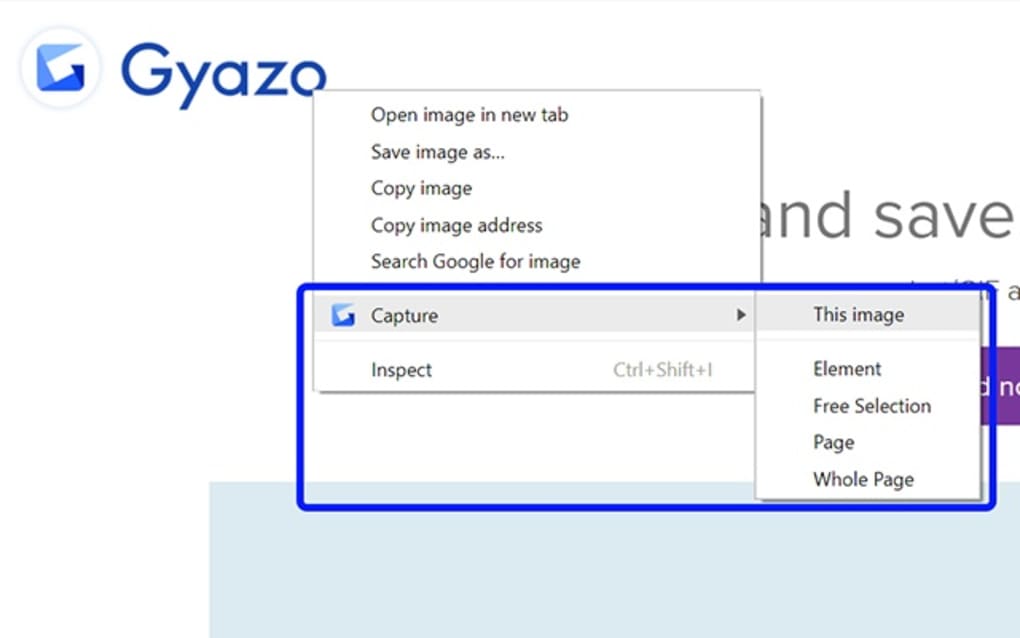
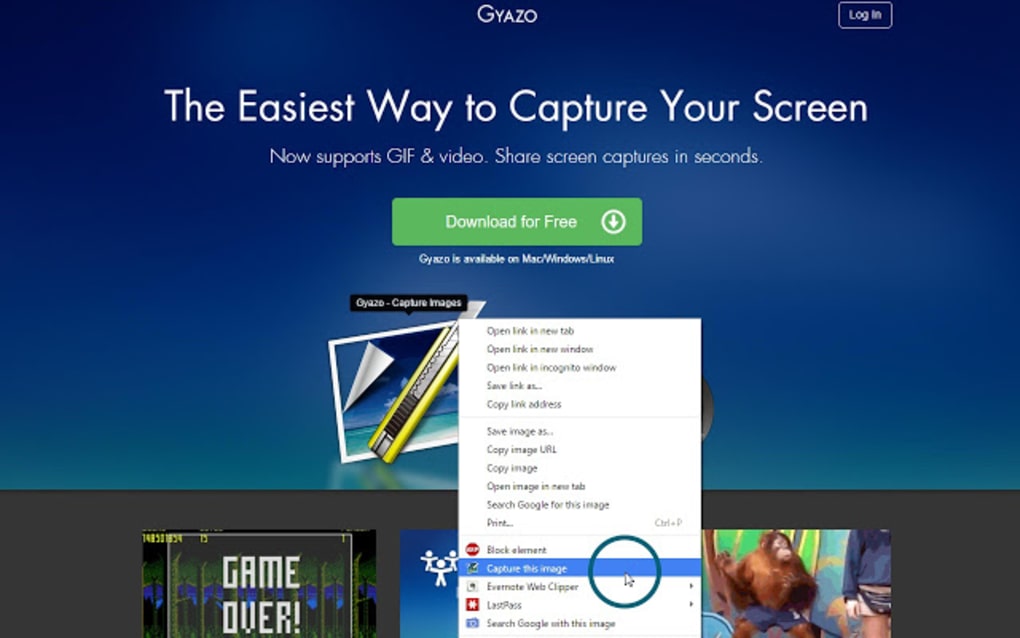
Gyazo’s primary function is straightforward: capturing screenshots. Users can capture their entire screen, a specific window, or a selected region. The captured image is automatically uploaded to the Gyazo cloud server, generating a shareable link that can be instantly shared via various platforms, including social media. This streamlined process makes it ideal for quickly sharing visuals in online conversations, presentations, or tutorials.
Beyond static screenshots, Gyazo offers a unique “Replay” feature (available with a Pro subscription). This feature records the last 30 seconds of screen activity, allowing users to capture and share short video clips of gameplay, software demonstrations, or other dynamic events. These replays are saved as high-definition (1080p) MP4 videos, perfect for sharing impactful moments with others.
Gyazo Compared to Competitors: A Feature Analysis
Several alternative screenshot and screen recording applications exist, each with its own strengths and weaknesses. Comparing Gyazo to some prominent competitors highlights its unique position in the market:
Gyazo vs. Lightshot: Lightshot, while offering a lightweight design and integrated image editor, has some drawbacks. The hotkey combination for capturing screenshots can be less intuitive for some users, and deleting images requires admin privileges, which might present challenges in shared environments. Gyazo provides a more streamlined capture process and offers cloud storage for easy image management.
Gyazo vs. Snipping Tool++: Snipping Tool++, specifically designed for Windows 10, boasts convenient editing features and a user-friendly interface. However, its reliance on Java Runtime Environment (JRE) adds an extra dependency, and its functionality remains somewhat limited compared to Gyazo’s more comprehensive features, especially the video recording capabilities.
Gyazo vs. MyImgur: MyImgur’s direct integration with the Imgur website simplifies image sharing to Imgur, but sacrifices some of the utility and advanced features provided by Gyazo. Additionally, MyImgur’s interface is often criticized for being less visually appealing and potentially more challenging to navigate. Gyazo offers a more comprehensive feature set and a more intuitive user experience.
Gyazo’s Storage and Sharing Mechanisms
Gyazo offers a free account with a limited amount of cloud storage for captured images and videos. This allows users to store their screenshots and access them from any device. The service generates unique, randomized short links for sharing, enhancing security and privacy. While the free version provides basic features, the Pro version unlocks significantly more storage space and removes advertisements.
The sharing functionality is incredibly user-friendly. Users can easily copy and paste the generated link to share their screenshots or replays on any platform. The use of randomized links contributes to the security of the platform, making it more difficult for unauthorized individuals to access private content.
Gyazo Replay: Capturing and Sharing Dynamic Moments
Gyazo’s Replay feature, a premium offering, stands out as a unique selling point. The ability to record and share the last 30 seconds of screen activity adds a dynamic element not often found in other screenshot tools. This is particularly valuable for gamers who want to capture exciting moments in their gameplay, but is also useful for software demonstrations or tutorials showcasing dynamic processes. The high-definition output ensures quality is not compromised when sharing these replays.
Extending Gyazo Recording Length: Official and Unofficial Methods
The free version of Gyazo limits recording length to a short duration (generally 7 seconds). To extend this, users typically need a Pro account. This unlocks up to 30 seconds of recording for videos and longer GIF creation, and removes the watermark from recordings.
While some users have explored unofficial methods to circumvent these limitations, these are not endorsed by Gyazo and could potentially violate the terms of service. These methods may also impact the stability and security of the application. Therefore, opting for a Pro account is the recommended approach to legitimately extend recording lengths and access advanced features.
Security and Privacy Considerations
Gyazo’s security and privacy practices are a key area of concern for users. While the application uses secure SSL data encryption provided by RapidSSL to protect data transfers, concerns have arisen about data collection and storage practices. Gyazo’s privacy policy details how user data is collected and used, including anonymized reporting for service improvement.
The open-source nature of the application has led to some scrutiny. Security software occasionally flags Gyazo as potentially unsafe, often due to false positives. However, Gyazo’s development team actively addresses these issues and works with security software developers to resolve any discrepancies. The addition of extra verification processes, blocking access attempts from unfamiliar IP addresses, adds another layer of security. Moreover, the randomized nature of the generated sharing links makes it extremely difficult for unauthorized individuals to access private screenshots. For enhanced security, Gyazo Teams and Pro accounts allow users to password-protect specific images.
Gyazo: A Balanced Assessment
Gyazo provides a fast, efficient, and user-friendly way to capture and share screenshots and short video recordings. The free version offers a valuable basic functionality, suitable for many users. However, its premium features, including extended recording capabilities, enhanced security options, and increased storage space, significantly enhance the user experience. While some security concerns have been raised in the past, Gyazo actively addresses them and employs industry-standard security measures to protect user data.
The easy-to-use interface, combined with the fast upload speeds and intuitive sharing options, makes Gyazo a compelling choice for those seeking a straightforward yet powerful screenshot and screen recording solution. The trade-off lies in the limited features offered in the free version compared to the more comprehensive offering in the Pro version, a common practice amongst software providers employing a freemium model. Ultimately, whether the free or Pro version is suitable depends on individual needs and usage patterns.
File Information
- License: “Free”
- Version: “3.2.1”
- Latest update: “July 11, 2023”
- Platform: “Windows”
- OS: “Windows XP”
- Language: “English”
- Downloads: “365”


