
HyperX NGENUITY is a powerful, user-friendly Windows application designed to maximize the capabilities of your HyperX peripherals. Whether you’re a seasoned gamer, a professional streamer, or simply someone who appreciates high-performance customization, NGENUITY provides unparalleled control over your HyperX ecosystem. From subtle adjustments to dramatic transformations, this software empowers you to tailor your gaming and productivity experience to your exact specifications. This in-depth guide will explore the features, benefits, and overall impact of HyperX NGENUITY on enhancing your digital workflow.
Seamless Peripheral Integration and Customization
HyperX NGENUITY stands out for its comprehensive support for a wide range of HyperX products. This isn’t limited to just keyboards and mice; it extends to headsets, microphones, and even specialized gaming accessories. This all-encompassing approach eliminates the need for multiple, disparate applications, offering a unified and streamlined interface for managing your entire HyperX setup. The software intelligently detects connected devices, automatically configuring them and providing access to specific customization options based on the device’s capabilities.
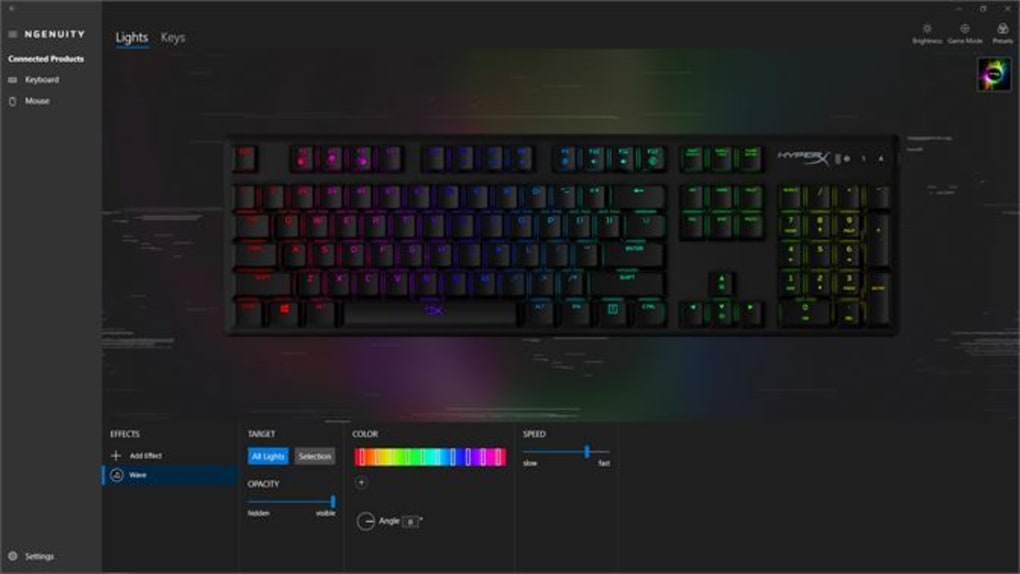
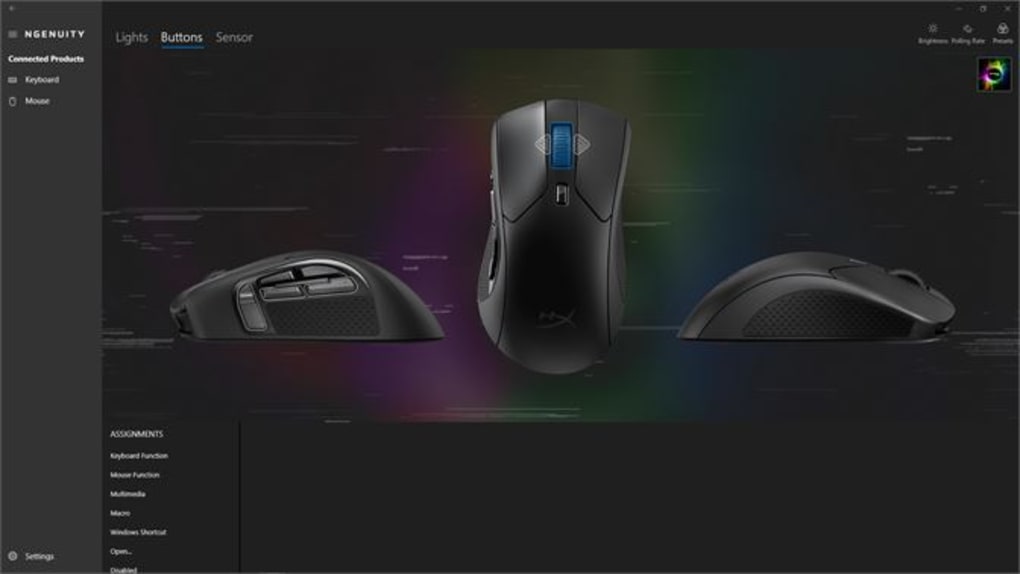
This unified control extends to granular levels of customization. For keyboards, you can reprogram individual keys, create complex macros for streamlined gameplay or productivity tasks, and even adjust the actuation force for enhanced responsiveness. NGENUITY allows for the creation of custom profiles, enabling you to instantly switch between configurations optimized for different games, applications, or tasks. This level of personalized control extends to macros, allowing for the creation of sequences far beyond simple keystrokes, including delays and conditional logic for sophisticated automated processes.
Immersive Lighting and Visual Effects
Beyond functional enhancements, HyperX NGENUITY introduces a compelling array of lighting customization options. Many HyperX devices boast RGB lighting capabilities, and NGENUITY unlocks the full potential of this feature. You can choose from a vast library of pre-defined lighting effects, ranging from subtle static colors to dynamic, reactive patterns that respond to in-game events or system activity. The software’s intuitive interface allows for seamless transitions between effects, enabling you to create visually stunning and personalized lighting schemes.
Moreover, the software goes beyond pre-set options. NGENUITY allows for the creation of custom lighting profiles, providing users with complete control over the color, intensity, and speed of lighting effects. This opens up a realm of creativity, allowing you to synchronize your lighting with your desktop background or match your setup to the ambiance of your gaming environment. This level of control ensures that your HyperX devices not only enhance your performance but also visually complement your gaming space.
Advanced Audio Controls and Microphone Management
For users with HyperX headsets and microphones, NGENUITY offers advanced audio controls and microphone management capabilities. These features extend beyond simple volume adjustments, allowing for detailed sound equalization and microphone settings. The software’s intuitive audio mixer allows for independent control of game audio, chat audio, and microphone input, enabling precise balancing for optimal communication and immersion.
Furthermore, NGENUITY provides access to sophisticated microphone settings such as noise cancellation, gain control, and echo reduction. This allows you to optimize your microphone performance, ensuring clear and crisp audio communication in online games or virtual meetings. The ability to fine-tune microphone settings is particularly valuable for streamers and content creators, allowing them to produce high-quality audio recordings.
Firmware Updates and Driver Management
Maintaining up-to-date firmware is essential for ensuring optimal performance and accessing the latest features of your HyperX devices. NGENUITY simplifies this process by providing direct access to firmware updates. The software automatically checks for available updates, notifying users when new versions are released. This proactive approach ensures that your devices are always running with the most efficient and feature-rich firmware available. It eliminates the need for manual searches and installations, streamlining the update process and enhancing the user experience.
Beyond firmware, NGENUITY also manages the necessary drivers for your HyperX devices. This ensures seamless integration with your operating system, eliminating compatibility issues and guaranteeing consistent performance. By keeping drivers updated, you can be assured that your devices are functioning at peak efficiency and have access to any performance optimizations or bug fixes included in new driver releases.
A Continuously Expanding Ecosystem
HyperX NGENUITY is not a static product; it’s a dynamic platform that continually evolves to accommodate new devices and features. As HyperX releases new peripherals, the software is updated to provide comprehensive support. This ensures that users can benefit from the full capabilities of their entire HyperX setup, irrespective of when they acquired their devices. The ongoing development of NGENUITY reflects HyperX’s commitment to providing users with a consistently up-to-date and feature-rich experience. Regular updates typically include bug fixes, performance enhancements, and new features, often in response to user feedback and the evolving landscape of gaming and technology. This iterative development process strengthens the software, enhances its functionality, and expands its capabilities, ultimately leading to a more robust and user-friendly experience. Keeping NGENUITY updated therefore isn’t just beneficial but essential for maintaining peak performance and enjoying the newest features.
File Information
- License: “Free”
- Version: “5.7”
- Latest update: “February 16, 2024”
- Platform: “Windows”
- OS: “Windows 11”
- Language: “English”
- Downloads: “7.8K”


