iRip, formerly known as iPodRip, is a Windows application designed to facilitate the transfer of music files from iPods to PCs. This review will delve into its functionality, ease of use, strengths, and weaknesses, offering a comprehensive assessment of its effectiveness as a solution for managing and retrieving music stored on iPods. The software presents itself as a solution to the limitations imposed by iTunes, offering a more direct and flexible approach to accessing and managing music files residing on an iPod.
Functionality and Ease of Use: Unlocking Your iPod’s Music
The primary function of iRip is to overcome the restrictions imposed by iTunes regarding the transfer of music from an iPod back to a computer. It effectively “unlocks” the iPod, allowing users to freely access and transfer their music files without the constraints of the iTunes ecosystem. This is particularly useful in situations where a user’s primary music library is stored on their iPod, and they need to access it following a computer crash or other unforeseen circumstances. It’s a powerful tool for those who want more control over their digital music collection.
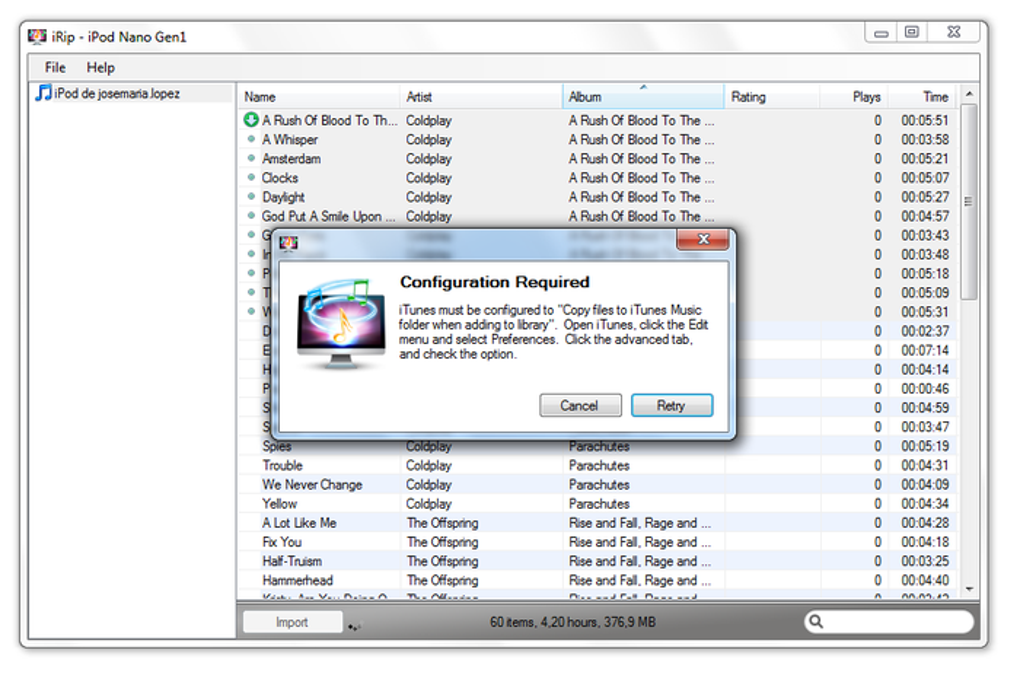
The user interface is straightforward and intuitive. Upon launching iRip, users are presented with a choice between manual and automatic transfer modes. Manual transfer allows users to select individual tracks for import, offering granular control over the process. The user simply selects the desired track(s) and clicks the “Import” button. A green tick indicates successful transfer. The interface also includes basic playback controls, allowing users to preview songs before importing them.
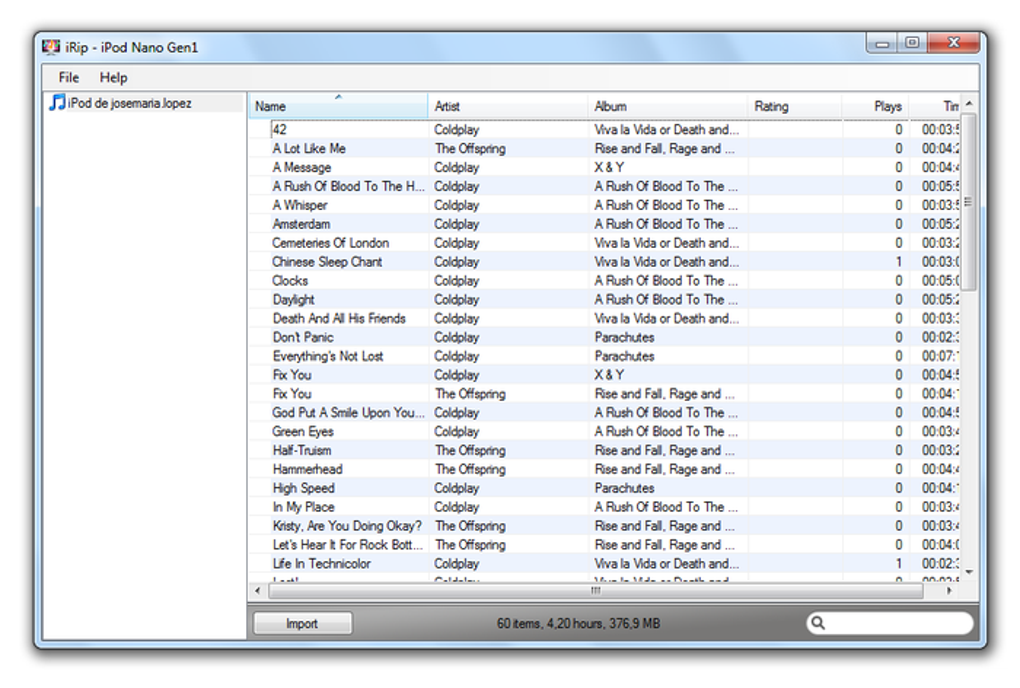
The simplicity extends to the preferences settings. Given the straightforward nature of the application, extensive configuration options are unnecessary. This minimalist approach contributes to the overall ease of use, making iRip accessible even to less technically inclined users.
Performance and Transfer Speed: A Quick and Efficient Process
iRip boasts quick transfer speeds, a significant advantage for users with large music libraries. This efficiency makes the process of transferring music less time-consuming. The application handles both MP3 and AAC formats, encompassing a wide range of music file types. The support for Audible.com content further enhances its versatility, catering to a broader user base.
The application’s performance is consistently reliable, delivering a smooth and efficient transfer process. This reliability is crucial, ensuring that the user’s music files are transferred accurately and without data loss. The ability to handle a wide range of audio formats enhances its value to users who may have a diverse collection of music files stored on their iPods.
Limitations and Drawbacks: The Nag Screen and Transfer Limits
While iRip offers a powerful solution for transferring music from iPods, it’s not without its shortcomings. A persistent nag screen prompting users to register the software is a significant drawback. This screen remains visible throughout the application’s usage, potentially becoming intrusive and distracting. Moreover, the trial version limits the number of song transfers to 100, a limitation that can quickly become restrictive for users with sizeable music libraries.
Another notable issue is the potential for inaccurate rating import. Users may find that the ratings assigned to their tracks are incorrectly transferred, resulting in inconsistencies between the iPod and the iTunes library. This can be frustrating for users who carefully manage their music ratings and rely on them for organization and playback. These inconsistencies necessitate manual correction, adding an extra layer of work to the transfer process.
Comparison with Alternative Solutions: Weighing the Options
While iRip serves as a solution to a specific problem—transferring music from an iPod to a PC—it’s important to consider alternative solutions. iTunes itself, while initially presenting the restriction that iRip seeks to overcome, offers comprehensive media management features. Users might find that the benefits of a fully integrated media library outweigh the inconvenience of adhering to iTunes’ workflow.
Other music management software might also offer similar or superior functionality for transferring music from various sources. These alternatives might offer additional features, such as advanced metadata editing, playlist creation, and compatibility with a wider range of devices. Choosing the right software often involves weighing the specific needs and preferences of the user against the features and limitations of each application. iRip’s niche function might not be suitable for all users, particularly those already invested in alternative music management solutions.
System Requirements and Compatibility: Ensuring Seamless Operation
iRip’s system requirements are relatively modest, ensuring compatibility with a wide range of Windows systems. The application’s modest size also contributes to its ease of installation and minimal impact on system resources. This is beneficial for users with older or less powerful computers, allowing them to utilize the software without compromising system performance.
However, it’s crucial to note that iRip is solely compatible with the Windows operating system. Users with macOS or other operating systems will need to explore alternative solutions to address their iPod music transfer needs. This limited compatibility restricts the application’s reach and may not be suitable for users operating on diverse platforms.
User Reviews and Feedback: Gauging User Experience
User reviews offer valuable insights into the real-world experience of using iRip. While some users report positive experiences, praising the application’s speed and ease of use, others express negative feedback, highlighting the limitations and flaws mentioned earlier. The persistent nag screen and the limited number of transfers in the trial version are recurring points of criticism.
Negative reviews also frequently mention inconsistencies in metadata transfer, specifically regarding song ratings. The lack of responsive customer service is another recurring concern expressed by some users. This inconsistent user feedback emphasizes the need for cautious consideration before investing in the full version of the software.
Conclusion: Is iRip the Right Choice for You?
iRip offers a convenient solution for transferring music from an iPod to a Windows PC, particularly in scenarios where access to the iTunes library is compromised. Its speed, simplicity, and support for MP3 and AAC formats are significant advantages. However, the limitations imposed by the trial version, the persistent nag screen, and the potential for inaccurate metadata import are considerable drawbacks.
Ultimately, the decision of whether or not to use iRip depends on the individual user’s needs and priorities. For those facing a specific situation requiring immediate access to their iPod music, iRip might prove useful, despite its limitations. However, users with large music libraries or those seeking a long-term solution for managing their music collection should carefully weigh these drawbacks against the benefits before committing to the purchase of the full version. Exploring alternative options and considering the overall user experience reported by other users is strongly recommended before making a purchase decision.
File Information
- License: “Trial version”
- Version: “2.1.6”
- Latest update: “October 4, 2012”
- Platform: “Windows”
- OS: “Windows 7”
- Language: “English”
- Downloads: “28.1K”
- Size: “6.20 MB”


