
iSpring Free Cam is a free screen recording software for Windows that allows users to capture any portion of their computer screen, save recordings as WMV files, perform basic video editing, and upload directly to YouTube. This review delves into its features, strengths, weaknesses, and alternatives to help you determine if it’s the right screen recording solution for your needs.
Key Features and Functionality
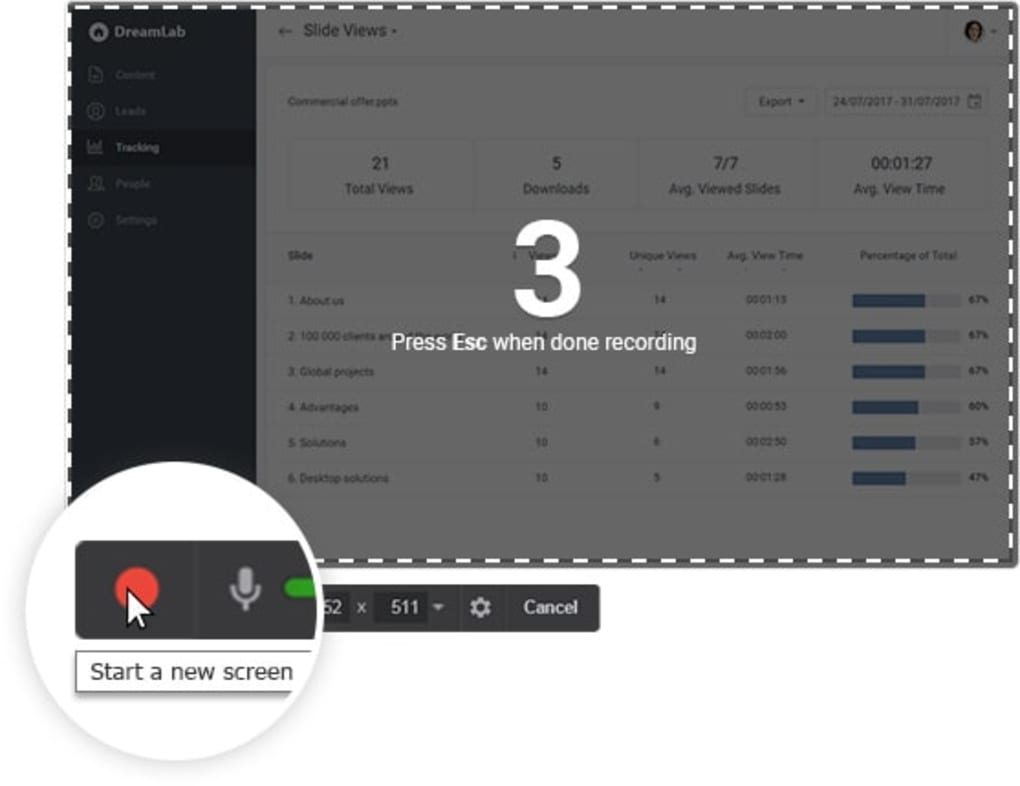
iSpring Free Cam’s core functionality centers around screen recording. Users can select a specific region of their screen to record, offering flexibility for capturing targeted content, presentations, or software demonstrations. The software supports high-quality video recording, allowing for clear and detailed captures. This is particularly beneficial for creating tutorial videos, documenting software workflows, or sharing troubleshooting steps.
Beyond basic recording, iSpring Free Cam provides several features to enhance the user experience and the final product:
-
Video Editing: While not a full-fledged video editor, iSpring Free Cam includes basic editing capabilities. This allows for trimming unnecessary sections of the recording, improving the overall quality and streamlining the final video. While not as comprehensive as dedicated video editing suites, this functionality streamlines the post-production process for quick and simple edits.
-
Direct YouTube Upload: One of the software’s most convenient features is the one-click upload to YouTube. This eliminates the need for intermediate steps, simplifying the video-sharing process. For users who frequently share screen recordings online, this integrated function significantly saves time and effort.
-
Hotkey Support: iSpring Free Cam supports customizable hotkeys, allowing users to start, pause, and stop recordings quickly and efficiently without interrupting their workflow. This feature is particularly useful for capturing spontaneous events or quick demonstrations.
-
WMV Output: The software saves recordings in the WMV format, a widely compatible video format suitable for various platforms and devices. This ensures broad compatibility and avoids the need for format conversions.
Advantages and Disadvantages
iSpring Free Cam, like any software, presents both advantages and disadvantages. Understanding these aspects is crucial for determining its suitability for your specific needs.
Pros:
-
Ease of Use: The software is designed with simplicity in mind. The interface is intuitive and easy to navigate, even for users with limited experience in screen recording software. The straightforward process makes it accessible to a wide range of users, from casual screen capturers to those creating more professional tutorials.
-
High-Quality Recordings: iSpring Free Cam delivers high-quality video recordings, crucial for maintaining clarity and detail in the captured content. This is essential for ensuring that the final product is engaging and easily viewable. This high quality is especially important for educational videos or presentations where clear visuals are key to understanding the content.
-
Convenient YouTube Integration: The direct upload to YouTube significantly streamlines the video-sharing process, saving users valuable time and effort. This integration is particularly beneficial for individuals or organizations regularly sharing screen recordings on the platform.
-
Free to Use: The software’s free availability is a significant advantage, making it accessible to a large audience who may not have the budget for commercial screen recording software. This makes it a cost-effective choice for personal use or for small businesses with limited resources.
Cons:
-
Challenging Installation: Some users have reported difficulties during the installation process. While generally straightforward, occasional issues might arise depending on the user’s system configuration.
-
Lack of Webcam Support: The absence of webcam integration is a notable limitation. Many users prefer incorporating a webcam feed alongside screen recordings to add a personal touch or provide demonstrations with a visual element. The inability to integrate webcam footage restricts the versatility of the software.
-
Potential Quality Issues: While generally producing high-quality recordings, there have been reports of reduced quality, especially when capturing large screen areas. This might require adjusting the capture settings or limiting the recording area to maintain optimal clarity.
-
Occasional Syncing Problems: Some users have experienced occasional synchronization issues between audio and video. These instances, while not universal, highlight a potential area for improvement in the software’s performance.
Alternatives to iSpring Free Cam
The market offers a wide range of screen recording software, each with its own strengths and weaknesses. Considering alternatives is crucial to finding the best fit for individual needs and preferences. Here are a few noteworthy alternatives:
- OBS Studio: A free and open-source software renowned for its extensive features and customization options. While more technically demanding than iSpring Free Cam, it provides exceptional flexibility and control for advanced users. OBS Studio shines in its ability to handle complex recording scenarios and live streaming.
-
Camtasia: A popular commercial screen recording software known for its user-friendly interface and powerful editing tools. While not free, its robust features and professional-grade output justify the cost for users needing advanced editing capabilities and high-quality results. Camtasia’s strong feature set allows for professional-looking video production.
-
Bandicam: Another popular option, Bandicam provides a balance between user-friendliness and advanced features. It offers high-quality recordings and supports a range of output formats. Bandicam offers a good balance between capabilities and ease of use, making it a good option for those needing more than the basics but not the complexity of OBS Studio.
-
Screencast-o-matic: A browser-based option that’s simple to use and requires no installation. While its features are less extensive compared to desktop applications, its ease of access and cross-platform compatibility make it a quick and easy solution for simple screen recording tasks.
Conclusion
iSpring Free Cam offers a straightforward and effective solution for basic screen recording needs. Its ease of use, high-quality recordings, and direct YouTube upload feature are highly appealing for casual users and those needing quick and simple screen captures. However, the lack of webcam support, occasional quality issues, and potential installation challenges limit its suitability for users needing more advanced features or a more polished recording experience. Considering alternatives, particularly OBS Studio or Camtasia, is recommended for users seeking a broader range of functionalities or higher levels of customization and control. Ultimately, the choice depends on the user’s specific needs and technical expertise. For simple tasks and quick screen recordings, iSpring Free Cam serves its purpose well. For more complex projects or professional-level recordings, investing in more advanced software might be the better option.
File Information
- License: “Free”
- Latest update: “July 10, 2023”
- Platform: “Windows”
- OS: “Windows 7”
- Language: “English”
- Downloads: “51.2K”
- Size: “23.39 MB”


