
Microsoft Expression Encoder was a free video editing and screen recording software application developed by Microsoft. While no longer actively supported or updated, it remains a topic of interest for users seeking information on its capabilities and alternatives. This review examines its features, strengths, weaknesses, and places it within the context of similar software available today.
Screen Recording and Capture Capabilities
Microsoft Expression Encoder was unique in its dual-application structure. It comprised two distinct parts: a screen capture tool and a video encoding/editing application. The screen capture component offered a minimalist interface, making it easy to use even for novice users. Users could choose to record their screen, webcam feed, or audio input, specifying the recording area, resolution, and quality with ease. The straightforward workflow involved selecting the recording source, defining the capture parameters, and initiating the recording with a single button press. This intuitive design removed many of the complexities often associated with screen recording software.

The lack of advanced features within the screen capture tool was a double-edged sword. While its simplicity was appealing to those new to screen recording, experienced users might have found it restrictive compared to software offering more granular control over recording settings and real-time annotations. For example, users couldn’t add annotations, draw on the screen during recording, or incorporate other advanced capture options often seen in more feature-rich applications. This limitation focused the software’s strength on straightforward screen recording tasks, leaving the more complex editing processes for the second component of the application.
Video Encoding and Editing Functionality
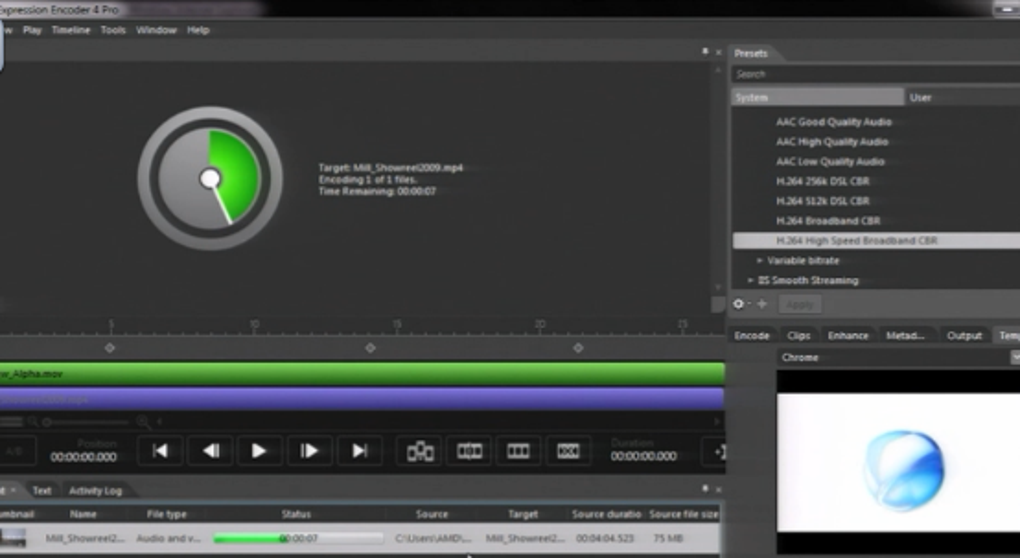
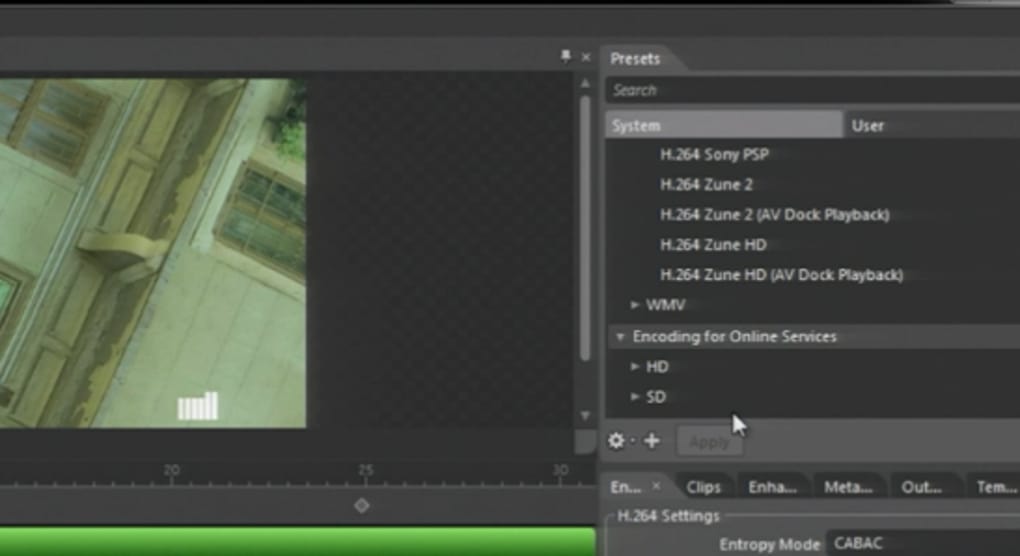
Once a recording was complete, users could import it into the second component of Microsoft Expression Encoder, which served as a basic video editor and encoder. The interface presented a clear division between preview functions on the left and video encoding options on the right. This organizational structure streamlined the workflow, making it easier for users to manage their projects. The preview function allowed users to review their recordings, making any necessary adjustments before proceeding to the encoding stage. This aspect was crucial as it allowed for quality control prior to final export.
The encoding options provided a decent array of choices, though not exhaustive. Users could select different codecs and output formats, allowing for some degree of optimization depending on the intended use and platform. However, compared to contemporary professional-grade video editors, the encoding options were relatively basic. The lack of extensive codec support, along with the absence of advanced features like color grading, keyframing, and sophisticated audio mixing, limited its capabilities for professional use. The encoding process was generally straightforward, making it accessible to users less experienced in video production.
However, the editor lacked advanced features found in many contemporary video editing programs. There were limited options for adding transitions, effects, and other visual enhancements, which might have been a significant drawback for users needing more polished or visually complex projects. The restricted editing features essentially kept it as a simple post-processing tool rather than a full-fledged video editor. This constraint meant that users needing complex edits might have to resort to more powerful, and often more expensive, alternative software.
Comparison with Contemporary Software
While Microsoft Expression Encoder offered a simple and accessible solution for basic screen recording and encoding tasks, it paled in comparison to the more comprehensive and sophisticated video editing software currently available. Professional-grade applications like Adobe Premiere Pro, Final Cut Pro, and DaVinci Resolve offer a far more extensive range of editing tools, effects, and encoding options. These advanced applications accommodate complex projects, supporting various file formats, high-resolution video, and professional color grading capabilities.
Even compared to consumer-level software like Camtasia, OBS Studio, or Filmora, Expression Encoder’s features were relatively limited. These alternatives typically provide superior editing functionalities, more intuitive workflows, and a broader array of effects and transitions. Many also support live streaming, a feature entirely absent from Microsoft Expression Encoder. In terms of direct comparison, Camtasia, for instance, offered a more user-friendly interface, advanced editing features, and better output quality, making it a far more attractive option for most users.
Strengths and Weaknesses of Microsoft Expression Encoder
The primary strength of Microsoft Expression Encoder lay in its simplicity. The screen recording process was intuitive and straightforward, perfect for users needing a quick and easy way to capture screen activity or webcam footage. The clear division of functionality between the capture and editing components streamlined the workflow, simplifying the overall user experience. Its free availability was also a significant advantage, making it accessible to a wide audience.
However, its limitations were equally significant. The lack of advanced editing features severely restricted its usefulness for anything beyond basic video production. The limited output formats and absence of effects and transitions made it unsuitable for projects needing a high degree of visual polish. The absence of ongoing development and support meant that the software hasn’t been updated to address compatibility issues with newer operating systems or hardware. The absence of a large and active user community resulted in limited resources for troubleshooting and support.
Conclusion: Legacy and Alternatives
Microsoft Expression Encoder served a purpose in its time, providing a free and easy-to-use solution for basic screen recording and video encoding. However, its lack of advanced features and the absence of ongoing support renders it obsolete in the current landscape of video editing software. Modern alternatives offer far more comprehensive capabilities, superior ease of use, and consistent updates, making them significantly more attractive options for both beginners and professionals. For users seeking a free and easy screen recorder, numerous excellent alternatives are available, offering a much more feature-rich experience. For professional video editing, dedicated software suites provide the advanced tools and capabilities necessary for high-quality video production. The legacy of Microsoft Expression Encoder lies in its simplicity and accessibility, a testament to its straightforward design. Still, its limited feature set makes it a less practical choice compared to the range of powerful and versatile video editing software currently available.
File Information
- License: “Trial version”
- Latest update: “November 29, 2024”
- Platform: “Windows”
- OS: “Windows XP”
- Language: “English”
- Downloads: “105.8K”
- Size: “25.90 MB”


