
The Microsoft .NET Framework is a crucial component of the Windows operating system, providing a runtime environment for countless applications. It’s a collection of libraries and tools that allow developers to create and run applications across various Windows versions. While generally reliable, issues can arise with the .NET Framework, hindering application functionality and causing system instability. These problems can manifest in several ways, from failed installations and updates to unexpected application crashes. To address these challenges, Microsoft offers the .NET Framework Repair Tool, a utility designed to diagnose and resolve common .NET Framework problems. This guide explores the tool’s functionality, benefits, limitations, and provides a step-by-step guide on how to use it effectively.
Understanding the .NET Framework and its Importance
The .NET Framework acts as a bridge between software applications and the Windows operating system. It provides a managed execution environment, handling memory management, security, and other low-level tasks, allowing developers to focus on application logic rather than intricate system details. This framework is essential because many applications, especially those developed using Microsoft’s Visual Studio, rely on it for functionality. Therefore, a properly functioning .NET Framework is paramount for a stable and efficient Windows experience.
The .NET Framework includes a Common Language Runtime (CLR), which manages the execution of applications written in various programming languages such as C#, VB.NET, and F#. This allows for cross-language interoperability, meaning that components written in different languages can work together seamlessly within a single application. The CLR also provides features such as garbage collection (automatic memory management), exception handling (graceful error management), and type safety (preventing data corruption).
In addition to the CLR, the .NET Framework comprises a vast library of classes and interfaces known as the Framework Class Library (FCL). The FCL provides pre-built code for common tasks, such as file I/O, networking, database access, and user interface development. This greatly simplifies the development process, allowing developers to reuse existing code and focus on the unique aspects of their applications.
The .NET Framework plays a critical role in ensuring that Windows applications run correctly. As a result, keeping it up to date and free of errors is crucial for maintaining system stability. Updates are regularly released by Microsoft to address bugs, improve performance, and add new features. However, these updates can sometimes encounter problems, leading to the need for a repair tool.
Common .NET Framework Problems and Solutions
Several issues can plague the .NET Framework, often manifesting as errors during installation, updates, or application execution. These problems can stem from various sources, including corrupted files, registry errors, or conflicts with other software. Here are some common scenarios where the .NET Framework Repair Tool can be particularly helpful:
- Installation Errors: During installation of the .NET Framework, you may encounter error messages indicating failure to install specific components or an overall installation failure. These errors often stem from file corruption or conflicts with existing software.
-
Update Failures: Similar issues can arise during updates. Windows Update may fail to install new versions or patches of the .NET Framework. This can leave your system vulnerable to security exploits and prevent the proper functioning of newer applications.
-
Application Crashes: Applications relying on the .NET Framework can experience unexpected crashes or malfunctions if the framework is damaged or improperly configured.
-
Runtime Errors: Errors may occur during the execution of applications, hindering their ability to function correctly.
-
Registry Issues: Incorrect entries within the Windows Registry related to the .NET Framework can lead to instability and functionality problems.
Manually resolving these issues can be a complex and time-consuming process, requiring advanced technical knowledge. This is where the .NET Framework Repair Tool provides a straightforward solution. The tool automatically identifies and addresses many of these common problems, eliminating the need for manual intervention in most cases.
Introducing the Microsoft .NET Framework Repair Tool
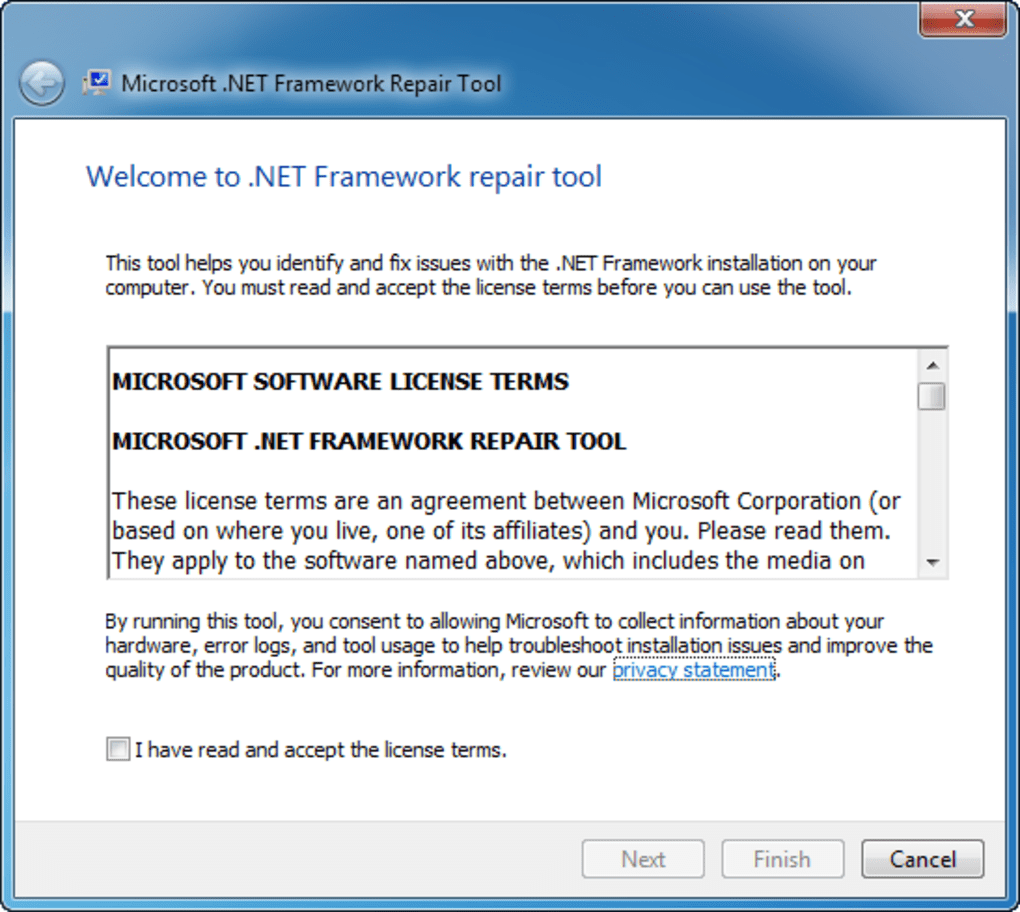
The Microsoft .NET Framework Repair Tool is a standalone utility designed to diagnose and fix issues with the .NET Framework. It’s a lightweight tool, requiring no installation and typically only needing to be run once. The tool employs a guided process, walking users through the necessary steps to identify and resolve issues. This streamlined process makes it accessible even to less technically inclined users.
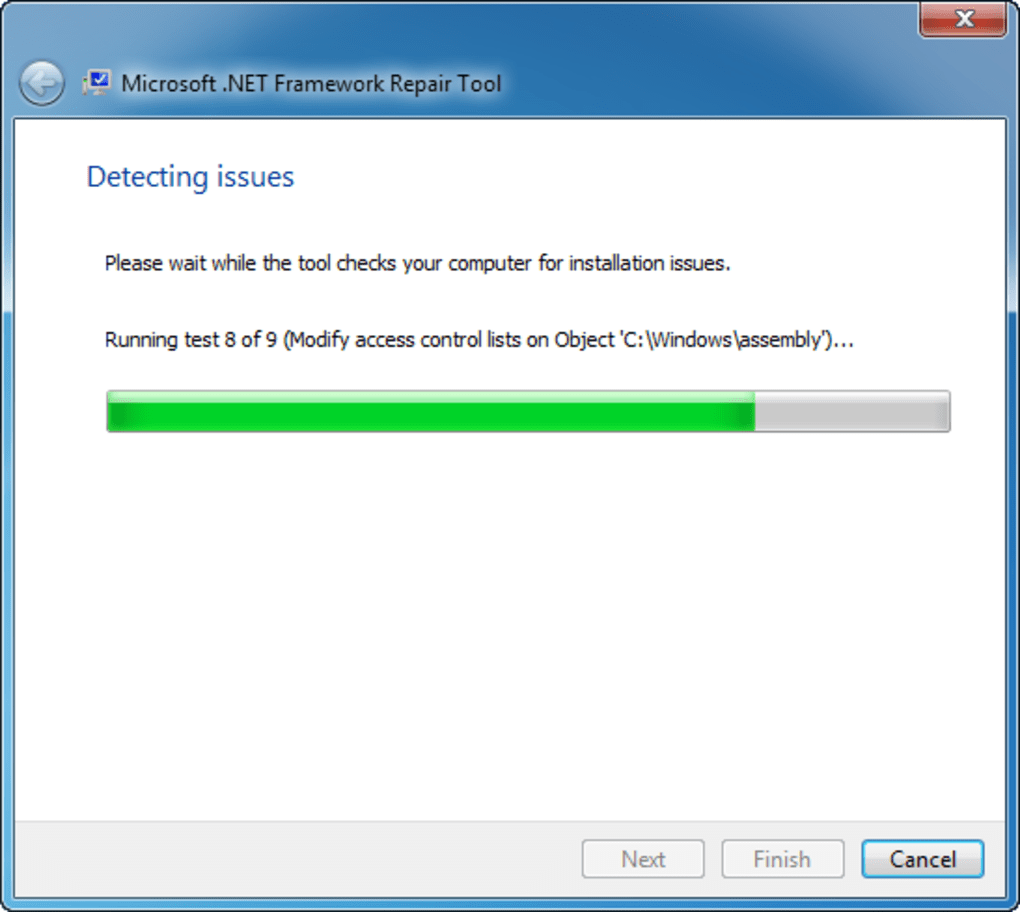
The tool’s operation involves a series of checks and repairs. It analyzes the current state of the .NET Framework, identifying any discrepancies or corrupted files. It then proceeds to automatically repair the identified issues, restoring the framework to a functional state. This process often involves replacing corrupted files with clean versions and correcting registry entries.
While highly effective for many common issues, it’s important to note that the .NET Framework Repair Tool may not solve all problems. Complex issues or those requiring deep system modifications may necessitate more advanced troubleshooting techniques.
How to Use the Microsoft .NET Framework Repair Tool
The process of using the .NET Framework Repair Tool is straightforward:
-
Download: Download the .NET Framework Repair Tool from a trusted source (preferably the official Microsoft website). Be cautious of downloading from untrusted websites, as they may contain malware.
-
Run the Tool: Locate the downloaded executable file and run it. You may need administrator privileges to run the tool effectively.
-
Follow the On-Screen Instructions: The tool will guide you through a series of steps, providing clear instructions on the process. Typically, it involves a simple wizard interface.
-
Allow for Repairs: The tool will analyze the system and identify any issues. Allow the tool to perform the necessary repairs. This process may take several minutes, depending on the severity of the problem and the system’s specifications.
-
Restart: After the repair process is complete, the tool may recommend restarting your computer. Restarting is crucial to ensure that the changes are applied correctly.
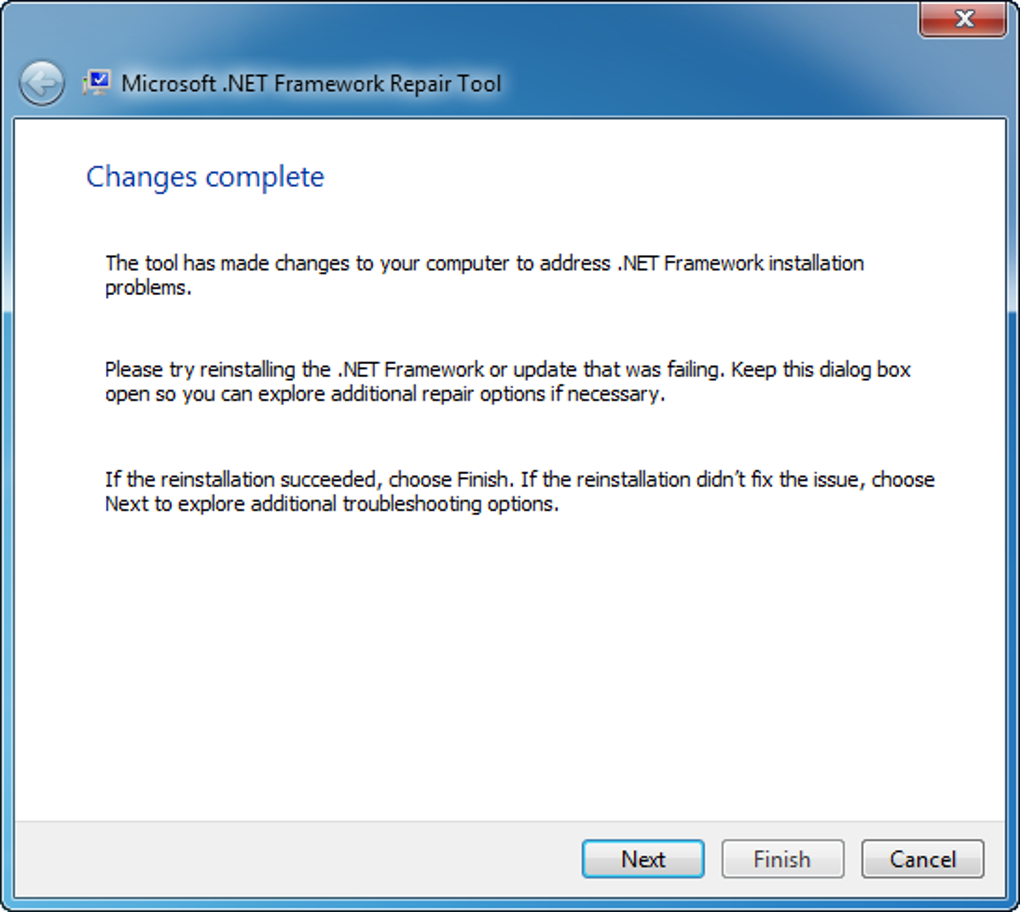
- Verify Functionality: After restarting, test your applications that previously experienced issues. If the problems persist, further investigation may be necessary.
Limitations of the .NET Framework Repair Tool
While the .NET Framework Repair Tool is a valuable asset for resolving many common issues, it has limitations:
-
Not a Universal Solution: The tool primarily targets common problems and may not resolve complex, deeply rooted issues. Severe system corruption or significant registry problems might require more extensive manual intervention.
-
Limited Diagnostic Capabilities: While the tool can identify many problems, it might not provide detailed diagnostics for highly specialized issues.
-
Potential for Data Loss (Highly Unlikely): Although highly improbable, there’s a theoretical risk of data loss in extreme cases of system corruption. However, this is exceptionally rare.
-
Doesn’t Address All .NET Versions: The tool might not support every version of the .NET Framework. Verify compatibility before use.
In cases where the Repair Tool fails to resolve the problem, consider more advanced troubleshooting methods, such as reinstalling the .NET Framework or seeking assistance from Microsoft support.
In conclusion, the Microsoft .NET Framework Repair Tool is a valuable utility for resolving many common problems related to the .NET Framework. Its ease of use and effectiveness make it a recommended first step in troubleshooting issues with applications relying on this essential component of the Windows operating system. However, it’s important to understand its limitations and be prepared to explore more advanced troubleshooting options if necessary. Always download the tool from a reputable source to avoid potential malware issues.
File Information
- License: “Free”
- Latest update: “April 30, 2024”
- Platform: “Windows”
- OS: “Windows 8”
- Language: “English”
- Downloads: “99.8K”
- Size: “4.79 KB”


