
Microsoft Project 2010, while no longer the latest version, remains a powerful project management tool offering a robust set of features for organizing and managing projects of varying complexities. This guide provides a detailed overview of its capabilities, functionalities, system requirements, and how it compares to modern alternatives.
Core Features and Functionalities
Microsoft Project 2010’s strength lies in its ability to consolidate various aspects of project management into a single, integrated platform. This includes features designed to streamline planning, scheduling, task management, resource allocation, budget control, and progress tracking. Let’s delve into each of these key areas:
1. Timeline and Scheduling: At its core, Microsoft Project 2010 excels at creating and managing project timelines. Users can define tasks, set durations, establish dependencies between tasks (defining which tasks must be completed before others can begin), and visualize the entire project’s schedule using Gantt charts and other visual representations. This allows for clear identification of critical path tasks – those whose delays would directly impact the overall project completion date. The software provides flexibility in scheduling, allowing for adjustments to account for unexpected delays or resource constraints.
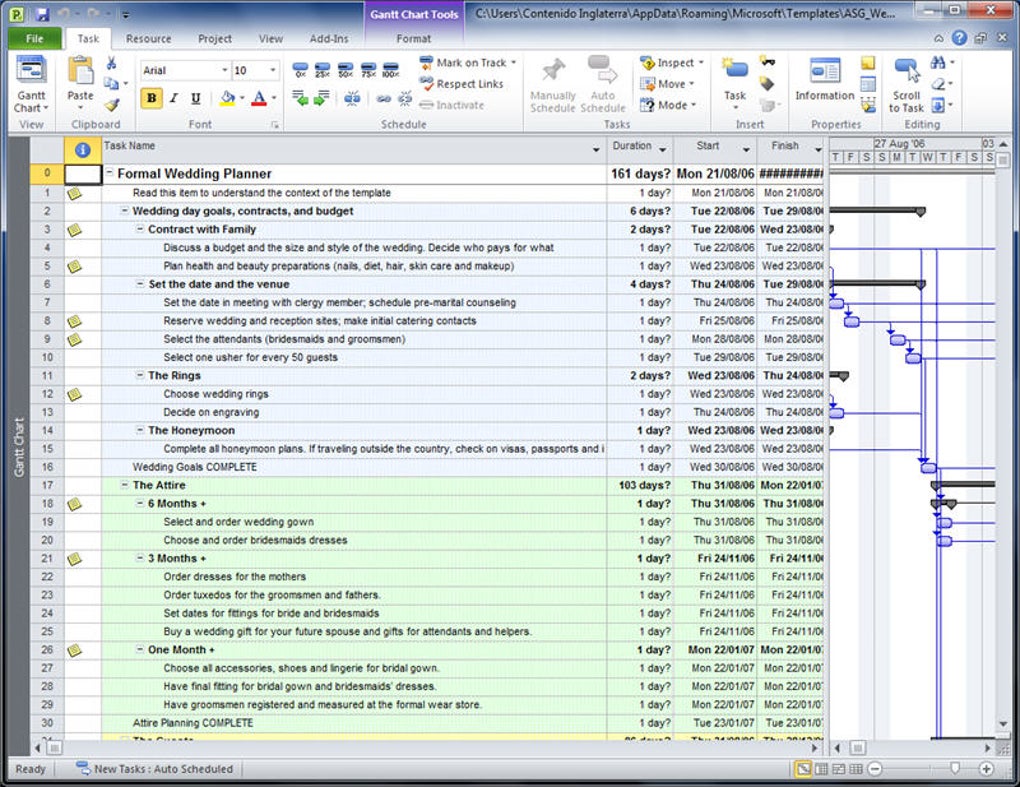
2. Task Management and Assignment: The software facilitates detailed task breakdown, allowing users to decompose large projects into smaller, manageable tasks. Each task can be assigned a specific duration, resources, and assigned to a team member. The task assignment feature ensures clear accountability and simplifies tracking individual progress. Further, Microsoft Project 2010 allows for the creation of sub-tasks, enabling a hierarchical structure that reflects the project’s complexity. This level of granularity makes the software particularly effective for managing large-scale projects with numerous interconnected tasks.
3. Resource Management and Allocation: Effective project management demands efficient resource allocation. Microsoft Project 2010 allows users to define and manage various resources, including personnel, equipment, and materials. The software enables assigning resources to specific tasks, tracking resource availability, and identifying potential resource conflicts. This prevents over-allocation of resources to certain tasks while ensuring that sufficient resources are available for all project activities. This feature minimizes bottlenecks and contributes to on-time project completion.
4. Budget Management and Tracking: Maintaining project budgets is crucial for success. Microsoft Project 2010 provides tools for setting a budget, allocating costs to individual tasks, and tracking expenses against the allocated budget. This enables proactive identification of potential budget overruns and allows for timely adjustments to prevent financial issues. The integration with other Microsoft Office applications, particularly Excel, simplifies the import and export of budget data, streamlining the budgeting process.
5. Progress Tracking and Reporting: Microsoft Project 2010 includes comprehensive reporting and progress tracking capabilities. Users can monitor the progress of individual tasks, the project as a whole, and identify areas that might be falling behind schedule or exceeding budget. Customizable reports allow users to generate various summaries and analyses, providing valuable insights into project performance. The ability to track progress against the baseline schedule allows project managers to proactively address issues and maintain control.
Compatibility and System Requirements
To run Microsoft Project 2010, a computer meeting specific system requirements is necessary. While the exact requirements may vary depending on the version and complexity of projects, generally, the software necessitates a reasonably powerful computer with sufficient RAM and hard drive space. It’s essential to consult the official Microsoft documentation for the precise specifications for optimal performance. Compatibility with different versions of Windows is also a crucial aspect. While Microsoft Project 2010 might have worked with older Windows versions, it’s important to verify its compatibility with your specific operating system to avoid any issues.
Regarding file compatibility, Microsoft Project 2010 utilizes the .mpp file format, which is generally compatible across various versions of Microsoft Project. However, it is recommended to maintain consistency in the versions of Microsoft Project used by team members to ensure smooth collaboration and avoid potential file format issues.
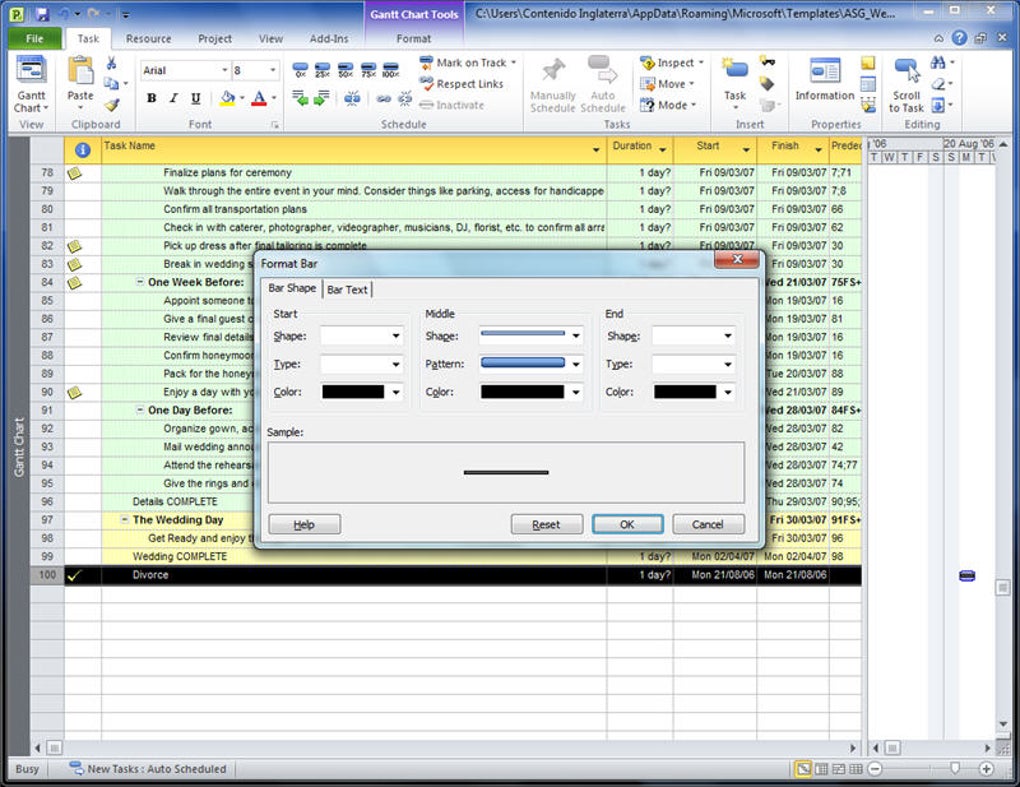
Accessing Microsoft Project 2010
Unlike some other Microsoft Office applications, Microsoft Project 2010 was not typically included in standard Office suites or Microsoft 365 subscriptions. It was available as a standalone purchase, either as a one-time license or as part of specific enterprise agreements. This means acquiring access to Microsoft Project 2010 required a separate purchase, rather than being included within a broader Microsoft Office package.
This standalone nature highlights its specialized focus within the Microsoft ecosystem. While the standalone licensing may seem less convenient than integration into a broader package, it served to cater to the specific needs of professional project managers and organizations who require its comprehensive features.
Comparing Microsoft Project 2010 to Modern Alternatives
While Microsoft Project 2010 remains a capable project management tool, considerable advancements have been made in the field since its release. Modern alternatives often offer enhanced features, cloud integration, and improved collaboration capabilities. These advancements might include improved user interfaces, more intuitive navigation, enhanced reporting features, and better integration with other software applications. Cloud-based platforms, for instance, provide accessibility from anywhere with an internet connection and facilitate seamless collaboration among team members.
Consider evaluating these modern alternatives based on the specific needs and requirements of your project. The decision to use Microsoft Project 2010 versus a modern alternative should be guided by a careful assessment of your organization’s needs, technical resources, and budget.
User Reviews and Feedback
User reviews of Microsoft Project 2010 are mixed. While many praise its powerful features and comprehensive capabilities for complex project management, some users have expressed concerns about the software’s user interface, which can be considered less intuitive and user-friendly compared to modern alternatives. Furthermore, the lack of cloud integration and limited collaboration features compared to newer versions and competing software has been a point of criticism.
This highlights the importance of considering both the strengths and weaknesses of the software before deciding on its suitability for your specific project management needs. Thorough research and evaluation of user feedback are crucial in selecting the right project management tool for your team.
Conclusion
Microsoft Project 2010 represents a significant step in project management software, providing a powerful toolkit for managing projects of various scales and complexities. Its features for timeline creation, task management, resource allocation, budget control, and progress tracking make it a valuable asset for professionals and organizations needing a robust solution. However, its age also means that newer alternatives often provide a more streamlined user experience, improved collaboration capabilities, and enhanced cloud integration. The choice of whether to utilize Microsoft Project 2010 or a more modern alternative depends significantly on the specific requirements and preferences of the user or organization. A thorough comparison of features, usability, and cost-effectiveness is crucial in making an informed decision.
File Information
- License: “Trial version”
- Version: “2010”
- Latest update: “December 5, 2024”
- Platform: “Windows”
- OS: “Windows XP”
- Language: “Arabic”
- Downloads: “487.7K”
- Size: “246.50 MB”


