
Nexus Mods Manager (NMM) was a widely used, free, open-source mod manager for video games. Developed by Nexus Mods owner Robin Scott and initially released in 2015, it quickly became a popular choice for players looking to enhance their gaming experience with community-created modifications. While NMM is no longer actively supported and has been superseded by Vortex, its legacy remains significant within the modding community. This article explores the history, functionality, and ultimate demise of Nexus Mods Manager, comparing it to its successor and considering alternative options.
The Rise and Fall of Nexus Mods Manager
NMM’s roots trace back to 2006 with the creation of TESSource for the Oblivion Mod Manager. The platform’s core functionality remained consistent through its renaming to Nexus Mods Manager in 2015. Its primary purpose was to streamline the process of downloading, installing, and managing mods from the Nexus Mods website. This centralized platform offered a user-friendly interface, significantly simplifying the often complex process of manual mod installation. Its integration with the Nexus Mods website facilitated a seamless workflow, allowing users to browse, download, and install mods directly through the manager.
The software’s ease of use was a major contributing factor to its popularity. Compared to manually installing mods, NMM offered superior organization, easier installation, and smoother removal processes. This simplified workflow attracted a large user base, particularly for popular games like The Elder Scrolls V: Skyrim, Fallout 4, and Kingdom Come: Deliverance, allowing players to access and integrate a vast library of community-created content. However, its success was ultimately its downfall.
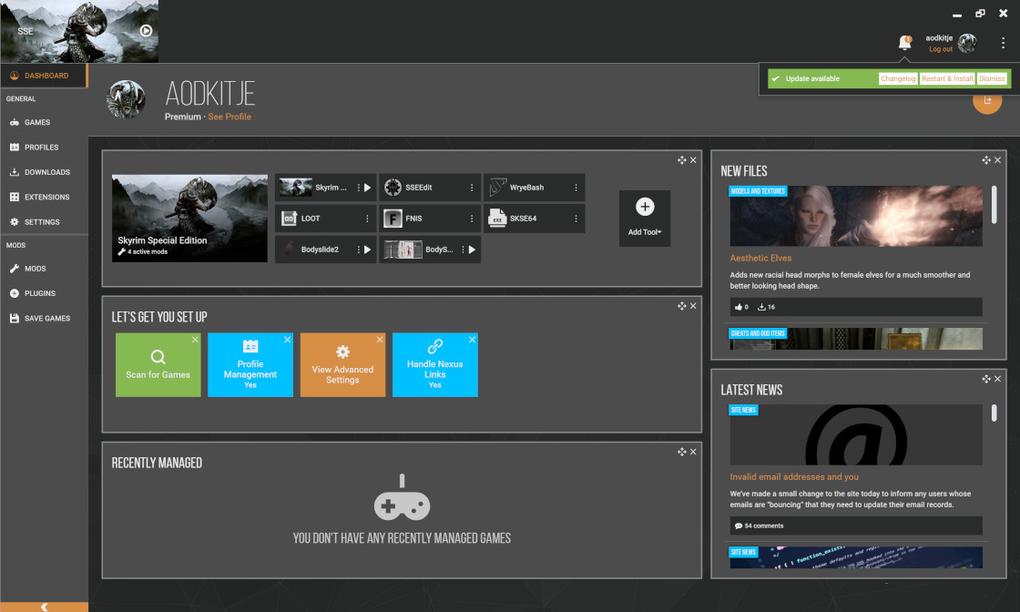
In 2016, Nexus Mods announced that NMM had reached its “End-of-Line” (EOL) status. This decision stemmed from several factors, most notably the increasing difficulty in maintaining the aging software. The constant need for bug fixes and the challenges of adapting to evolving game engines and modding techniques made sustaining NMM increasingly burdensome. Furthermore, the development team’s resources were diverted to developing a successor, a more modern and robust mod manager capable of handling the increasing complexity of the modding landscape.
The Transition to Vortex: A New Era of Mod Management
The decision to discontinue support for NMM wasn’t arbitrary. Nexus Mods recognized the need for a more advanced mod manager to address the limitations of the older platform. They ultimately chose to develop Vortex from the ground up rather than continually patching NMM. This decision, while initially met with some apprehension from the community, proved to be a strategic move in the long run.
Vortex, released in 2018, offered several significant improvements over NMM. These improvements addressed many of the issues that plagued the older system. One of the most notable enhancements was Vortex’s improved conflict detection system. Unlike NMM, which lacked a robust method for alerting users to potential conflicts between mods, Vortex actively identifies and highlights conflicting files. This feature drastically reduces the likelihood of game instability or crashes caused by incompatible mods. Vortex also provides more granular control over load order and mod prioritization, giving users greater flexibility in managing their mod configurations. The introduction of more sophisticated features and support for newer games solidified Vortex’s position as the successor to NMM.
Can You Still Use Nexus Mods Manager? The Persistence of Legacy Software
While NMM is officially unsupported and no longer receiving updates, it remains available for download. The continued availability is primarily due to the dedicated community that continues to utilize it. A significant number of users still find NMM functional and continue to use it for managing mods for older games within its supported portfolio.
However, using NMM comes with inherent risks. The lack of updates means no bug fixes or security patches are released, potentially exposing users to vulnerabilities. Furthermore, NMM lacks support for many modern games and the extensive features found in Vortex. Attempting to use NMM for newer games or complex mod configurations could lead to instability or compatibility issues. While community support still exists, it is not a substitute for official support and maintenance.
Vortex vs. Nexus Mods Manager: A Feature Comparison
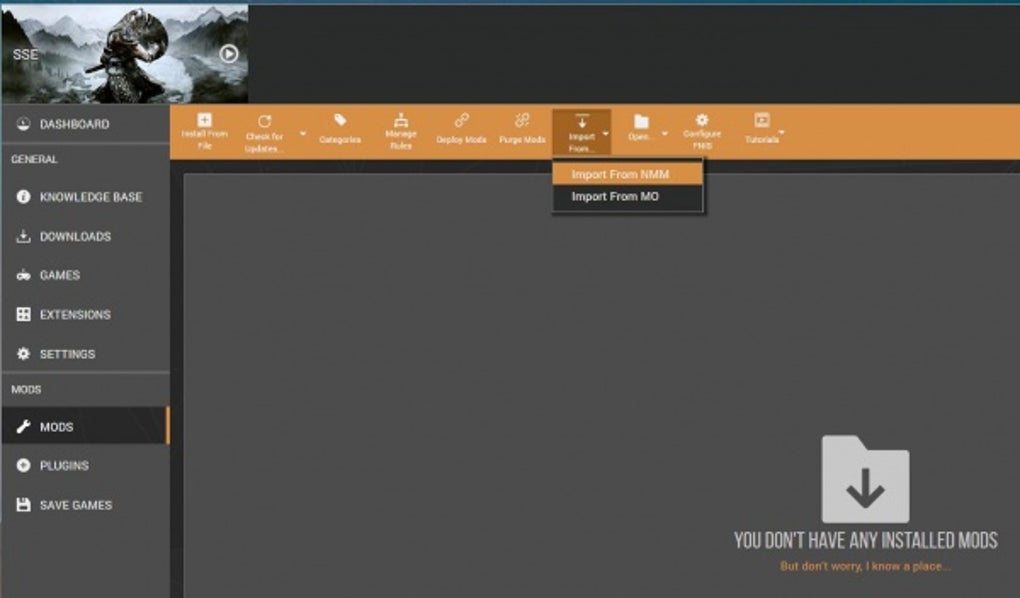
The transition from NMM to Vortex represents a significant leap in mod management capabilities. Here’s a direct comparison highlighting the key differences:
| Feature | Nexus Mods Manager (NMM) | Vortex |
|---|---|---|
| Support | Officially discontinued, community support only | Actively supported and updated |
| Conflict Detection | No built-in conflict detection | Robust conflict detection with visual indicators |
| Load Order Management | Limited load order control | Advanced load order management and prioritization |
| Mod Compatibility | Limited compatibility with newer games | Broad compatibility with current and older games |
| Interface | Simpler, less feature-rich | More sophisticated and feature-rich |
| Update Frequency | No updates | Regular updates and improvements |
The significant differences underscore why Vortex is the recommended choice for modern modding. While NMM might suffice for specific, older games and simpler mod setups, the enhanced features and ongoing support of Vortex make it the superior option for most users.
Alternative Mod Managers: Exploring Other Options
While Vortex is the official successor to NMM, other mod managers cater to specific needs or preferences. Several alternatives offer unique features and cater to different gaming platforms:
-
Mod Organizer 2 (MO2): A highly customizable mod manager, primarily known for its compatibility with The Elder Scrolls V: Skyrim. MO2 offers advanced features, such as virtual environments, allowing users to test mods without affecting their main game installation.
-
Steam Workshop: Integrated into Steam, Steam Workshop provides a convenient platform for downloading and managing mods for compatible games. However, it’s known to be less stable and feature-rich compared to Vortex or MO2.
-
Frosty Mod Manager: Specifically designed for games using the Frostbite engine, Frosty Mod Manager provides a tailored modding experience for titles like Battlefield and Need for Speed.
The choice of mod manager depends on the games you play and your individual preferences. Vortex is a strong all-around choice, offering broad compatibility and robust features, while other managers may cater to specific needs or preferences.
Installing Nexus Mods Manager (For Legacy Use Only)
If, for specific legacy reasons, you choose to install NMM, be aware that this is for older games and you do so at your own risk. The installation process is straightforward:
- Download: Download the NMM installer from a reputable source (though the official Nexus Mods website no longer hosts it directly).
- Run the Installer: Execute the downloaded file. The installer will guide you through the installation process.
- Select Language and Location: Choose your preferred language and specify the installation directory.
- Accept License Agreement: Agree to the terms of the GNU General Public License (GPL).
- Complete Installation: Follow the on-screen instructions to complete the installation.
After installation, a desktop shortcut will be created, providing easy access to the software. If issues arise, seeking help from the NMM community forums might be necessary, although support is limited.
Conclusion: A Legacy Remembered, A Future Embraced
Nexus Mods Manager served as a crucial stepping stone in the evolution of mod management. Its legacy lies in its simplicity and accessibility, making modding more accessible to a broader audience. While NMM is now obsolete, its role in popularizing modding and paving the way for more sophisticated tools like Vortex should not be overlooked. For modern gaming and modding, Vortex offers a superior experience, but NMM’s contribution to the gaming community remains an important part of its history. Choosing the right mod manager depends on individual needs and priorities, but understanding the evolution of tools like NMM offers valuable context for those seeking to enhance their gaming experiences through modding.
File Information
- License: “Full”
- Latest update: “November 11, 2024”
- Platform: “Windows”
- OS: “Windows 10”
- Language: “English”
- Downloads: “39.7K”
- Size: “8.38 MB”


