
Ommwriter is a distraction-free word processor designed to enhance the writing experience by minimizing technological interruptions and fostering a calm, focused environment. In a world saturated with digital distractions, Ommwriter provides a welcome sanctuary for writers seeking a tranquil space to craft their work. Unlike traditional word processors burdened with cluttered toolbars and endless features, Ommwriter prioritizes simplicity and ease of use, allowing writers to concentrate solely on the task at hand.
The Essence of Minimalist Writing
Ommwriter’s core philosophy centers on the elimination of distractions. The application launches directly into full-screen mode, immersing the user in a clean, uncluttered interface. This full-screen immersion removes the temptation to check emails, browse the internet, or succumb to the allure of social media notifications – common pitfalls that disrupt the creative flow. This deliberate design choice ensures that the writer’s attention remains laser-focused on the document, maximizing productivity and fostering a deeper connection with the writing process.
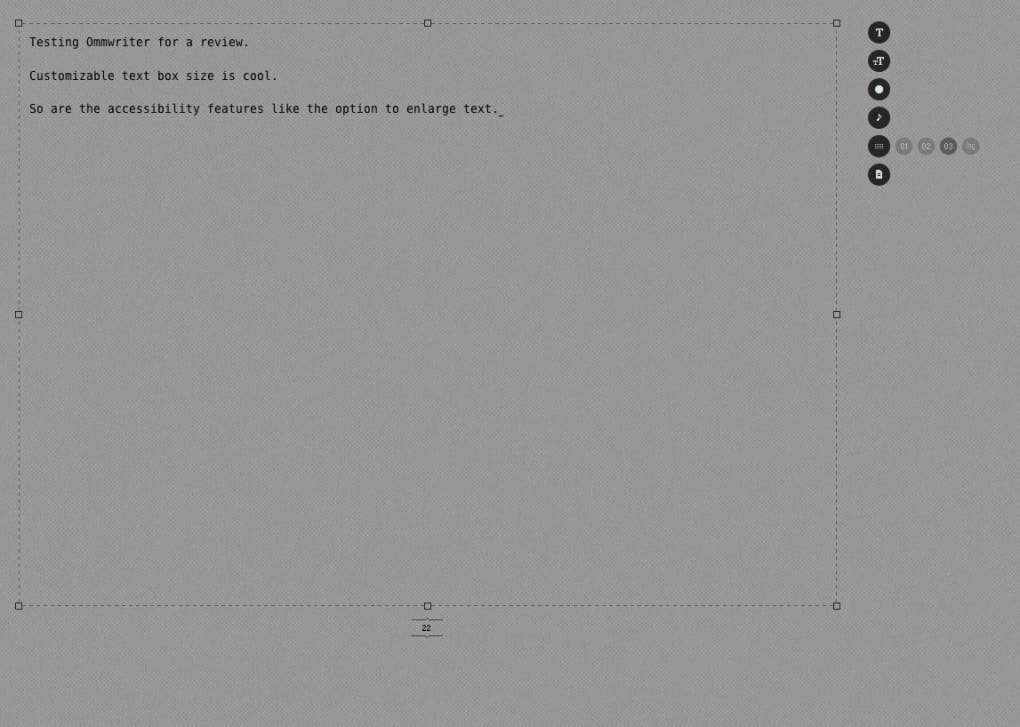
The application’s minimalist aesthetic extends beyond its full-screen functionality. Ommwriter offers a selection of understated, aesthetically pleasing background options, each contributing to a serene writing environment. These backgrounds are meticulously designed to avoid visual clutter, preventing the user’s eyes from being drawn away from the text. The absence of flashy graphics and unnecessary elements creates a calming visual landscape, conducive to focused writing sessions.
Complementing the visual simplicity is Ommwriter’s carefully curated soundscape. The program incorporates three distinct ambient soundscapes designed to enhance concentration and relaxation without being overly intrusive. These audio options range from calming nature sounds to subtle ambient melodies, each tailored to create a productive atmosphere. For those who prefer silence, Ommwriter also allows users to disable the soundtrack entirely, offering complete control over the auditory experience. Similarly, the typing sounds, also available in three different variations, offer a satisfying tactile feedback, adding to the immersive nature of the writing process. The inclusion of customizable sounds and background options provides users with the flexibility to tailor their writing environment to their individual preferences.
Features and Functionality
Beyond its minimalist design, Ommwriter provides a surprisingly comprehensive set of features necessary for effective writing. The application supports font customization, allowing writers to select their preferred typeface and size, thereby ensuring optimal readability and comfort. This flexibility caters to individual preferences and ensures a personalized writing experience. This simple yet effective feature can significantly impact the writing process, reducing strain on the eyes and improving overall comfort during extended writing sessions.
Ommwriter also offers versatile saving options. Users can save their work as standard text documents (.txt) or as PDF files, making it easy to share or print their finished product. While the selection of save formats is somewhat limited compared to more feature-rich word processors, it adequately addresses the core needs of most writers, enabling seamless document sharing and printing. The inclusion of PDF export functionality is particularly useful, ensuring compatibility across multiple platforms and devices.
Limitations and Areas for Improvement
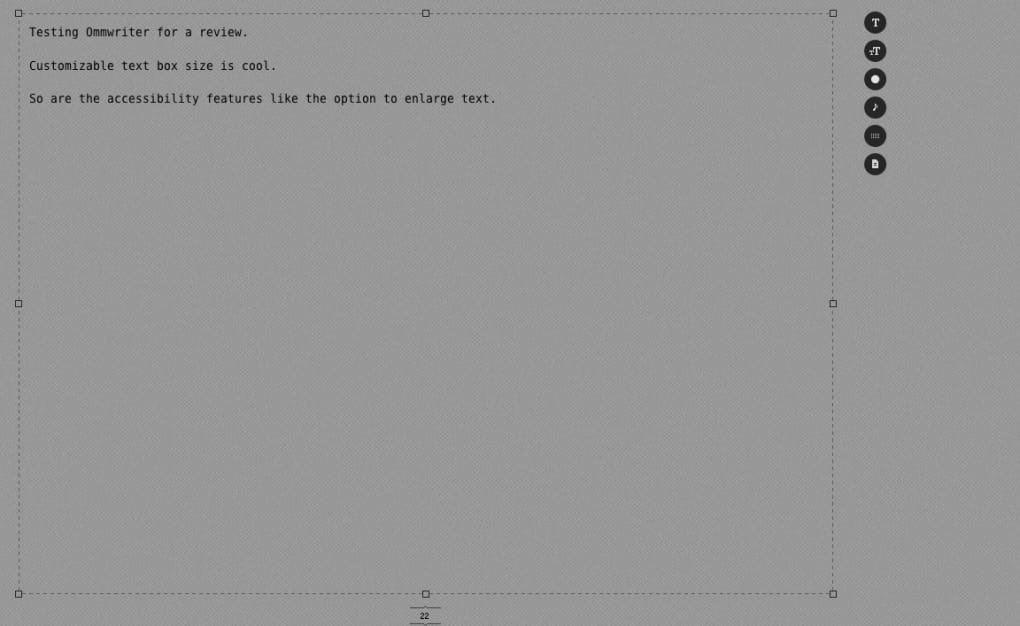
Despite its many strengths, Ommwriter does have some limitations. The most significant drawback is the lack of advanced formatting options. While the application allows for font size and style changes, it lacks support for features like bold, italics, underlines, or alignment options. This omission could prove limiting for writers requiring more sophisticated formatting capabilities. The absence of these common formatting tools may restrict the versatility of Ommwriter for those needing to produce documents with complex layout requirements.
Furthermore, the inability to customize sounds or backgrounds beyond the pre-selected options may disappoint some users. The fixed selection, although thoughtfully curated, may not cater to everyone’s aesthetic preferences. The lack of customization limits the ability for users to personalize their writing environment to match their unique tastes, potentially diminishing the overall user experience. This aspect could be improved significantly by incorporating user-upload features for custom sounds and backgrounds, allowing for greater personalization.
Another area for potential improvement lies in the limited range of document formats supported. While text and PDF are widely used formats, the lack of support for other common document types, such as DOCX or RTF, could restrict the flexibility of Ommwriter for users working across diverse document systems. Expanding the range of supported document formats would enhance the application’s utility and cater to a wider range of writing needs.
Despite these limitations, Ommwriter remains a compelling option for writers seeking a distraction-free environment. Its elegant simplicity, coupled with its calming aesthetic and thoughtful features, provides a unique writing experience that emphasizes focus and creativity.
Ommwriter Across Platforms
Ommwriter’s minimalist approach extends beyond its Windows version, also being available for Mac and iPad. This cross-platform availability ensures that users can enjoy the same distraction-free writing experience regardless of their operating system. The consistent user interface across platforms ensures a seamless transition for users switching between devices, maintaining a uniform and familiar writing experience.
This cross-platform compatibility enhances the overall utility of Ommwriter, allowing writers to access their work and maintain a consistent workflow across their different devices. This accessibility further contributes to its appeal as a versatile and convenient writing tool.
User Feedback and Reception
User reviews consistently praise Ommwriter for its calming atmosphere and its ability to enhance focus. Many users highlight the positive impact of the ambient sounds and minimalist interface on their writing productivity. The positive feedback indicates that Ommwriter successfully fulfills its core design objective of providing a distraction-free writing environment. The consistently positive user experiences confirm that Ommwriter’s minimalist approach resonates effectively with its target audience.
However, some criticism is directed at the limited formatting options and customization limitations. Users often request the addition of standard formatting features like bold, italics, and alignment options. These requests highlight the need for Ommwriter to balance its minimalist philosophy with the practical needs of a broader user base. The demand for increased customization points toward a potential area of future development, where adding features like user-uploaded sounds and backgrounds could significantly enhance the user experience.
Despite the feedback regarding limitations, the overall reception of Ommwriter remains overwhelmingly positive. Its unique blend of minimalist design and functional features makes it a valuable tool for writers seeking a distraction-free and calming writing experience.
Conclusion
Ommwriter effectively addresses the need for a distraction-free writing environment. Its minimalist design, calming soundscapes, and thoughtful features create a haven for writers seeking to enhance their focus and productivity. While some limitations regarding formatting and customization exist, the overall positive user reception underscores Ommwriter’s success in providing a tranquil and effective writing experience. Its cross-platform availability further contributes to its appeal, making it a valuable tool for writers across diverse operating systems and devices. The future potential for enhanced customization and additional features suggests that Ommwriter could further evolve to meet the needs of an even broader user base, solidifying its position as a popular choice for writers seeking a calm and productive writing space.

File Information
- License: “Free”
- Version: “i”
- Latest update: “November 15, 2011”
- Platform: “Windows”
- OS: “Windows 7”
- Language: “English”
- Downloads: “36.6K”
- Size: “53.65 MB”


