
OptiFabric is a free utility for Windows that bridges the gap between two popular Minecraft mods: OptiFine and Fabric. This powerful tool allows users to combine the performance enhancements and visual upgrades of OptiFine with the flexibility and speed of the Fabric mod loader, unlocking a wider range of modding possibilities within the Minecraft environment. Developed by Chocohead, OptiFabric acts as a crucial intermediary, enabling compatibility between mods that might otherwise conflict, significantly improving the overall Minecraft modding experience.
It’s important to note that OptiFabric itself does not include OptiFine or Fabric. These essential mods must be downloaded and installed separately before OptiFabric can function. This design choice keeps OptiFabric lightweight and focused on its core functionality – enabling compatibility. The mod is not a universal solution for all OptiFine compatibility issues, and in some cases, alternative mods might provide better results, particularly if you’re primarily interested in OptiFine’s performance improvements like dynamic lighting, without needing the full spectrum of its features.
Understanding OptiFine and Fabric: A Foundation for OptiFabric
To fully appreciate OptiFabric’s role, let’s delve into the individual functionalities of OptiFine and Fabric, two cornerstone mods within the Minecraft modding community.
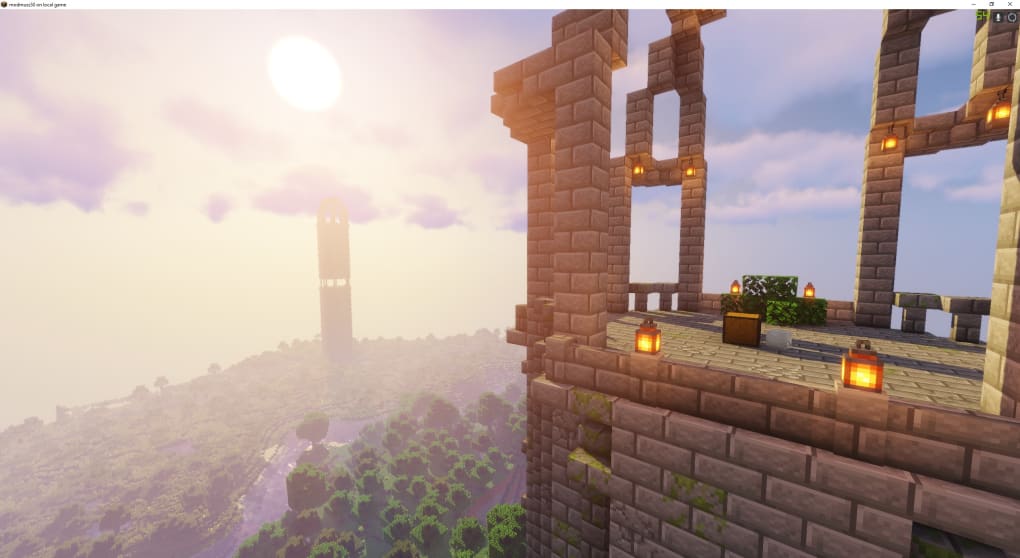
OptiFine: This widely-used mod is renowned for its performance enhancements and graphical improvements. It enhances Minecraft’s rendering capabilities, enabling support for high-definition (HD) textures, providing smoother gameplay, and allowing for a greater level of visual customization. OptiFine’s configurable options allow players to fine-tune their Minecraft experience, optimizing performance based on their system’s capabilities. It’s a popular choice for players seeking a visual upgrade and smoother frame rates, especially on less powerful machines. It achieves this through efficient rendering techniques and various optimizations to the game’s core code.
Fabric: In contrast to OptiFine’s focus on visuals and performance, Fabric is a mod loader. It’s a lightweight and efficient alternative to other popular loaders, like Forge. Its primary function is to manage the loading of mods, streamlining the process and significantly improving the speed at which mods and their updates are loaded. This is particularly beneficial for players with extensive modpacks, as Fabric’s streamlined approach reduces loading times and minimizes potential conflicts between mods. Fabric’s modular design and focus on performance make it a preferred choice for many users seeking a fast and stable modding environment. The difference in speed is especially noticeable when dealing with large numbers of mods, where Forge might struggle to keep up.
The inherent differences between OptiFine and Fabric – one a performance and visual enhancement mod, the other a mod loader – often lead to incompatibility issues. OptiFabric resolves this incompatibility, enabling players to leverage the benefits of both mods simultaneously without encountering loading errors or crashes.
How OptiFabric Works: Bridging the Compatibility Gap
OptiFabric functions as a bridge, allowing OptiFine and Fabric to coexist within the same Minecraft instance without conflict. It achieves this by carefully managing the interaction between both mods, ensuring that their core functionalities don’t interfere with each other. This prevents the common scenario where installing both OptiFine and Fabric-based mods would result in a game crash or failure to load.
The installation process is relatively straightforward. Users must first install Fabric and its API, ensuring that the correct version of Fabric is compatible with their Minecraft version. Once Fabric is successfully installed, OptiFine and OptiFabric are simply added to the mods folder, typically located within the Minecraft directory. The game then automatically recognizes and integrates these mods during the startup process, enabling the simultaneous utilization of both OptiFine and Fabric mods.
The elegance of OptiFabric lies in its simplicity. It doesn’t add any new in-game features or content. Instead, it focuses solely on providing seamless compatibility between two powerful but often conflicting mods. This allows players to enjoy the visual enhancements and performance boosts of OptiFine while still having access to the vast library of mods available through the Fabric ecosystem.
Alternatives and Considerations
While OptiFabric offers a compelling solution for combining OptiFine and Fabric, it’s essential to acknowledge alternative approaches. For players primarily focused on performance improvements, without the need for OptiFine’s visual modifications, alternative mods like Sodium offer comparable performance gains within the Fabric environment. Sodium provides performance optimization comparable to OptiFine but without the potential compatibility conflicts. This is a viable option for users who want a smooth and efficient Minecraft experience without the added complexity of managing OptiFine’s compatibility.
The decision to use OptiFabric, Sodium, or other alternatives depends on individual priorities. If both OptiFine’s graphical capabilities and Fabric’s mod loading capabilities are required, OptiFabric is the optimal solution. If performance enhancement is the primary goal, Sodium might be a more straightforward choice.
OptiFabric: A Powerful Tool for Advanced Modding
OptiFabric stands as a valuable asset for experienced Minecraft modders who utilize both OptiFine and Fabric. It streamlines the process of combining these powerful mods, allowing for a richer and more versatile modding experience. While requiring the prior installation of OptiFine and Fabric, the ease of installation and significant increase in modding flexibility make it a worthwhile addition for users who require both mods to function effectively within their Minecraft environment. For those who prioritize simplicity and performance above visual customization, alternatives like Sodium present equally compelling options. Ultimately, the choice of mod depends on the individual’s needs and priorities within their customized Minecraft gameplay. OptiFabric, however, provides a solution that significantly expands the potential for advanced mod configurations, making it a powerful tool for a specific segment of the Minecraft community.
File Information
- License: “Free”
- Version: “1.8.5”
- Latest update: “July 20, 2021”
- Platform: “Windows”
- OS: “Windows 7”
- Language: “English”
- Downloads: “528”
- Size: “270.54 KB”


