
PhoneClean is a Windows-based application designed to optimize the performance of iPhones and iPads by removing unnecessary files and data. While iOS is generally considered more stable and cleaner than Android, it’s not immune to accumulating junk files over time. These files, ranging from temporary caches to remnants of uninstalled apps, can gradually clog your device, leading to performance degradation and reduced storage space. PhoneClean offers a solution to this problem by providing a comprehensive suite of cleaning tools accessible from your PC. This detailed review will explore its features, benefits, and potential drawbacks.
PhoneClean’s Core Cleaning Functions: A Multi-pronged Approach
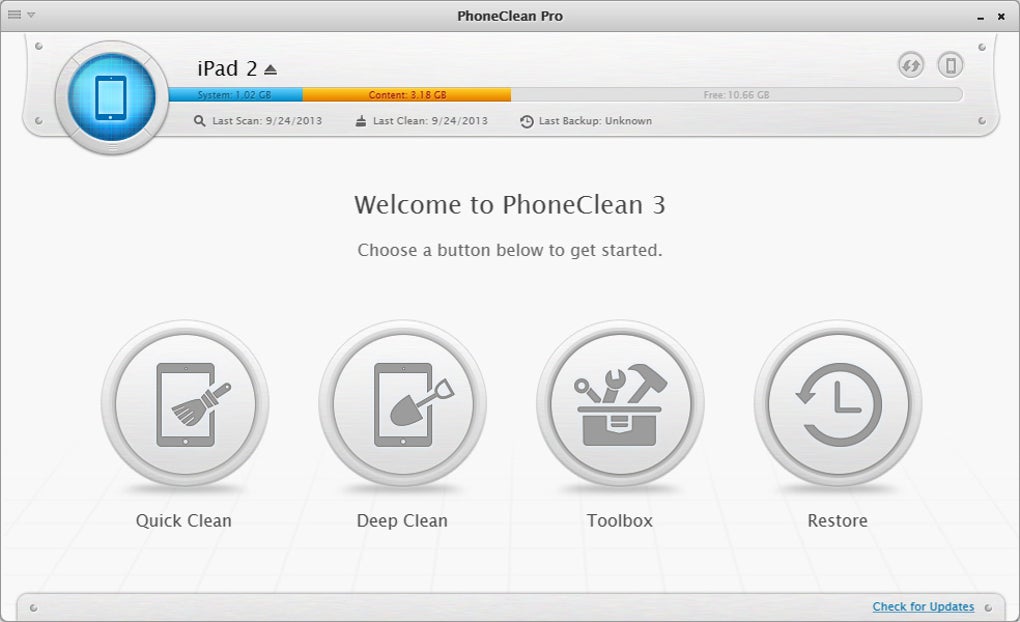
PhoneClean adopts a multi-faceted approach to iOS device cleaning, offering several distinct cleaning modes tailored to specific file types and purposes:
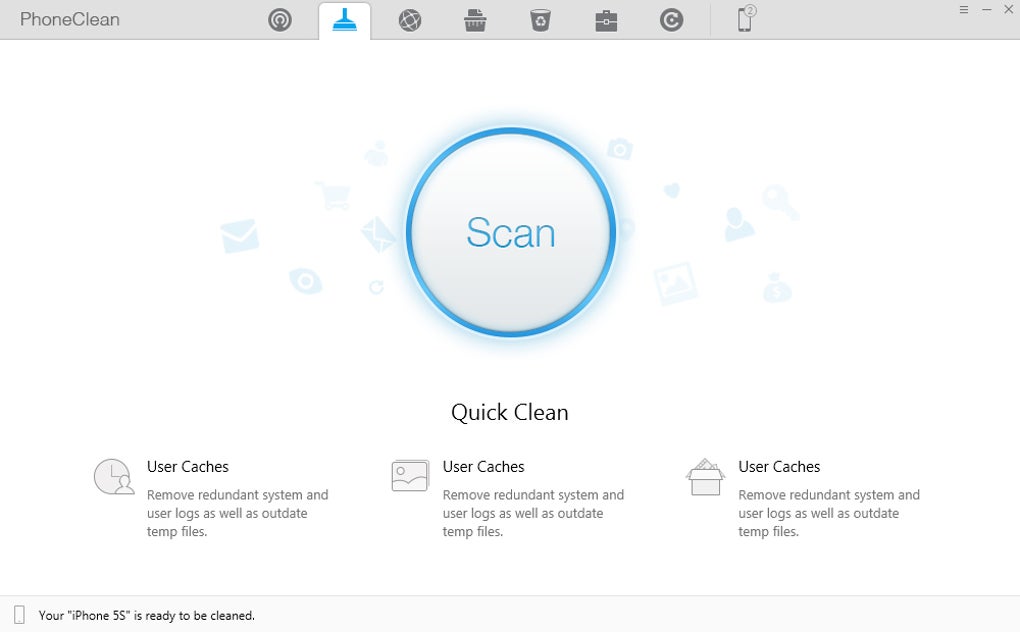
1. Quick Cleanup: This is PhoneClean’s fast and efficient option for clearing out common temporary files. It targets cached data from apps, error logs, and other temporary files that accumulate during normal device usage. The process is designed to be quick and non-invasive, focusing on readily identifiable junk files that don’t pose a risk to user data. This is a great starting point for a quick performance boost.
2. Internet Cleanup: This function focuses on removing browsing history, cookies, and other data related to internet activity. This not only frees up space but also enhances privacy by removing traces of your online activities. The removal of browsing history, cookies, and caches can improve the speed of your web browsing experience, as well. It’s a valuable tool for those concerned about their online footprint.
3. Privacy Cleaning: Privacy is a key concern for many users, and PhoneClean directly addresses this with its dedicated privacy cleaning feature. This mode targets sensitive data such as call logs, location data, and remnants of deleted photos. While iOS has built-in privacy features, PhoneClean extends these capabilities by providing a more thorough and comprehensive cleanup. This is crucial for those wanting to remove traces of their personal information for security purposes.
4. System Cleaning: Unlike the previous modes, which focus on specific file types, the system cleaning feature digs deeper, eliminating files leftover from apps that have been uninstalled. These leftover files often remain hidden and can consume significant storage space. This function ensures a thorough cleaning, removing even the most stubborn remnants of previously installed applications.
Beyond Basic Cleaning: The PhoneClean Toolbox
PhoneClean goes beyond its core cleaning functions with a dedicated toolbox offering more granular control over your device’s data. This toolbox provides users with the ability to:
-
Delete Contacts: This allows for selective deletion of contacts, offering a more refined approach compared to bulk deletion methods within iOS.
-
Delete Notes: Similar to contact deletion, this function enables selective removal of notes, giving users better control over their note-taking data.
-
Delete Photos: This offers a convenient way to manage photos on the device, supplementing the built-in photo management tools within iOS. However, it’s crucial to remember that deleted photos are not automatically backed up, so caution is advised.
-
Delete Other Files and Data: This more general category allows for the removal of other types of data, offering a flexible tool for managing a wide range of file types on the iOS device. However, the lack of detail on exactly what types of files are deleted highlights a potential drawback.
PhoneClean’s Silent Clean Feature: Background Optimization
PhoneClean distinguishes itself with its “Silent Clean” feature. This allows for automated cleaning while the iPhone or iPad is connected to your home Wi-Fi and not in use. This provides a convenient, hands-off approach to maintaining optimal device performance, automatically removing junk files in the background without requiring user intervention. This feature is particularly useful for users who want a set-it-and-forget-it solution to maintaining a clean and efficient iOS device.
User-Friendliness and Accessibility
PhoneClean is designed to be user-friendly, even for those without extensive technical knowledge. The interface is intuitive, mirroring the design of Android cleaning applications like Turbo Booster. The clear and straightforward layout ensures that even novice users can quickly master the program’s functions. The straightforward approach makes the process of connecting an iPhone or iPad to the PC and initiating a cleaning process relatively simple.
Performance Improvements and Overall Effectiveness
PhoneClean consistently delivers notable performance improvements after each cleaning cycle. Users often report a significant increase in speed and responsiveness, particularly after addressing large accumulations of junk files. This improvement in performance is often immediately noticeable after the first use, making it an attractive option for users experiencing slowdowns or storage issues on their iOS devices.
PhoneClean: Pros and Cons
Pros:
-
Ease of Use: The intuitive interface and straightforward functionality make it accessible to users of all technical skill levels.
-
Modern Design: The visually appealing interface provides a pleasant user experience.
-
Speed and Efficiency: The cleaning processes are generally quick and effective, delivering noticeable results within a short timeframe.
-
Remote Wipe Option (Silent Clean): The ability to schedule automatic cleaning adds convenience and helps maintain optimal performance.
-
Immediate Performance Improvements: Users frequently report noticeable performance boosts after the first use.
Cons:
-
Lack of Data Backup: PhoneClean does not automatically back up data before cleaning, potentially resulting in data loss if not used cautiously. Users must ensure they have separate backups before undertaking any cleaning operations.
-
Limited Detail on Deleted Data: The application does not provide specific details about the type and quantity of data deleted during each cleaning cycle. While this simplifies the user experience, it may also lack transparency for users who want more granular control.
-
Not a Native iOS Tool: Being a third-party application, PhoneClean is not integrated directly into the iOS ecosystem, requiring a PC connection for operation. This may be inconvenient for users without ready access to a PC.
Alternative Applications and Comparisons
While PhoneClean effectively addresses the need for iOS device optimization, several alternative applications offer similar functionality. A thorough comparison with competitors is necessary to determine the best fit for individual user needs and preferences. Considering factors like ease of use, feature set, and pricing will be critical in choosing the optimal application. However, PhoneClean’s Silent Clean feature does offer a unique advantage not found in all competitor apps.
Conclusion: A Valuable Tool for iOS Optimization
PhoneClean provides a valuable service in maintaining the health and performance of iOS devices. Its intuitive design, combined with its various cleaning modes and the Silent Clean feature, makes it an attractive option for users seeking an easy-to-use and efficient solution to managing their iOS device’s storage and performance. However, users should be mindful of the absence of automatic data backup and the lack of detailed information on deleted data. Despite these limitations, PhoneClean remains a powerful and convenient tool for optimizing the performance and enhancing the privacy of your iPhone or iPad. The need for a PC connection may be a limiting factor for some users, but for many, the benefits of improved performance and cleaner device outweigh this minor inconvenience.
File Information
- License: “Trial version”
- Latest update: “July 10, 2023”
- Platform: “Windows”
- OS: “Windows 8”
- Language: “English”
- Downloads: “66.8K”
- Size: “1.86 MB”


