
Process Lasso is a powerful and versatile utility designed to enhance the responsiveness and stability of your Windows operating system, particularly under heavy workloads. It achieves this by intelligently managing system processes, preventing resource-hogging applications from negatively impacting overall system performance. In essence, Process Lasso acts as a sophisticated traffic controller for your computer’s resources, ensuring that critical tasks receive the necessary attention while less important processes are appropriately managed. This article delves into the functionalities and benefits of Process Lasso, exploring its features and demonstrating how it can transform your Windows experience.
Understanding Process Prioritization and its Impact on System Performance
One of the most common causes of slowdowns and performance bottlenecks in Windows is the inefficient allocation of system resources, especially CPU cycles. Numerous applications run concurrently, vying for processing power. Some programs, due to their nature or poorly written code, may consume disproportionately high amounts of CPU resources, leading to system sluggishness, application freezes, and overall instability. Traditional task managers offer limited control over this dynamic resource allocation. This is where Process Lasso excels.
Process Lasso’s core functionality revolves around intelligent process prioritization. It analyzes running processes, identifying those that are consuming excessive resources and potentially impacting system responsiveness. It then dynamically adjusts the priority of these processes, ensuring that critical applications receive the necessary processing power while less important ones are relegated to lower priority levels. This proactive management prevents resource starvation and enhances the overall user experience. Instead of a constant struggle for resources, Process Lasso facilitates a more balanced and efficient allocation, resulting in smoother and more responsive system performance.
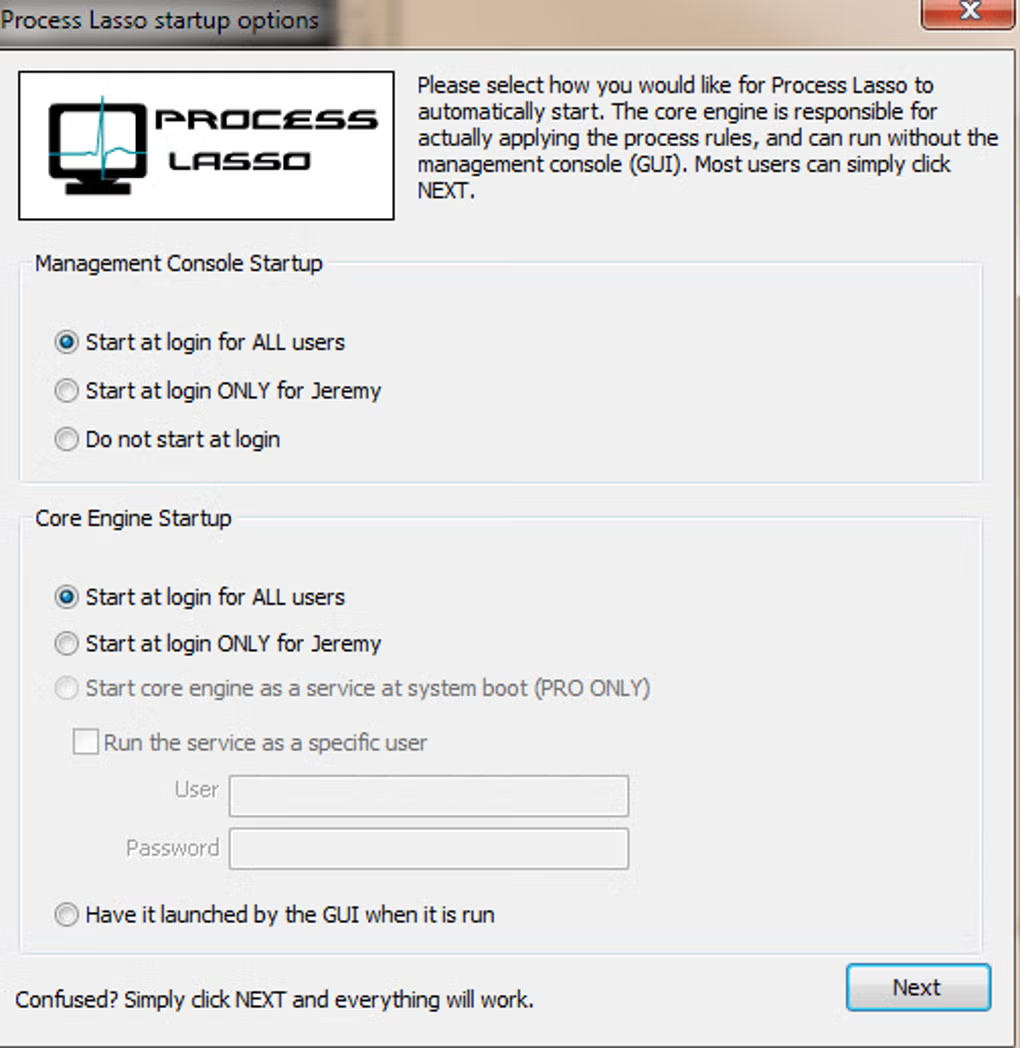
Key Features of Process Lasso: Taking Control of Your System’s Resources
Process Lasso offers a comprehensive suite of features designed to address various aspects of system process management. These features allow users of all skill levels, from novice to expert, to tailor the application to their specific needs and optimize their system’s performance.
- Proactive Process Prioritization: The heart of Process Lasso is its ability to dynamically adjust process priorities. It goes beyond simply identifying high-CPU consuming processes; it analyzes their impact on overall system responsiveness and makes intelligent decisions regarding priority adjustments. This adaptive approach ensures that critical system functions and foreground applications receive preferential treatment.
-
Process Blacklisting and Whitelisting: For users who require more granular control, Process Lasso enables the creation of both blacklist and whitelist. Blacklisting allows users to specify processes that should be consistently given low priority, ensuring they don’t interfere with more important tasks. Whitelisting, conversely, allows users to designate processes that should always maintain high priority, guaranteeing their smooth and uninterrupted operation. This combination of blacklisting and whitelisting provides a powerful mechanism to fine-tune system resource allocation to the user’s preferences.
-
Real-time Monitoring and Visualization: Process Lasso provides real-time monitoring of system processes, displaying detailed information about CPU usage, memory consumption, and other key performance indicators. Its graphical representation of this data is intuitive and easy to understand, allowing users to quickly identify resource-intensive processes and assess the effectiveness of Process Lasso’s prioritization strategies. This visualization empowers users to make informed decisions about managing their system’s resources.
-
Customizable Rules and Automation: Beyond its dynamic prioritization, Process Lasso allows users to define custom rules and automation schemes. This empowers experienced users to fine-tune the application’s behavior to perfectly match their individual workflow and system requirements. These customized rules can encompass various conditions and actions, allowing for highly specific process management strategies.
-
Low System Overhead: A crucial aspect of Process Lasso’s design is its minimal impact on system resources. Unlike some resource-intensive system monitors, Process Lasso itself consumes minimal CPU and memory, ensuring it doesn’t add to the performance burden it aims to alleviate. This efficient design is essential for maintaining optimal system performance even while the application is actively managing processes.
-
Advanced Settings and Tweaking Options: For advanced users, Process Lasso offers a wide range of advanced settings and tweaking options, allowing for deep customization and fine-grained control over process management strategies. These options allow users to fine-tune the application’s sensitivity, responsiveness, and prioritization algorithms to precisely match their specific needs.
-
User-Friendly Interface: While offering a wealth of advanced features, Process Lasso maintains a user-friendly interface, making it accessible to users of all technical skill levels. The intuitive design allows even novice users to quickly grasp the application’s functionality and effectively manage their system processes. The straightforward design contrasts with the power of the underlying algorithms, making it a powerful yet accessible tool for everyone.
Process Lasso: Addressing Specific System Performance Issues
Process Lasso is particularly effective in addressing a range of system performance problems commonly encountered in Windows environments. Its intelligent process management capabilities can significantly improve system responsiveness in several scenarios:
-
High CPU Usage: When multiple applications compete for CPU resources, leading to overall system slowdown, Process Lasso intelligently prioritizes processes, ensuring that critical tasks are not hampered by less important ones. This leads to smoother multitasking and prevents application freezes or crashes due to resource starvation.
-
Application Freezes and Crashes: Resource contention can lead to application freezes and crashes. Process Lasso mitigates this risk by preventing any single process from monopolizing CPU resources, thus ensuring a more stable and reliable computing environment. The balanced resource allocation prevents the cascading effect of one application’s instability impacting the entire system.
-
Improved Gaming Performance: Process Lasso can enhance the performance of games by prioritizing game processes, ensuring they receive sufficient CPU resources, and preventing background tasks from interfering with game responsiveness. This results in a smoother and more enjoyable gaming experience. The prioritization allows gamers to experience optimal frame rates and avoid lag.
-
Enhanced Responsiveness Under Heavy Workloads: When multiple applications are running concurrently, or when resource-intensive tasks are being performed, Process Lasso ensures that the system remains responsive, preventing frustrating delays and sluggishness. This responsiveness extends to critical system functions, preventing freezing or inability to respond to user input.
Comparing Process Lasso with Alternative Applications
Several alternative applications offer process management capabilities, but Process Lasso stands out due to its sophisticated algorithms, intuitive interface, and low system overhead. While alternatives such as Process Tamer, DTaskManager, and ParkControl offer basic process control, Process Lasso surpasses them in its ability to intelligently analyze process behavior and dynamically adjust priorities for optimal system performance. Its advanced features and customization options cater to a wider range of users, from casual computer users to power users seeking fine-grained control.
The key differentiator for Process Lasso is its proactive and adaptive nature. Unlike many competitors that offer static priority settings, Process Lasso dynamically adjusts priorities in real-time, responding to changes in system load and application behavior. This dynamic adjustment ensures that resources are allocated effectively across all running processes, optimizing system performance under varying conditions.
Conclusion: Process Lasso – A Must-Have for Optimized Windows Performance
Process Lasso is not just another system utility; it’s a powerful tool that significantly improves Windows performance by intelligently managing system processes. Its sophisticated algorithms, intuitive interface, and minimal system overhead make it an ideal solution for users seeking a more responsive and stable computing experience. Whether you’re a casual user experiencing occasional slowdowns or a power user requiring fine-grained control over system resources, Process Lasso provides the tools and flexibility to optimize your Windows environment and significantly enhance your overall computing experience. Its capacity to prevent resource conflicts, proactively prioritize essential tasks, and minimize system overhead makes it an indispensable tool for maximizing the performance and stability of your Windows system.
File Information
- License: “Free”
- Latest update: “May 24, 2023”
- Platform: “Windows”
- OS: “Windows 8.1”
- Language: “English”
- Downloads: “24.7K”
- Size: “2.59 MB”


