
The ubiquitous presence of QR codes and barcodes in modern life necessitates efficient tools for decoding them. The QR & Barcode Scanner app, available on Android, offers a streamlined and powerful solution for scanning and generating these codes. This comprehensive guide explores the app’s features, functionality, and benefits, establishing its position as a valuable tool for both casual and intensive users.
Understanding the QR & Barcode Scanner App
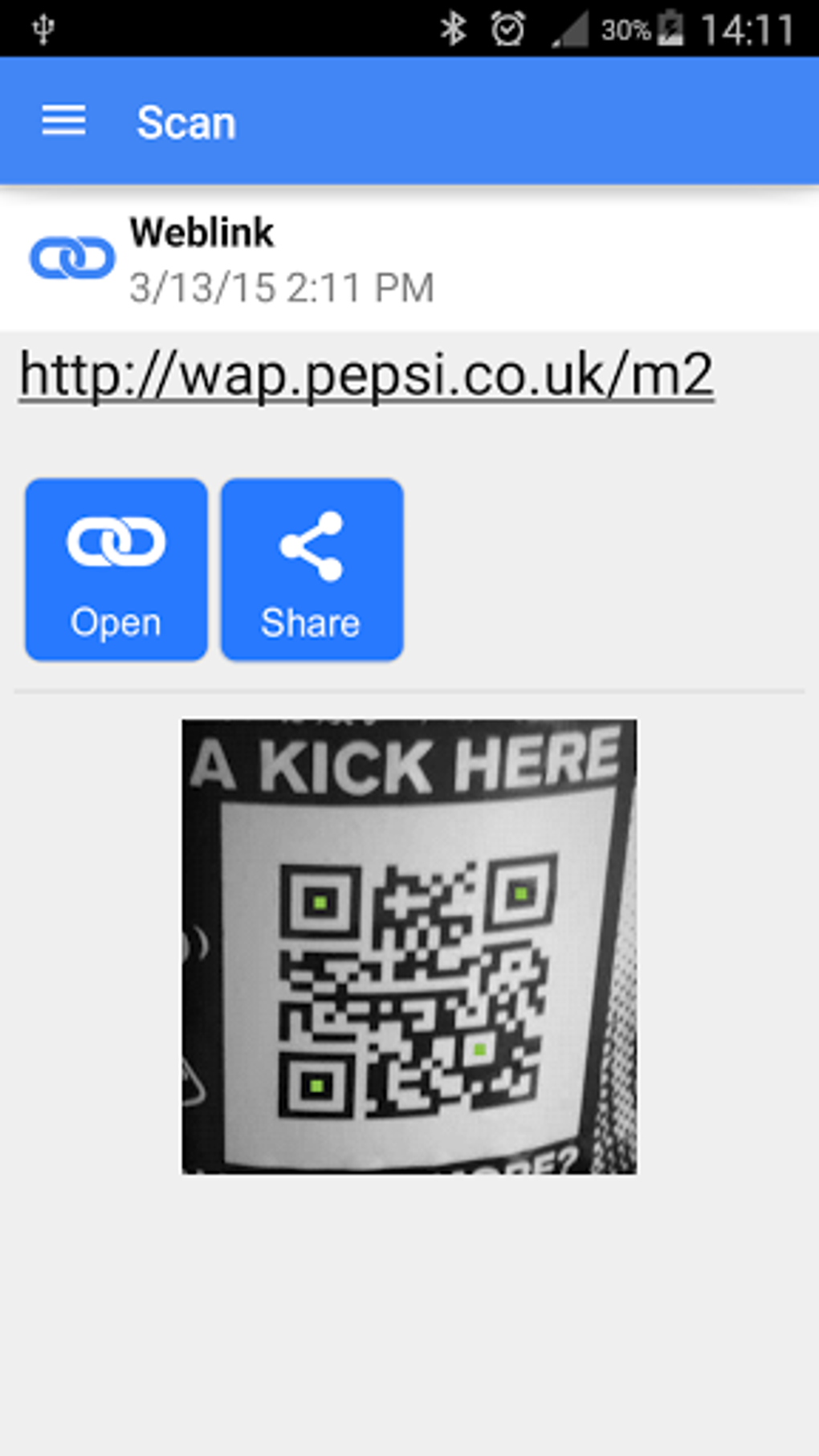
The QR & Barcode Scanner APK is a free Android application designed for effortless scanning of various QR code and barcode types. Its intuitive interface simplifies the decoding process, eliminating the need for complex configurations or technical expertise. The app’s clean design features a prominent scanner window, clearly marked with a blue border and a red horizontal line that guides users to align the code for accurate scanning. Upon successful scanning, the app provides immediate feedback through an audible beep and vibration, confirming the scan’s completion. The decoded information is instantly copied to the device’s clipboard, ready for immediate use in other applications or documents.
Functionality and Features: Beyond Basic Scanning
The QR & Barcode Scanner app transcends simple code reading, boasting a range of advanced features that enhance its utility and appeal:
Automatic Code Recognition and Versatility
The app’s core strength lies in its automatic code recognition. Users simply point their device’s camera at the code; the app automatically detects and processes it without requiring manual adjustments, button presses, or photo capture. This seamless operation caters to users of all technical skill levels. Furthermore, its versatility extends to a wide array of code types, including:
- Text: Simple text messages encoded within QR codes.
- URLs: Web addresses, instantly directing users to websites or online resources.
- ISBNs: International Standard Book Numbers, facilitating quick look-ups of book information.
- Product Information: Detailed product specifications, often including manufacturer details, ingredients, and more.
- Contact Details: Digital business cards or contact information, enabling rapid addition of new contacts.
- Calendar Events: QR codes linking directly to calendar applications to add events.
- Email Addresses: Pre-filled email addresses for easy message composition.
- Locations: Geolocation data, potentially opening mapping applications to the location encoded in the QR code.
- Wi-Fi Credentials: Network names and passwords, simplifying the connection process to wireless networks. This eliminates the need for manual entry of often complex Wi-Fi details.
This broad support for different data types solidifies the app’s usefulness across numerous scenarios and applications.
Instant Action and Practical Applications
The app’s design prioritizes efficiency. After a successful scan, users are presented with options relevant to the scanned code’s content. For instance, scanning a URL will likely offer a “Visit Website” button, while scanning a contact detail QR code might offer options to save the contact information to the phone’s contact list. This immediate response makes the application incredibly practical and user-friendly.
Coupon Scanning and Savings
The QR & Barcode Scanner integrates a feature specifically tailored for coupon scanning. This functionality allows users to seamlessly scan coupon codes found on physical printed coupons or digital promotions. The integration of this feature adds considerable value to the app, offering a tangible benefit to users who seek cost-effective shopping solutions. This makes the app a handy tool for saving money on everyday purchases.
QR Code Generation: Creating Your Own Codes
Beyond scanning, the app functions as a QR code generator. This bi-directional functionality provides users with the ability to create their own QR codes. This capability is particularly useful for individuals or businesses wishing to share contact information, web addresses, or other data digitally. The process of generating QR codes within the app is designed to be user-friendly and intuitive, requiring minimal technical knowledge.
Additional Features Enhancing User Experience
The QR & Barcode Scanner app offers a series of supplementary features that further enhance the user experience:
-
Speed and Efficiency: The app emphasizes speed, performing scans quickly and efficiently. This speed is a key selling point and contributes to a positive user experience. The fast scanning capabilities are particularly beneficial for users who need to scan multiple codes frequently.
-
WiFi QR Code Scanning: Dedicated support for WiFi QR codes simplifies the process of connecting to wireless networks. This feature reduces the inconvenience of manually entering often lengthy and complex network passwords, especially in public spaces where WiFi access is frequently offered through QR codes.
-
Barcode Comparison for Shopping: The barcode reader feature can be employed in shops to compare prices against online prices. This provides a tool for price comparison, potentially leading to cost savings for the users.
-
Customization Options: The application allows for user customization, enabling changes to color themes and the selection of a dark mode for improved visibility in low-light conditions. This ability to tailor the app’s look and feel enhances user comfort and preference satisfaction.
-
Batch Scan Mode: The inclusion of a batch scan mode allows for the efficient scanning of multiple QR codes simultaneously. This functionality is extremely useful in scenarios where a large quantity of codes needs to be scanned rapidly and efficiently, such as inventory management or event check-in.
- Export and Import Options: The scanned data can be easily exported as CSV or TXT files, or imported via CSV. This feature is beneficial for users who need to maintain organized records of scanned codes or integrate the data with other applications. This functionality enhances the practical use of the app for various professional and personal applications.
Pricing and Accessibility
A significant advantage of the QR & Barcode Scanner app is its availability as a free application. This affordability makes it accessible to a broad range of users, regardless of their budget. This commitment to cost-effectiveness enhances its attractiveness and widens its user base.
Conclusion: An All-in-One Solution for QR and Barcode Needs
The QR & Barcode Scanner app proves itself to be a versatile and highly efficient tool for managing QR codes and barcodes on Android devices. Its combination of speed, accuracy, and comprehensive features makes it a valuable addition to any Android user’s toolset. The user-friendly interface, coupled with its advanced functionality, positions it as a leading choice for both casual and professional users requiring a reliable and effective QR and barcode scanning solution. Its free availability further strengthens its position as a highly recommendable application for anyone needing to interact with QR and barcode technology.
File Information
- License: “Free”
- Latest update: “August 4, 2025”
- Platform: “Android”
- OS: “Android 13.0”
- Language: “English”
- Downloads: “173.9K”
- Download Options: “Google Play”


