
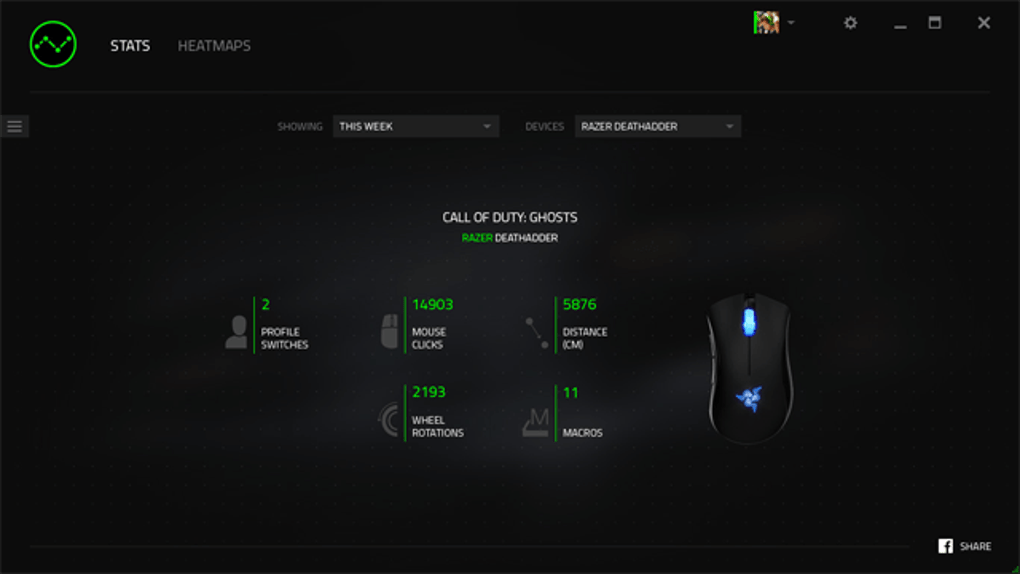
Razer Synapse 2 is a configuration utility designed for Razer peripherals. This software allows users to customize their gaming experience by rebinding keys, assigning macros, and creating personalized RGB lighting profiles, all while seamlessly syncing settings across multiple devices. This review delves into the features, advantages, and drawbacks of Razer Synapse 2, providing a thorough assessment of its capabilities and overall usability.
Streamlining Peripheral Control and Customization
Razer Synapse 2 acts as a central hub for managing a wide range of Razer devices, including keyboards, mice, mousepads, headsets, and speakers. Its core functionality lies in its ability to allow users to remap keys and buttons to perform specific actions, whether it’s a simple key reassignment for increased comfort or the creation of complex macros to automate intricate in-game sequences. This level of customization caters to both casual users seeking minor adjustments and hardcore gamers aiming for optimal performance and personalized setups.
The ability to create and assign macros is arguably one of Synapse 2’s most powerful features. Macros allow users to record sequences of keystrokes, mouse movements, and button clicks, and then assign them to a single key or button. This functionality is particularly valuable in gaming, where it can significantly streamline complex actions, giving players a competitive edge. For example, a gamer might create a macro to execute a complex spell or combo in a game with a single button press, eliminating the need for a series of precise and rapid inputs. The time saved through macro use can be crucial in fast-paced scenarios.
Beyond keybindings and macros, Razer Synapse 2 empowers users to personalize their RGB lighting. Users can create custom lighting profiles, syncing the lighting effects across their connected Razer peripherals. This allows for an immersive gaming experience, with lighting responding dynamically to in-game events or even matching the user’s current mood. The possibilities for customization are extensive, ranging from simple static colors to elaborate, dynamic effects that react to system activity. This feature adds a layer of personalization beyond functionality, allowing users to create a truly unique gaming setup.
Cloud Syncing for Seamless Configuration Across Devices
A significant advantage of Razer Synapse 2 is its cloud synchronization feature. This allows users to save their customized profiles and settings to the cloud, providing easy access across multiple devices. This is incredibly convenient for gamers who use their peripherals on multiple PCs, laptops, or even at LAN parties and tournaments. Simply logging into Synapse 2 on a new machine automatically downloads the user’s saved profiles, eliminating the need for tedious manual reconfiguration of settings on each device. This seamless transition between systems significantly enhances the user experience, saving valuable time and effort.
The cloud synchronization also ensures that the user’s settings are backed up and protected. This is crucial, as losing customized profiles due to hardware failure or software issues can be frustrating. With cloud synchronization, the user’s settings are safe and accessible regardless of potential system problems. The backup and restore features add a crucial layer of security and convenience, ensuring that the user’s personalized setup remains intact.
User Interface and Navigation
Razer Synapse 2 boasts a clean and intuitive user interface. The software is designed to be user-friendly, even for those unfamiliar with similar configuration applications. The layout is well-organized, making it easy to locate specific settings and options. Navigation is straightforward, with clearly labeled sections and options, allowing users to quickly adjust their peripherals’ configurations without needing extensive technical knowledge. This ease of use is a significant advantage, making the customization process accessible to a wider range of users.
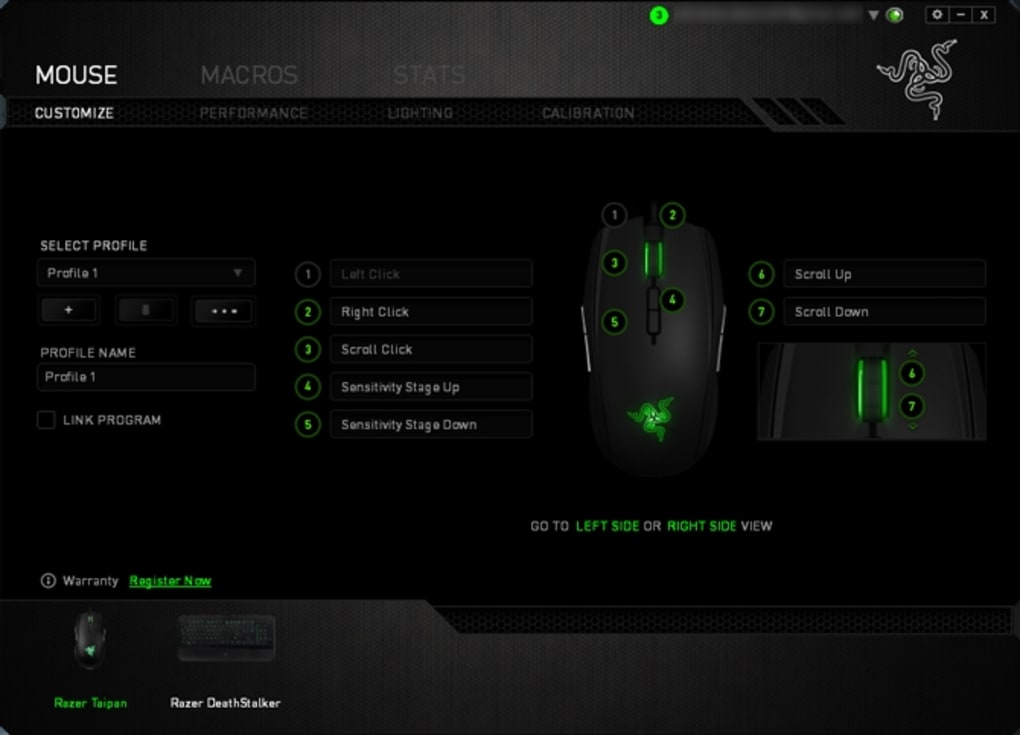
The software’s design prioritizes accessibility. The key features are prominently displayed, and the overall design avoids unnecessary clutter, making the software visually appealing and easy to navigate. This design philosophy caters to users of varying technical expertise, ensuring that everyone can easily customize their peripherals.
Compatibility and Supported Devices
Razer Synapse 2 boasts wide compatibility with a broad range of Razer peripherals, including both current-generation and legacy devices. This ensures that users can customize their entire Razer setup using a single application, regardless of when their devices were purchased. This backward compatibility is a significant asset, allowing users to maintain a consistent and personalized experience across all their Razer equipment.
The software’s compatibility extends beyond simple device recognition; it ensures that all features, including macro creation, RGB lighting customization, and profile syncing, work flawlessly across the supported devices. This level of comprehensive compatibility provides a unified experience for users with multiple Razer peripherals.
Strengths and Weaknesses of Razer Synapse 2
While Razer Synapse 2 offers substantial advantages, it also presents some drawbacks that users should be aware of.
Strengths:
- Extensive Customization: Offers granular control over keybindings, macros, and RGB lighting profiles.
- Cloud Synchronization: Enables seamless transfer of settings across multiple devices.
- User-Friendly Interface: Intuitive design makes customization accessible to users of all technical skill levels.
- Broad Compatibility: Supports a wide range of Razer peripherals, including both current and older models.
- Macro Functionality: Powerful macro creation and assignment simplifies complex actions.
Weaknesses:
- Peripheral Detection Issues: Occasional failures to detect connected devices can be frustrating.
- Login Problems: Intermittent errors during login can disrupt workflow.
- System Instability: In some cases, updates can cause system freezes or other performance issues.
These weaknesses, while present, are not necessarily deal-breakers for the average user. The benefits of extensive customization and cloud synchronization often outweigh the occasional minor issues.
Conclusion: A Powerful Tool with Minor Flaws
Razer Synapse 2 remains a powerful and versatile tool for customizing Razer peripherals. Its extensive customization options, cloud synchronization capabilities, and user-friendly interface make it an attractive choice for gamers and users alike. While occasional issues with peripheral detection, login, and system stability exist, the overall benefits generally outweigh the drawbacks. Users seeking a comprehensive solution for managing their Razer devices should find Synapse 2 a valuable asset. However, potential users should be aware of the occasional technical glitches and exercise caution during software updates to mitigate potential system instability.
File Information
- License: “Free”
- Version: “2.21.24.10”
- Latest update: “July 15, 2022”
- Platform: “Windows”
- OS: “Windows 7”
- Language: “English”
- Downloads: “5.6K”
- Size: “26.36 MB”


