
reCAPTCHA, a product of Google, is a widely used security measure designed to distinguish between human users and automated bots. Its primary function is to prevent malicious activities such as spam, fraud, and data scraping, thus safeguarding websites and their users. This article delves into the intricacies of reCAPTCHA, exploring its mechanisms, benefits, and limitations.
How reCAPTCHA Works: The Evolution of CAPTCHA Technology
reCAPTCHA stands for “Completely Automated Public Turing test to tell Computers and Humans Apart.” While the name is a mouthful, the concept is relatively straightforward. Traditional CAPTCHAs often presented users with distorted text or images, requiring them to decipher and input the solution. These older methods, while effective in their time, were prone to being circumvented by increasingly sophisticated bots.
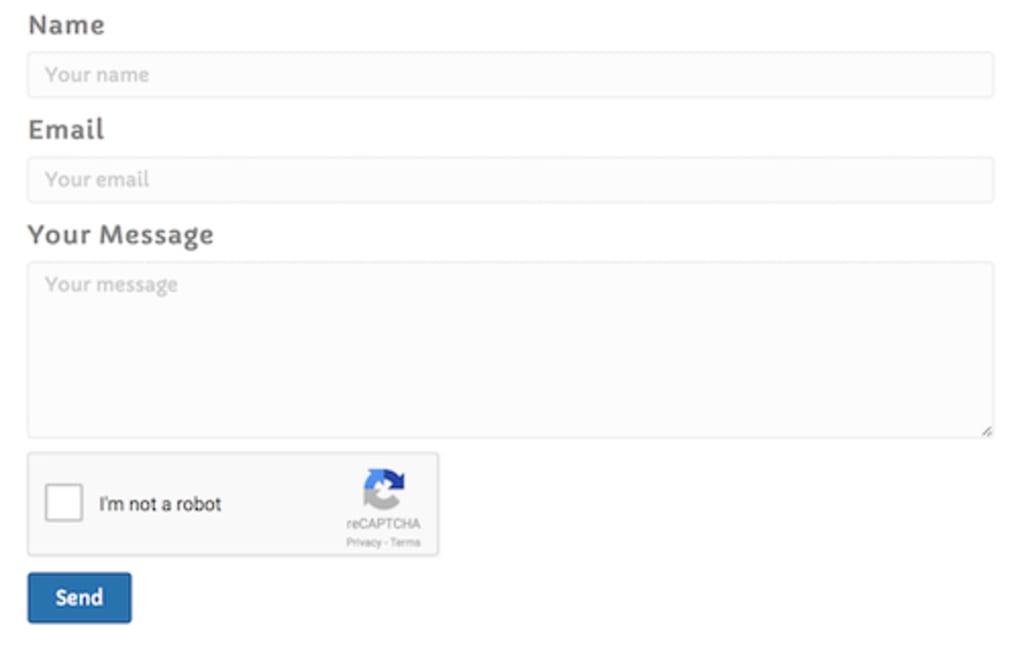
reCAPTCHA evolved to address these limitations. Instead of relying solely on visual puzzles, it employs a multifaceted approach. Modern reCAPTCHA iterations often involve a simple checkbox requiring a single click. However, this seemingly simple action triggers a background process. Google’s advanced algorithms analyze various user interactions, such as mouse movements, typing patterns, and website navigation behavior. This analysis generates a risk score, reflecting the likelihood that the user is a bot. A high score indicates a genuine human user, while a low score flags potential bot activity.
This advanced risk assessment allows reCAPTCHA to be significantly more effective than its predecessors. It moves beyond simple visual tests to encompass a more holistic evaluation of user behavior, making it incredibly difficult for bots to mimic human actions convincingly enough to pass the test. The transition from solving complex puzzles to a simple checkbox significantly improves the user experience, making the security measure less intrusive and more user-friendly. Furthermore, the risk score provides a level of granularity, allowing website owners to adjust their security measures based on the level of risk identified.
reCAPTCHA’s Benefits: Enhanced Website Security and User Experience
The implementation of reCAPTCHA offers numerous advantages for website owners and users alike. Its primary benefit is the significant reduction in bot-related malicious activities. By effectively identifying and filtering out bots, reCAPTCHA helps to:
-
Reduce spam: reCAPTCHA drastically diminishes the volume of spam comments, messages, and registrations on websites, maintaining a cleaner and more user-friendly online environment. This safeguards genuine user content and prevents the spread of unwanted and potentially harmful material.
-
Prevent fraud: By verifying user authenticity, reCAPTCHA helps prevent fraudulent activities such as account takeovers, unauthorized transactions, and data breaches. This is particularly crucial for e-commerce websites and online services that handle sensitive user information.
-
Limit data scraping: Bots are frequently used to scrape data from websites, often for malicious purposes such as building targeted advertising profiles or stealing intellectual property. reCAPTCHA provides a strong defense against these activities, protecting website data and intellectual property.
-
Improve website performance: By reducing the load of bot traffic, reCAPTCHA can improve the overall performance and responsiveness of a website, benefiting legitimate users who expect a smooth browsing experience.
Besides enhanced security, reCAPTCHA also contributes to a better user experience. The simplified checkbox method is significantly less intrusive than older CAPTCHA types, minimizing interruptions for genuine users. This is crucial for maintaining user engagement and satisfaction.
reCAPTCHA Versions: Tailoring Security to Specific Needs
Google offers different versions of reCAPTCHA, catering to specific security requirements and website functionalities. While the basic checkbox version is sufficient for many websites, advanced options provide more granular control and enhanced security measures.
-
reCAPTCHA v2: This version uses the checkbox approach, combining the user interaction analysis with risk scoring to identify bots. It’s a simple yet effective solution for most websites.
-
reCAPTCHA v3: This version operates invisibly in the background, continuously assessing user risk without requiring explicit user interaction. It provides a numerical risk score, enabling website owners to customize their security responses based on the level of suspicion. This approach minimizes disruption for users while maximizing security.
The choice of reCAPTCHA version depends largely on the website’s specific security needs and the desired level of user interaction. Websites requiring robust security with minimal user interference might opt for reCAPTCHA v3, while simpler websites might find the v2 version adequate.
Limitations of reCAPTCHA and Potential Workarounds
While highly effective, reCAPTCHA isn’t infallible. There are certain limitations to acknowledge:
-
Accessibility challenges: Individuals with disabilities might find some CAPTCHA implementations challenging to complete. Google continually works to improve accessibility, but some users may still experience difficulties.
-
Circumvention attempts: Despite its sophistication, determined individuals or sophisticated bots can sometimes find ways to bypass reCAPTCHA. Google continuously updates its algorithms to counter these attempts, ensuring the system remains effective over time.
-
False positives: Although infrequent, legitimate users can occasionally be incorrectly identified as bots, leading to frustration and service disruptions. While the system strives for accuracy, the potential for false positives persists.
-
Setup complexity: Implementing reCAPTCHA on a website can require some technical knowledge, especially for integrating more advanced features and custom risk thresholds.
These limitations highlight the ongoing arms race between security systems and those attempting to circumvent them. Google’s ongoing development and refinement of reCAPTCHA aims to mitigate these challenges, ensuring it remains a reliable and effective security solution.
Conclusion: reCAPTCHA – A Vital Tool in Online Security
reCAPTCHA has become a cornerstone of online security, significantly enhancing website protection against automated malicious activities. Its evolution from simple visual tests to sophisticated behavior analysis has dramatically increased its effectiveness while improving the user experience. While no security system is perfect, reCAPTCHA’s ongoing development and adaptation to evolving threats solidify its crucial role in safeguarding the digital world. The balance between robust security and a smooth user experience remains the key to reCAPTCHA’s continued success, ensuring a safer and more efficient online environment for everyone.
File Information
- License: “Free”
- Version: “1.0”
- Latest update: “March 19, 2020”
- Platform: “Windows”
- OS: “Windows 8”
- Language: “English”
- Downloads: “10.6K”


