
Registry errors are a common cause of computer slowdowns, crashes, and instability. For years, software promising to clean and optimize the Windows registry has flooded the market. RegClean is one such program, claiming to identify and repair registry errors, potentially saving users the cost of professional IT support. But how effective is it, and is it worth the download? This in-depth review will explore RegClean’s features, performance, and alternatives, helping you decide if it’s the right solution for your PC woes.
Understanding the Windows Registry and its Importance
Before delving into RegClean’s capabilities, it’s crucial to understand the Windows Registry’s function. The registry is a hierarchical database that stores vital information about your computer’s hardware, software, and user preferences. It’s essentially the central control panel for your operating system. Every time you install a program, change a setting, or even just use your computer, changes are made to the registry. Over time, these changes can lead to fragmentation, errors, and inconsistencies, impacting performance.
These issues can manifest in various ways: slow boot times, application crashes, system instability, and even the dreaded Blue Screen of Death (BSOD). While a cluttered registry is rarely the sole cause of these problems, it can certainly contribute significantly. Therefore, the allure of registry cleaning software like RegClean is understandable – the promise of a faster, more stable system is compelling.
RegClean: Features and Functionality
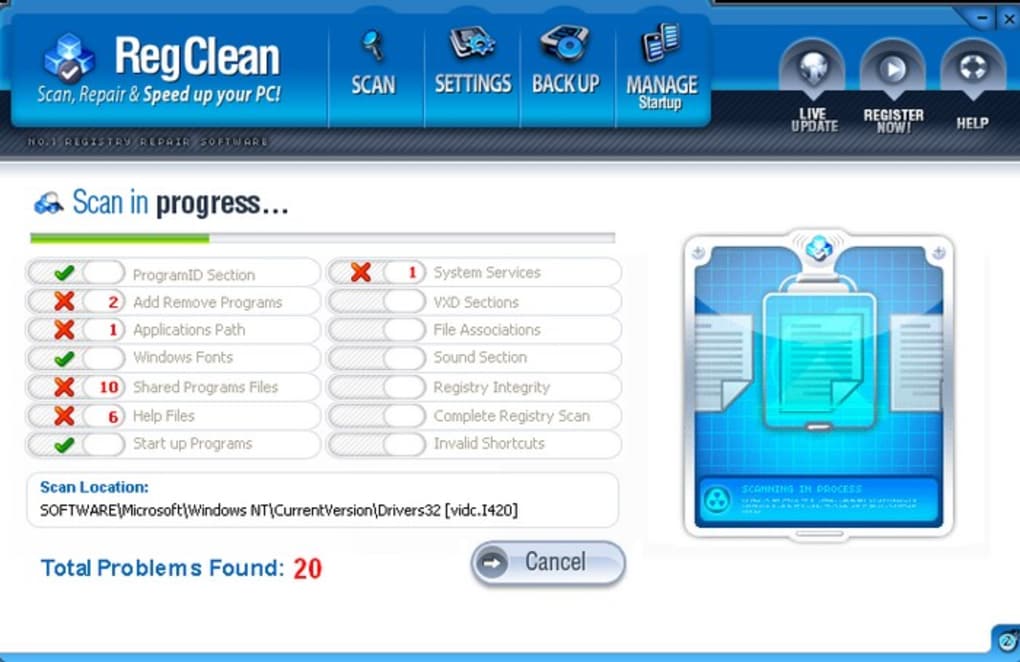
RegClean presents itself as a comprehensive solution for addressing Windows registry issues. It boasts the ability to scan the registry, identify errors and problematic entries, and then repair them automatically. This process typically involves removing obsolete entries, fixing broken links, and rectifying corrupted data. The developers often highlight the potential cost savings compared to professional IT services, claiming to offer a solution that would otherwise require expensive technician intervention.
The software generally promises a simple and user-friendly experience. The scan process is usually quick, and the interface is designed to guide users through the repair process, even for those with limited technical expertise. This accessibility is a significant selling point for many users who prefer a straightforward approach to system maintenance.
Performance and Effectiveness: A Critical Analysis
While RegClean’s ease of use is appealing, the crucial question is its actual effectiveness. Many users report a noticeable improvement in system speed and stability immediately following a scan and repair. This short-term boost is often attributed to the removal of redundant or problematic registry entries. The program’s speed in scanning the registry is also often praised.
However, the long-term impact of RegClean is often less impressive. Many users find that the performance gains are temporary. The system may begin to slow down again within a short period, indicating that the underlying issues weren’t fundamentally resolved. This suggests that while RegClean might offer a quick fix, it doesn’t address the root causes of registry problems in many cases.
Another potential drawback is the risk of accidental deletion of critical registry entries. While RegClean is designed to avoid this, incorrect configuration or unexpected issues could lead to system instability or even data loss. This risk, however small, underscores the importance of creating a system restore point before running any registry cleaning software.
Alternatives to RegClean: Exploring Other Options
Given the limitations and potential risks of RegClean, it’s wise to explore alternative solutions. The market offers a variety of registry cleaners, each with its own strengths and weaknesses. Some popular options include:
-
RegClean Pro: Often marketed alongside the standard RegClean, this version typically offers enhanced features and potentially more comprehensive scans. However, it generally comes at a higher price. The effectiveness of RegClean Pro follows the same pattern: short-term gains, questionable long-term impact.
-
RegCleaner: Free options like RegCleaner offer similar functionality to RegClean, but they are frequently less feature-rich and may lack the polished interface. The free nature might be appealing to budget-conscious users, but it often comes with a trade-off in terms of support and quality of scan.
-
MV RegClean: Another free alternative, often praised for its comprehensive scan options. However, free versions frequently come with limited support and may include additional software installation during the download or installation process.
- TweakNow RegCleaner: Similar to MV RegClean, this option also prioritizes providing a free but possibly less user-friendly experience. While it might clean the registry, some users have reported difficulty understanding the process and options.
It’s crucial to note that many experts advise against using registry cleaners entirely. They argue that the Windows operating system is largely self-managing and that the benefits of registry cleaning are often minimal or even counterproductive. The potential risks, such as accidental data loss, outweigh the potential rewards in many cases.
Maintaining System Health: Better Alternatives to Registry Cleaners
Instead of relying on registry cleaners, there are more effective and safer ways to maintain a healthy and efficient Windows system. These include:
-
Regular Software Updates: Keeping your operating system and applications up-to-date is crucial. Updates often include performance improvements and bug fixes that prevent registry issues in the first place.
-
Disk Cleanup: Windows’ built-in Disk Cleanup utility can remove temporary files and other unnecessary data, freeing up space and potentially improving performance.
-
Defragmentation (for HDDs): While less relevant for users with solid-state drives (SSDs), defragmenting your hard drive can improve access times and speed up your system.
-
Malware Removal: Malware can significantly impact system performance and often leaves behind registry entries. Using a reputable antivirus program is essential to prevent and remove malware.
-
System Restore: Regularly creating system restore points allows you to revert to a previous state if something goes wrong, offering a safety net in case of unexpected issues.
-
Clean Boot: Performing a clean boot can help identify if a third-party application is causing performance problems.
These preventative measures are far more effective in ensuring long-term system stability than relying on registry cleaners.
Conclusion: Is RegClean Worth It?
RegClean might offer a temporary performance boost for some users, but its long-term effectiveness is questionable. The potential risks of accidental data loss and the questionable benefit compared to alternative, safer maintenance methods suggest that it’s not a necessary tool for most users. Instead of relying on registry cleaners, focusing on proactive system maintenance through software updates, regular cleanup, and malware prevention is a more effective and safer approach. While RegClean might provide a quick, seemingly satisfying fix, it’s generally a band-aid solution, not a long-term strategy for maintaining a healthy Windows system. Consider the alternatives and preventative measures discussed above for a more reliable and safer way to keep your computer running smoothly.
File Information
- License: “Trial version”
- Version: “2007”
- Latest update: “July 15, 2022”
- Platform: “Windows”
- OS: “Windows XP”
- Language: “English”
- Downloads: “27.5K”
- Size: “1.63 MB”


