
SetEdit SettingsDatabaseEditor is a free, open-source code editor designed for Android devices. Developed by 4A, this application provides users with the ability to directly modify the configuration files of various installed applications. This functionality allows users to alter settings and parameters typically inaccessible through standard application interfaces, offering a powerful but potentially risky tool for advanced users. Its primary function revolves around enabling or disabling features and options within apps by directly editing their internal settings. Understanding the implications and potential consequences before using this tool is crucial.
Understanding the Functionality of SetEdit SettingsDatabaseEditor
SetEdit SettingsDatabaseEditor acts as a specialized text editor, similar in some ways to more general-purpose editors like QuickEdit Text Editor. However, its unique purpose centers on interacting with the internal settings files of Android applications. These files contain numerous parameters that are usually hidden from regular users, as modifications can lead to application instability or malfunctions. The app allows users to directly view and modify the code within these files. This capability provides considerable power to advanced users who possess the necessary technical expertise to understand and modify such parameters.
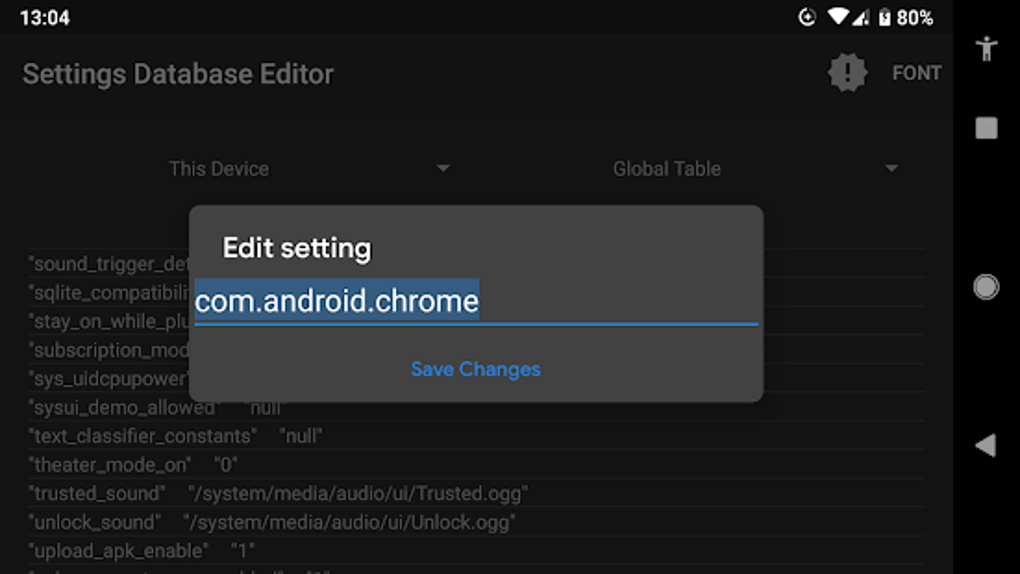
The application’s interface is designed for direct code manipulation. It presents the configuration files in a raw format, requiring a solid understanding of programming concepts and the specific structure of the application’s settings file. Users must be comfortable navigating through code, identifying specific parameters, and making targeted changes. Incorrect modifications can have severe consequences, ranging from minor glitches to complete application failure.
The Potential Benefits and Risks of Using SetEdit SettingsDatabaseEditor
While SetEdit SettingsDatabaseEditor offers potent capabilities, its use should be approached with extreme caution. The potential benefits are significant for users with advanced technical skills, but the risks are equally substantial for those lacking the necessary expertise.
Potential Benefits:
- Customization beyond the standard interface: Many applications offer limited customization options through their user interfaces. SetEdit SettingsDatabaseEditor allows users to bypass these limitations and modify settings not accessible through standard means. This can range from altering visual themes to modifying functionalities not exposed by the developers.
- Troubleshooting and debugging: For developers or technically proficient users, the app can be invaluable in diagnosing and fixing issues within applications. By directly inspecting and adjusting parameters, users can isolate and resolve problems that standard debugging tools may not reveal.
- Exploring app functionality: Advanced users might employ this tool to explore the inner workings of apps, learning about their functionality and the interactions between different parameters. This can be beneficial for educational purposes or for gaining a deeper understanding of application development.
- Enhancing user experience: Specific settings might influence performance or features of an application. SetEdit SettingsDatabaseEditor allows users to optimize these settings for a more personalized and efficient user experience, though this requires a deep understanding of the application’s inner workings.
Potential Risks:
- Application instability and crashes: Incorrectly modifying settings parameters can lead to application instability, crashes, or unexpected behavior. A single misplaced character or incorrect value can render an application unusable.
- Data loss: While rare, improper modification could corrupt the application’s data, leading to the loss of important information. Backing up application data before attempting any modifications is highly recommended.
- Security vulnerabilities: Modifying core settings can unintentionally introduce security vulnerabilities, making the device susceptible to malware or unauthorized access. This is especially risky for inexperienced users who might inadvertently compromise the security features of an application.
- Voiding warranties: Altering system files could potentially void warranties on some devices. It’s crucial to understand the terms and conditions of your device warranty before employing such tools.
- Bricking the device: In extreme cases, careless or incorrect modifications to system-level settings could result in “bricking” the device—making it entirely non-functional. This necessitates professional repair or potentially data loss.
Using SetEdit SettingsDatabaseEditor Responsibly
Before utilizing SetEdit SettingsDatabaseEditor, users must carefully assess their technical skills and understanding of Android application architecture and the potential consequences. The tool is decidedly not for casual users or those without programming knowledge.
Prerequisites for Safe Usage:
- Deep understanding of Android application settings: A thorough understanding of the structure and function of Android application settings files is vital.
- Programming skills: Users must be comfortable reading, understanding, and modifying code. Knowledge of XML or other relevant file formats is essential.
- Backup strategy: Before making any modifications, it’s imperative to back up all relevant data, including application data and system settings. This allows for restoration in case of errors.
- Familiarity with command-line interfaces (optional): Some advanced modifications might require the use of command-line interfaces, demanding additional technical skills.
Steps for Responsible Use:
- Backup data: Create a full backup of your device before making any changes. This is the most critical step in mitigating potential data loss.
- Identify target application: Clearly identify the application whose settings you wish to modify.
- Understand the settings file: Carefully examine the structure and contents of the settings file before making any changes.
- Make incremental changes: Instead of making large, sweeping modifications, apply changes incrementally, testing the application’s functionality after each alteration.
- Revert changes if necessary: If an error occurs, immediately revert the changes to restore the previous settings.
- Consult documentation: Seek documentation or online resources to understand the implications of specific settings parameters.
- Proceed with caution: Remember that even small mistakes can have severe consequences. Exercise extreme care throughout the process.
Alternatives and Comparisons
Several alternative applications offer similar functionality to SetEdit SettingsDatabaseEditor, though with varying capabilities and potential risks. These include APK editors and other code-level modification tools. Choosing the right tool depends heavily on the user’s technical proficiency and the specific task at hand. It’s crucial to research thoroughly before using any such application to ensure its suitability and safety.
In conclusion, SetEdit SettingsDatabaseEditor is a powerful tool for advanced users capable of navigating the complexities of Android application settings. However, its potential to cause significant damage underscores the need for extreme caution and a thorough understanding of its implications. Users without the necessary technical skills should avoid using this application entirely to prevent potential harm to their devices or data. The power it offers comes with a significant responsibility to use it carefully and correctly.
File Information
- License: “Free”
- Latest update: “January 16, 2024”
- Platform: “Android”
- OS: “Android 13.0”
- Language: “English”
- Downloads: “82.9K”
- Download Options: “Google Play”


