
Smart PC, a system optimization tool for Windows, promises to enhance your computer’s speed, efficiency, and security. However, like many similar programs, its efficacy and user-friendliness warrant a closer examination. This review delves into Smart PC’s features, performance, and overall value, comparing it to other options available in the market, notably the popular freeware CCleaner.
Interface and User Experience
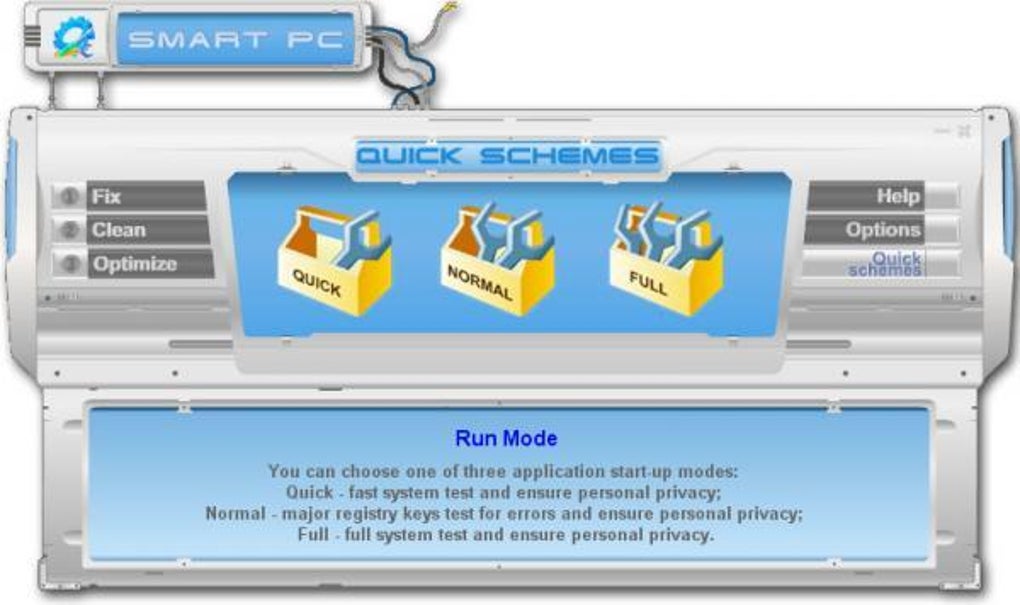
Upon launching Smart PC, users are greeted with an interface that, while visually distinct, might initially appear somewhat cluttered and unintuitive. The buttons and options are numerous, and their functions aren’t immediately apparent. This could prove challenging for novice users. However, a redeeming feature is the tooltips that appear upon hovering over each button or option. These tooltips provide detailed explanations, mitigating the initial confusion and guiding users through the program’s functionalities. This design choice, while helpful, points to a target audience of less tech-savvy individuals who require extensive hand-holding.
The simplicity of the interface, aimed at easing user navigation, inadvertently restricts control over system optimization processes. This simplified approach, while user-friendly, limits the depth of customization available, a feature that experienced users often seek. Many advanced options are absent, creating a stark contrast to the comprehensive control offered by free alternatives.
The creative design of the interface deserves recognition. It attempts a departure from the often sterile and uninspired aesthetics of many system utilities. However, the visual appeal shouldn’t overshadow the need for clear and intuitive functionality. The design, while visually interesting, may still not be intuitive enough for first-time users. A more balanced approach, integrating visual appeal with streamlined usability, would enhance the overall user experience significantly.
Functionality and Features
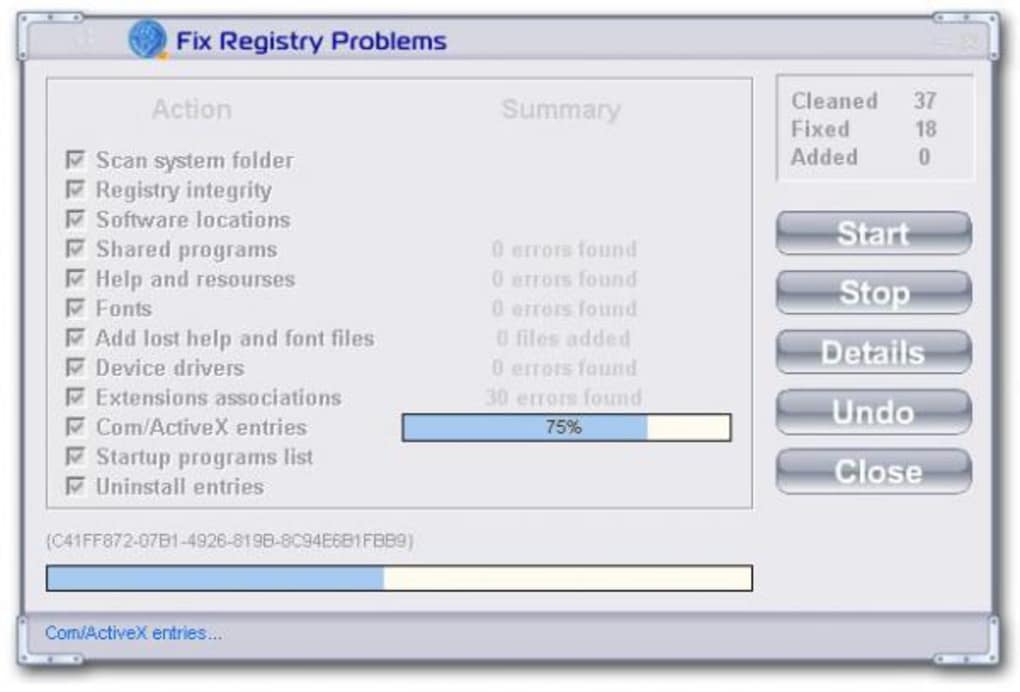
Smart PC’s core functions revolve around cleaning and optimizing the Windows system. The clean-up features encompass typical tasks like removing temporary files, clearing browser caches, and deleting unnecessary registry entries. These functions, while standard for such software, lack the depth and breadth of comparable free utilities like CCleaner.
One significant limitation is the program’s restricted focus on Internet Explorer cookies. It notably neglects cookies from other popular browsers like Firefox and Chrome, a critical omission for users who utilize multiple browsers. This omission significantly reduces the overall effectiveness of Smart PC’s cleaning capabilities. Users relying on other browsers would need to utilize other tools to achieve a thorough cleaning of their browsing data.
Conversely, Smart PC does offer a valuable log file system, automatically saving up to fifteen log and undo files. This feature provides a crucial safety net, allowing users to revert any potentially harmful registry changes. This is a positive aspect, mitigating the risks associated with registry modifications. However, this feature, whilst useful, does not make up for the program’s limited functionality in other areas.
The optimization features, similarly to the cleaning functions, are basic and provide limited control. They fall short of offering any significant advantages over the built-in Windows tools. Users proficient in Windows settings could achieve similar results manually, negating the need for this software.
Compared to alternatives like CCleaner, Smart PC lacks key features such as secure file deletion and automatic update checks. These omissions further reduce its overall utility and attractiveness to users seeking comprehensive system management tools. CCleaner, for instance, provides these features and more, offering a far more extensive array of optimization and maintenance tools.
Security and Privacy Considerations
Smart PC includes features designed to enhance user privacy while browsing the web and protect against information theft. While the details of these features remain somewhat opaque in the provided information, the claim itself suggests that the software incorporates safeguards against common online threats. However, without specific details regarding the implementation of these features, it remains challenging to assess their actual effectiveness. Independent verification and detailed information on the methods used are crucial for gaining user confidence.
Comparison with Alternatives
Smart PC falls noticeably short when compared to established freeware alternatives such as CCleaner. CCleaner, a widely used and respected system utility, provides a much more comprehensive suite of cleaning and optimization tools, including secure file deletion, automatic updates, and support for a broader range of browsers. The lack of these key features in Smart PC significantly impacts its competitive edge. While Smart PC’s simplistic interface caters to novice users, its limited functionality fails to justify its existence when compared to free, more feature-rich alternatives.
Overall Assessment
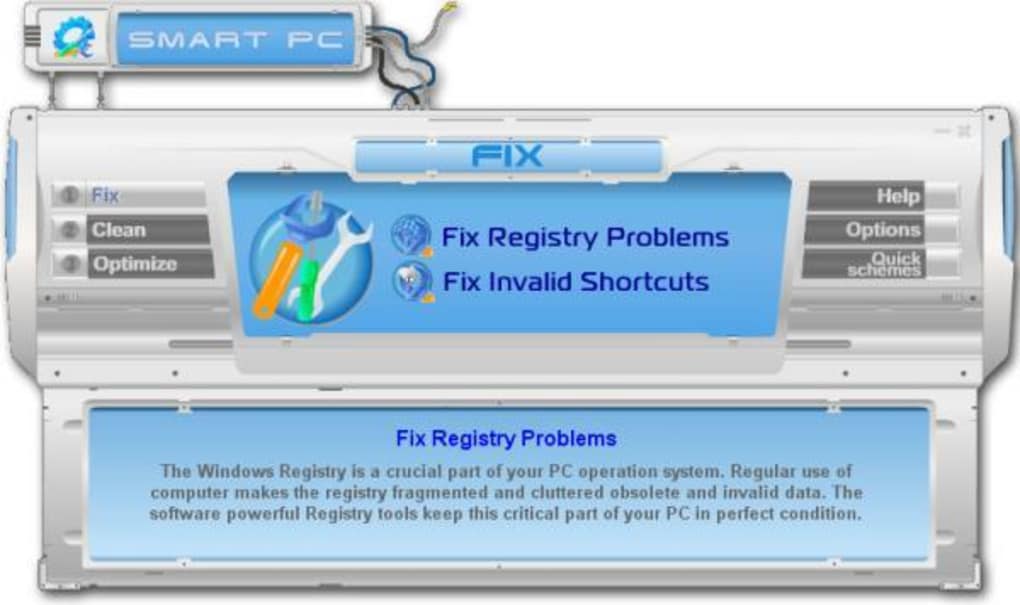
Smart PC presents a simplified approach to system optimization, catering to users who prioritize ease of use over extensive control. However, this simplicity comes at the cost of functionality, offering limited capabilities compared to free alternatives like CCleaner. Its intuitive interface, aided by comprehensive tooltips, simplifies the interaction for beginners. The built-in log file system is a noteworthy feature, offering a safety net against potentially damaging registry alterations.
Nevertheless, the significant omissions—lack of secure file deletion, limited browser support, and absence of advanced optimization features—significantly hamper Smart PC’s overall value proposition. Unless users specifically require a highly simplified and visually appealing interface and are unwilling to explore more feature-rich free alternatives, the benefits of Smart PC may not outweigh its limitations.
For experienced users, or those seeking more granular control over their system optimization, CCleaner or other free and open-source tools remain significantly more advantageous. Smart PC, while potentially helpful for absolute beginners, is unlikely to meet the needs of users with any level of technical proficiency. The trade-off between simplicity and functionality needs careful consideration before choosing Smart PC over more versatile and free alternatives. The trial version allows for experimentation, enabling users to assess its suitability based on their individual requirements and technical expertise.
File Information
- License: “Trial version”
- Latest update: “December 17, 2007”
- Platform: “Windows”
- OS: “Windows Vista”
- Language: “English”
- Downloads: “4.5K”
- Size: “3.14 MB”


