
Sonos, a prominent American manufacturer of multi-room audio systems, offers a range of products from compact wireless speakers to elaborate home theater setups. To control this expansive ecosystem of devices, Sonos provides the Sonos Controller application, a versatile software solution available for both desktop and mobile platforms. This comprehensive guide delves into the features, functionalities, and nuances of the Sonos Controller, exploring its strengths and limitations to help you understand how best to utilize this essential tool for managing your Sonos audio experience.
Understanding the Sonos Controller: Functionality and Features
The Sonos Controller serves as the central hub for managing your Sonos audio devices. It transcends the limitations of basic playback controls, offering a wealth of features to enhance your listening experience. At its core, the controller allows you to effortlessly play, pause, and adjust the volume of your Sonos speakers. However, its capabilities extend far beyond these fundamental controls.
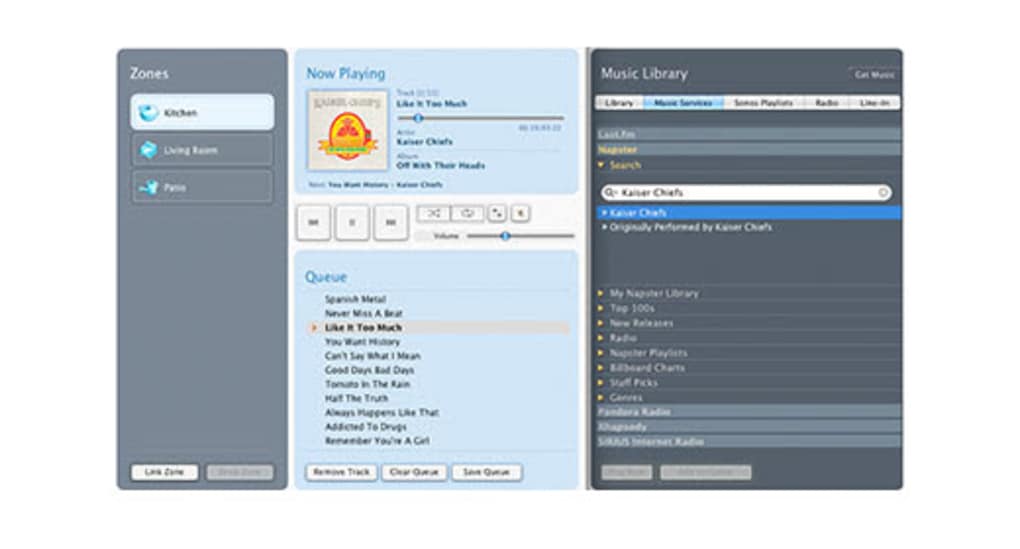
One of the most significant advantages of the Sonos Controller is its ability to group multiple speakers together, enabling synchronized playback across various rooms. This creates a cohesive audio environment, perfect for parties, whole-home listening, or simply enjoying consistent sound throughout your dwelling. The application also facilitates seamless music browsing, allowing users to navigate their personal libraries, explore streaming services, and access online radio stations directly through the interface.
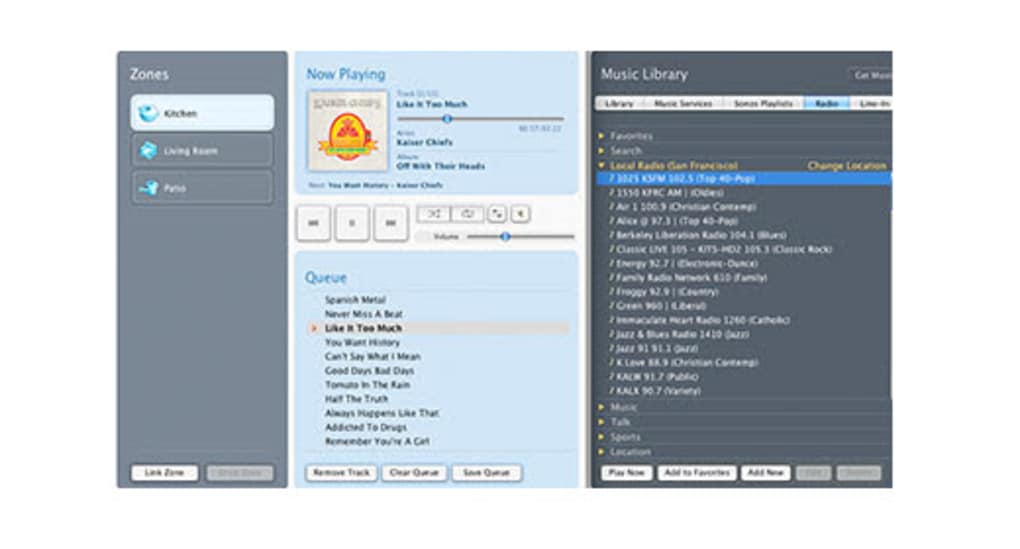
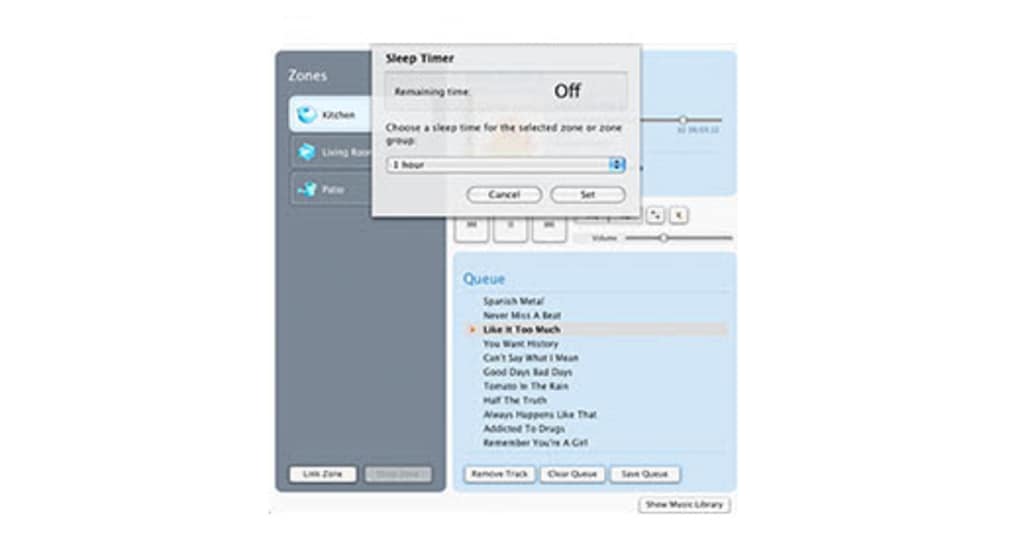
Personalization is a key feature of the Sonos Controller. Users can tailor their listening experience by creating playlists, customizing equalization settings (EQ), and saving favorite stations or tracks for quick access. Alarm functionality is also integrated, allowing you to wake up to your preferred music selection. This eliminates the need to rely on separate alarm clocks, streamlining your morning routine and integrating seamlessly with your Sonos system.
Furthermore, the Sonos Controller enables the streaming of live broadcasts, including radio shows and podcasts. This feature broadens the application’s appeal beyond simple music playback, making it a versatile entertainment center for various audio content. The intuitive interface makes navigating and accessing this diverse range of audio resources straightforward and enjoyable.
Sonos Controller Versions: S1 vs. S2
The Sonos Controller exists in two distinct versions: Sonos S1 Controller and Sonos S2. This duality stems from Sonos’s ongoing evolution and updates to its product line. Understanding the differences between these versions is crucial for optimal functionality.
The Sonos S1 Controller represents the legacy software, having served as the primary control mechanism for many years. While functional, Sonos has ceased releasing major updates for this version. This does not mean it is obsolete, however. Sonos S1 continues to receive critical security patches and bug fixes, ensuring that users of older systems can continue enjoying a secure and stable listening experience. Crucially, the S1 controller is designed to be compatible with a broader range of older Sonos devices that aren’t supported by the newer S2 system.
Sonos S2, on the other hand, is the current generation of the Sonos Controller. It boasts enhanced functionalities and features, optimized to support the latest generation of Sonos speakers and enhancements to the overall Sonos system. It integrates seamlessly with newer features and services. However, this newer version has limited backward compatibility. While it will support a vast majority of modern Sonos devices, some older models may not be compatible, forcing users to rely on the S1 Controller for their legacy hardware.
Choosing between S1 and S2 depends entirely on the specific Sonos devices you own. If your system consists entirely of newer products, S2 is the recommended choice for optimal performance and access to the latest features. If your setup includes older models, you might need to use both versions—S2 for newer devices and S1 for older ones—to ensure all your Sonos speakers remain operational. The beauty of the Sonos approach is that you can operate both controllers concurrently if necessary.
Compatibility and Limitations: Understanding Sonos Product Support
While the Sonos Controller aims to provide comprehensive control over the Sonos ecosystem, compatibility issues can arise due to the brand’s continuous innovation and product updates. As mentioned earlier, the different versions of the controller, S1 and S2, have different levels of compatibility with various Sonos devices.
The Sonos S1 Controller, being the legacy system, boasts greater backward compatibility, supporting a wider range of older Sonos speakers and components. However, this broader support comes at the cost of missing out on the improved features and functionalities offered by the S2 system.
Conversely, the Sonos S2 Controller, while offering a superior user experience with modern features, has limitations in backward compatibility. Some older Sonos devices are simply not compatible with S2, leaving their users confined to the S1 Controller and its accompanying limitations. This compatibility limitation is a key consideration when upgrading your Sonos system or adding new speakers to an existing setup.
Therefore, careful consideration of your existing Sonos equipment is critical before deciding which controller to use or whether to upgrade to the S2 system. Sonos provides detailed compatibility information on its website to assist users in determining which controller is best suited for their specific devices and configurations.
Advantages and Disadvantages of using the Sonos Controller
The Sonos Controller presents numerous advantages for users, but it’s also essential to acknowledge its limitations. A balanced perspective is crucial to make an informed decision about its suitability for your audio needs.
Advantages:
- Wireless Control: The Sonos Controller provides convenient wireless control of compatible Sonos products, eliminating the need for physical interaction with each individual speaker.
- Customizable Settings: Users have the ability to customize speaker settings, including volume, equalization, and grouping, allowing for a personalized listening experience.
- Multiple Versions Available: The existence of both S1 and S2 versions ensures broader compatibility across various Sonos devices and generations.
- Security and Bug Fixes: Even the legacy S1 Controller continues to receive security updates and bug fixes, ensuring a secure and stable platform.
- Diverse Audio Content Support: The Sonos Controller enables playback of local files, streaming services, online radio stations, and podcasts, making it a versatile entertainment hub.
Disadvantages:
- Limited Backward Compatibility (S2): Sonos S2, the modern version, unfortunately, suffers from limited backward compatibility, rendering some older Sonos devices incompatible.
- Dual Controller Requirement (Possible): Depending on the devices you own, the need to manage both S1 and S2 controllers concurrently can introduce some complexity.
- App-Dependent Functionality: The functionality of your Sonos system is directly dependent on the application’s functionality and performance. Any bugs or limitations within the application will directly impact your ability to use the Sonos system.
Conclusion: Choosing the Right Sonos Controller for You
The Sonos Controller, in its two iterations, remains an essential component of the Sonos ecosystem. While the S2 version prioritizes enhanced features and compatibility with modern devices, the S1 version retains importance for its wider backward compatibility. Users must carefully consider their existing Sonos equipment and future upgrade plans before making a choice between the two versions or deciding whether to upgrade at all. Understanding the strengths and limitations of each controller is paramount to ensuring a seamless and enjoyable audio experience. Sonos’ commitment to releasing updates for both versions demonstrates its dedication to maintaining a broad user base, while its ongoing innovation continues to drive the evolution of the Sonos ecosystem.
File Information
- License: “Free”
- Version: “3.4”
- Latest update: “July 15, 2022”
- Platform: “Windows”
- OS: “Windows 7”
- Language: “Dutch”
- Downloads: “1.2K”
- Size: “6.13 MB”


