
Sticky Notes is a free, widely-used Chrome extension that provides a simple yet effective way to take notes directly on web pages. This review delves into its features, usability, pros, cons, and compares it to similar applications. From its basic functionalities to its enhanced features like speech recognition, Sticky Notes offers a streamlined approach to note-taking, making it an invaluable tool for students, professionals, and anyone who needs to capture ideas and information quickly while browsing the internet.
Ease of Use and Core Functionality
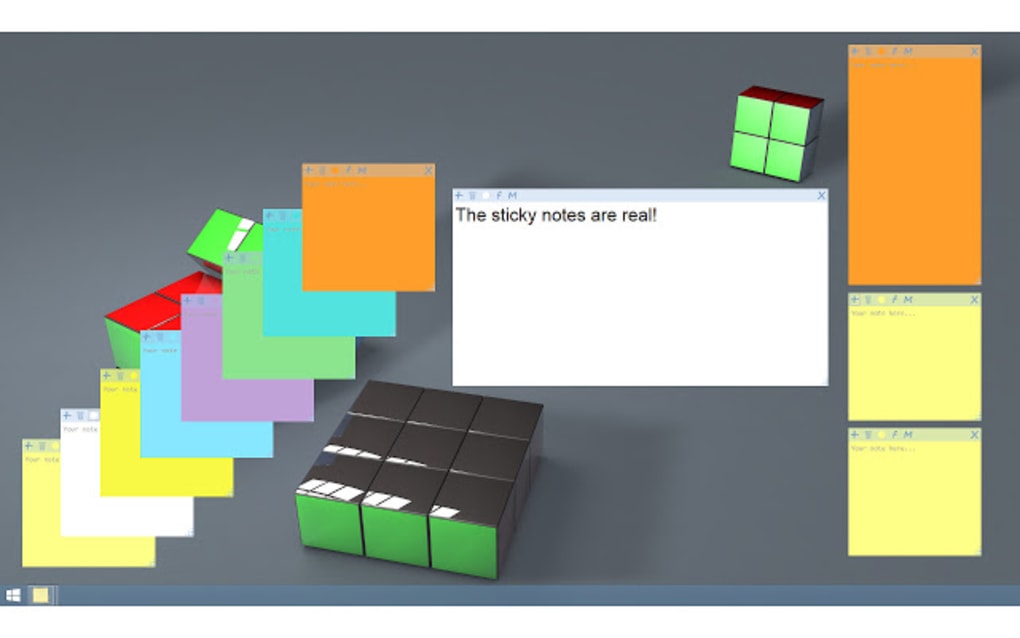
Sticky Notes’ primary strength lies in its unparalleled simplicity. The installation process is straightforward, and the interface is intuitive, even for users unfamiliar with similar applications. After installation, a Sticky Notes icon appears in your Chrome toolbar. Clicking this icon creates a new, virtual sticky note on the current webpage. The notes themselves are easily customizable. Users can change the color and font of the text within each note to suit their preferences or to categorize notes by subject or importance. This visual customization helps with organization and allows for a personalized note-taking experience. Moving notes around the page is equally simple; a drag-and-drop functionality allows for seamless repositioning.
The extension uses a combination of HTML, CSS, and JavaScript to render the notes on the webpage. This approach ensures compatibility with a wide range of websites and browsers. The notes are stored locally within your browser’s storage, ensuring accessibility even without an internet connection. This offline functionality is particularly helpful when working in areas with unreliable network access. However, to access your notes across multiple devices, you can sign in to the extension using your Google account, enabling seamless syncing. This feature removes the limitations of storing notes solely on a single device.
Furthermore, Sticky Notes incorporates an invaluable autosave feature. This automatic saving prevents the frustration of lost work due to accidental closures or browser crashes. It ensures that all your notes are consistently saved in the background, allowing you to focus entirely on your note-taking rather than worrying about manual saving.
The built-in search function is another significant advantage. Quickly searching through a large number of notes for specific keywords or phrases saves significant time and effort, making the retrieval of specific information significantly more efficient. This eliminates the need to manually scroll through numerous notes. Deleting unnecessary notes is similarly streamlined; simply removing the note from the webpage also removes it from the local storage.
However, there is a potential drawback to this convenience. While Sticky Notes is incredibly easy to use, having too many notes open concurrently on a single webpage can negatively impact browsing speed. The browser’s resources may be strained, potentially leading to slower page loading and reduced overall browsing performance. Therefore, users should practice responsible note management, closing unnecessary notes to optimize browsing speed.
Enhanced Features: Speech Recognition and Beyond
Beyond the basic functionalities, Sticky Notes offers several enhanced features that significantly improve user experience and efficiency. One notable addition is the support for speech recognition. This hands-free note-taking feature allows users to dictate their notes instead of typing. This functionality is invaluable in scenarios where typing is impractical or inconvenient, such as during meetings or on-the-go. It allows for faster note-taking, especially when time is of the essence.
The ability to open links directly from notes is another useful feature. By simply holding down the Ctrl key while clicking a link embedded within a note, users can seamlessly navigate between their notes and related web pages. This capability minimizes the need to manually copy and paste links, improving workflow and multitasking efficiency.
Sticky Notes also features a note-pinning function. This feature allows users to pin important notes, keeping them consistently visible at the top of the screen regardless of other notes or window interactions. This persistent visibility is crucial for prioritizing essential information and ensures important notes remain readily accessible.
For those seeking a cleaner interface, the extension allows the closing of individual notes without permanently deleting them. Closed notes are easily accessible by simply clicking the Sticky Notes icon. This approach allows for a more organized workspace without losing important information, providing flexibility in managing note visibility.
Organization and Management Capabilities
While Sticky Notes excels at quick note capture, its organizational capabilities are relatively basic compared to more feature-rich note-taking applications. While the color-coding and search function provide some organizational structure, more advanced features like tagging, folders, or hierarchical organization are absent. For users needing extensive note organization beyond basic color-coding, more complex note-taking software might be a better fit.
However, the simplicity of Sticky Notes can be an advantage. The lack of complex features ensures that the core functionality remains fast and efficient. The focus on immediate note-taking and quick retrieval may be ideal for users who prioritize speed and ease of access over extensive organizational options. The built-in syncing allows for access across devices, further enhancing the convenience of accessing notes anytime, anywhere. It strikes a balance between streamlined functionality and accessibility.
Comparison with Alternative Apps
Several other applications offer similar note-taking capabilities. Evernote, for instance, is a popular, more comprehensive note-taking application offering advanced organization features, collaboration tools, and cross-platform syncing. However, Evernote’s comprehensive feature set can make it more complex and less intuitive for users who primarily require basic note-taking functionality. Simple Sticky Notes, another similar extension, focuses on a minimalist approach, but lacks many of the features found in Sticky Notes, such as speech recognition and extensive synchronization options.
Sticky Notes occupies a unique niche in the note-taking landscape. It provides a balanced approach between simplicity and functionality. While it lacks the advanced organizational tools of Evernote or the extreme minimalism of Simple Sticky Notes, its speech recognition, link opening functionality, and robust syncing capabilities set it apart. The best choice for a particular user depends on individual needs and preferences, balancing the need for features versus simplicity and speed.
Conclusion
Sticky Notes offers a compelling solution for quick, efficient note-taking within the Chrome browser. Its intuitive interface, customizable notes, and handy features like speech recognition and automatic saving make it a valuable asset for web browsing and multitasking. While it may lack some of the sophisticated organizational capabilities of more robust note-taking apps, its simplicity and efficiency make it a strong contender, particularly for those who prioritize ease of use and speed over extensive organizational features. The ability to sync notes across devices ensures that important information is always accessible, regardless of location or device. Overall, Sticky Notes successfully balances functionality with ease of use, making it a highly recommended tool for anyone seeking a straightforward and effective way to manage notes and ideas while browsing online.
File Information
- License: “Free”
- Version: “1.18.0.0”
- Latest update: “November 12, 2024”
- Platform: “Windows”
- OS: “Windows Vista”
- Language: “English”
- Downloads: “16.8K”


