
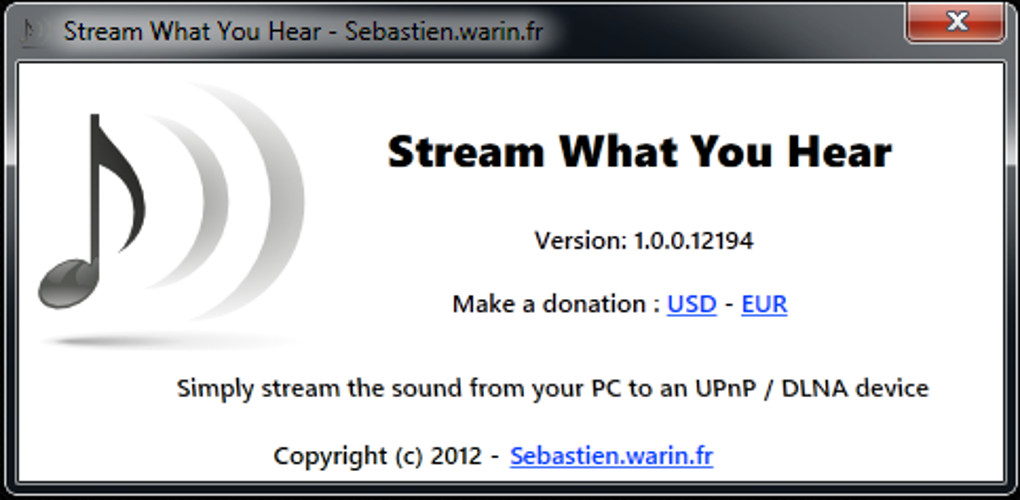
Stream What You Hear (SWYH) is a free Windows application designed to seamlessly transmit your computer’s audio output to UPnP/DLNA compatible devices. This eliminates the need for cumbersome cables and external wireless transmitters, providing a simple and effective solution for sharing your computer’s sound with your home entertainment system. This comprehensive guide explores the functionalities, advantages, and limitations of SWYH, offering a detailed overview for potential users.
How Stream What You Hear Works: Effortless Audio Broadcasting
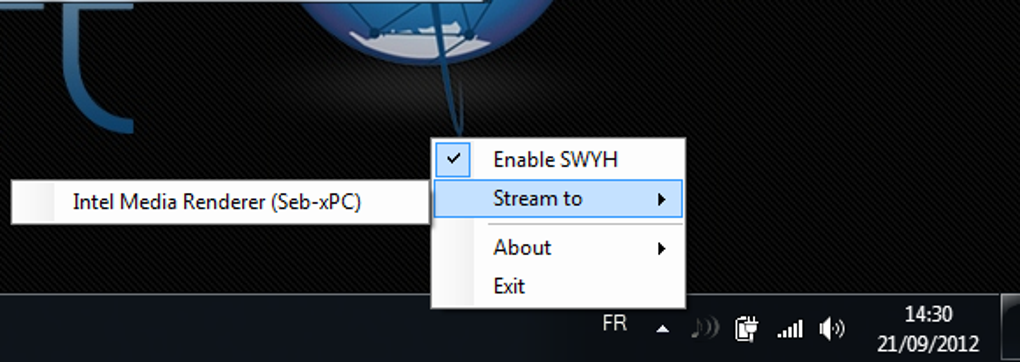
SWYH operates by capturing the audio stream generated by your Windows PC. This includes sounds emanating from web browsers, music players, streaming services, and other applications. The captured audio is then broadcast using the standard UPnP/DLNA protocol, allowing compatible devices such as smart TVs, amplifiers, Blu-ray players, Xbox 360, and PS3 consoles to receive and playback the audio stream. The beauty of SWYH lies in its simplicity; it operates silently in the system tray, requiring minimal configuration or user intervention. Once launched, SWYH automatically detects and lists available DLNA/UPnP renderers on your network, enabling you to effortlessly select your desired output device.
The application’s streamlined design prioritizes ease of use. Unlike some competing solutions, SWYH doesn’t require you to select individual applications or windows for audio streaming. It broadcasts all audio output from your computer, providing a unified and convenient streaming experience. This all-encompassing approach simplifies the process, eliminating the need for complex setup procedures typically associated with other similar software.
Advantages of Using Stream What You Hear: Convenience and Simplicity
Several key advantages make SWYH a compelling choice for users seeking wireless audio streaming capabilities:
- Wireless Convenience: The primary benefit of SWYH is its ability to eliminate the need for physical audio cables. This removes the limitations of cable length, routing difficulties, and the visual clutter associated with wired connections. Simply install the software, connect to your network, and enjoy wireless audio streaming to compatible devices.
-
Effortless Setup: SWYH boasts a remarkably simple installation and configuration process. The application requires minimal user interaction, automatically detecting compatible devices and providing an intuitive interface for selecting your preferred output. This user-friendly design makes it accessible even to individuals with limited technical expertise.
-
Comprehensive Audio Capture: Unlike applications that limit audio streaming to specific applications, SWYH captures all audio output from your computer. This eliminates the need to configure individual applications or manage multiple audio streams, creating a simplified and unified audio streaming experience.
-
Free and Open Source: One of the most attractive features of SWYH is its availability as free software. This eliminates the need for costly subscriptions or one-time purchases, making it an accessible solution for users on any budget. Its open-source nature also allows for community contributions and improvements, potentially leading to enhanced functionalities and bug fixes over time.
Limitations and Potential Issues with Stream What You Hear
While SWYH offers several advantages, it’s important to be aware of its limitations:
- Device Compatibility: SWYH’s functionality relies entirely on the UPnP/DLNA protocol. While widely adopted, not all devices support this standard. Ensure your target device is compatible before installing and attempting to use the software. Incompatibility can lead to frustrating failures to connect or stream audio.
-
Audio Latency: As with any wireless audio streaming solution, SWYH may introduce some degree of audio latency. This delay between the audio being played on your computer and its playback on the receiving device can vary depending on your network conditions and the quality of your wireless infrastructure. While typically manageable, this latency may be noticeable in applications sensitive to precise audio synchronization, such as video editing or live performances.
-
Network Dependence: The effectiveness of SWYH is directly related to the performance and stability of your home network. Network congestion, weak Wi-Fi signals, or interference can significantly impact the quality of the audio stream, causing dropouts, interruptions, or poor audio quality. A reliable, high-bandwidth network connection is crucial for optimal performance.
-
Software Bugs and Updates: As with any software application, SWYH may be prone to occasional bugs or glitches. Regular updates are essential to ensure compatibility, address known issues, and benefit from performance improvements and new features. However, infrequent updates, a common issue with open-source applications, may lead to persistent bugs or incompatibilities with newer operating systems.
Comparing Stream What You Hear to Alternative Solutions
Several alternative applications provide similar wireless audio streaming capabilities. However, SWYH distinguishes itself through its free, open-source nature and straightforward user experience. Competitors such as Airfoil, while offering more advanced features, often come at a premium price point. Other applications may require more complex configurations, making them less user-friendly for less technically inclined individuals.
The choice of audio streaming software depends on individual needs and preferences. If a simple, free, and easy-to-use solution is your priority, SWYH presents a compelling option. However, users requiring advanced features or needing to overcome limitations, may find the paid alternatives or more feature-rich solutions more suitable to their needs.
User Reviews and Feedback: Assessing User Experience
While SWYH generally receives positive feedback for its simplicity and ease of use, some user reviews highlight issues with compatibility and functionality. Some users report difficulties connecting to specific devices, while others have encountered software crashes or bugs. These reviews emphasize the importance of considering compatibility before installing the application, and highlight the need for regular updates to address potential issues and improve overall performance. The diversity in reported experiences underscores the potential challenges in ensuring compatibility across a wide range of devices and network configurations.
Conclusion: A Practical and User-Friendly Solution
Stream What You Hear (SWYH) provides a user-friendly and practical solution for wireless audio streaming on Windows. Its simplicity, free availability, and comprehensive audio capture capabilities make it an attractive choice for users seeking a straightforward method of sharing their computer’s audio output with DLNA/UPnP devices. While limitations regarding compatibility and potential audio latency exist, SWYH’s ease of use and open-source nature make it a worthy contender in the wireless audio streaming landscape. Users should carefully consider their specific needs and technical capabilities before selecting an audio streaming solution, weighing the advantages and disadvantages of each option to determine the best fit for their home entertainment setup.
File Information
- License: “Free”
- Latest update: “February 16, 2024”
- Platform: “Windows”
- OS: “Windows 8”
- Language: “English”
- Downloads: “87.7K”
- Size: “2.47 MB”


