
TeraBox is a free cloud storage service offering a generous 1 TB (1024 GB) of storage space. This significantly surpasses the offerings of many competitors, like MegaSync (50 GB) and Dropbox (2 GB), making it a compelling option for users with substantial storage needs. This review delves into the features, benefits, security aspects, and potential drawbacks of TeraBox, exploring its suitability for both personal and, potentially, business use.
TeraBox’s Free Tier: Generous Storage and User-Friendly Interface
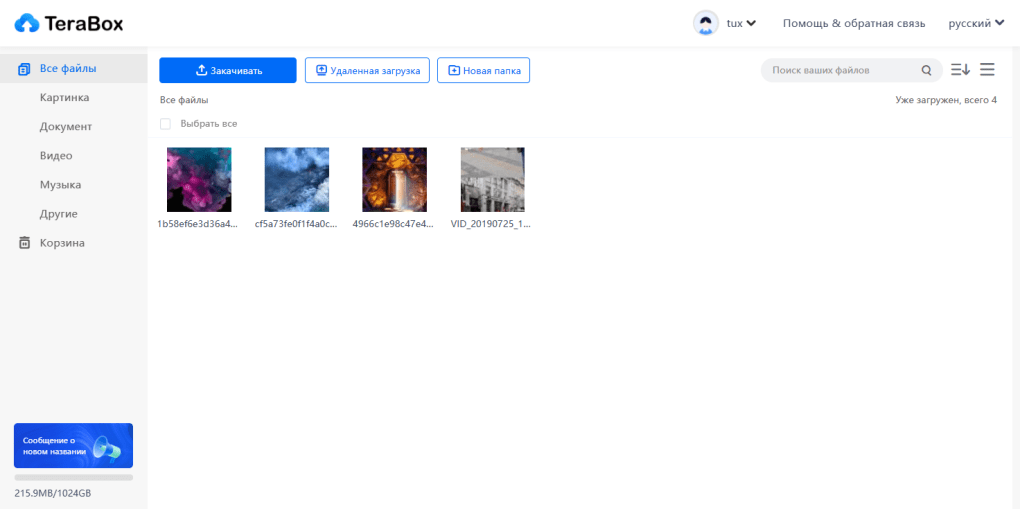
The standout feature of TeraBox is its incredibly generous free storage allocation. The 1 TB capacity allows users to store a vast amount of data, equivalent to approximately 400,000 high-resolution photos or over 51,000 one-minute HD video clips. This expansive storage capacity eliminates the constant worry about running out of space, a common issue with many other cloud storage services that offer limited free tiers. The platform supports a wide variety of file formats, ensuring compatibility with most user needs. The user interface is designed for intuitive navigation, making file uploading, downloading, and management a straightforward process. Users can drag-and-drop files for uploading or use the built-in search functionality to locate files within the cloud storage. Similarly, downloading involves simple drag-and-drop functionality to a chosen local folder or manually specifying the download destination. The speed of uploading and downloading, however, is dependent on factors like file size and internet connection speed.
Exploring TeraBox Premium: Enhanced Features and Double the Storage
While the free tier offers a substantial amount of storage, TeraBox also provides a premium subscription option. This upgrade doubles the storage capacity to 2 TB (2048 GB), catering to users with even more extensive storage requirements. Beyond increased space, the premium subscription unlocks several additional features, enhancing the overall user experience. These include:
- Built-in media player: This allows direct playback of audio and video files within the TeraBox application, eliminating the need to download files before viewing or listening.
- Advanced file compression and decompression: This capability directly supports compression and decompression within the TeraBox platform, streamlining workflow and saving storage space.
- Large file uploads: Premium users can upload files exceeding the 20 GB limit imposed on free accounts, providing greater flexibility for handling larger projects or media.
- Automated backups: This feature allows scheduling automatic backups of specific files or folders, ensuring data security and preventing potential data loss.
- Extended recycle bin: The premium service offers an extended recycle bin retention period of 30 days, granting more time to recover accidentally deleted files.
- Batch downloads: This functionality allows simultaneous downloading of multiple files, accelerating file retrieval for users dealing with a large number of files.
The decision to upgrade to the premium plan hinges on individual usage patterns. Users with moderate storage needs and infrequent use of large files may find the free tier sufficient. However, those requiring more storage, advanced features, and the convenience of handling large files will likely find the premium subscription worthwhile, despite its associated cost. The subscription pricing is expressed in US dollars, a point that may affect affordability for users in regions with different currencies.
TeraBox Security: Encryption and “Locked Box” Feature
Security is a paramount concern for any cloud storage service, and TeraBox addresses this with robust measures. The service employs encryption to protect stored data, making unauthorized access exceedingly difficult. Access is controlled through a user’s unique username and password combination, further enhanced by the option of enabling two-factor authentication for increased security. This layered approach ensures that only authorized users can access their data.
For added protection, TeraBox includes a “Locked Box” feature, specifically designed for storing highly sensitive files. This functionality enables users to segregate files that they wish to keep completely private, even from individuals who may have access to their device or account. This provides an extra layer of privacy and control over particularly sensitive information.
Getting Started with TeraBox: A Simple Registration Process
Beginning with TeraBox is a simple and straightforward process. The first step involves downloading and installing the application. Upon launching the application, users are prompted to create an account. This can be done either manually, by providing an email address and completing a registration form, or through a streamlined process linking to existing accounts on popular platforms like Facebook, Google, or Apple ID. This variety of options provides flexibility and convenience for users, catering to different preferences and technological expertise.
TeraBox Referral Program: Earning Rewards by Sharing
TeraBox also operates a referral program designed to encourage user acquisition and platform promotion. Participants in this program are incentivized to share TeraBox with others. Successful referrals earn commissions, which can be redeemed for either cash or additional benefits within the TeraBox service. This incentivized approach is a common strategy in the cloud storage market, aiming to promote organic growth and user acquisition.
TeraBox’s Strengths and Weaknesses: A Balanced Perspective
While TeraBox offers many appealing advantages, it’s essential to consider both its strengths and weaknesses for a balanced perspective:
Pros:
- Extensive free storage: The 1 TB free tier stands out as exceptionally generous compared to many competitors.
- User-friendly interface: The application is designed for intuitive navigation and ease of use.
- Cross-platform synchronization: Files are readily accessible across multiple devices, providing seamless synchronization between PCs and mobile phones.
- Strong security measures: Encryption and the “Locked Box” feature enhance data privacy and security.
Cons:
- Limited free tier features: While the storage is generous, the free tier lacks some advanced features available in the premium version.
- Dollar-based pricing: The premium subscription’s pricing is in US dollars, which may present challenges for users in different regions.
- Extensive permissions: The application requests several permissions, which some users may find concerning.
- Registration process could be simplified: While multiple registration options exist, the process could potentially be streamlined for greater efficiency.
Conclusion: TeraBox – A Worthy Contender in Cloud Storage
TeraBox presents a compelling cloud storage solution, particularly for users requiring substantial storage capacity. The incredibly generous 1 TB free tier sets it apart from the competition. The intuitive interface and robust security features further enhance its appeal. While the premium subscription unlocks additional capabilities, the free tier provides more than enough storage space for the needs of many users. The potential drawbacks, such as the relatively limited free tier functionality and the dollar-based pricing, need to be considered based on individual usage patterns and regional factors. Overall, TeraBox stands as a strong contender in the cloud storage market, offering an excellent balance of generous storage, user-friendly design, and robust security measures.


