
Tinfoil is a free-to-use utility designed specifically for Nintendo Switch consoles. It functions as a versatile file manager, empowering users to efficiently manage their installed games, seamlessly integrate NSP files, and effortlessly transfer cheat codes and save data across the internet. This functionality significantly enhances convenience, particularly for gamers frequently playing their Switch on the go. By providing granular control over file addition and removal, Tinfoil allows users to optimize their console’s storage while maintaining access to their desired titles. However, its true significance lies in its role as a widely popular homebrew platform, unlocking access to fan-made ports of games originally released on other platforms. This opens up a vast library of titles and experiences not officially available on the Nintendo Switch.
Understanding Tinfoil’s Functionality and Limitations
Tinfoil’s primary function centers around game management. It acts as a comprehensive file manager, offering a user-friendly interface to browse, install, and delete game files. This allows for streamlined organization and optimization of the Switch’s internal storage. The ability to install NSP files, essentially custom game packages, is a core feature enabling access to homebrew titles and other unofficial releases. This significantly expands the gaming library beyond the officially supported Nintendo eShop titles. Furthermore, the application facilitates the transfer of cheat codes and save data, providing additional customization options for the gaming experience.
The convenience of managing games directly on the Switch itself is a significant advantage, particularly for those who prefer playing their console while traveling or away from their PCs. The application integrates seamlessly with the Switch’s hardware, making the management of the vast collection of games significantly simpler. Tinfoil keeps users informed about available updates and patches for their installed games, ensuring that they consistently enjoy the most up-to-date versions of their titles.
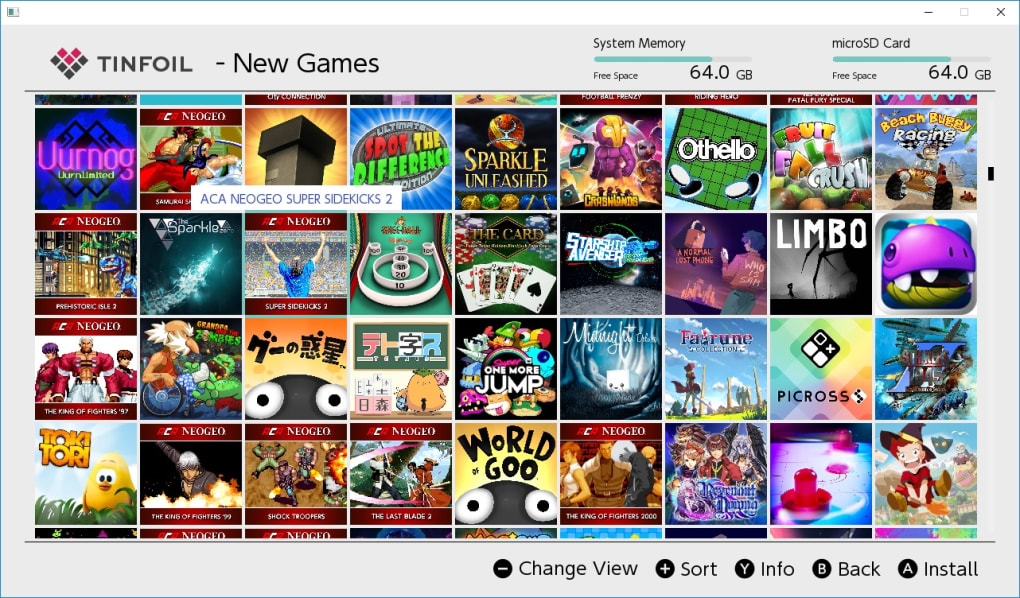
However, it’s crucial to understand the inherent limitations and risks associated with Tinfoil. Unlike official Nintendo applications, Tinfoil operates within the realm of homebrew, requiring a modified or “jailbroken” Nintendo Switch. This process involves exploiting vulnerabilities in the console’s firmware to circumvent Nintendo’s security measures. This modification process is not officially supported by Nintendo and carries significant risks.
The Risks and Responsibilities of Using Tinfoil
The act of modifying your Nintendo Switch to run Tinfoil is inherently risky. The process of jailbreaking or hacking the console involves intricate steps that, if not executed perfectly, can result in “bricking” the device—rendering it entirely unusable. This can lead to the permanent loss of the console and all its data, necessitating expensive replacements or repairs. Therefore, users must proceed with extreme caution and thorough research before attempting to modify their Switch. It is strongly recommended that users back up their console’s data before undertaking any modifications.
Another critical consideration is the closed-source nature of Tinfoil’s code. Unlike open-source software where the community can inspect and contribute to the codebase, Tinfoil’s inner workings are proprietary. This reliance on the developers for updates and bug fixes introduces a degree of vulnerability. Security updates are crucial for patching potential flaws that could compromise the console’s security and even expose sensitive user data. The lack of community scrutiny inherently makes the software more susceptible to vulnerabilities. Users should be aware of this risk and consider the implications before installing the software.
Furthermore, the use of Tinfoil opens the door to potentially running pirated games or modified game files. While Tinfoil itself is a legitimate tool for managing files, the accessibility it provides makes it susceptible to malicious use. Downloading or using pirated content infringes on copyright laws and can expose the user to malware or viruses disguised within altered game files. Therefore, users should exercise extreme caution when downloading or installing any files outside of verified and trusted sources.
Installation and Usage: A Step-by-Step Guide (Conceptual)
The installation process of Tinfoil is not a simple plug-and-play experience. It requires a prior understanding of homebrew installation methods for the Nintendo Switch. This generally involves using various tools and techniques to exploit firmware vulnerabilities. The specifics of this process are complex and vary depending on the current Switch firmware version. The process often involves installing a custom firmware, which replaces the original Nintendo firmware.
Once a custom firmware is successfully installed, Tinfoil can typically be installed using a file transfer method. This usually involves transferring the Tinfoil application file (an NSP file) to the Switch’s SD card using a computer. After the file is transferred, the user can launch the homebrew launcher application on their Switch, navigate to the Tinfoil file, and initiate the installation.
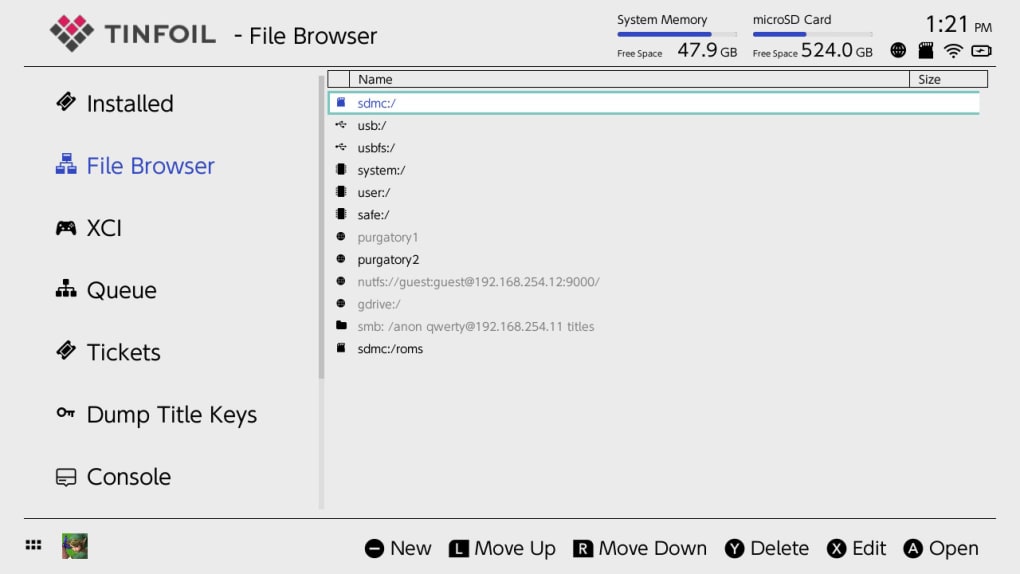
Once Tinfoil is installed and launched, the user will be presented with a file management interface, allowing for browsing, installation, and deletion of game files. Users can browse their existing game library, add new NSP files (containing games or homebrew applications), and manage save data and cheat codes. The intuitive interface makes managing game files on the Switch relatively straightforward.
However, it is crucial to emphasize that any attempt to install Tinfoil or other homebrew applications voids the Nintendo Switch warranty. The modification of the console’s firmware directly contravenes Nintendo’s terms of service.
Tinfoil: Weighing the Pros and Cons
The decision to use Tinfoil requires a careful evaluation of its benefits and potential drawbacks. While it offers considerable advantages for users seeking to expand their gaming experiences beyond the official Nintendo eShop, the risks associated with modifying the console must be carefully considered.
Pros:
- Access to Homebrew Titles: This is the most significant advantage. Tinfoil unlocks access to a wide array of homebrew games, applications, and mods not officially available on the Nintendo Switch. This expands gaming options considerably.
- Game Management: It provides a streamlined way to manage installed games, optimizing storage space and organization.
- Update Notifications: Tinfoil keeps users informed about updates and patches for their installed games, ensuring they have the latest versions.
- Cheat Code and Save Data Management: The ability to transfer and manage cheat codes and save data provides additional customization options for the gaming experience.
Cons:
- Risk of Bricking the Console: The modification process involved in installing Tinfoil carries a substantial risk of permanently damaging the console.
- Voiding the Warranty: Any modification of the console’s firmware immediately voids the manufacturer’s warranty.
- Security Risks: Using unofficial software increases the risk of malware or viruses compromising the console’s security.
- Legal Concerns: Downloading or playing pirated games is illegal and can have legal consequences.
- Closed-Source Software: The closed-source nature of Tinfoil limits community scrutiny and potential contributions to security improvements.
Ultimately, the decision to use Tinfoil rests solely on the individual user. Those with experience in software modding and comfortable with the associated risks may find its functionality beneficial. However, users should weigh the advantages against the potential consequences before proceeding. Thorough research and caution are paramount to avoid irreversible damage to their consoles.
File Information
- License: “Free”
- Version: “16.0”
- Latest update: “May 9, 2023”
- Platform: “Windows”
- OS: “Windows 8.1”
- Language: “English”
- Downloads: “4.2K”
- Size: “235.04 MB”


