
TypingMaster Pro with Satellite is a typing tutor application designed to significantly improve your typing skills. It offers a multifaceted approach, combining structured courses, engaging games, and real-time performance tracking to help users of all levels achieve faster, more accurate, and more ergonomic typing habits. This review delves into the software’s features, strengths, and weaknesses to provide a comprehensive understanding of its capabilities and overall effectiveness.
Mastering the Keyboard: Typing Courses and Exercises
The core of TypingMaster Pro with Satellite lies in its comprehensive typing courses. These courses are meticulously designed to address various aspects of typing proficiency, from fundamental key placement to advanced speed building and special character mastery. The software doesn’t simply present users with random typing exercises; instead, it provides a structured learning path, guiding users through progressive stages to gradually enhance their skills.
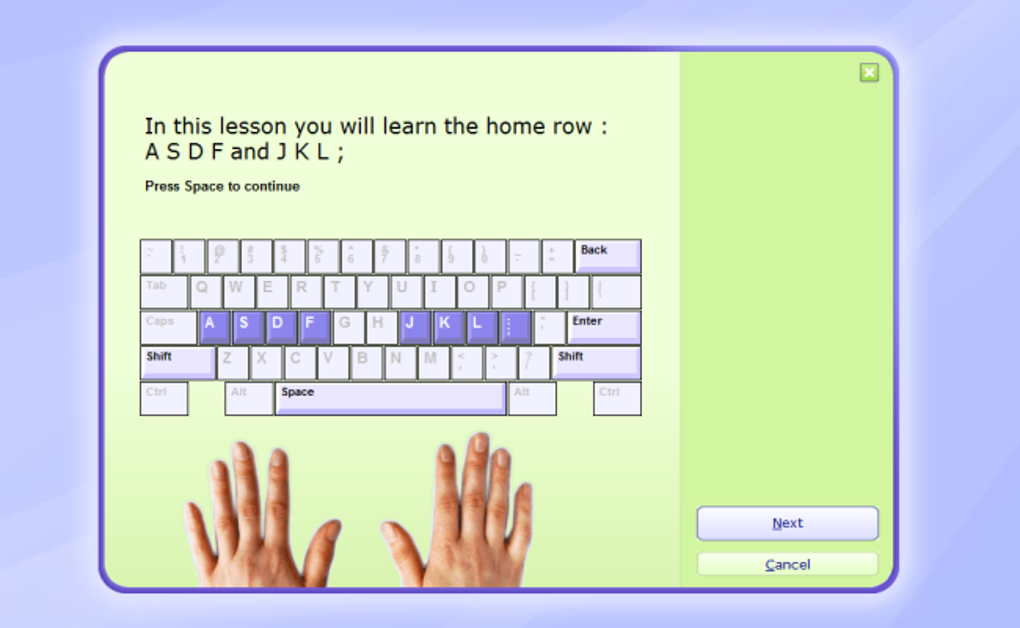
One of the key courses is the “Touch Typing Course,” a foundational element that aims to train users to type without looking at the keyboard. This is achieved through targeted exercises focusing on finger placement, rhythm, and consistent keystrokes. The course emphasizes muscle memory development, a crucial aspect of efficient touch typing. The program meticulously guides users through the process, ensuring they learn the correct finger placement for each key and gradually increase their typing speed without sacrificing accuracy.
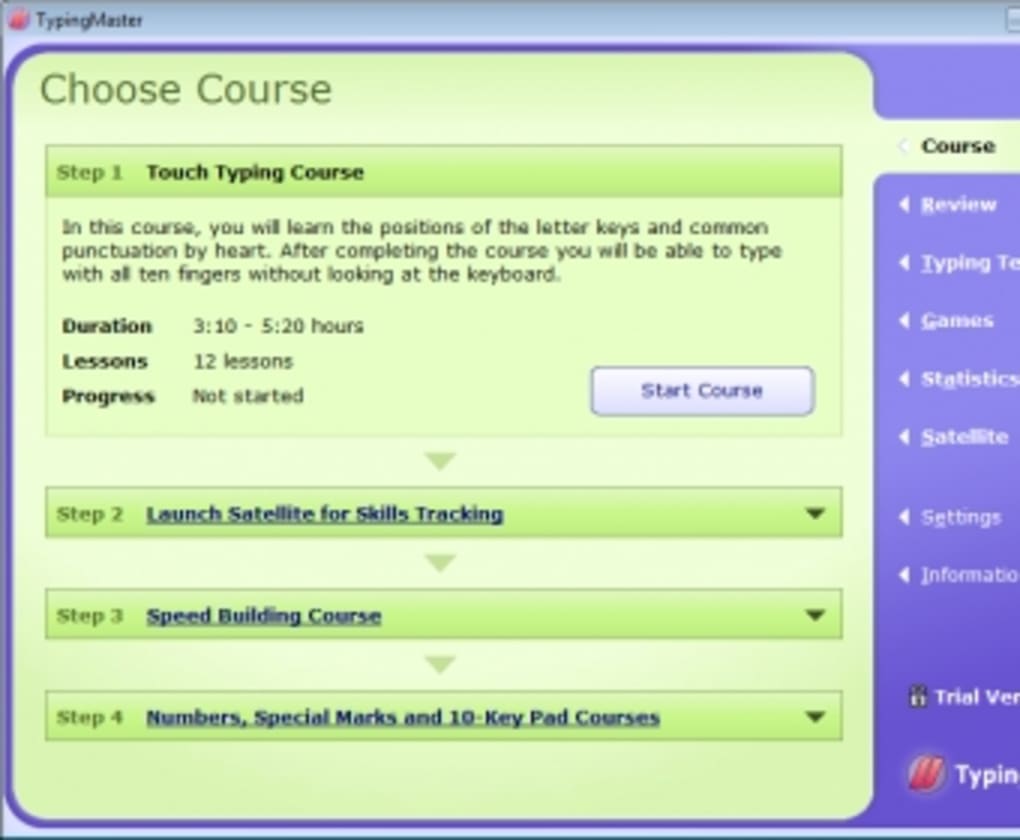
Complementing the “Touch Typing Course” is the “Speed Building Course.” This course focuses on increasing typing speed while maintaining the accuracy learned in the foundational course. Exercises progressively challenge users to type faster, pushing their boundaries while simultaneously providing feedback on accuracy and identifying areas for improvement. The software dynamically adjusts the difficulty level based on the user’s performance, ensuring a personalized and challenging learning experience. The combination of these two courses forms a solid foundation for developing proficient touch typing skills.
Beyond these core courses, TypingMaster Pro with Satellite offers specialized training modules for specific key groups and typing styles. The “Numeric Keypad Course” focuses on efficiently using the numeric keypad, a crucial skill for data entry and various professional tasks. The “Special Marks Course” targets the correct usage of symbols and punctuation marks, ensuring accuracy and proficiency in handling a broader range of characters. Finally, the “Numbers Course” specifically addresses the efficient typing of numerical sequences, helping users improve their speed and precision in handling numerical data.
The flexibility of the course structure is a significant advantage. Users are not restricted to a predetermined order; they can choose to focus on areas where they feel they need the most improvement, making the learning process more adaptable to individual needs and learning styles. This personalized approach allows users to address their weaknesses directly and efficiently.
Gamified Learning: Engaging Typing Games
While structured courses form the backbone of TypingMaster Pro with Satellite, the software also incorporates several engaging typing games to make the learning process more enjoyable and less monotonous. These games present typing practice in a fun and interactive format, motivating users to continue practicing and improving their skills.
The game selection includes “Bubbles,” “Clouds,” “Wordtris,” and “ABC.” Each game presents unique challenges and gameplay mechanics, keeping the experience fresh and preventing boredom. While the specific details of each game may vary, they all share the common goal of improving typing speed and accuracy in a fun and engaging manner.
The “Wordtris” game, often cited as a favorite among users, presents a particularly compelling challenge. Players must type words displayed on falling blocks before they reach the bottom of the screen. This fast-paced gameplay encourages quick thinking and efficient typing, creating a stimulating and rewarding experience. The game cleverly blends typing practice with puzzle-solving elements, enhancing the overall engagement.
While all games offer a valuable way to practice, the repetitive nature of some games might lead to monotony over extended periods of use. The relatively simple gameplay mechanics might not appeal to all users, especially those seeking more complex or diverse challenges.
Real-time Performance Tracking: The Satellite Feature
A unique and powerful feature of TypingMaster Pro with Satellite is the “Satellite” program. This component acts as a real-time performance monitor, tracking typing behavior during regular computer use outside of the main application. The Satellite unobtrusively monitors keystrokes, identifying typing errors, speed inconsistencies, and other aspects of typing performance.
This real-world tracking provides valuable insights into a user’s typing habits, highlighting weaknesses that might not be apparent during structured exercises. The data gathered by the Satellite is then used to generate personalized exercises targeted at addressing these specific weaknesses. This adaptive approach ensures that the training remains focused and effective, leading to more rapid improvements.
Users can choose to activate the Satellite either automatically at computer startup or manually as needed. This flexibility allows users to customize the monitoring based on their preferences and the level of detailed feedback they desire. The ability to monitor typing across different applications and contexts provides a more holistic view of typing performance, leading to a more effective learning process.
User Interface and Overall Experience
The user interface of TypingMaster Pro with Satellite presents a somewhat dated appearance. While functional and easy to navigate, the visual design lacks the modern polish found in many contemporary applications. The relatively basic visual style might not appeal to all users accustomed to visually richer software.
However, the simplicity of the interface does contribute to its ease of use. The clear layout and straightforward navigation ensure that users can easily access all features and functions without encountering any unnecessary complexity. The focus on functionality over visual appeal might be appreciated by users prioritizing effective learning over visual aesthetics.
Pros and Cons Summary
Pros:
- Comprehensive Typing Courses: Provides a structured learning path covering all aspects of typing proficiency.
- Personalized Learning: Adapts to individual needs and weaknesses through adaptive exercises and targeted training.
- Engaging Typing Games: Makes practice fun and motivating with a variety of interactive challenges.
- Real-time Performance Tracking (Satellite): Provides valuable insights into typing habits outside of dedicated practice sessions.
- Effective Improvement: Demonstrates a significant improvement in typing speed and accuracy for consistent users.
Cons:
- Outdated User Interface: The visual design feels dated compared to many modern applications.
- Repetitive Game Mechanics: Some games might become monotonous with extended use.
- Limited Game Variety: The selection of games is relatively small, potentially limiting long-term engagement for some users.
Conclusion
TypingMaster Pro with Satellite is an effective typing tutor application capable of significantly improving typing skills. Its structured courses, engaging games, and unique Satellite tracking feature provide a comprehensive approach to mastering the keyboard. While the outdated interface might not appeal to everyone, the software’s effectiveness in improving typing speed and accuracy is undeniable. The software’s strength lies in its personalized approach, adaptive exercises, and the ability to track and address individual weaknesses, ultimately making it a valuable tool for anyone seeking to enhance their typing proficiency. The balance between structured learning and gamified practice ensures an effective and engaging learning experience, although some users might find the game selection repetitive over extended use. Overall, TypingMaster Pro with Satellite remains a strong contender in the typing tutor software market, offering a powerful combination of features and functionality.
File Information
- License: “Trial version”
- Version: “7”
- Latest update: “July 25, 2022”
- Platform: “Windows”
- OS: “Windows XP”
- Language: “English”
- Downloads: “306.1K”


