
Ultimaker Cura is a leading 3D printing software renowned for its powerful features, user-friendly interface, and open-source nature. This comprehensive review explores its strengths, weaknesses, and overall suitability for both novice and experienced 3D printing enthusiasts. From its robust slicing engine to its extensive customization options and seamless integration with other Ultimaker products, Cura offers a compelling package for anyone looking to take control of their 3D printing workflow.
A Powerful, Customizable Slicing Engine
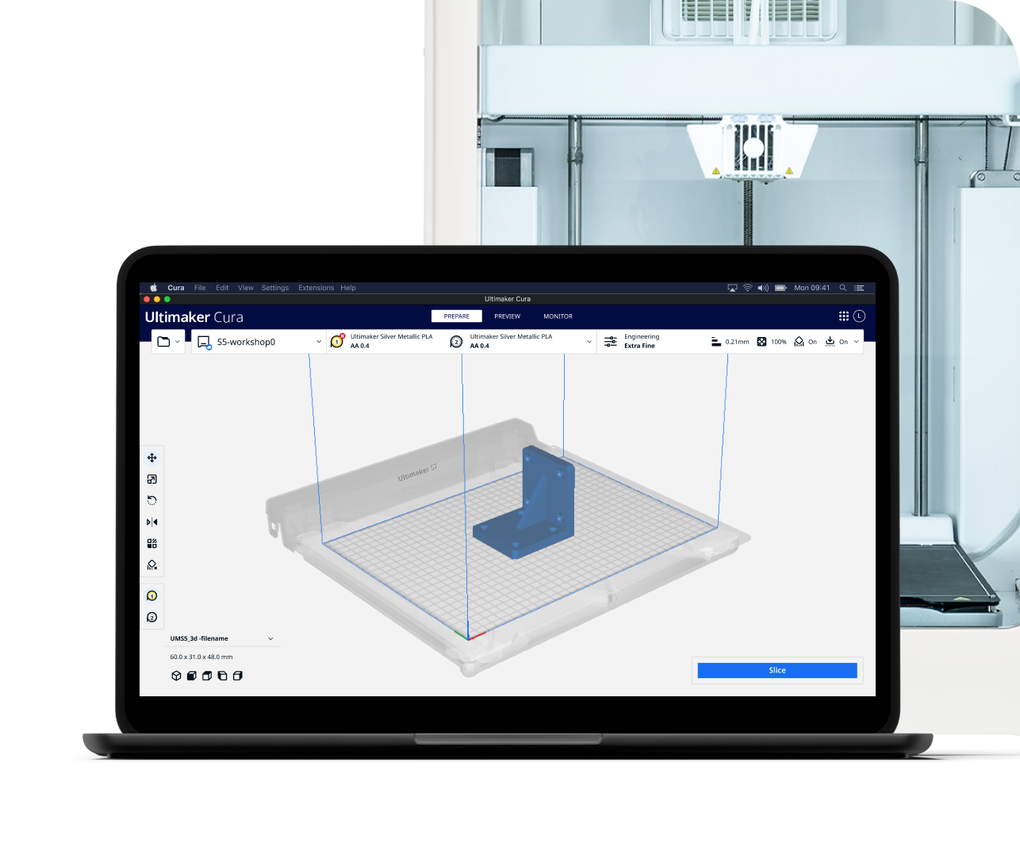
At the heart of Ultimaker Cura lies a sophisticated slicing engine. This engine is responsible for translating your 3D model into the precise instructions needed by your 3D printer to create the physical object. Years of development and continuous refinement, fueled by both internal engineering efforts and valuable community contributions, have resulted in a highly optimized and reliable slicing process.
One of Cura’s defining characteristics is its unparalleled level of customization. Users have access to over 400 settings in the advanced “Custom” mode, allowing for granular control over every aspect of the printing process. This fine-grained control enables experienced users to fine-tune their prints to achieve exceptional levels of precision, detail, and surface finish. They can adjust parameters such as layer height, nozzle temperature, print speed, retraction settings, and countless other variables to optimize their prints for specific materials and applications.
For users less comfortable with intricate settings, Cura offers pre-configured “intent profiles.” These profiles are meticulously tested across thousands of hours of printing and cater to specific applications, ensuring reliable and consistent results even with minimal user intervention. These pre-sets streamline the printing process for beginners, eliminating the need to navigate a complex array of settings. Whether you’re a seasoned expert seeking ultimate control or a beginner prioritizing ease of use, Ultimaker Cura provides a suitable approach.
Seamless Integration and Extensive Material Support
Cura’s integration with other Ultimaker products significantly enhances the user experience for those invested in the Ultimaker ecosystem. The smooth workflow between software and hardware reduces friction and streamlines the 3D printing process. This integration extends beyond just Ultimaker’s own printers; Cura also boasts impressive compatibility with industry-standard CAD software. Support for popular formats like SolidWorks and Siemens NX allows users to seamlessly import their designs and begin the printing process without the need for extensive file conversion or format adjustments.
Furthermore, Cura supports a wide range of file formats, including STL, OBJ, X3D, 3MF, BMP, GIF, JPG, and PNG. This broad compatibility ensures that users can work with their preferred design tools and file types, fostering a versatile and inclusive platform that caters to a diverse user base. The software’s ability to handle various file formats makes it accessible to users from various backgrounds and skill levels.
The Ultimaker Marketplace further enhances Cura’s capabilities by providing access to a vast library of material profiles from leading brands. These profiles contain pre-configured settings specifically tailored for particular materials, simplifying the process of printing with different filaments and resins. The availability of these profiles reduces the guesswork and experimentation involved in optimizing print settings for various materials, contributing to a more efficient and productive workflow. This collaborative approach fosters a sense of community and shared knowledge within the 3D printing ecosystem.
User-Friendly Design and Accessibility
Despite its powerful capabilities, Ultimaker Cura prioritizes user-friendliness. The software’s intuitive interface makes it accessible to users of all skill levels. The recommended settings for various materials and print types simplify the initial setup process, allowing users to quickly begin creating 3D prints. The straightforward selection of speed and quality settings caters to different priorities, whether the focus is on rapid prototyping or the pursuit of highly detailed, intricate prints. This ease of use significantly lowers the barrier to entry for new users, making 3D printing more accessible to a broader audience.
The free and open-source nature of Cura aligns perfectly with Ultimaker’s commitment to democratizing 3D printing technology. This open-source approach allows for community contribution and ongoing development, ensuring the software remains cutting-edge and adaptable to evolving user needs. This ethos of collaboration ensures that the software continuously evolves and improves, fostering a vibrant and active community around its development.
Limitations and Areas for Improvement
While Ultimaker Cura offers an impressive array of features, it is not without its drawbacks. The organization and placement of certain features could be improved. Some advanced options and settings are less readily accessible, requiring users to navigate through various menus and submenus to locate them. This lack of clear discoverability can be particularly frustrating for new users who are unfamiliar with the software’s extensive feature set.
Furthermore, while the integration of numerous extensions adds versatility, some extensions suffer from occasional functionality issues. These inconsistencies can detract from the overall user experience, creating occasional disruptions in the printing workflow. Addressing these inconsistencies is crucial in maintaining a consistent and reliable user experience.
The absence of tooltips for icons and certain interface elements adds another layer of complexity for users. Tooltips provide immediate context and guidance, making it easier for users to understand the function of various interface elements. The lack of this helpful feature contributes to the steeper learning curve for new users. Improved tooltips and on-screen instructions can substantially enhance the software’s usability.
Conclusion: A Powerful Tool for the 3D Printing Community
Ultimaker Cura stands out as a powerful and versatile 3D printing software solution that caters to a broad spectrum of users, from beginners to seasoned professionals. Its robust open-source engine, seamless integration with various hardware and software platforms, and the support for industry-standard CAD tools make it a highly compelling option. The active development and community support ensure ongoing improvement and expansion of its capabilities.
The software’s user-friendly design, complemented by pre-configured profiles for various applications, effectively lowers the barrier to entry for newcomers. Simultaneously, the comprehensive customization options offer experienced users the control they need for fine-tuning prints to achieve exceptional results.
While the occasional functionality issues with extensions and the less-than-ideal organization of certain features require attention, these are minor drawbacks in the face of Cura’s considerable strengths. The overwhelmingly positive aspects of Cura, including its open-source nature, comprehensive feature set, and strong community support, firmly establish it as a leading choice in the 3D printing software landscape. Its continued development and commitment to user feedback suggest that it will only continue to improve and solidify its position as a go-to tool for 3D printing enthusiasts worldwide.
File Information
- License: “Free”
- Latest update: “July 1, 2025”
- Platform: “Windows”
- OS: “Windows 10”
- Language: “English”
- Downloads: “41.5K”
- Size: “301.53 MB”


