
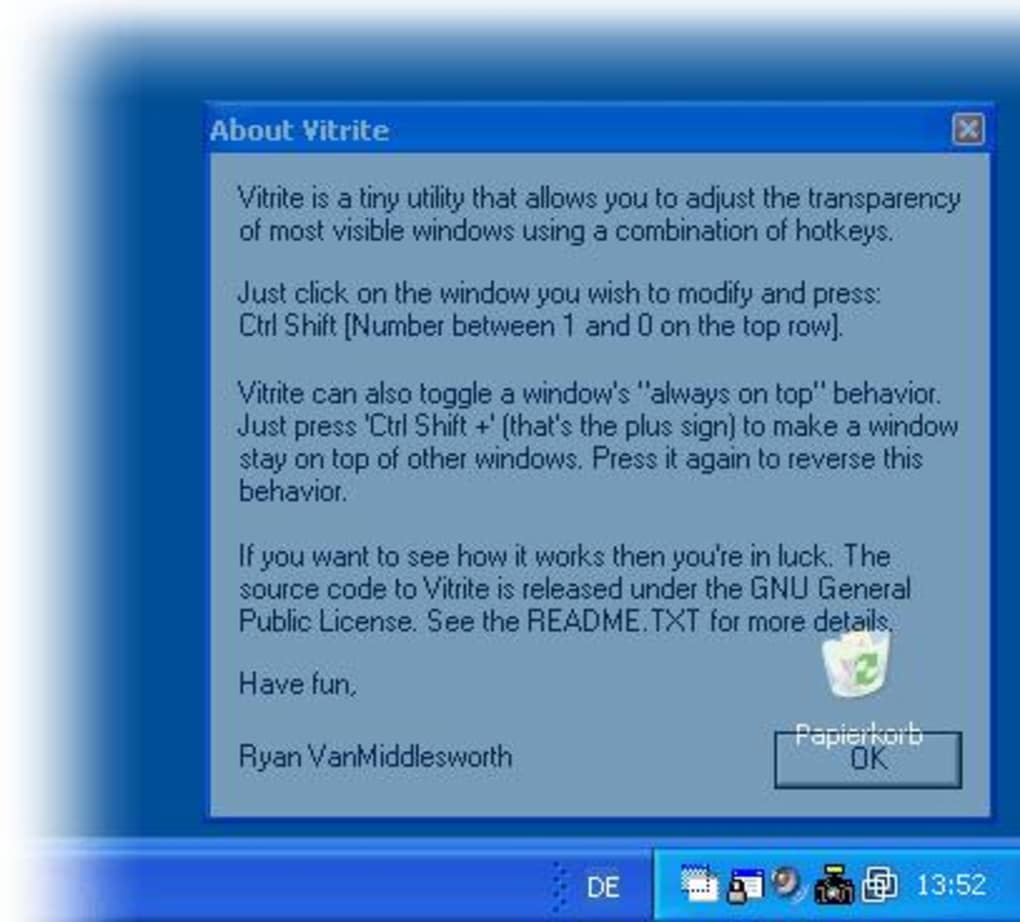
Vitrite is a free Windows software application designed to enhance the visual appeal of your desktop environment by applying transparency effects to program windows. Released in 2007, this lightweight utility offers a simple yet effective way to customize your Windows experience, adding a layer of visual sophistication without demanding significant system resources. While no longer actively developed, its enduring popularity and simple functionality continue to attract users seeking a straightforward way to personalize their Windows desktops.
Vitrite’s Functionality and Features
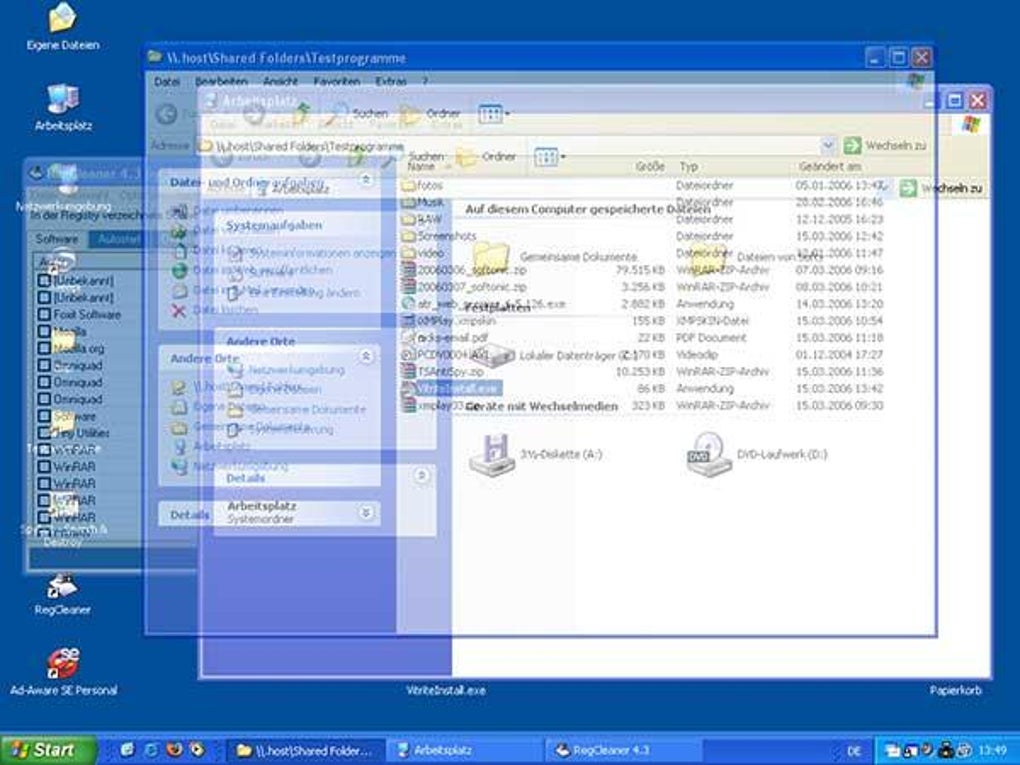
At its core, Vitrite’s primary function is to introduce transparency to individual program windows. This allows users to see through partially transparent windows, revealing the desktop wallpaper and other elements beneath. This subtle effect can dramatically alter the desktop’s appearance, creating a more visually integrated and less cluttered feel, especially beneficial for users with multiple applications running concurrently.
Unlike more complex personalization tools that offer extensive customization options, Vitrite prioritizes simplicity. Its streamlined design ensures ease of use, making it accessible to both novice and experienced computer users. The application’s small size ensures minimal impact on system performance, a critical factor for users with older or less powerful machines.
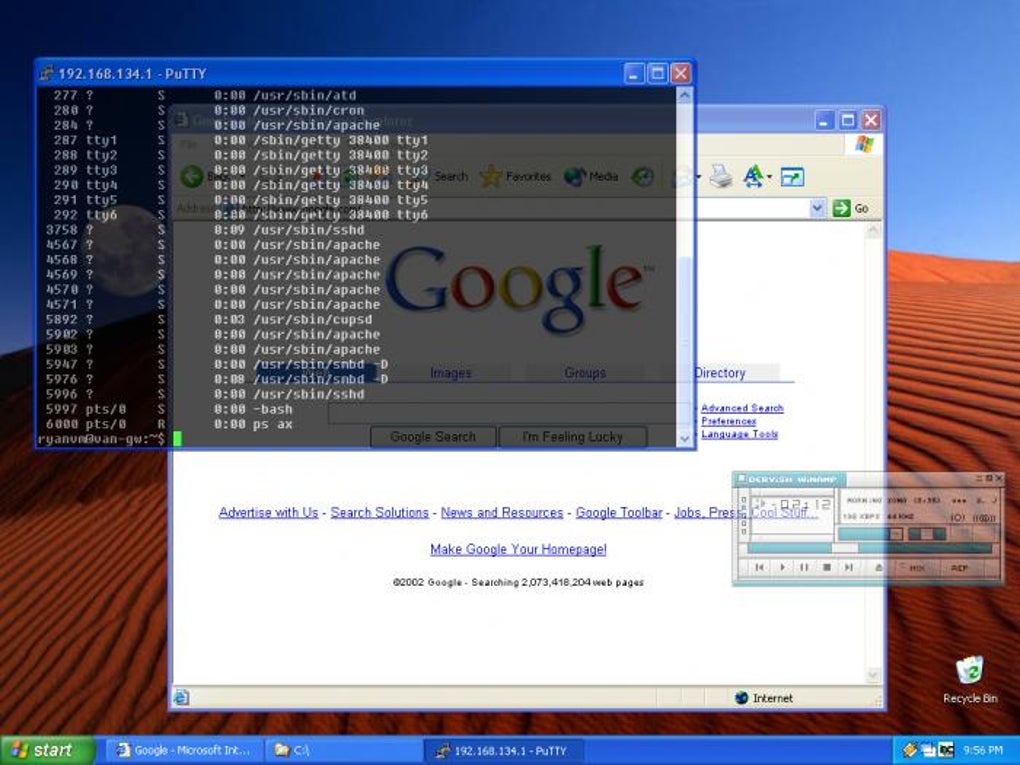
The software’s simplicity doesn’t, however, compromise its effectiveness. The subtle but impactful change to window transparency can significantly improve the overall user experience, especially on visually busy desktops. The ability to adjust the level of transparency might not be explicitly detailed, but user experiences suggest a degree of control is implicitly available through system-level transparency settings which Vitrite interacts with.
Vitrite’s System Requirements and Compatibility
Vitrite’s compatibility extends to older Windows versions, including Windows 2000 and earlier systems. This broad compatibility makes it a valuable tool for users still utilizing older operating systems who want to add a touch of visual customization to their desktops. While its compatibility with newer operating systems hasn’t been explicitly tested and documented extensively post-2007, its lightweight nature suggests it may still function on many modern Windows iterations. However, this should be treated with caution, and users should expect it might not integrate seamlessly with the latest features or interfaces.
The program’s low system resource demands are a crucial aspect of its design. Its small size, approximately 87.20 KB, ensures it won’t overburden even older computers. This ensures accessibility for a wider range of users, regardless of their system’s specifications. The light footprint also contributes to faster loading times and minimal impact on overall system performance. This contrasts favorably with many modern personalization applications that are often resource-intensive.
Vitrite’s History and Development
Vitrite was originally developed by Ryan VanMiddlesworth and first appeared on Phanmemfree, a popular software download platform, in 2007. Since its release, it has accumulated over 33,000 downloads, demonstrating a sustained level of interest and adoption amongst Windows users. While the last official update was in February 2019, its core functionality remains relevant. The lack of recent updates, however, suggests the project might be abandoned by the developer. This implies users should expect limited or no further development, bug fixes, or compatibility updates in the future.
The enduring popularity of Vitrite underscores the continuing demand for simple, effective, and lightweight personalization tools. In a landscape increasingly dominated by feature-rich but resource-heavy applications, Vitrite represents a viable alternative for users who prioritize simplicity and minimal system impact. Its enduring legacy is a testament to its successful implementation of a fundamental personalization need: subtle window transparency.
Vitrite: Alternatives and Comparisons
Given that Vitrite is no longer actively developed, exploring alternative solutions for achieving window transparency on Windows is important. Numerous software packages and system settings offer similar functionality, although often with additional features that might be either beneficial or cumbersome depending on individual user preferences.
Several contemporary software applications offer enhanced personalization options, potentially including window transparency. These often incorporate advanced features such as theme management, icon customization, and advanced visual effects. However, these advanced features often come at the cost of increased system resource consumption.
Windows itself offers built-in settings for adjusting visual effects, including transparency. Manipulating these system-level settings can provide a degree of control over window transparency without requiring third-party software. However, the level of customization and ease of use may not match specialized applications.
Compared to these alternatives, Vitrite’s strength lies in its simplicity and lightweight nature. For users primarily seeking simple window transparency without complex features or system resource overheads, Vitrite remains a viable choice, despite its lack of recent updates. Its ease of use and minimal impact on system performance are significant advantages, making it particularly suitable for users with older or less powerful computers.
Ultimately, the choice between Vitrite and alternative solutions hinges on individual user needs and priorities. If simple window transparency is the primary goal, and system resources are a concern, Vitrite’s straightforward functionality and small size might still be appealing. Users seeking more comprehensive personalization features or ongoing support and updates should consider the alternatives available, balancing the added functionality with the potential increase in system resource usage. The decision rests on weighing the simplicity and resource efficiency of Vitrite against the expanded features and support offered by newer applications.
File Information
- License: “Free”
- Version: “1.1”
- Latest update: “February 13, 2019”
- Platform: “Windows”
- OS: “Windows XP”
- Language: “English”
- Downloads: “33.1K”
- Size: “87.20 KB”


