
Windows 7, hailed by many as one of Microsoft’s most successful and user-friendly operating systems, reached a new level of refinement with the release of its first major update, Service Pack 1 (SP1). Far more than just a collection of bug fixes, Windows 7 Service Pack 1 was a comprehensive enhancement that delivered critical improvements in performance, stability, and security, alongside introducing a suite of powerful new features, many of which operated discreetly beneath the surface. This monumental update not only solidified Windows 7’s position as a robust and reliable operating system but also paved the way for advanced computing scenarios, particularly in virtualized environments.
The development and release of service packs are integral to the lifecycle of any major operating system. They represent a concentrated effort by the developer to aggregate all previously released patches, security updates, and hotfixes into a single, convenient installation package. Beyond this consolidation, service packs often introduce new functionalities, optimize existing components, and address widespread issues that could not be resolved through smaller, incremental updates. For Windows 7, SP1 was precisely this kind of transformative update, ensuring that users had access to the most secure, stable, and feature-rich version of the operating system available at the time. It was a testament to Microsoft’s commitment to refining the user experience and extending the capabilities of an already popular platform, adapting it to emerging technological trends and user demands.
The Genesis of Service Pack 1: A Critical Milestone for Windows 7
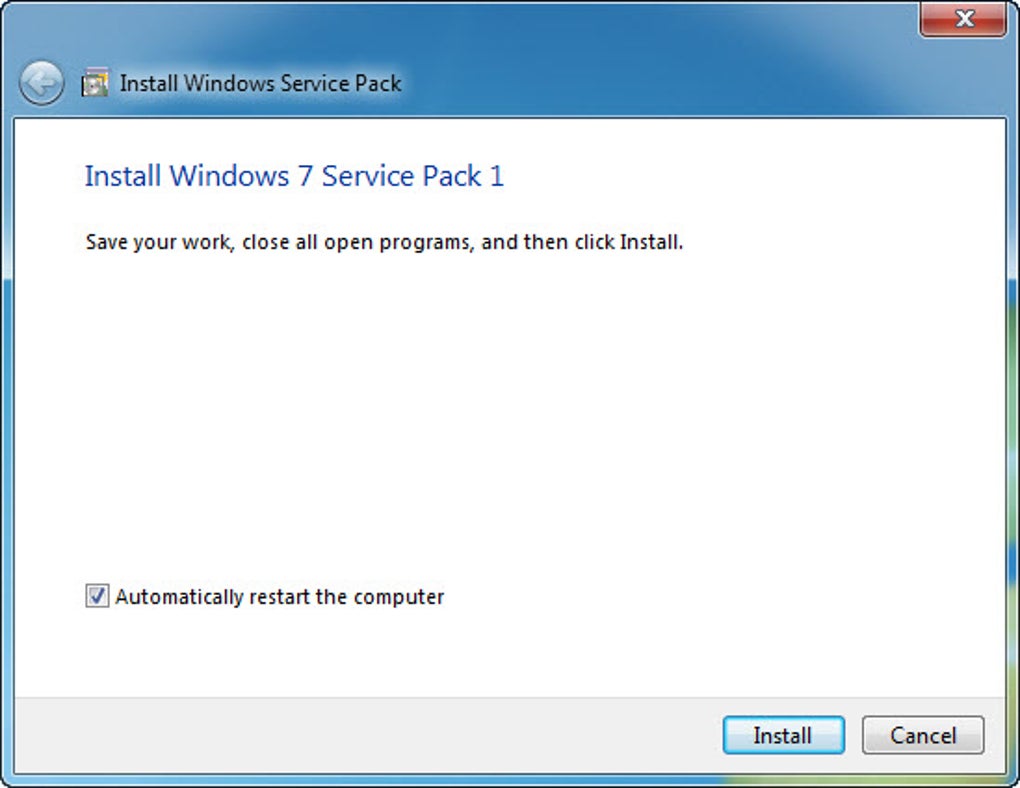
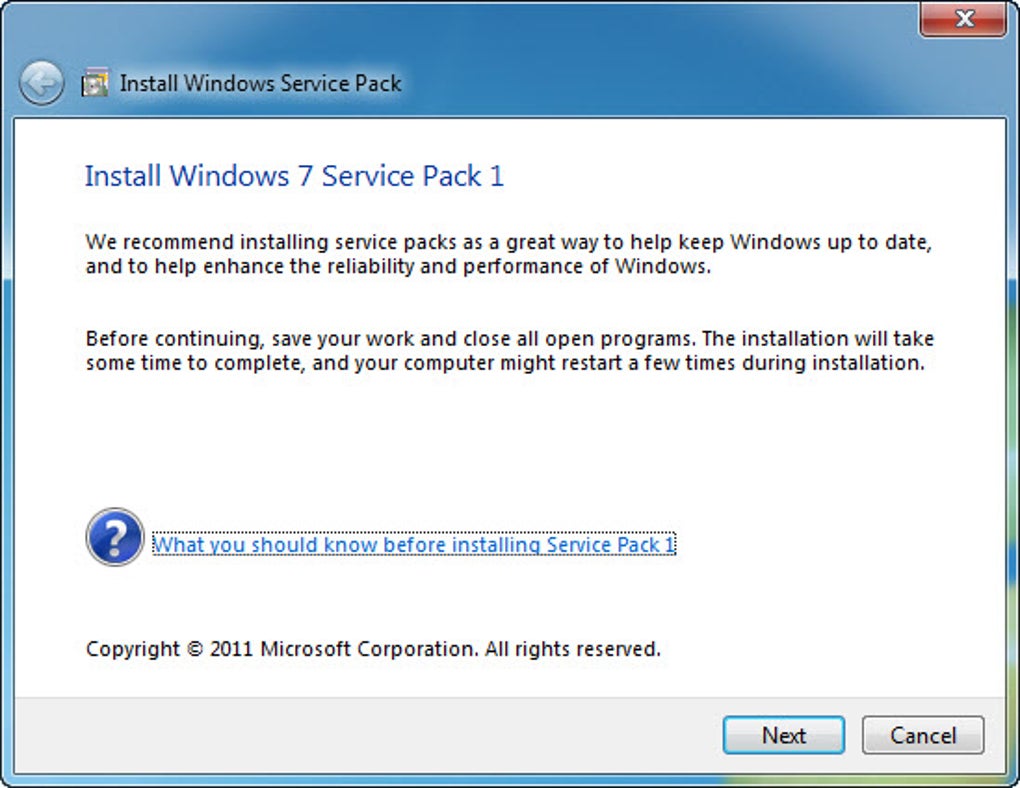
When Windows 7 was first released in October 2009, it quickly garnered widespread acclaim for its intuitive interface, improved performance over its predecessor Windows Vista, and a general sense of polish. However, like all complex software, it was not without its initial quirks and areas for improvement. A service pack, in the context of Microsoft operating systems, serves as a crucial evolutionary step. It’s a cumulative update package that bundles all previously released updates, security patches, and hotfixes into one convenient installation. More significantly, it often introduces new features, enhances existing functionalities, and improves overall system stability and performance.
Windows 7 Service Pack 1, released in February 2011, embodied this philosophy perfectly. It wasn’t just about playing catch-up; it was about propelling Windows 7 forward. The primary goal was to make Windows 7 even more robust, secure, and compatible with the rapidly evolving hardware and software landscape. For many users, installing SP1 was a mandatory step to ensure their system was fully up-to-date, protected against the latest threats, and capable of running demanding applications efficiently. Its arrival marked a significant milestone, indicating that the operating system had matured and entered a phase of sustained stability and enhanced capability.
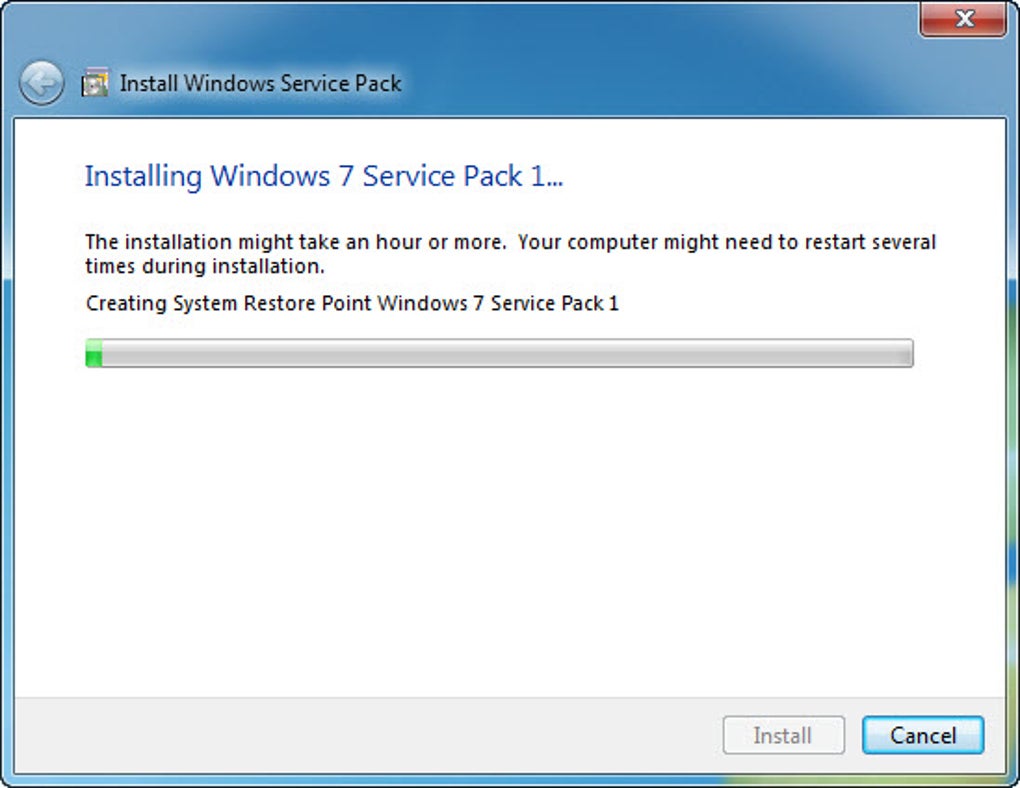
From a user perspective, SP1 provided peace of mind. Instead of individually tracking and installing dozens of smaller updates, users could simply deploy SP1 to bring their system to a consistent, well-tested state. This was particularly beneficial for IT administrators managing large networks, as it streamlined the update process across multiple machines, ensuring a uniform and secure operating environment. Beyond the practicalities of deployment, SP1 addressed numerous subtle issues that, while not critical individually, collectively contributed to a smoother and more reliable computing experience. These under-the-hood enhancements often go unnoticed by the average user but are fundamental to the perceived quality and responsiveness of an operating system.
Revolutionary Virtualization: Dynamic Memory and RemoteFX
Among the most significant new features introduced in Windows 7 Service Pack 1 were enhancements to its virtualization capabilities, specifically Dynamic Memory and RemoteFX. These innovations were not designed for the average home user but rather targeted enterprise environments, data centers, and IT professionals leveraging server virtualization platforms like Hyper-V. They represented a major leap forward in how virtual machines (VMs) could be deployed and managed, offering greater efficiency and a richer user experience in virtual desktop infrastructure (VDI) setups.
Dynamic Memory was a game-changer for server consolidation and virtual machine density. Prior to this feature, virtual machines typically had a fixed amount of RAM allocated to them, regardless of their actual usage at any given moment. This often led to inefficient memory utilization, where idle VMs hogged resources that could be better used by active ones. Dynamic Memory addressed this by allowing Hyper-V to dynamically allocate memory to virtual machines as needed, within a defined range.
The core benefit was simple yet profound: you could increase virtual machine density on a physical host without sacrificing performance or security. This meant more virtual desktops or server workloads could run on the same physical hardware, leading to significant cost savings in terms of hardware acquisition, power consumption, and cooling. When a VM required more memory for a demanding task, Dynamic Memory would provide it, and when the task completed, the memory could be reclaimed and distributed to other VMs that needed it. This intelligent management of resources made virtualization far more flexible and efficient, optimizing the utilization of expensive server hardware.
RemoteFX, the second major virtualization enhancement, tackled a different challenge: delivering a rich, true-to-life multimedia and 3D user experience within a virtual desktop environment. Traditionally, virtual desktops struggled with graphically intensive applications, high-definition video playback, and complex 3D rendering. This limited their adoption in roles requiring more than basic office productivity. RemoteFX changed this paradigm by enabling the virtualization of the GPU (Graphic Processor Unit) on the server side.
With RemoteFX, a physical GPU installed on the Hyper-V host server could be shared among multiple virtual machines. This meant that each virtual desktop could access hardware-accelerated graphics, providing a desktop experience comparable to a local physical PC. Users could enjoy smooth Aero Glass effects, watch high-definition videos without stuttering, and even run certain 3D applications within their virtual environments. For scenarios like CAD/CAM, medical imaging, or even just a more engaging and responsive user interface, RemoteFX was revolutionary. It broke down the barriers that previously confined virtual desktops to basic tasks, opening up VDI to a wider range of professional users who demanded robust graphical performance. Both Dynamic Memory and RemoteFX were clear indicators of Microsoft’s strategic focus on cloud computing and virtualization, laying groundwork that would be built upon in subsequent Windows Server versions.
Beyond Virtualization: Core Enhancements and Quality-of-Life Improvements
While Dynamic Memory and RemoteFX captured attention for their innovative virtualization capabilities, Windows 7 Service Pack 1 also delivered a host of “under the hood” and quality-of-life improvements that benefited all users, irrespective of their engagement with virtualization technologies. These changes, though sometimes subtle, significantly enhanced the overall reliability, usability, and compatibility of the operating system.
One notable improvement was the enhanced reliability when connecting to HDMI audio devices. Before SP1, some users reported intermittent issues with HDMI audio output, such as sound dropouts or difficulties in establishing a consistent connection. Given the increasing prevalence of HDMI for connecting PCs to high-definition monitors, TVs, and home theatre systems, resolving these audio quirks was crucial for a seamless multimedia experience. SP1 addressed underlying driver and system component issues, resulting in a much more stable and dependable HDMI audio connection. This meant clearer sound for movies, games, and presentations, without the frustration of troubleshooting audio output.
Another area of improvement was printing using the XPS Viewer. XPS (XML Paper Specification) is Microsoft’s alternative to the Portable Document Format (PDF), offering a standardized way to save and share documents while preserving their formatting. With SP1, the XPS Viewer, which allows users to open and print XPS documents, received updates that improved its stability and printing accuracy. This was particularly beneficial for business users and those who regularly dealt with documents in the XPS format, ensuring that what they saw on screen was precisely what was produced by their printer, without rendering errors or formatting inconsistencies.
A seemingly minor yet highly appreciated quality-of-life enhancement was the restoration of previous folders in Windows Explorer after restarting. Prior to SP1, if a user had multiple Windows Explorer windows open and then restarted or logged off and on, those windows would not automatically reopen to their previous locations. This meant manually navigating back to frequently used folders, which could be a tedious process for power users. SP1 introduced a fix that remembered the open Explorer windows and their respective paths, restoring them upon the next login. This small but significant change improved productivity and reduced friction in daily computing tasks, reflecting Microsoft’s attention to user feedback and practical usability.
Beyond these specific examples, SP1 also incorporated numerous general bug fixes, driver updates, and system optimizations across various components of Windows 7. These less visible changes contributed to better application compatibility, reduced system crashes, faster boot times, and a more responsive user interface. Collectively, these enhancements solidified Windows 7’s reputation as a dependable and efficient operating system, making the user experience smoother and more trouble-free across a wider range of hardware configurations and usage scenarios.
Security, Stability, and Performance: The Pillars of SP1
At its core, Windows 7 Service Pack 1 was built upon three fundamental pillars: enhancing security, bolstering stability, and optimizing performance. These improvements were not merely incremental but represented a substantial refinement of the operating system, ensuring it could withstand the evolving demands of computing and the increasingly sophisticated threat landscape.
Security was a paramount concern, and SP1 delivered a comprehensive package of cumulative security updates. In an era of constant cyber threats, keeping an operating system secure is a perpetual battle. SP1 consolidated all security patches released since Windows 7’s initial launch, addressing known vulnerabilities in various components, including the kernel, networking stack, and user-mode applications. These updates were crucial for protecting users from malware, viruses, phishing attacks, and other forms of cyber exploitation. By integrating these fixes into a single service pack, Microsoft ensured that all systems running SP1 would be at a standardized, higher level of security, reducing the attack surface and providing a more resilient computing environment for both individual users and enterprise networks. This holistic approach to security was vital for maintaining user trust and data integrity.
Stability was significantly improved through a vast collection of bug fixes and system optimizations. Early versions of any operating system, no matter how rigorously tested, inevitably contain minor bugs and compatibility issues that only surface with widespread real-world usage. SP1 meticulously addressed these reported problems, ranging from minor glitches in user interface elements to more critical issues affecting system drivers and core components. This led to fewer application crashes, fewer “blue screens of death” (BSODs), and overall more reliable system operation. Driver compatibility was also a key focus; updates within SP1 helped ensure that a wider range of hardware peripherals functioned seamlessly with Windows 7, reducing frustration for users and IT professionals alike. The result was an operating system that felt more robust, dependable, and less prone to unexpected interruptions, making it a more pleasant and productive environment.
Performance enhancements, though sometimes less overt than new features, were equally significant. SP1 included various tweaks and optimizations aimed at improving the responsiveness and efficiency of Windows 7. These optimizations touched upon multiple aspects of the system, from memory management to disk I/O operations and network protocols. By fine-tuning these underlying processes, SP1 contributed to faster boot times, quicker application loading, smoother multitasking, and more efficient resource utilization. For example, some improvements addressed how the system handled large files or intensive background processes, reducing overall system lag. While the improvements might not have been dramatic enough to be noticeable in every single interaction for every user, they collectively contributed to a snappier, more fluid, and generally more satisfying computing experience across the board, optimizing the underlying architecture to get the most out of available hardware.
The Current Landscape: Availability and Alternatives
Years after its initial release, the status of Windows 7 Service Pack 1 and indeed Windows 7 itself has significantly evolved. While SP1 was once a critical, mandatory update, the operating system it supported has since reached its end-of-life. As such, the direct download for Windows 7 Service Pack 1 is no longer officially available from PhanMemFree or most other reputable sources. This cessation of availability is a standard practice for older software components, especially when newer operating systems and security paradigms have taken precedence. The reasons are multifaceted: the program might have been discontinued, newer alternatives superseded it, or, most critically, continued availability could inadvertently encourage the use of an operating system that no longer receives security updates, thus posing significant risks.
Windows 7 officially reached its End of Life (EOL) on January 14, 2020. This means that Microsoft no longer provides free security updates, non-security fixes, assisted support, or online technical content updates. Continuing to use Windows 7, even with SP1 installed, exposes users to unpatched vulnerabilities, making their systems susceptible to new and evolving cyber threats. Therefore, while SP1 was vital in its prime, its context has changed dramatically.
For users still seeking to manage or update an existing Windows 7 installation (though generally discouraged for security reasons), PhanMemFree lists several alternatives that were once relevant or still provide utility in specific, isolated contexts:
- Windows 7 SP1 64 bits (4.4 Free): Described as an “All-in-one update pack for Windows 7,” this alternative likely refers to a comprehensive compilation of updates. While it might include the components of SP1 and subsequent patches, users should exercise extreme caution. These packages are often community-maintained or third-party compilations and may not be guaranteed to be fully secure or free from modifications. For an operating system out of official support, relying on such unofficial packages carries inherent risks.
- Windows 7 Upgrade Advisor (3.8 Free): This tool’s purpose was to help users determine if their PC was ready for Windows 7 (or an upgrade within Windows 7, like from a beta to RTM, or for SP1 itself). Its utility in the current landscape is minimal, as the focus has shifted from upgrading to Windows 7 to upgrading from Windows 7 to a newer, supported operating system like Windows 10 or Windows 11.
- Simplix UpdatePack 7 (4 Free): Described as a “Free update installer for Windows 7,” this is another example of a third-party, unofficial cumulative update package. While such packs aimed to simplify the updating process for Windows 7 users after official support waned, they present the same security and reliability concerns as any unofficial software distribution for an unsupported OS.
In light of Windows 7’s end-of-life status, the most responsible and strongly recommended course of action for any user still operating on Windows 7, regardless of whether SP1 is installed, is to upgrade to a newer, officially supported operating system such as Windows 10 or Windows 11. These newer operating systems receive regular security updates, feature enhancements, and compatibility improvements, providing a much safer and more functional computing environment. While Windows 7 SP1 played a crucial role in its era, its time has passed, and continuing its use presents an unacceptable security risk in the modern digital landscape.
In conclusion, Windows 7 Service Pack 1 represented a pivotal moment in the life cycle of one of Microsoft’s most beloved operating systems. It was a comprehensive update that dramatically enhanced the security, stability, and performance of Windows 7, making it a more reliable and capable platform for both individual users and enterprises. The introduction of features like Dynamic Memory and RemoteFX showcased Microsoft’s foresight into the burgeoning world of virtualization and cloud computing, empowering organizations to deploy more efficient and graphically rich virtual desktop infrastructures. Furthermore, the numerous quality-of-life improvements, from better HDMI audio reliability to enhanced folder restoration, demonstrated a commitment to refining the daily user experience.
While its initial impact was undeniable and profoundly positive, the technological landscape has since evolved. With Windows 7 now past its official end-of-life, Service Pack 1, despite its historical importance, is no longer the key to a secure and modern computing experience. The journey of Windows 7, significantly shaped by SP1, underscores the continuous cycle of innovation, refinement, and eventual obsolescence inherent in software development. Its legacy, however, remains a testament to a well-executed update that solidified an operating system cherished by millions. For today’s users, the lesson from SP1 and the broader Windows 7 lifecycle is clear: staying current with supported operating systems and their latest service packs is not just about features, but about ensuring a secure, stable, and efficient digital future.
File Information
- License: “Free”
- Latest update: “October 28, 2022”
- Platform: “Windows”
- OS: “Windows 8”
- Language: “English”
- Downloads: “1.7M”
- Size: “563.93 MB”


