
Windows File Explorer, a free file manager for Windows, presents itself as an alternative to the built-in Windows Explorer. While seemingly offering minor improvements, its impact on workflow, particularly for professional users, is arguably more significant than initial impressions suggest. This review delves into the features, strengths, weaknesses, and overall user experience of this application.
Streamlining File Management: Enhanced Views and Sorting
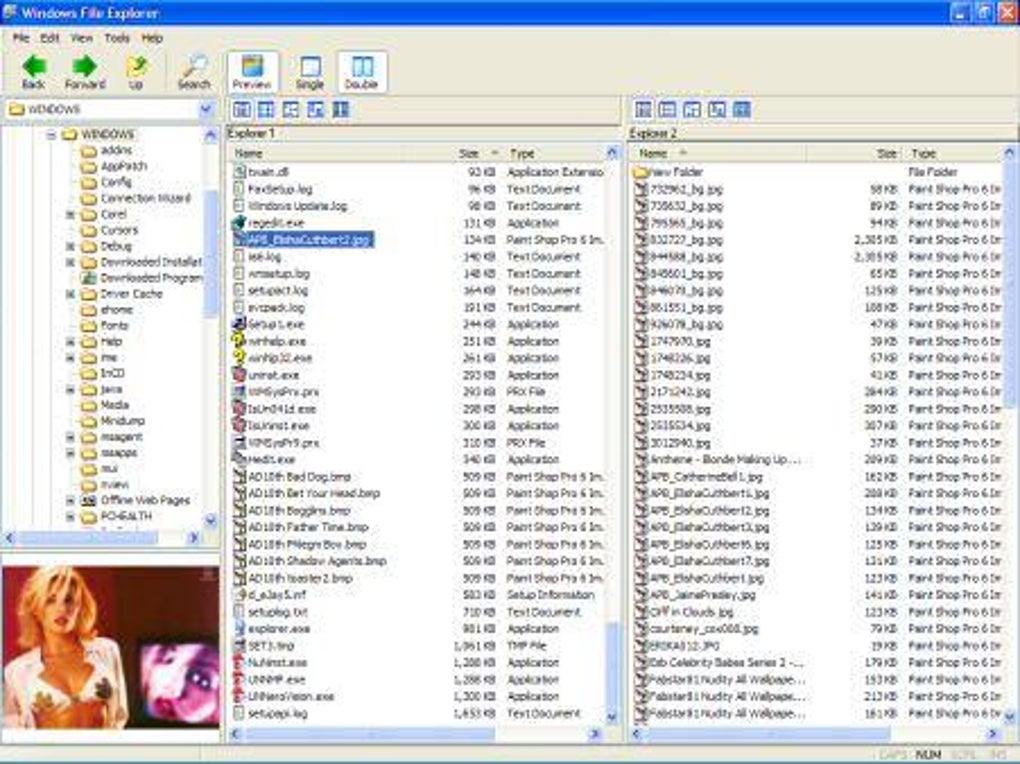
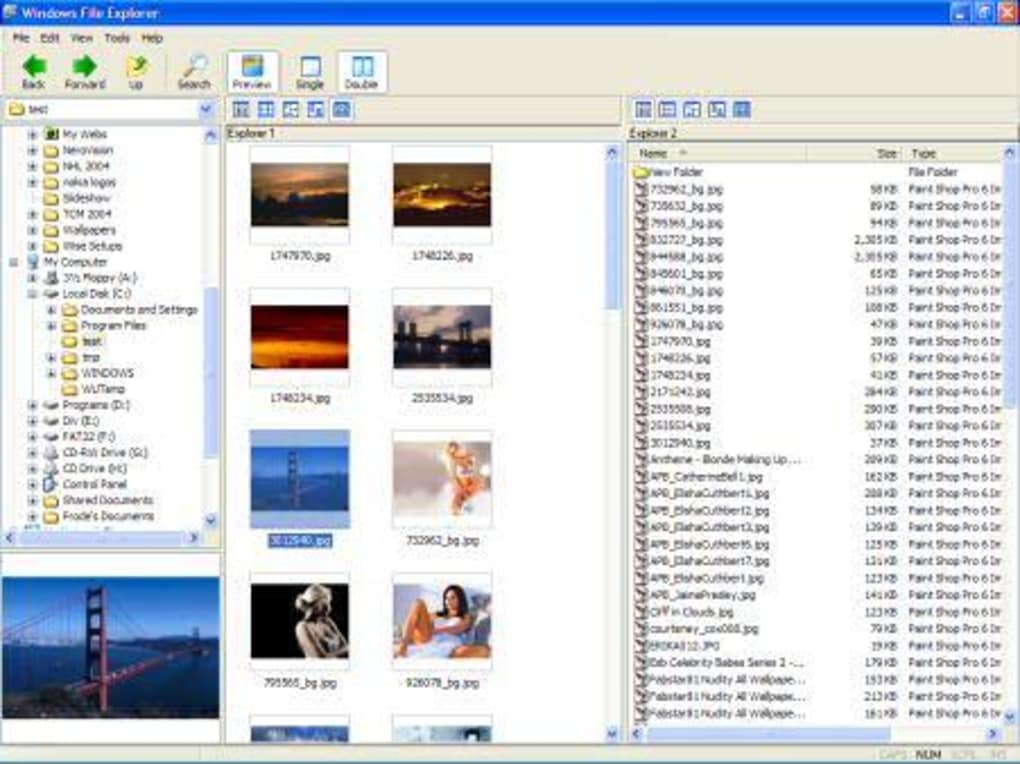
Windows File Explorer’s core functionality centers around enhancing the way users interact with files and folders. Unlike the standard Windows Explorer, which requires toggling between different view modes (e.g., icons, details) to adjust sorting and file order, Windows File Explorer provides a more streamlined approach. Users can seamlessly switch between single view and side-by-side views, allowing for efficient comparison and transfer of files between directories. The inclusion of a sizable file preview pane on the bottom left further aids in quick identification and selection of files. This seemingly small improvement can significantly accelerate the workflow, especially when dealing with a large number of files requiring sorting and organization.
This improved usability is particularly beneficial when performing tasks such as copying numerous files between folders. The side-by-side view allows for direct visual comparison and selection, eliminating the need for constant switching between views. This enhancement improves efficiency and reduces the cognitive load associated with file management, making the process less prone to errors. The larger preview function, compared to the standard Windows preview, also facilitates faster identification of files, especially for image or document-heavy tasks.
The application also aims to address the often-criticized slow file search functionality of Windows 10, especially on systems with limited processing power. While the success of this optimization varies depending on the system configuration and Windows version, the potential for a significant speed boost in file searches is a key selling point. For users struggling with sluggish search times, Windows File Explorer could provide a substantial performance enhancement, transforming what is often a tedious task into a far more efficient process.
Target Audience and Practical Applications
While the improvements offered by Windows File Explorer might seem insignificant to casual users, its true value shines for professionals and power users who frequently engage in file manipulation and organization. Individuals working with large datasets, managing numerous projects, or regularly transferring files between locations will find its features invaluable. The streamlined workflow, enhanced sorting options, and potential performance boost in search functionality translate to significant time savings and increased productivity.
The dual-pane view is exceptionally useful for tasks involving bulk file operations. Users can easily drag and drop files between folders, select multiple items simultaneously, and compare file information without constantly switching between different views. This feature minimizes the number of steps required for file management tasks, thus accelerating the overall workflow. This direct comparison and drag-and-drop functionality significantly reduce the time and effort required, making the process more intuitive and efficient.
Addressing Limitations and Potential Issues
Despite its strengths, Windows File Explorer is not without limitations. Compatibility can be an issue, with some users reporting difficulties in getting the application to function correctly on certain Windows 10 configurations. Furthermore, not all features are available on all versions of Windows (e.g., Windows 7 and 10). While these limitations are acknowledged by the developers, they nonetheless represent a potential barrier to entry for some users.
The application’s relatively minor changes to the existing file explorer functionality might also be considered irrelevant by some users who are already comfortable with the standard Windows Explorer. For those who find the standard Windows Explorer adequate for their needs, the benefits offered by Windows File Explorer might not be compelling enough to justify the switch. The incremental nature of the improvements might fail to impress those seeking a radical overhaul of the file management experience. It’s crucial for potential users to weigh the potential benefits against their existing workflow and needs.
Comparison with Alternative File Managers
The market offers a range of alternative file managers for Windows, each with its own strengths and weaknesses. Direct competitors include well-established applications such as Explorer++, offering more extensive customization options, and simpler, more lightweight applications focusing on ease of use. The choice of which file manager to use often depends on individual preferences and specific requirements.
Compared to some of these alternatives, Windows File Explorer occupies a middle ground, offering a balance between functionality and simplicity. It’s less feature-rich than some heavy-duty alternatives but significantly more streamlined than the default Windows Explorer. This positioning makes it a potentially attractive option for users seeking a balanced approach without sacrificing ease of use. The decision of whether to use Windows File Explorer depends on the user’s specific needs and their tolerance for the application’s limitations.
User Reviews and Community Feedback
User reviews provide valuable insights into the real-world experiences with Windows File Explorer. Positive feedback often highlights the improved speed of file searches, the convenience of the side-by-side view, and the larger preview pane. However, negative feedback frequently centers on compatibility issues, particularly on older or less powerful systems. A common theme is the variability of the performance gains, with some users reporting significant improvements while others experience little to no change in file search speed.
This divergence in user experiences highlights the importance of considering individual system configurations and expectations. While the application aims to improve file search times, the actual impact can vary considerably depending on factors such as processor speed, RAM capacity, and the amount of data being searched. Users should understand that the claimed performance enhancements might not be universally applicable.
Conclusion: A Niche but Valuable Tool
Windows File Explorer caters to a specific niche of users: those who regularly handle large numbers of files and find the standard Windows Explorer’s functionality insufficient. For these power users, the streamlined workflows and potential performance enhancements offered by this application can significantly impact productivity. However, its relatively minor improvements and occasional compatibility issues might make it less appealing to casual users or those accustomed to alternative file managers. The ultimate value of Windows File Explorer rests on the individual user’s specific needs and expectations. While not a revolutionary replacement for existing file managers, it offers a practical solution for a specific user demographic seeking incremental improvements in file management efficiency. The application’s success hinges on the user’s ability to identify with its core strengths and accept its limitations.
File Information
- License: “Free”
- Version: “0.6”
- Latest update: “March 6, 2023”
- Platform: “Windows”
- OS: “Windows 2000”
- Language: “English”
- Downloads: “293.4K”
- Size: “2.70 MB”


