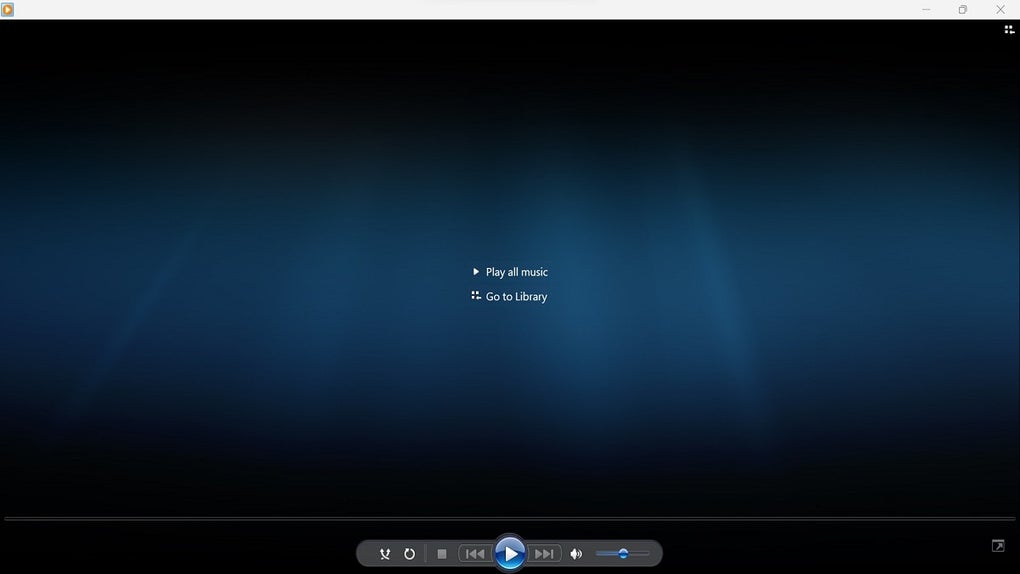
Windows Media Player Plus is a powerful plugin designed to significantly enhance the functionality and user experience of Windows Media Player. It’s not a replacement for the core media player, but rather a suite of additions that breathe new life into a familiar program. This review delves into the features, benefits, and limitations of this popular enhancement.
Enhanced Search and Improved Tag Editing
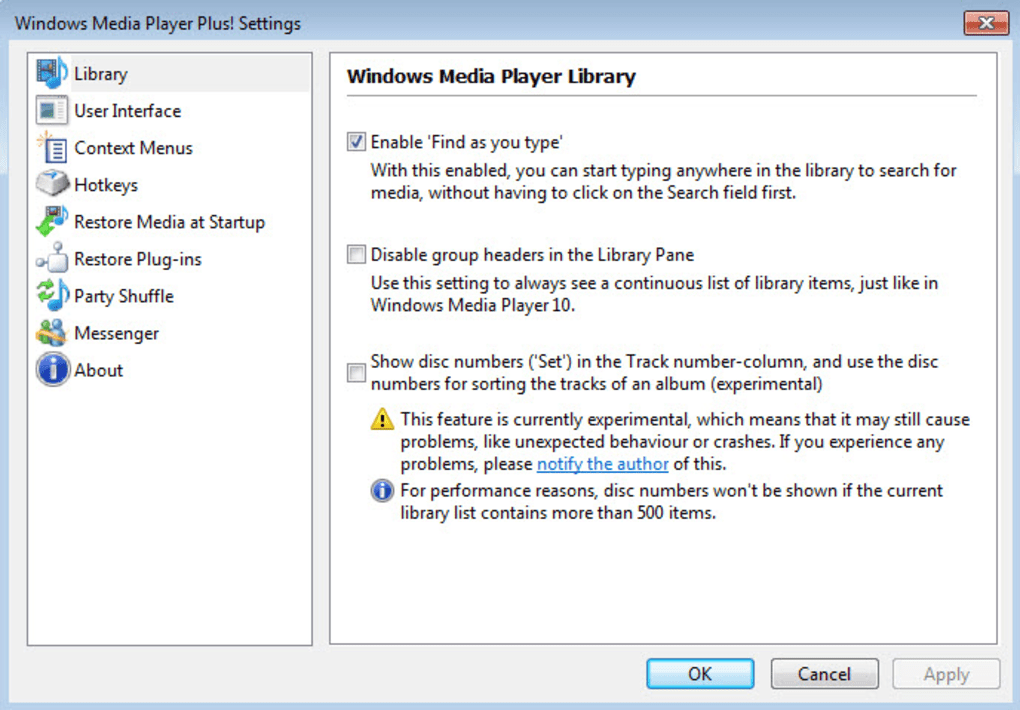
One of the standout improvements offered by Windows Media Player Plus is its significantly enhanced search functionality. Gone are the days of meticulously typing keywords into a specific search bar. This plugin allows for a more intuitive search process where you can begin typing the title of a song or video anywhere on the screen, and the plugin will instantly begin searching your media library. This contextual search drastically speeds up the process of locating specific files, making it a significant timesaver for users with extensive media collections.
Furthermore, Windows Media Player Plus includes a robust “Tag Editor Plus” for managing metadata associated with your media files. This editor goes beyond basic tagging capabilities, offering support for embedding album art directly into your files. A particularly helpful feature is its batch editing functionality, enabling users to efficiently update tags across multiple files simultaneously. This batch process eliminates the tedious task of individually adjusting metadata for each file, streamlining the organization of large media libraries. Finally, the inclusion of global hotkeys allows for quick and easy access to frequently used tag editing functions, furthering the efficiency of the process. The addition of Party Shuffle, a feature that randomizes playback order without repetition, adds to the overall entertainment value of the software.
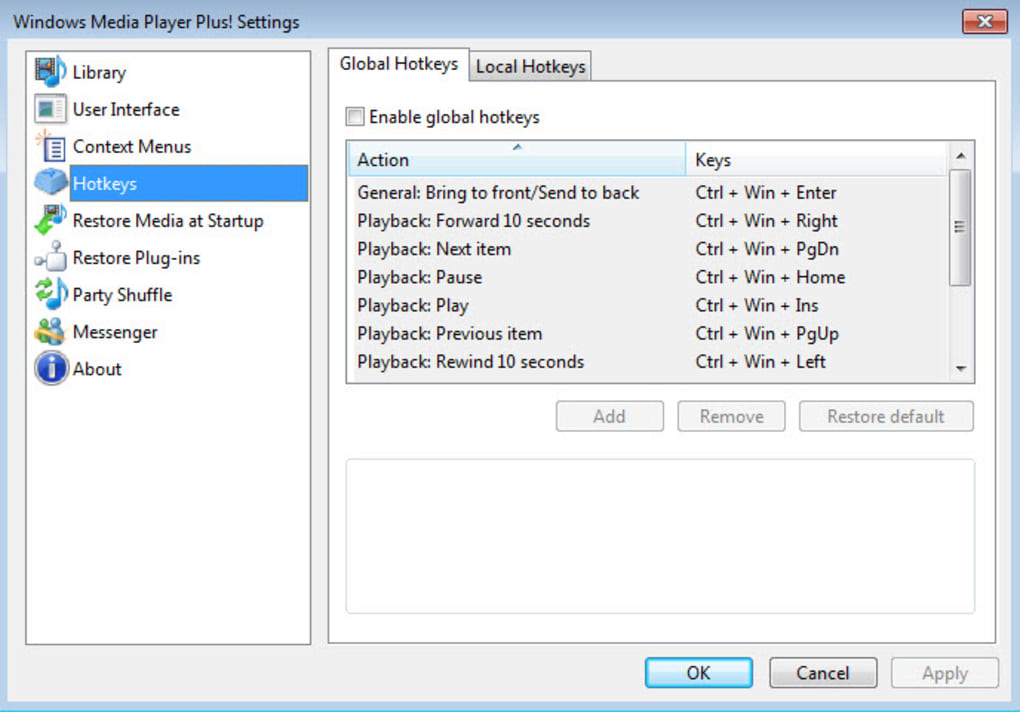
Interface Refinements and Customization Options
Beyond the core functionalities of search and tag editing, Windows Media Player Plus also focuses on improving the user interface of Windows Media Player itself. The plugin subtly refines the interface, maximizing the space allocated for displaying the currently playing media. This simple change creates a cleaner, less cluttered viewing experience, allowing the user to fully appreciate the visuals associated with their music videos or other media.
Customization options extend further. Users can choose to display the currently playing song directly on the Windows Media Player title bar, providing a quick visual cue of the currently active media. Another notable feature allows users to customize the format of messages displayed within Windows Live Messenger (a now-obsolete platform, rendering this feature largely irrelevant for modern users). This level of customization caters to users who prefer a more personalized media player experience, allowing them to tailor the program to their specific preferences and workflows.
Compatibility and Limitations
It’s important to acknowledge that Windows Media Player Plus exhibits some limitations. The plugin’s compatibility is restricted to the later versions of Windows Media Player, specifically versions 11 and 12. Users running older versions of Windows Media Player will unfortunately be unable to benefit from this enhancement. This compatibility restriction may limit the plugin’s accessibility for users on older operating systems or those who haven’t upgraded their media player software.
Performance and Stability
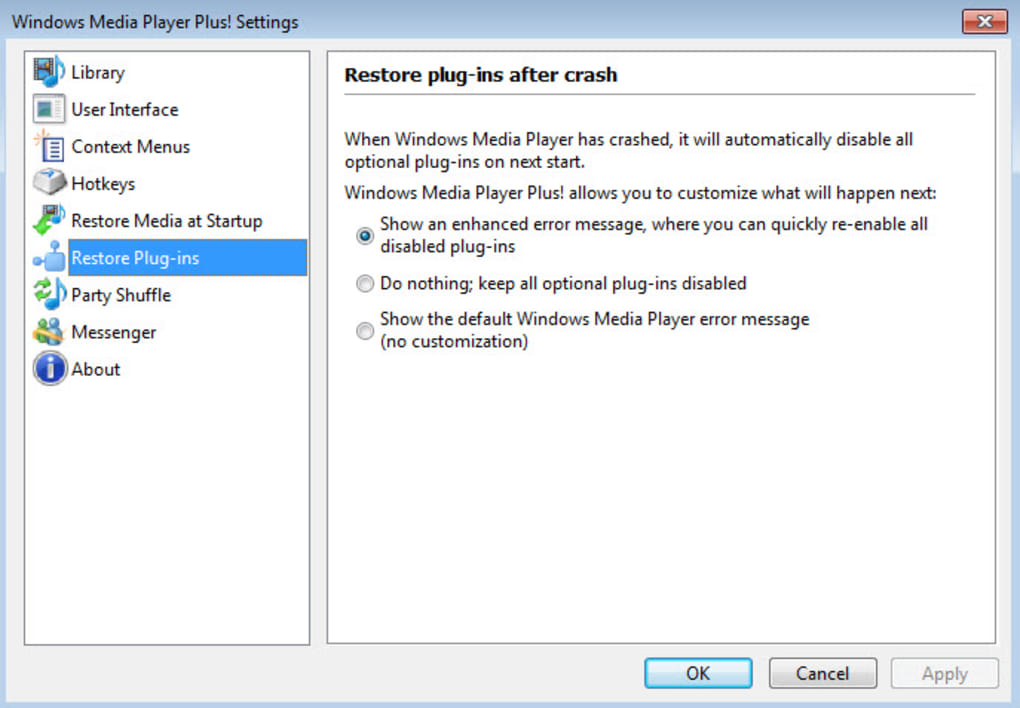
While offering significant improvements, the earlier versions of Windows Media Player Plus had some initial stability issues. Version 2.1, however, addressed many of these concerns, improving the overall stability and reliability of the plugin. This highlights the ongoing development and improvements made by the developers in response to user feedback and identified bugs. The developers’ commitment to addressing user concerns and improving the plugin’s performance demonstrates a focus on delivering a high-quality product.
User Reviews and Feedback
User feedback plays a significant role in shaping the development of any software, and Windows Media Player Plus is no exception. Positive reviews often highlight the plugin’s seamless integration with Windows Media Player, the noticeable graphical improvements, the convenience of the Tag Editor Plus, and the enhanced power of the default search tool. However, the most common criticism centers around the compatibility issue mentioned earlier – the limitation to Windows Media Player versions 11 and 12. Some users have also expressed a desire for more extensive playlist customization options, such as the ability to resize the playlist window to fit their individual preferences.
One user, in a review from December 2018, simply stated, “because is the best and you can make everything in the computer.” This enthusiastic comment reflects the positive impact the plugin has had on some users, enhancing their overall computer experience. Conversely, a review from October 2013 highlighted the lack of playlist resizing as a key limitation: “Remove the playlist bar size limit…The one thing I was hoping this would have is something that I dearly miss from Vista, the ability to make the playlist as big as you want, instead of it having a limit. If you add that, then this will be probably the best Windows Media Player enhancement that I’ve found.” This constructive criticism reflects a common user desire for increased flexibility in playlist management.
This range of feedback illustrates the multifaceted nature of user experiences with the plugin. While generally well-received, the plugin’s limitations and the desire for further enhancements highlight areas where future development could focus.
Alternatives and Comparisons
While Windows Media Player Plus offers a compelling set of features, it’s important to consider alternative media players and enhancements available. Many other players, such as VLC Media Player, offer robust media playback capabilities without requiring a plugin to enhance the core functionality. VLC, for example, is known for its broad format support and cross-platform compatibility. However, it doesn’t provide the same level of integration and customization specifically tailored to Windows Media Player as Windows Media Player Plus. The choice between these options depends on individual user priorities and preferences. Some users may prioritize the deep integration and specific enhancements provided by Windows Media Player Plus, while others may prefer the broader functionality and platform independence of a standalone media player like VLC.
Conclusion
Windows Media Player Plus serves as a valuable enhancement for users of Windows Media Player 11 and 12 who are seeking improved search functionality, refined tag editing capabilities, and a more customizable user interface. While limited by its compatibility restrictions, the plugin offers a noteworthy collection of features that significantly improve the overall media playback experience. The developer’s ongoing efforts to address stability issues and incorporate user feedback reinforce its position as a strong contender within the niche market of Windows Media Player enhancements. Ultimately, the suitability of Windows Media Player Plus depends on individual user needs and compatibility with their existing software setup. If you are using a compatible version of Windows Media Player and seek to enhance its capabilities, Windows Media Player Plus warrants serious consideration. However, users seeking broader media player functionality and cross-platform compatibility might find a standalone media player like VLC a more fitting alternative.
File Information
- License: “Free”
- Latest update: “July 15, 2022”
- Platform: “Windows”
- OS: “Windows 8”
- Language: “English”
- Downloads: “236K”
- Size: “939.29 KB”