
In the dynamic world of web development, having a robust and reliable local server environment is paramount. Whether you’re a seasoned professional, a student learning the ropes, or an enthusiast experimenting with new web technologies, the ability to develop, test, and debug websites on your own machine without the complexities of a live server is invaluable. This is precisely where XAMPP for Windows steps in, offering a comprehensive, easy-to-install, and entirely free solution that bundles the essential ingredients for a thriving web development ecosystem.
XAMPP, an acronym for Cross-Platform (X), Apache (A), MySQL (M), PHP (P), and Perl (P), is a powerful open-source web server solution stack developed by Apache Friends. Its primary objective is to provide developers with a simple and quick way to install and run an Apache web server, MySQL database, and PHP/Perl interpreters directly on their local computers. For Windows users, XAMPP is particularly celebrated for its straightforward installation process and the intuitive graphical user interface (GUI) it provides, making it accessible even for those new to server management.
The necessity of a local development environment cannot be overstated. It allows developers to create and modify websites offline, experiment with code without affecting a live site, test new features rigorously, and collaborate effectively within a team. XAMPP for Windows delivers on this promise by packaging all critical components into a single, cohesive installer, eliminating the tedious task of installing and configuring each element individually. This convenience is a significant factor in its widespread adoption, making it a cornerstone tool for countless web developers globally.
Development Essentials: Building Your Local Web Server
At its core, XAMPP is a testament to streamlining the development process, particularly for those working with dynamic web applications. The “Desarrollo” (Development) aspect of XAMPP is evident in its carefully curated selection of components, each playing a crucial role in bringing web projects to life. By bundling these technologies, XAMPP empowers developers to set up a fully functional local server environment in minutes, ready to host and serve web pages from their machine.
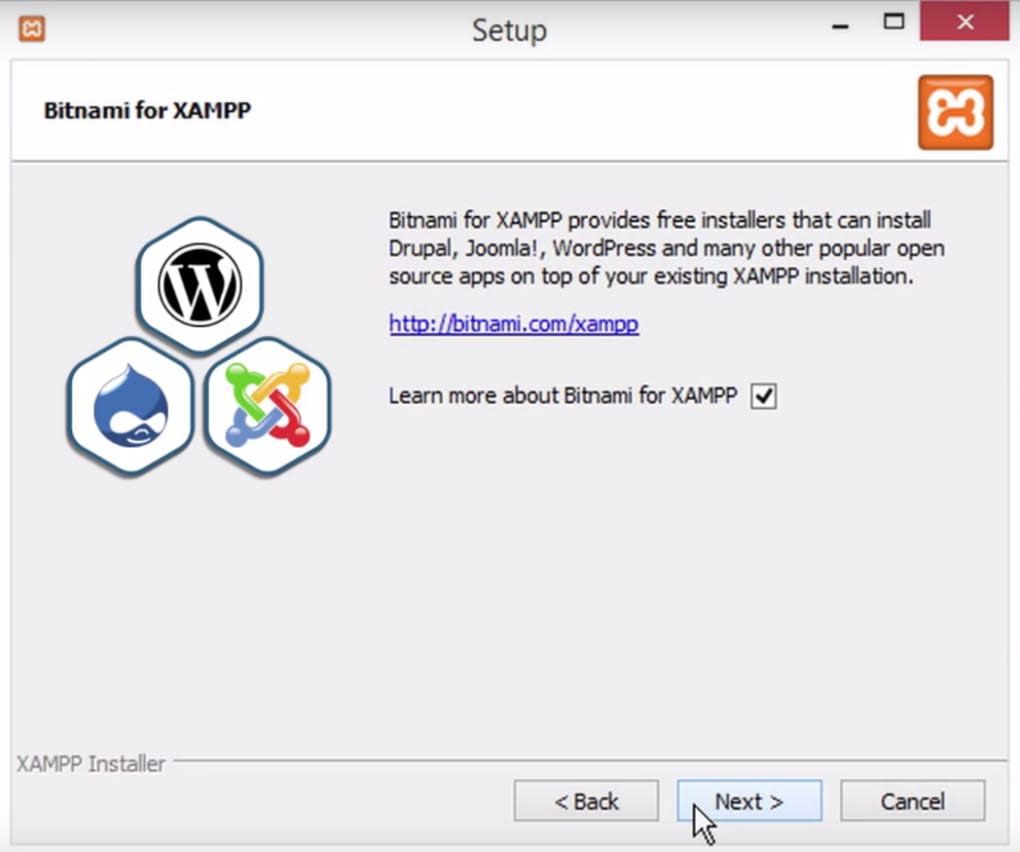
The Core Components: Apache, MySQL, PHP, and Perl
The power of XAMPP lies in its core components, which are industry standards for web development:
-
Apache (A): This is the ‘A’ in XAMPP and stands for the Apache HTTP Server, the world’s most widely used web server software. Apache’s role is to serve web pages over the internet (or, in this case, locally) when requested by a client (your web browser). It interprets HTTP requests and delivers the appropriate files (HTML, CSS, JavaScript, images, etc.) to the user. XAMPP ensures you get a recent and stable version of Apache, configured to run efficiently on your Windows system, often installing it as a service for convenience.
-
MySQL (M): The ‘M’ represents MySQL, an open-source relational database management system (RDBMS). MySQL is fundamental for any dynamic website that needs to store and retrieve data, such as user profiles, product inventories, blog posts, or e-commerce transactions. XAMPP integrates MySQL seamlessly, allowing developers to create, manage, and interact with databases locally. Like Apache, MySQL can be installed as a service, ensuring it’s always ready when you need it.
-
PHP (P): The first ‘P’ in XAMPP signifies PHP (Hypertext Preprocessor), a powerful and widely used open-source scripting language especially suited for web development. PHP code runs on the server, generating dynamic HTML content that is then sent to the client’s browser. It’s the engine behind many popular content management systems (CMS) like WordPress, Joomla, and Drupal. XAMPP includes the latest stable versions of PHP, ensuring compatibility with modern web applications and frameworks.
-
Perl (P): The second ‘P’ stands for Perl, a high-level, general-purpose interpreted dynamic programming language. While PHP is dominant for web scripting, Perl offers versatility for various tasks, including system administration, network programming, and, indeed, web development (especially for CGI scripting). Its inclusion in XAMPP caters to developers who might use Perl for specific backend tasks or legacy projects. XAMPP often includes MiniPerl, a lightweight version suitable for general use.
Together, these components form a robust platform where developers can build, test, and deploy everything from simple static pages to complex, data-driven web applications. XAMPP’s unified installer ensures that these technologies are not just present but also pre-configured to work harmoniously, drastically reducing the setup time and potential compatibility issues.
Streamlining Database Management with phpMyAdmin
Beyond the core server and scripting elements, XAMPP further enhances the “Desarrollo” experience by including phpMyAdmin. This web-based tool is an absolute lifesaver for anyone working with MySQL databases. phpMyAdmin provides an intuitive graphical interface for managing your MySQL databases directly through your web browser.
With phpMyAdmin, you can:
- Create and drop databases and tables: Easily set up the structure for your data.
- Run SQL queries: Execute commands to manipulate data or retrieve information.
- Manage user privileges: Control who has access to which parts of your database.
- Import and export data: Backup your database or migrate data between environments.
- Browse and edit data: View and modify table contents with ease.
This tool simplifies database administration, allowing developers to focus more on coding and less on memorizing complex SQL commands or using command-line interfaces. For local development, it’s an indispensable utility that contributes significantly to XAMPP’s overall user-friendliness and comprehensive nature.
Productivity and Utilities: Enhancing Your Workflow
XAMPP for Windows isn’t just a collection of server components; it’s a productivity suite designed to make the web development process as smooth and efficient as possible. The concept of “Productividad” (Productivity) is woven into its design, offering a “Práctico asistente” (practical assistant) and an intuitive control panel that significantly enhances a developer’s workflow. Furthermore, a “Amplia colección de librerías” (wide collection of libraries) and additional applications extend its utility far beyond basic server functions.
The Intuitive XAMPP Control Panel
One of XAMPP’s most appreciated features is its user-friendly Control Panel. This GUI acts as a central hub for managing all the bundled services. Instead of interacting with command-line prompts or configuration files, developers can start, stop, and restart Apache, MySQL, FileZilla, Mercury Mail, and Tomcat (if installed) with just a click.
The Control Panel provides:
- Service Management: Toggle the running state of each component.
- Configuration Access: Quick links to edit crucial configuration files (e.g.,
httpd.conffor Apache,php.inifor PHP,my.inifor MySQL). - Log Viewer: Access server logs directly, which is vital for debugging and troubleshooting.
- Shell Access: A shortcut to the command line, offering more advanced control when needed.
- Service Installation: Option to install Apache and MySQL as Windows services, allowing them to run automatically when your computer starts.
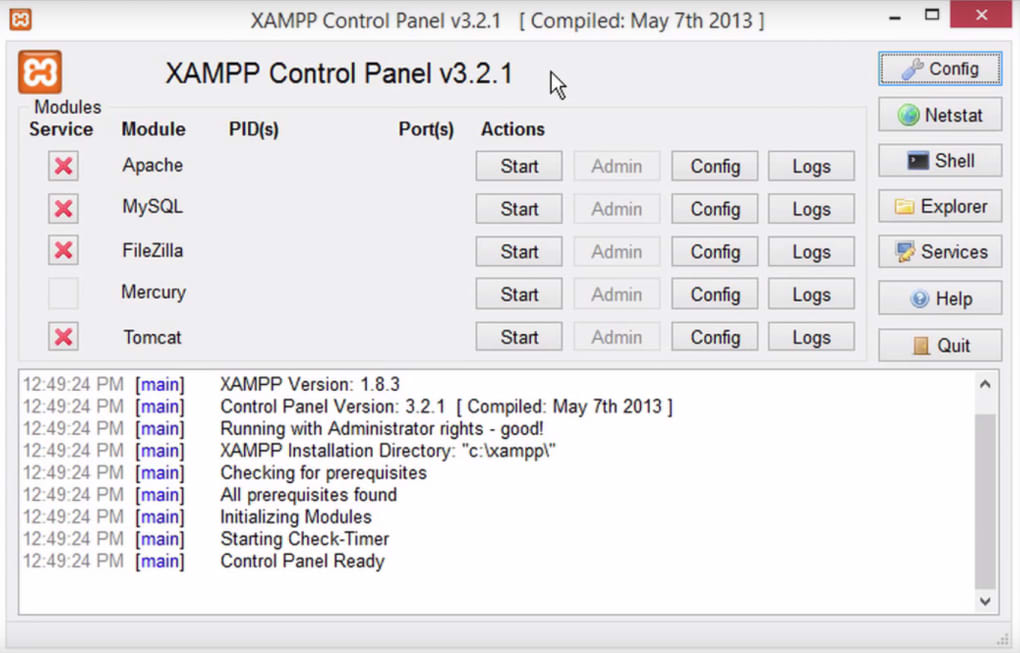
This centralized management makes it incredibly easy to control your local server environment, saving precious time and reducing the learning curve for new users. The thoughtful design of the Control Panel exemplifies XAMPP’s commitment to developer productivity.
Integrated Tools for Comprehensive Development
Beyond the core stack and the control panel, XAMPP bundles several other valuable “Utilidades y Herramientas” (Utilities and Tools) that cater to various aspects of web development and testing:
-
FileZilla FTP Server: While primarily for local development, having an integrated FTP server allows developers to simulate deploying files to a remote server or to test FTP functionalities directly on their machine. This is particularly useful for workflows that involve FTP clients for file transfers.
-
Mercury Mail: This is a local mail transport agent included in XAMPP. It allows developers to test email functionalities within their applications (e.g., contact forms, user registration emails, password resets) without having to connect to an actual external SMTP server. This ensures that the email sending logic of an application works correctly before going live.
-
OpenSSL and mod_ssl: These components provide the capabilities for secure communication via HTTPS. For local development, this means you can test SSL certificates and secure connections, which is increasingly important for all websites, even in a development environment.
-
PEAR (PHP Extension and Application Repository): XAMPP’s inclusion of PEAR provides a framework and distribution system for reusable PHP components. This gives developers access to a vast library of ready-to-use PHP code, accelerating development by leveraging existing solutions for common tasks.
-
SQLite: While MySQL is the primary database, SQLite offers a lightweight, file-based database solution that is excellent for smaller projects or for testing database functionalities without the overhead of a full server.
-
Webalizer: This web server log file analysis program provides statistics about website usage, such as page views, visitor numbers, and popular content. While more relevant for live servers, its inclusion allows developers to understand basic traffic patterns and optimize their local development for performance.
-
Zend Optimizer: Though somewhat less prominent in modern PHP environments (given advancements in PHP itself and OpCache), Zend Optimizer was historically included to improve PHP script execution performance by compiling PHP code into an intermediate format. Its presence underscores XAMPP’s intention to provide a comprehensive, performance-aware development environment.
This extensive collection of utilities means that developers often don’t need to look elsewhere for supplementary tools, making XAMPP a truly all-in-one solution that enhances productivity across the entire development lifecycle.
Connecting Your Projects: Local Hosting and Network Interactions
The essence of a local server like XAMPP is to enable “Internet y Redes” (Internet and Networks) capabilities on a single machine, effectively turning your Windows PC into a mini web host. This allows you to simulate a live website environment, understanding how your projects interact with browsers and, potentially, other devices on your local network.
Hosting Your Websites Locally
With Apache running, your XAMPP installation designates a specific directory, typically htdocs within the XAMPP installation folder, as the root for your web projects. Any HTML, PHP, CSS, or JavaScript files placed here become accessible via your web browser. By typing http://localhost/your_project_folder/ into your browser’s address bar, you can view your website just as if it were hosted on a remote server.
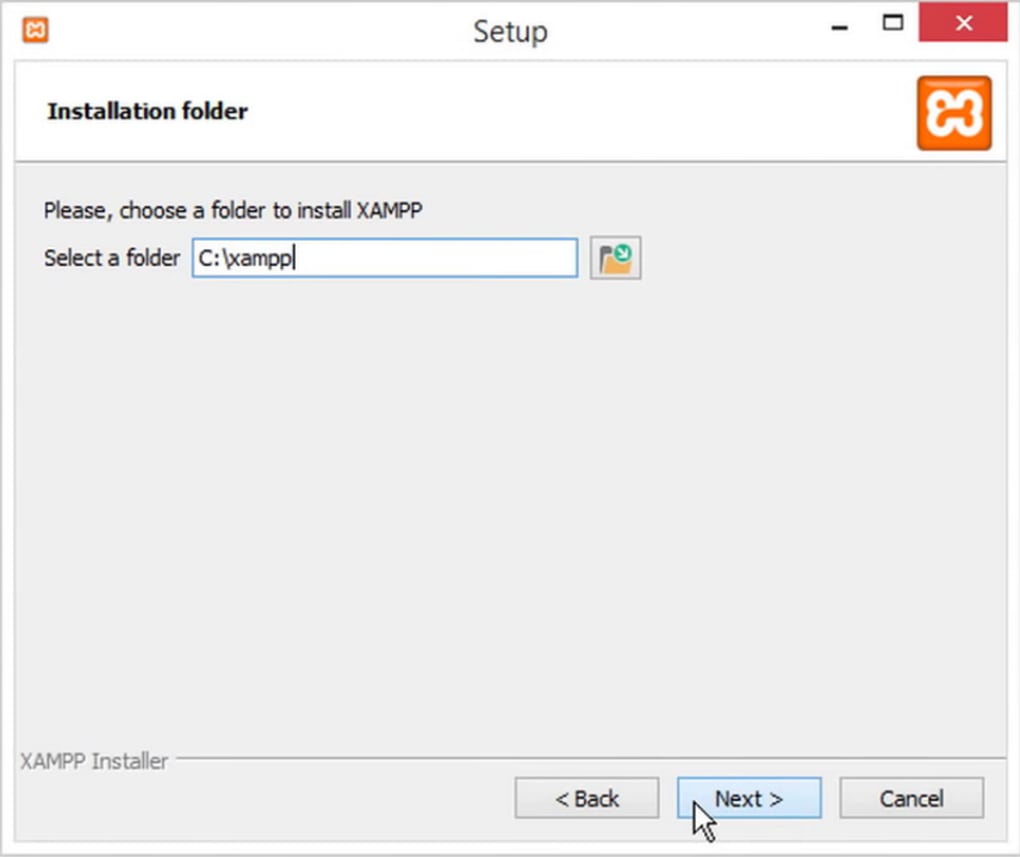
This local hosting capability is critical for:
- Rapid Iteration: Make changes to your code and refresh your browser to see the results instantly, without the delay of uploading files to a remote server.
- Offline Development: Work on your projects anywhere, anytime, even without an internet connection.
- Testing Complex Interactions: Test database connections, form submissions, and API interactions in a controlled environment.
- Security for Development: Your development site is not exposed to the public internet by default, providing a secure sandbox for experimentation.
XAMPP also makes it easy to set up virtual hosts, allowing you to simulate multiple domain names (e.g., http://myproject1.local, http://myproject2.dev) on your single local server. This mirrors a real hosting environment more closely and simplifies managing multiple projects simultaneously.
Understanding Local Network Interactions
While primarily for individual development, XAMPP can also facilitate basic local network interactions. For instance, if correctly configured (and with appropriate firewall rules), other devices on your local network (e.g., other computers, tablets, smartphones) can access your locally hosted websites by using your computer’s local IP address instead of localhost. This is particularly useful for:
- Cross-Device Testing: Ensuring your website is responsive and functions correctly across various devices and browsers on your local network.
- Showcasing Projects Locally: Easily demonstrate your work to colleagues or clients who are physically present and connected to the same network, without needing to deploy to a public server.
It’s crucial to remember that XAMPP is designed for local development, not for public web hosting. Exposing a XAMPP server to the public internet without proper security hardening is strongly discouraged due to potential vulnerabilities. However, its capabilities for local network sharing provide an excellent bridge for development and testing within a confined, trusted environment.
Beyond the Basics: Configuration, Best Practices, and Community
While XAMPP is renowned for its ease of use, its true potential unfolds as developers delve deeper into its configuration and embrace best practices. The “Utilidades y Herramientas” (Utilities and Tools) category encompasses not just the bundled software but also the underlying flexibility that XAMPP offers for advanced users. The strong community surrounding XAMPP, including resources provided by PhanMemFree (formerly Softonic), also contributes significantly to its utility.
Customizing Your XAMPP Environment
XAMPP provides configuration files for each of its components (Apache, PHP, MySQL). Editing these files allows developers to tailor the environment to their specific needs:
- PHP Configuration (
php.ini): Adjust memory limits, upload sizes, error reporting levels, and enable/disable PHP extensions. This is vital for running specific applications or optimizing performance. - Apache Configuration (
httpd.conf,httpd-vhosts.conf): Configure virtual hosts, enable/disable modules, set up custom rewrite rules, and adjust server settings for specific project requirements. - MySQL Configuration (
my.ini): Optimize database performance parameters, character sets, and buffer sizes.
While XAMPP offers a fantastic out-of-the-box experience, the ability to fine-tune these settings provides immense flexibility, making it suitable for a wide range of development scenarios, from simple HTML sites to complex Laravel or Symfony applications.
Addressing User Feedback and Alternatives
Like any popular software, XAMPP has garnered a variety of user opinions over the years. Some users, as noted in reviews on PhanMemFree.org (formerly Softonic.com), praise its extreme ease of use, quick setup, and comprehensive features. They highlight the ability to see PHP and databases working locally without the need for public hosting as a major “pro.”
However, other users might point out minor drawbacks or express preferences for alternative solutions. For instance, one user mentioned that “Q las ayudas estan en ingles” (the help is in English), which can be a small hurdle for non-English speakers, though XAMPP’s interface itself is available in multiple languages. Another user, while acknowledging XAMPP’s utility, suggested that alternatives like “vertri goser v” (likely VertrigoServ) or “appserv” might be “más fácil” (easier) or offer different configuration tools. These observations are valuable as they highlight the diverse needs and preferences within the development community.
It’s true that while XAMPP is a fantastic general-purpose stack, other localized server environments exist (e.g., WampServer, MAMP, Laragon, Devilbox). Each has its strengths, often catering to specific operating systems or development philosophies. For example, some alternatives might offer a more streamlined experience for a particular PHP framework, or prioritize certain database types. However, XAMPP consistently remains a top choice due to its cross-platform nature, extensive bundle, and robust community support. Its “pros” like the “amplia colección de librerías,” “práctico asistente,” and “panel de control” often outweigh any minor “contras,” solidifying its position as a go-to tool for local development on Windows.
One user’s feedback about XAMPP potentially consuming resources (“te sube en tres o cuatro las tareas que es lo mismo que te deja el ordeñado un poco tonto del pijo”) speaks to the importance of resource management. Running multiple server components can indeed use RAM and CPU. However, the XAMPP Control Panel makes it easy to start and stop services on demand, ensuring that you only run what you need, thereby mitigating unnecessary resource usage. Understanding how to manage these services is part of mastering any local server environment.
Community and Resources
The XAMPP project benefits from a vibrant and active community. Apache Friends, the developers behind XAMPP, maintain extensive documentation and forums. Websites like PhanMemFree.org provide download links, version information, and user reviews, serving as a hub for users to share their experiences and get insights. This collective knowledge base is invaluable for troubleshooting, discovering best practices, and staying updated with new releases or features. The availability of XAMPP in numerous languages, as highlighted on PhanMemFree.org (including “Español,” “Inglés,” “Alemán,” “Francés,” and many more), further emphasizes its global reach and accessibility.
Conclusion
XAMPP for Windows stands out as an indispensable tool for anyone involved in web development. Its commitment to ease of use, demonstrated by its automated installation, intuitive control panel, and pre-configured components, makes it highly accessible for beginners. At the same time, its comprehensive bundle of Apache, MySQL, PHP, Perl, phpMyAdmin, and numerous other utilities provides the depth and flexibility required by experienced developers.
Whether you’re crafting a new website from scratch, maintaining an existing application, learning new programming languages, or simply testing a new plugin, XAMPP provides a stable, powerful, and free local environment to achieve your goals. It removes the complexities of server setup, allowing developers to focus on what they do best: building amazing web experiences. By integrating essential “Desarrollo” tools, enhancing “Productividad” with smart utilities, facilitating “Internet y Redes” interactions locally, and fostering a strong community, XAMPP truly empowers Windows users to embark on their web development journey with confidence and efficiency. Its enduring popularity on platforms like PhanMemFree.org is a testament to its unparalleled value in the modern web development landscape.


