
XSearch is a free, lightweight Windows utility designed to streamline local file searching on your computer. This comprehensive guide explores its features, functionality, and compares it to other similar applications. We’ll delve into its history, user experience, and its place within the broader landscape of Windows search tools.
Understanding XSearch’s Functionality
XSearch provides a rapid and efficient method for locating files and folders on your Windows system. Unlike Windows’ built-in search functionality, which can sometimes be slow and less precise, XSearch offers a more targeted approach, allowing users to quickly pinpoint specific files based on various criteria. Its simplicity is a key advantage, providing a user-friendly interface that avoids the complexities of more advanced search tools. This makes it ideal for both casual and experienced computer users. The program’s compact size also ensures it doesn’t consume excessive system resources, even on older machines.
One of XSearch’s strengths lies in its speed. By focusing specifically on local files and folders, it avoids the delays associated with searching online databases or network drives. This quick search capability is particularly beneficial when dealing with large numbers of files or when time is critical.
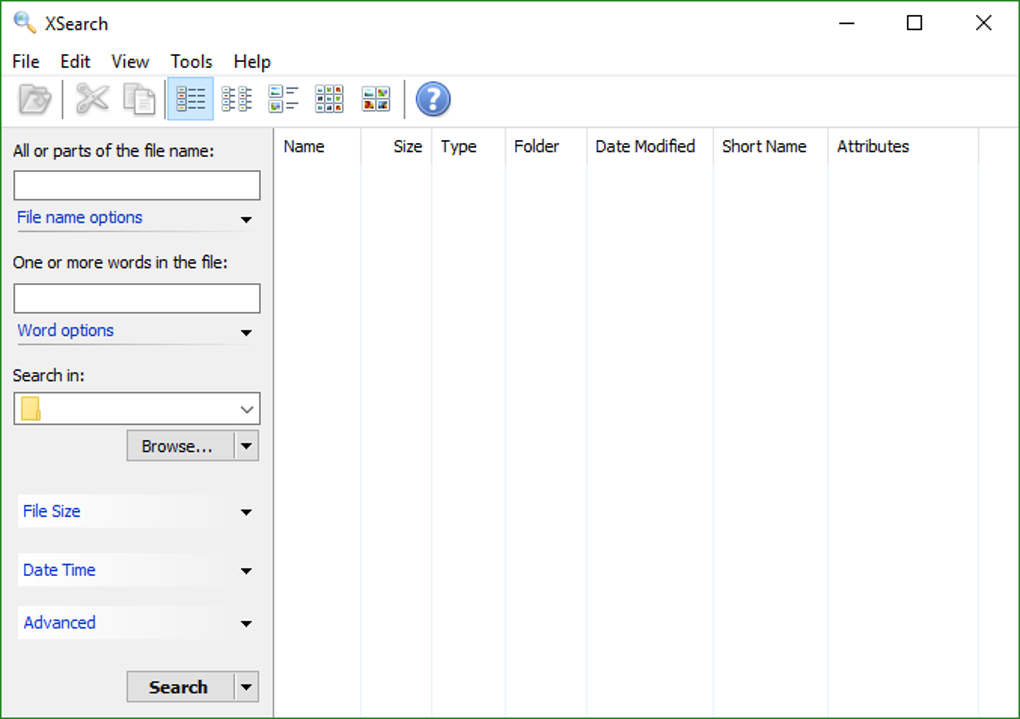
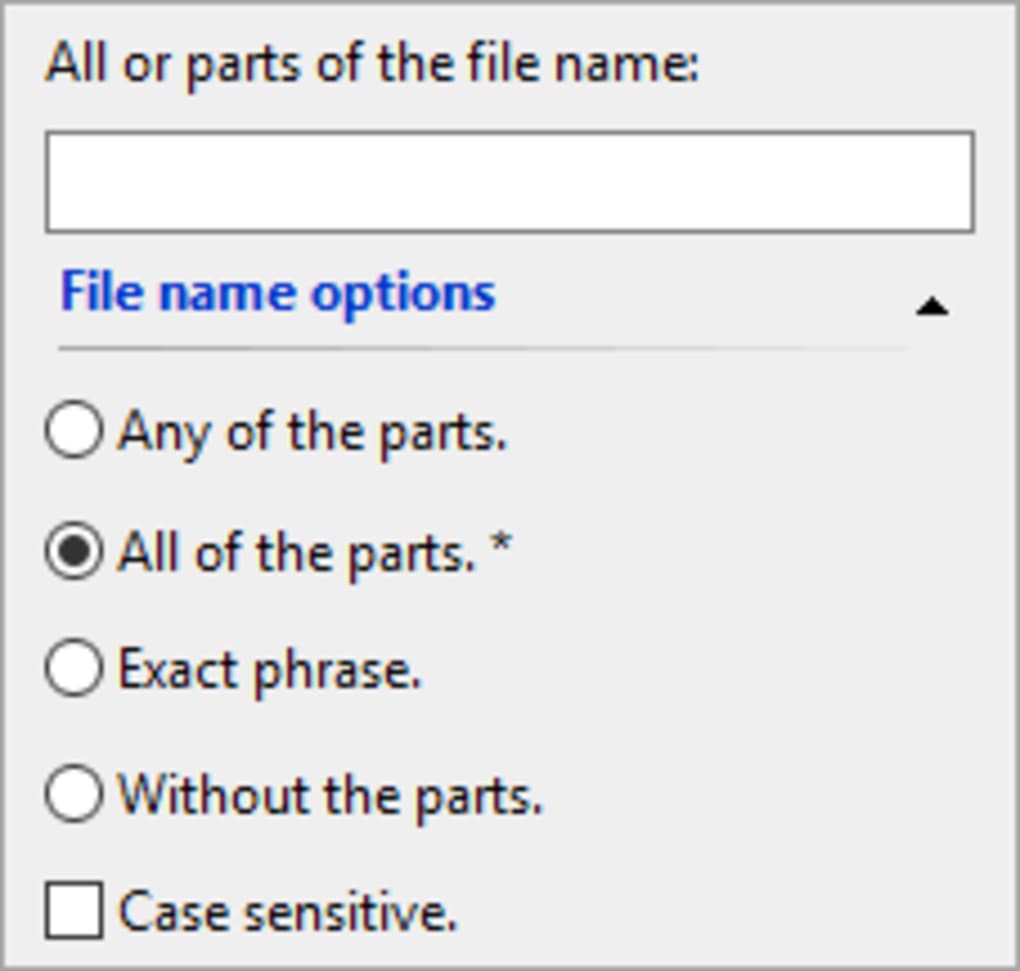
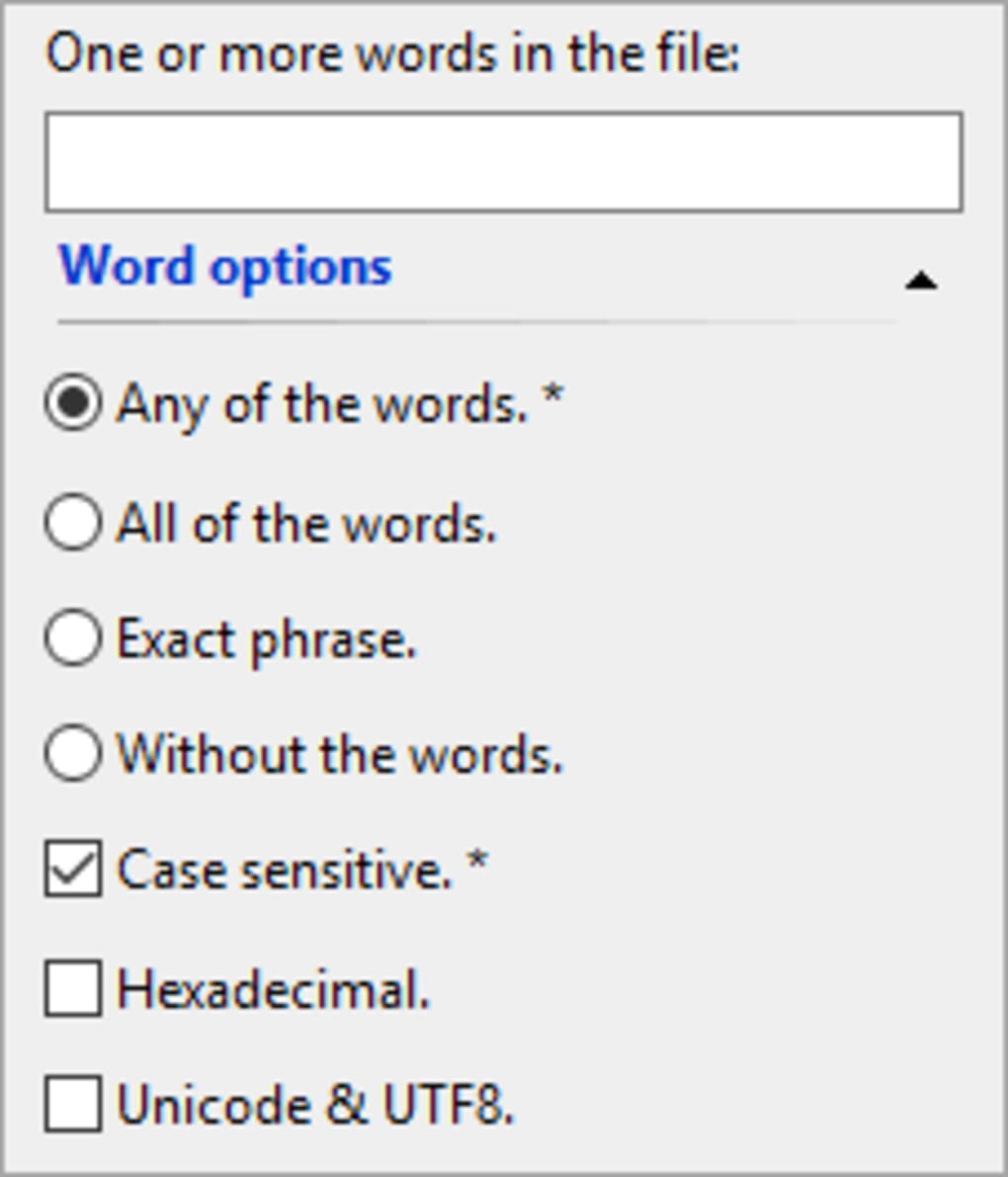
The program’s core functionality centers around providing a streamlined search experience. Users can input keywords, file types, or specific file names to narrow their search parameters. While it might lack the advanced filtering options of some more sophisticated alternatives, its simplicity is a significant asset for users seeking a quick and efficient solution.
While specific details about its indexing mechanisms are not publicly available, its speed suggests an efficient underlying system for cataloging and searching files within the specified directories. This efficiency contributes to XSearch’s overall ease of use and effectiveness.
XSearch Compared to Other Search Utilities
XSearch occupies a unique niche within the landscape of Windows search utilities. It excels in its simplicity and speed, making it a practical choice for users prioritizing quick searches. However, this simplicity also means it lacks some of the advanced features found in other, more comprehensive applications.
Let’s consider some competitors:
-
Everything: A highly popular alternative, Everything boasts incredibly fast search speeds due to its real-time indexing. It provides more advanced filtering options than XSearch, allowing users to refine their searches using various criteria, including file size, date modified, and attributes. However, Everything’s interface might be considered less intuitive by some users compared to XSearch’s minimalist design.
-
Agent Ransack: Another robust option, Agent Ransack offers advanced search capabilities, including regular expression support for complex searches. This tool’s flexibility caters to users needing highly targeted searches, but it carries a steeper learning curve compared to XSearch.
-
SearchMyFiles: A freeware application, SearchMyFiles provides a feature-rich interface with customizable search options. It allows for powerful filtering and offers various export options for the search results. While more feature-rich than XSearch, its interface may be somewhat overwhelming for novice users.
-
Ava Find: Ava Find distinguishes itself through its AI-powered approach to searching. It utilizes artificial intelligence to understand the context of the search query and return more relevant results. This advanced functionality comes at the cost of increased system resource consumption and a more complex interface compared to XSearch.
In essence, XSearch occupies a sweet spot for users who prioritize speed and simplicity over advanced features. While other applications offer more complex search options, XSearch’s streamlined approach makes it an excellent choice for users who need a fast and uncomplicated way to locate files on their computer.
XSearch’s User Interface and Experience
XSearch boasts a remarkably simple and intuitive user interface. The program’s main window features a single search box and minimal controls. This minimalist design contributes to its ease of use, making it accessible to users of all technical skill levels. There are no complex settings or options to navigate; users simply type their search query and the program returns the results. This focus on simplicity eliminates the potential confusion associated with more complex search utilities.
The search results are presented in a clear and concise list, displaying the file name, path, and size. This straightforward presentation enhances the overall user experience by providing readily accessible information without overwhelming the user with unnecessary detail. The program’s responsiveness is commendable, with search results appearing almost instantaneously. This quick response time reinforces its reputation for efficient searching.
Although XSearch lacks advanced features like file preview or the ability to directly open files from the search results, its simplicity makes up for these omissions. Users who value speed and ease of use will appreciate the uncluttered interface and straightforward functionality.
The lack of extensive customization options might be a drawback for some users, but for many, it contributes to the program’s overall simplicity and ease of use. It allows users to focus on the task at hand: quickly finding the files they need without being bogged down by complex settings or configuration options.
XSearch: History, Updates, and Future Potential
XSearch was first added to the Phanmemfree software library in 2006, showcasing a history spanning nearly two decades. This longevity indicates a certain level of stability and ongoing use, although the development pace appears to have slowed considerably in recent years. While the latest update dates back to May 23, 2023, the infrequent updates might raise some concerns about future development and support.
The relatively small size of the application (around 235 KB) and its compatibility with older versions of Windows (Windows 98 and later) highlight its lean design and enduring practicality. This compatibility ensures its usability across a wider range of computer systems. However, it is important to acknowledge that limited updates could potentially limit compatibility with future operating systems and software changes.
The future of XSearch remains uncertain. While its current functionality serves a specific need, the lack of frequent updates might hinder its long-term prospects. The emergence of more powerful and feature-rich search utilities poses a competitive challenge. However, for users who prioritize speed and simplicity above all else, XSearch could still retain its appeal. The incorporation of new features or improvements to existing ones would significantly enhance its value proposition.
In conclusion, XSearch remains a viable option for users seeking a fast and simple local file search utility. Its age and relatively infrequent updates should be considered, but its straightforward functionality and continued availability make it a practical choice for those who prefer simplicity and speed over advanced features. Future developments will determine whether it can continue to compete in a rapidly evolving market of search tools.
File Information
- License: “Free”
- Latest update: “May 23, 2023”
- Platform: “Windows”
- OS: “Windows 98 SE”
- Language: “English”
- Downloads: “9.6K”
- Size: “235.13 KB”


