
Zip-Unzip is a powerful and user-friendly application designed to streamline your file compression and decompression needs. This comprehensive guide explores the features, functionalities, and benefits of Zip-Unzip, highlighting its efficiency and ease of use for both novice and experienced users. We’ll delve into its capabilities, security features, and the overall user experience it provides.
Understanding File Compression and Decompression
Before diving into the specifics of Zip-Unzip, it’s crucial to understand the fundamental concepts of file compression and decompression. File compression reduces the size of a file, making it easier to store, transmit, and manage. This is achieved by employing various algorithms that identify and remove redundant data within the file. Common compression methods include ZIP, RAR, 7z, and more. Decompression, conversely, is the process of restoring the compressed file to its original size and format.
The benefits of file compression are numerous. Reduced file sizes translate to significant savings in storage space, both on your local computer and in cloud storage solutions. Smaller files also require less bandwidth for transmission, resulting in faster downloads and uploads. This is particularly beneficial when dealing with large files such as videos, images, and software installations. Furthermore, compression can improve the overall efficiency of data management, allowing for easier organization and retrieval of files.
Zip-Unzip: Key Features and Functionality
Zip-Unzip stands out for its comprehensive suite of features designed to optimize the file compression and decompression process. It supports a wide range of file types, enabling users to compress and decompress diverse documents, images, videos, and other data formats effortlessly. Its intuitive interface makes navigation and operation straightforward, regardless of the user’s technical expertise.
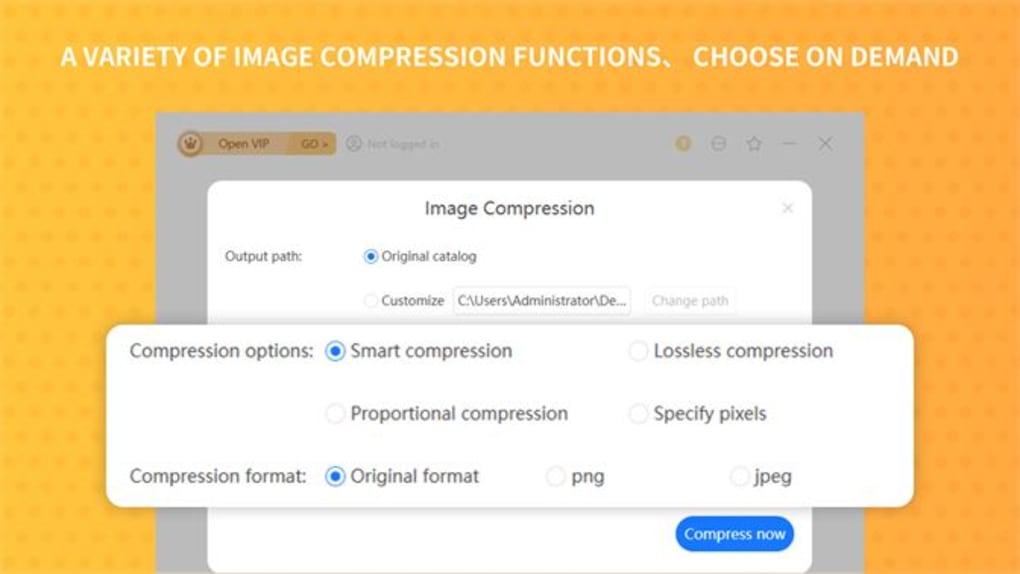
One of the key advantages of Zip-Unzip is its speed. The application is engineered for rapid compression and decompression, minimizing the time spent waiting for files to be processed. This efficiency is particularly valuable when dealing with large files or multiple files simultaneously. The software’s ability to handle various file formats ensures that users can work with diverse data without needing multiple applications. This streamlined workflow saves time and enhances productivity.
Beyond speed and compatibility, Zip-Unzip prioritizes security. Users can add an extra layer of protection to their compressed files by setting passwords. This prevents unauthorized access to sensitive information contained within the compressed archives. This security feature adds an essential level of data protection for users dealing with confidential files.
Further enhancing user convenience, Zip-Unzip offers the option to delete source files after compression or decompression. This feature helps in managing storage space and ensures that only the necessary files remain on the system. This feature is especially useful for users who want to declutter their systems and optimize storage space.
Enhanced User Experience
The development team behind Zip-Unzip has clearly prioritized a positive user experience. The application’s interface is meticulously designed for clarity and simplicity. Key functions are easily accessible, eliminating unnecessary complexity and ensuring smooth navigation. This intuitive design caters to users of all technical backgrounds, making it equally accessible to beginners and advanced users alike. The seamless integration of multiple functions within a single application streamlines the overall workflow, reducing the need to switch between different applications for related tasks.
The application’s efficient resource management further contributes to a positive user experience. Zip-Unzip is designed to minimize its impact on system resources, ensuring smooth operation even when dealing with multiple files or large datasets. This efficient use of resources enhances the overall user experience by preventing system slowdowns or interruptions. The combination of speed, functionality, and minimal resource consumption results in a significantly more efficient and user-friendly experience compared to many alternative solutions.
Security Measures Implemented in Zip-Unzip
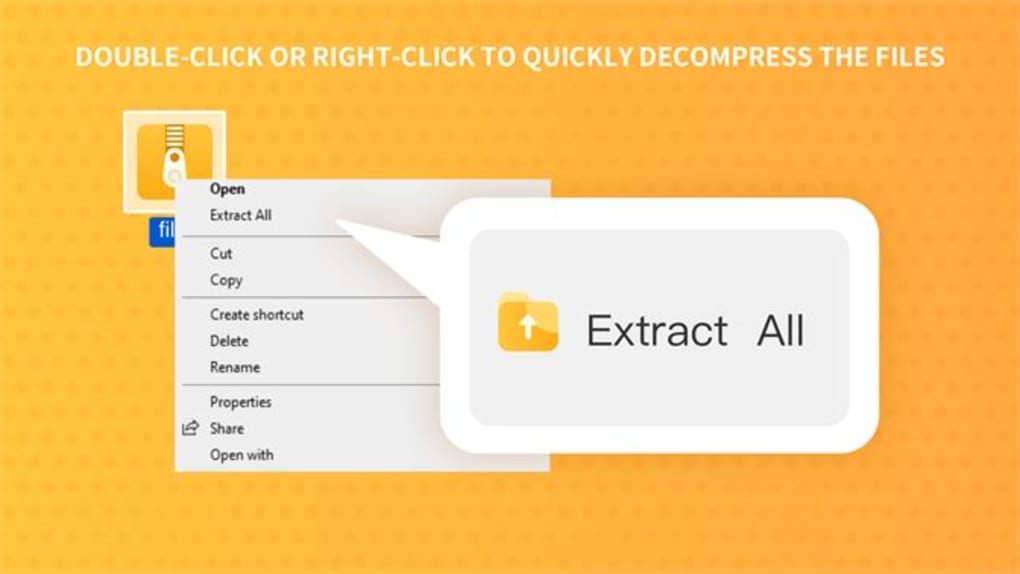
Data security is a paramount concern in today’s digital world. Zip-Unzip addresses this concern by implementing several robust security features. The ability to password-protect compressed files is a critical feature that safeguards sensitive information from unauthorized access. The strength of the password directly influences the security of the files, and users are encouraged to choose strong and unique passwords to maximize protection.
The application’s efficient design and minimal resource usage also indirectly contribute to security. By minimizing the software’s footprint on the system, the potential for vulnerabilities and security breaches is reduced. This streamlined design is a critical aspect of overall security, as it lessens the attack surface available to potential threats. Regular updates to the software also play a crucial role in maintaining security, addressing potential vulnerabilities as they are identified. These updates ensure the software remains protected against emerging threats and provides users with the most secure experience possible.
Versatility and Support for Multiple File Formats
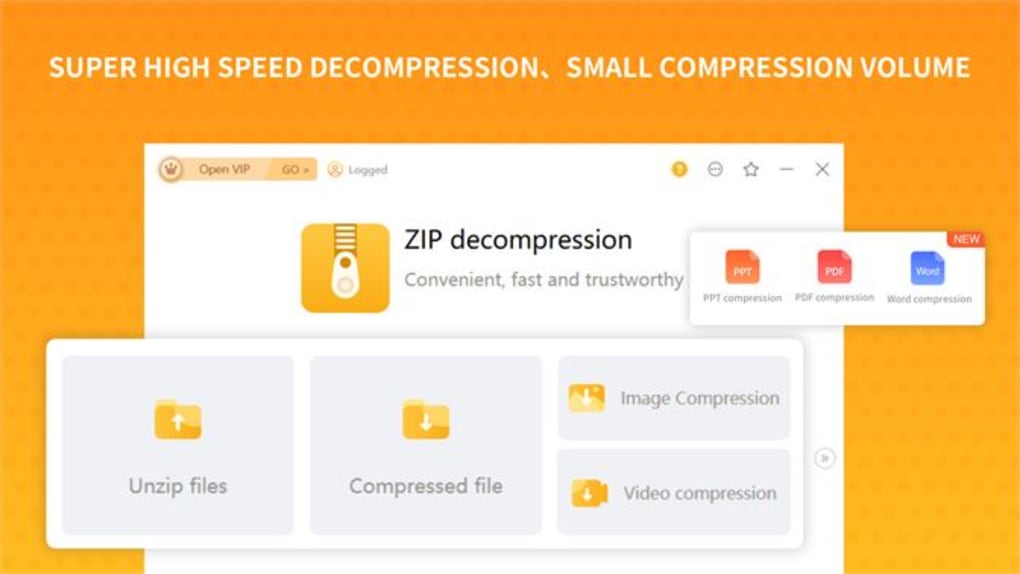
Zip-Unzip distinguishes itself through its versatility and compatibility with a wide range of file formats. It’s designed to seamlessly handle various file types, eliminating the need for users to use multiple applications for different compression or decompression tasks. This comprehensive support ensures that users can consolidate their file management into a single application, significantly streamlining their workflow. The ability to process diverse file formats simplifies the user’s experience and eliminates the need to learn multiple applications for different file types.
Comparing Zip-Unzip to Other File Compression Utilities
In the realm of file compression utilities, numerous options exist, each with its strengths and weaknesses. However, Zip-Unzip stands out due to its combination of speed, security, user-friendliness, and comprehensive feature set. While some competitors may offer specific advantages in niche areas, Zip-Unzip provides a well-rounded solution that caters to a broader range of user needs.
For instance, some applications may focus solely on speed, sacrificing features such as password protection or multiple format support. Others might prioritize advanced compression algorithms at the expense of user-friendliness. Zip-Unzip effectively balances these factors, providing a solution that is both powerful and accessible. The application’s streamlined interface ensures ease of use, while its robust security features and broad file format support solidify its position as a versatile and reliable file compression utility.
The ability to tailor the source files post-compression or decompression further distinguishes Zip-Unzip. This feature provides users with greater control over their files and allows for customized file management based on individual requirements. This level of customization and control is not always found in other file compression utilities, underscoring Zip-Unzip’s comprehensive functionality.
Conclusion: Zip-Unzip as an Essential Tool
Zip-Unzip presents a compelling solution for all users seeking a reliable, efficient, and user-friendly file compression and decompression utility. Its combination of speed, security features, and broad format support makes it a versatile tool for managing files of all types and sizes. The intuitive interface further enhances the user experience, ensuring that the application remains accessible and straightforward to use, regardless of the user’s technical expertise. Whether you are a casual user or a seasoned professional, Zip-Unzip emerges as a valuable and efficient addition to your software arsenal. Its comprehensive feature set, coupled with its robust security measures and attention to user experience, establishes it as a top contender in the file compression and decompression market.
File Information
- License: “Free”
- Version: “5.1.0.0”
- Latest update: “February 7, 2024”
- Platform: “Windows”
- OS: “Windows 10”
- Language: “English”
- Downloads: “4.3K”


