
The Zune. The name alone evokes a sense of nostalgia, perhaps tinged with a hint of what-could-have-been. Launched as a direct competitor to Apple’s dominant iPod, Microsoft’s Zune, including its accompanying software, attempted to carve a significant niche in the portable music and media player market. While ultimately unsuccessful in dethroning the iPod king, the Zune and its software offered a compelling alternative with a unique set of features and a distinct approach to media management. This article delves into the Zune software, exploring its functionalities, strengths, weaknesses, and its place in the history of digital media players. The download link for the original software is no longer available; however, we will explore its capabilities and legacy.
Zune Software: Features and Functionality
The Zune software wasn’t merely a media player; it served as a comprehensive hub for managing music, videos, and photos. Its core functionality included:
-
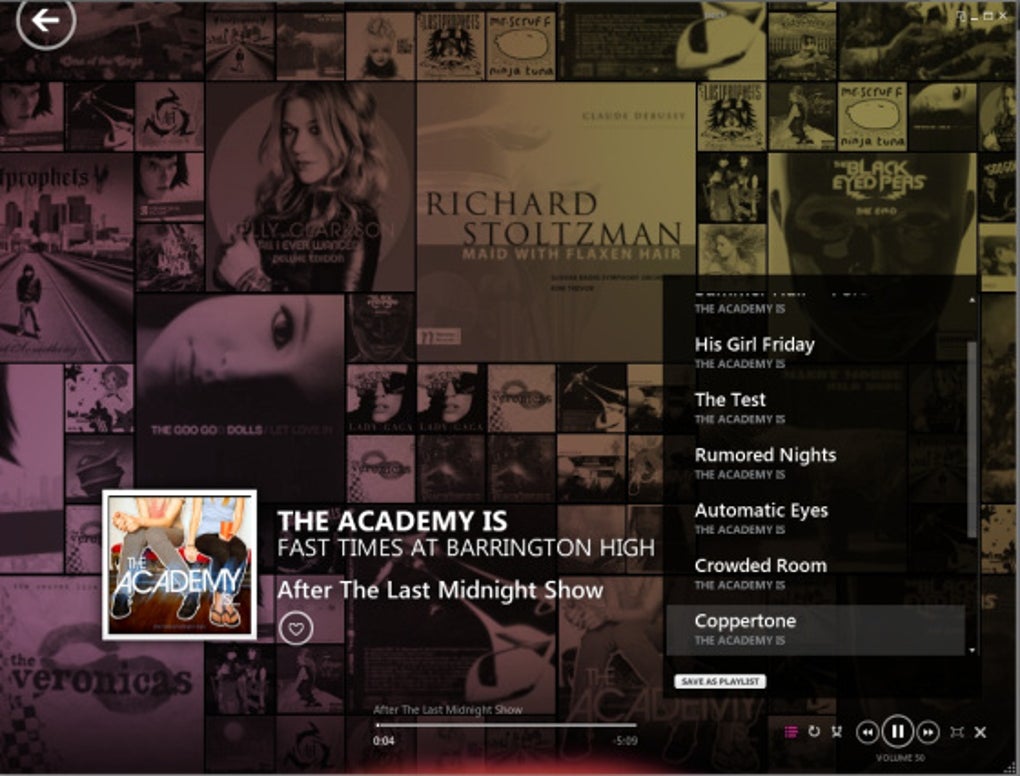
Media Library Management: The software excelled at organizing large music and video libraries. It allowed users to easily browse, sort, and categorize their media collections, creating playlists and customizing metadata like track titles, artist names, and album art. Importantly, Zune could seamlessly integrate existing libraries from iTunes and Windows Media Player, making the transition to the Zune ecosystem less disruptive for users already invested in other platforms.
-
CD Ripping and Burning: Zune offered built-in capabilities for ripping audio tracks from CDs and burning custom compilations to CDs, providing a complete solution for managing and distributing music. The process was typically streamlined, making it user-friendly even for those less experienced with such tasks.
-
Zune Marketplace Integration: A critical aspect of the Zune experience was its integration with the Zune Marketplace, Microsoft’s digital music store. Users could browse and purchase music, videos, and other digital content directly through the software, providing a convenient one-stop shop for acquiring media. While the Marketplace ultimately paled in comparison to the iTunes Store in terms of market share, it offered a viable alternative for those seeking a different digital storefront.
-
Synchronization with Zune Devices: The software’s primary purpose was to synchronize media between a user’s computer and their Zune device. Users could select the music, videos, and pictures they wanted on their player and effortlessly transfer them. The synchronization process generally ran smoothly and ensured consistency between the device and the computer library.
- Xbox 360 Integration: One unique selling point of the Zune software and devices was their seamless integration with the Xbox 360. Users could access their Zune media library directly through the Xbox 360 dashboard, allowing them to listen to music or watch videos while gaming or using other Xbox 360 features. This cross-platform functionality offered a level of convenience unavailable with competing platforms.
Zune Software: User Interface and User Experience
Microsoft has historically focused on user-friendly interfaces, and the Zune software was no exception. It featured:
-
Intuitive Design: The software boasted a clear, uncluttered interface designed for ease of navigation. Large icons, responsive buttons, and straightforward menus provided a user-friendly experience, making it accessible to users with varying levels of technical expertise. This was a significant design choice that contrasted with some more complex media management solutions available at the time.
-
Responsiveness: The software generally responded quickly to user input, ensuring a fluid and efficient experience. This was crucial, especially when dealing with large media libraries, as a slow and sluggish interface could have quickly frustrated users. The overall responsiveness contributed to a positive user experience.
-
Microsoft Ecosystem Integration: The software’s integration with other Microsoft services and applications was a key advantage. For users already embedded in the Microsoft ecosystem, using Zune was a natural extension of their existing digital workflow. This level of synergy enhanced the software’s appeal within a specific segment of the market.
However, while the user interface was generally well-received, some users experienced issues, particularly with syncing to certain devices and occasional software glitches.
Zune Software: Strengths and Weaknesses
The Zune software, like the hardware, presented a mixed bag of strengths and weaknesses:
Strengths:
- User-Friendly Interface: The software’s intuitive design and clear layout made it accessible to a broad range of users.
- Seamless Media Management: The software efficiently organized and managed large media libraries, streamlining the process of transferring files between a computer and Zune device.
- Microsoft Ecosystem Integration: The tight integration with other Microsoft services provided a seamless experience for those deeply invested in the Microsoft ecosystem.
- Xbox 360 Integration: The unique capability to access Zune media directly on the Xbox 360 console provided a considerable advantage over the competition.
- CD Ripping and Burning: The built-in functionality for handling CDs was a valuable asset for users who preferred physical media.
Weaknesses:
- Limited App Support: Unlike the iPod, which benefited from a vast and rapidly growing app ecosystem, the Zune software had limited third-party applications. This restricted its functionality and overall user experience.
- Marketplace Competition: The Zune Marketplace faced stiff competition from the established iTunes Store, hindering its ability to gain substantial market share.
- Software Bugs and Glitches: Some users reported encountering bugs and glitches, impacting performance and user experience. While Microsoft did release updates to address these problems, the initial issues negatively affected user perception.
- Lack of Platform Diversity: The software was primarily designed for Windows, limiting its reach to users of other operating systems.
- Discontinued Support: Ultimately, the lack of continued support and updates led to the software becoming obsolete, making it unusable for modern operating systems. The eventual discontinuation of the Zune brand as a whole sealed the software’s fate.
Zune Software: Legacy and User Reviews
The Zune software, despite its strong points, ultimately failed to gain significant traction in the market. User reviews reflect a mixture of positive and negative experiences. Some praised its intuitive interface, seamless integration with the Zune hardware, and robust media management capabilities. However, other users criticized its limited app ecosystem, occasional software glitches, and the overall lack of features compared to the competition. Many users highlighted issues with syncing their devices, particularly Windows Phones, and frustrating software crashes. The consistent mention of the difficulty in connecting phones to computers, even with the software installed, paints a picture of a user experience plagued by inconsistent performance. Ultimately, this combination of strengths and significant weaknesses contributed to the Zune’s ultimate market failure. The overwhelmingly negative experience for many users, as reflected in the reviews, highlights a critical flaw: while the software had a polished interface, the underlying functionality was inconsistent and unreliable, outweighing the positives.
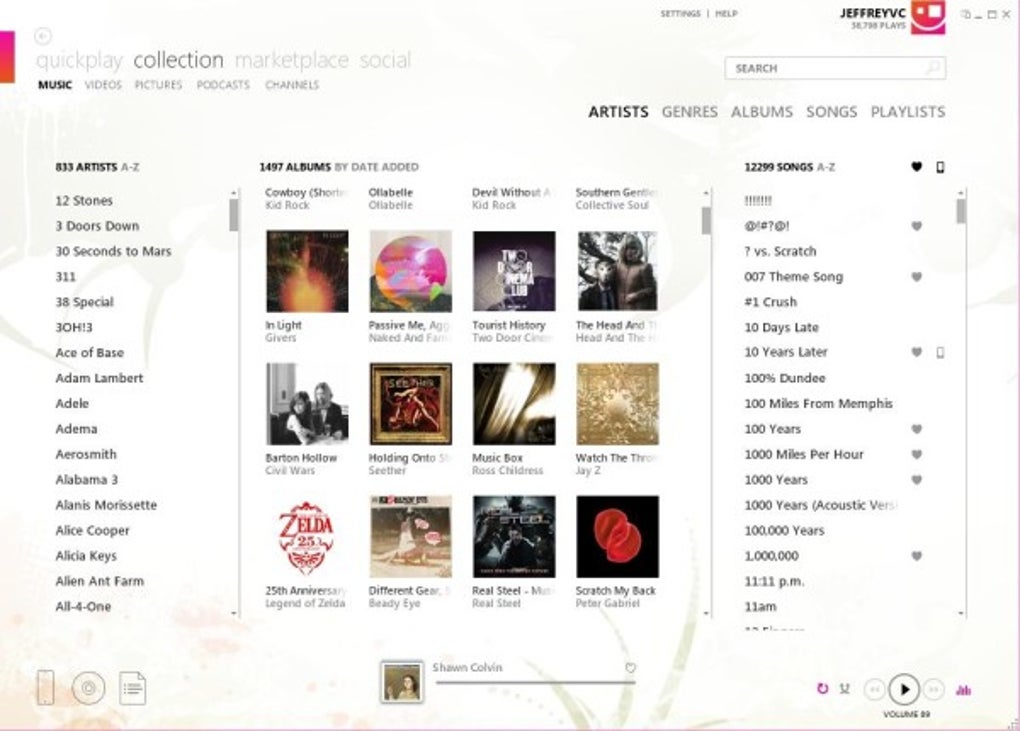
The legacy of the Zune software is a complex one. While it wasn’t commercially successful, it demonstrated Microsoft’s ambition to compete in the burgeoning digital media market. Its strengths, like its intuitive interface and Xbox 360 integration, showed glimpses of potential. However, its weaknesses, particularly the limited app support and marketplace challenges, ultimately proved insurmountable. The discontinuation of the Zune line illustrates the importance of market timing, effective marketing strategies, and the necessity for a strong, user-friendly ecosystem. The Zune and its software remain a compelling case study in the dynamics of the tech industry – a story of innovation, ambition, and the ultimate realization that even a tech giant can miss the mark.
File Information
- License: “Free”
- Version: “4.8.2345.0”
- Latest update: “December 5, 2018”
- Platform: “Windows”
- OS: “Windows XP”
- Language: “English”
- Downloads: “2.4M”
- Size: “105.66 MB”


