
PPSSPP is a highly acclaimed and versatile open-source emulator that allows you to relive the golden age of PlayStation Portable (PSP) gaming on your PC, Android device, or even your iPhone. This comprehensive guide delves into the features, functionalities, and overall experience of using PPSSPP, empowering you to unlock a vast library of classic PSP titles.
A Deep Dive into PPSSPP’s Functionality
PPSSPP stands out from other PSP emulators due to its robust feature set and its commitment to delivering a high-fidelity emulation experience. The emulator’s success stems from its ability to accurately replicate the PSP’s hardware and software, resulting in smooth gameplay and near-perfect graphical rendering for a wide range of PSP titles. It’s not just about playing games; PPSSPP offers a comprehensive suite of tools for customization and optimization, catering to both casual and advanced users.
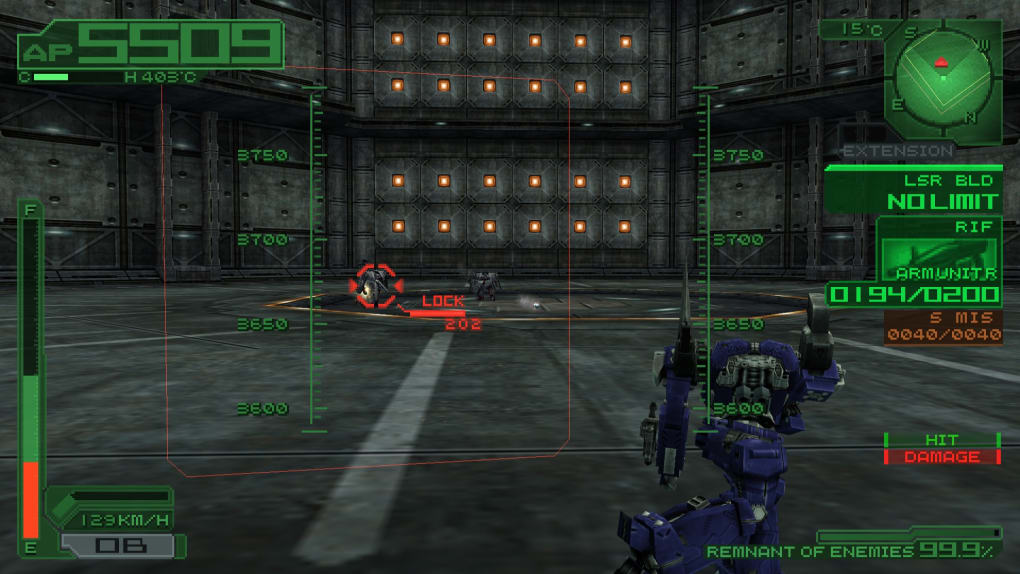
The core functionality centers around loading and playing PSP games. PPSSPP supports a variety of ROM formats, including ISO, CSO, PBP, and ELF files, giving users flexibility in sourcing their game libraries. Beyond commercial titles, PPSSPP also supports homebrew applications and demos, opening up a world of user-created content.
The user interface is designed for intuitive navigation. Three primary tabs organize the experience:
-
Recent: This tab neatly displays a list of recently played games, allowing for quick access to your favorites. This feature streamlines the gaming experience, eliminating the need to repeatedly search for your frequently played titles. The recency of the games listed ensures that your ongoing gameplay is readily available.
-
Games: This is where the heart of your PSP game library resides. It acts as a file browser, guiding you through your computer’s file system to locate and load the PSP ROMs (.ISO, .CSO, .PBP, or .ELF files) that you wish to play. This straightforward approach makes it easy to manage and access your collection.
- Homebrew & Demos: This tab provides a dedicated space for exploring the world of homebrew applications and demos created by the PSP development community. This section extends the functionality beyond commercially released games, offering a diverse range of user-created experiences to discover.
Beyond these tabs, the real power of PPSSPP lies within its comprehensive settings menu. This allows for granular control over various aspects of the emulation process, significantly impacting performance and visual fidelity. The settings menu is divided into four key sections:
-
Graphics: This section allows for extensive customization of visual aspects, offering options to adjust rendering settings, frame rates, texture scaling, texture filtering, and more. This fine-grained control enables users to optimize the visual presentation based on their hardware capabilities and personal preferences. High-end systems can benefit from maximum settings for unparalleled visual quality, while less powerful machines can prioritize performance by lowering certain settings.
-
Audio: This section focuses on audio parameters. Users can fine-tune the audio settings to optimize sound quality and address any potential audio issues that may arise during emulation. Options include adjusting volume levels, selecting audio output devices, and tweaking other audio parameters for an improved sound experience.
-
Controls: This section deals with input configuration. Users can remap on-screen controls to match their preferred setup, allowing for a customized gaming experience. The ability to adjust the control scheme ensures a comfortable and effective gameplay experience, accommodating various controllers and input devices. Additional options allow for enabling or disabling touch screen controls, where applicable.
-
System: This section covers a wide array of general settings. It contains options for language selection, screenshot saving (in PNG format), clearing the list of recently played games, enabling cheat codes, accessing developer tools, and enabling experimental features for performance optimization. This provides a central hub for managing various operational aspects of the emulator, ensuring a personalized and efficient emulation experience.
PPSSPP: User Experience and Interface Design
PPSSPP’s interface is a testament to its elegant simplicity. The design is clean and uncluttered, prioritizing ease of use and intuitive navigation. The main menu is straightforward, even for those new to emulators. The tabs provide a clear and logical structure for accessing games and configuring settings. The well-organized layout minimizes the learning curve, allowing users to quickly start playing their favorite PSP titles.
However, while the general interface is user-friendly, the advanced settings within the configuration menu might feel slightly overwhelming to less experienced users. The sheer number of options and their technical nature can require a certain level of familiarity with emulation concepts and terminology. Fortunately, the default settings are usually well-balanced and provide a good starting point for most users, negating the need to delve into the more complex adjustments immediately.
The emulator’s ability to save the state of the emulated console is a crucial feature that enhances the overall gaming experience. This function allows users to pause their gameplay at any point and resume later from the exact moment they left off, eliminating the need to replay entire levels or sections of a game. This saves significant time and frustration, contributing to a more enjoyable and efficient gaming experience.
PPSSPP: Performance and Compatibility
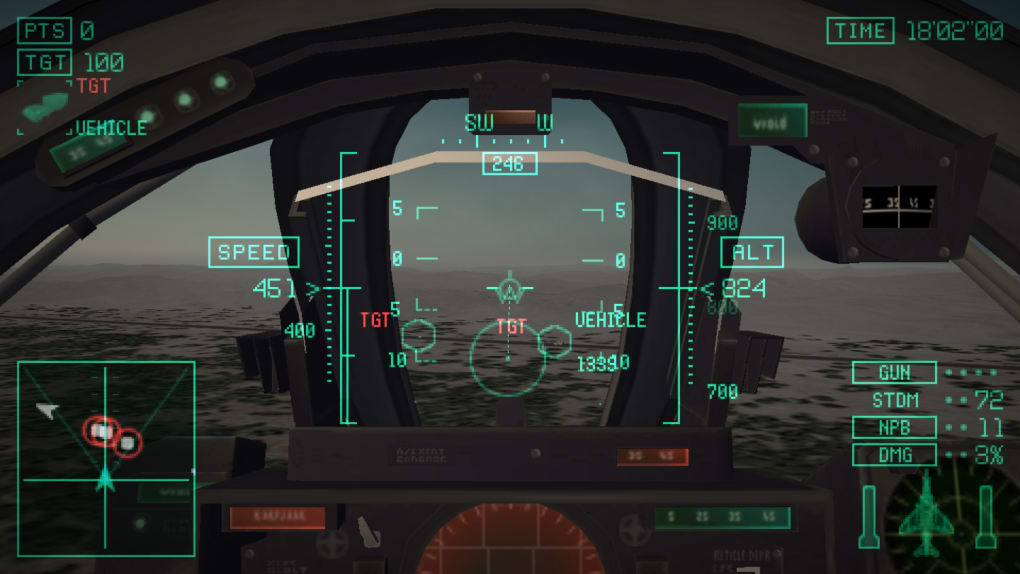
PPSSPP’s performance varies depending on the device being used and the game being emulated. More demanding PSP games naturally require more processing power to run smoothly. However, PPSSPP’s optimization generally allows for a satisfactory gaming experience even on modestly powered hardware. The ability to customize graphic settings allows users to fine-tune the performance to match their hardware capabilities. Reducing graphical settings like resolution and texture quality can significantly improve frame rates on lower-end devices, enabling gameplay even with less powerful systems.
Compatibility is generally excellent, with PPSSPP supporting a broad spectrum of PSP titles. However, some older or more demanding games might experience minor glitches or performance hiccups. In such cases, adjusting graphical settings or utilizing the emulator’s other configuration options can often resolve these issues. The developer community actively works on improving compatibility, and updates regularly address compatibility issues with various games.

Furthermore, the emulator’s ability to handle different PSP ROM formats (ISO, CSO, PBP, ELF) expands its compatibility, giving users greater flexibility in their game choices. The wide range of supported formats reflects the developer’s dedication to supporting the various ways PSP games can be stored and accessed.
Legal Considerations: Using PPSSPP Responsibly
It is crucial to remember that using PPSSPP to play PSP games requires owning a legitimate copy of the games being emulated. Downloading ROMs from unofficial sources is illegal and can expose your system to malware. Respecting intellectual property rights is paramount, and utilizing the emulator should align with legal and ethical guidelines. Using PPSSPP should enhance your experience with games you already own, not provide an avenue for unauthorized access to copyrighted material.
PPSSPP itself is a legitimate and freely available piece of software. The developers have made the emulator’s source code publicly available, promoting transparency and community involvement in its improvement. However, the legality of how you use the emulator rests on how you obtain and use the game ROMs. Always adhere to copyright laws and obtain games legally through legitimate channels. Only use ROMs of games you already own physically.
In conclusion, PPSSPP provides a compelling and comprehensive solution for experiencing the expansive library of PlayStation Portable games. Its user-friendly interface, robust feature set, and ability to fine-tune performance and visuals make it a top choice among PSP emulators. Remember to always use the emulator responsibly and legally, respecting the rights of game developers and publishers.
File Information
- License: “Free”
- Latest update: “November 25, 2024”
- Platform: “Windows”
- OS: “Windows 10”
- Language: “English”
- Downloads: “503.9K”
- Size: “22.55 MB”


